


How to add your club
From sign-in to going live takes a few minutes. Below is every field of the form with screenshots: what to enter and how players will see it. Listing is free.
- What to prepare
- Club name and a short description in English
- The app (ClubGG, PPPoker, PokerBros, Suprema, Pokerrrr 2, X-Poker) and your union, if any
- Rakeback, rake, currency and chip rate
- Games, limits and deposit methods
- Countries where play isn’t allowed
- A join contact — the agent’s Telegram or Discord
- A logo and 3–6 lobby screenshots from a phone
Sign in
Click Add → List your club in the header or open the add-club form. If you’re not signed in, the site offers Telegram, Google, Discord or Yandex ID. An account lets you edit your club later and reply to reviews.
Basics: name, description, contacts
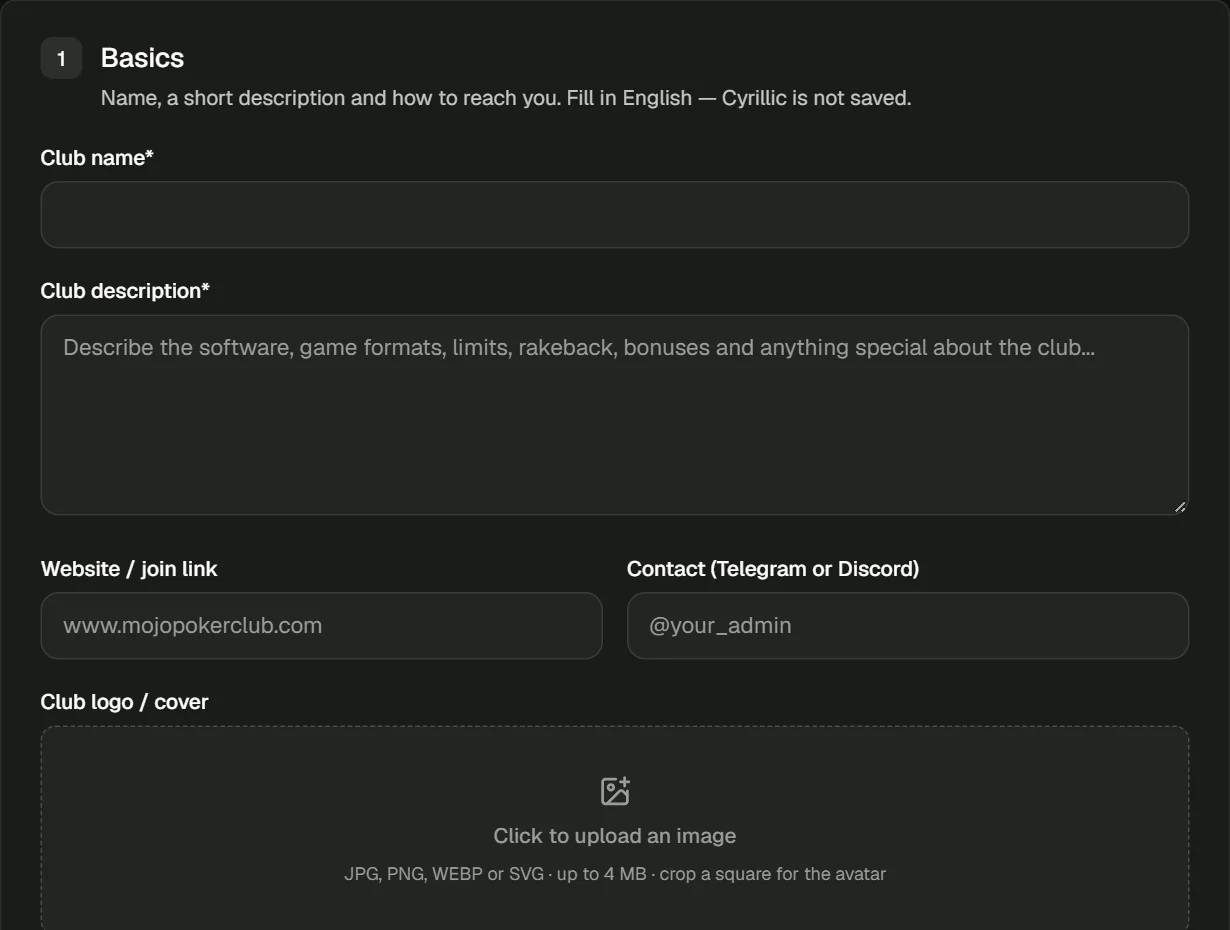
- Club name — as in the app, so players recognise the club in the lobby.
- Description — games, limits, rakeback, bonuses and what makes the club different. Write in English: Cyrillic isn’t saved, and the site translates the description for the Russian version itself.
- Website / join link — if you have one.
- Contact — the agent’s Telegram or Discord, e.g. @your_admin: players message it to join.
Logo and lobby screenshots
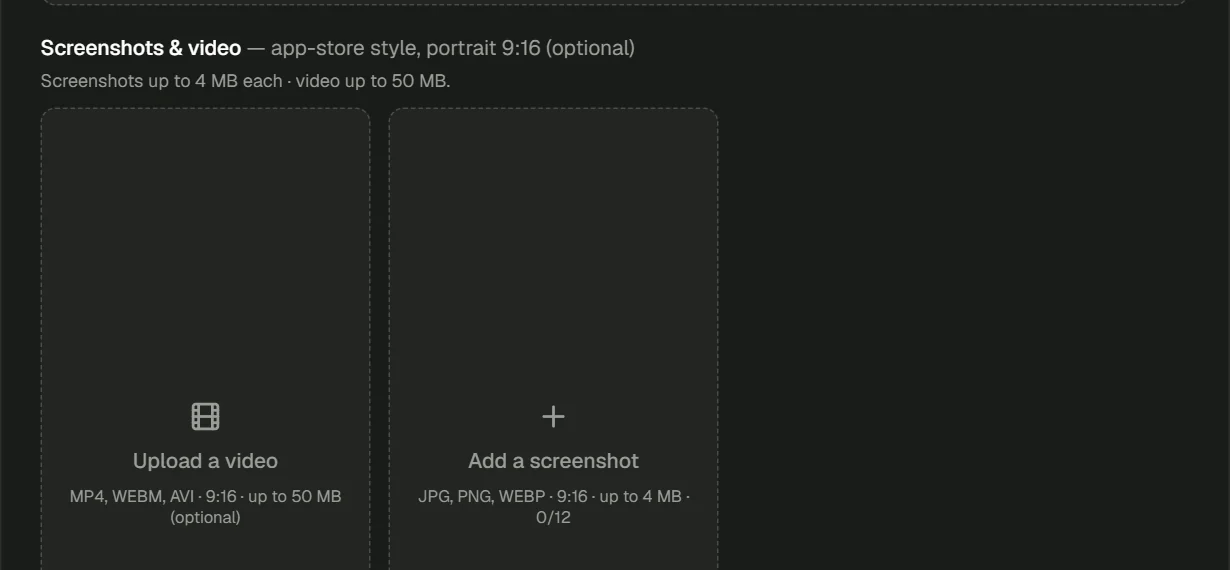
- Logo — JPG, PNG, WEBP or SVG up to 4 MB. Crop it to a square right in the form.
- Screenshots — portrait 9:16, up to 12, up to 4 MB each. The first one becomes the cover; drag to reorder.
- Video — optional: MP4 or WEBM up to 50 MB, shown first in the strip.
App and terms
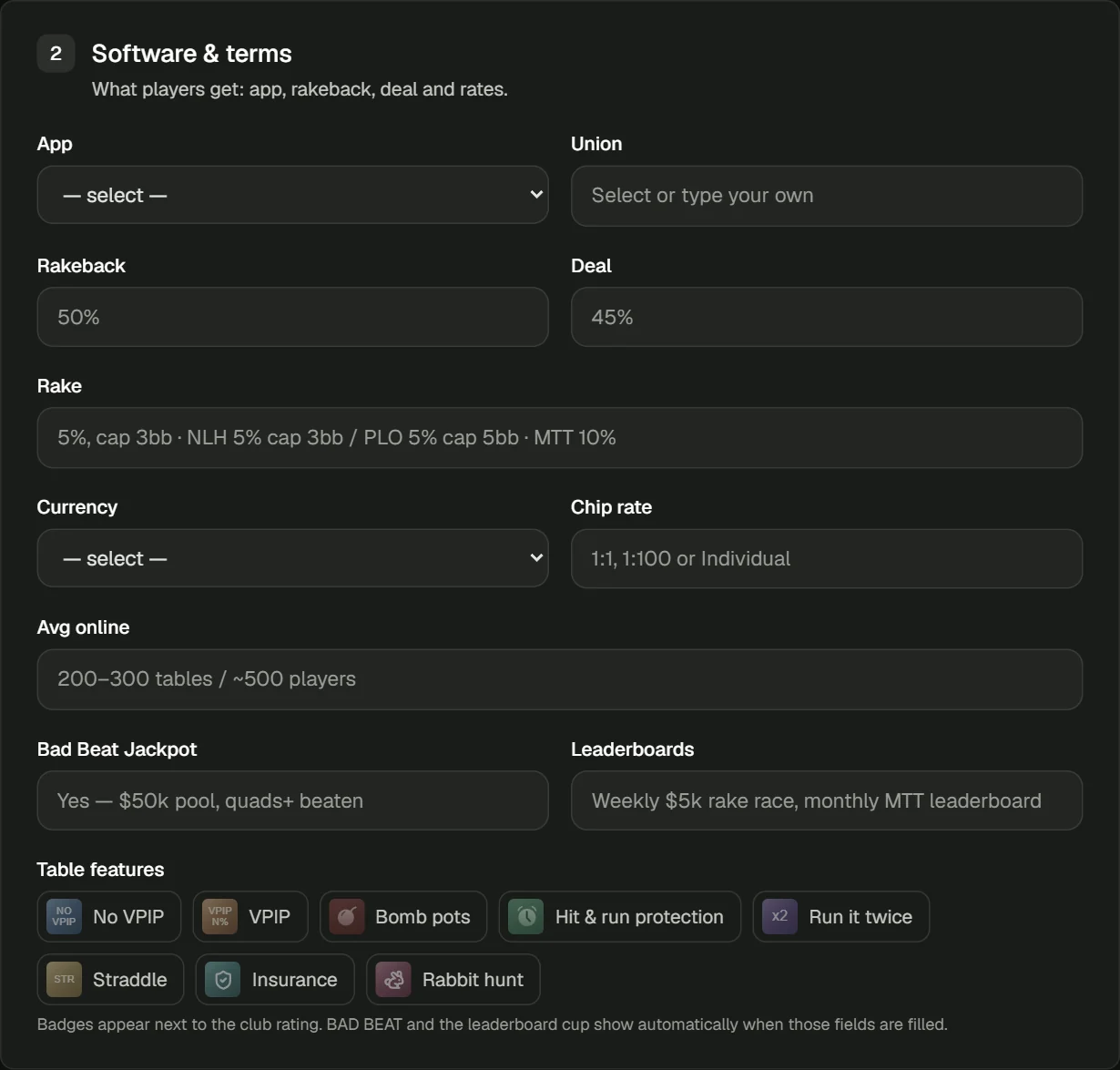
| Field | What to enter |
|---|---|
| App | The club’s app: ClubGG, PPPoker, PokerBros, Suprema, Pokerrrr 2 or X-Poker |
| Union | Pick a union or type your own. If we don’t have it yet, its page appears once the club is approved |
| Rakeback / Deal | Player rakeback and the deal, e.g. 50% and 45% |
| Rake | Free text: “5%, cap 3bb” or “NLH 5% cap 3bb / PLO 5% cap 5bb” |
| Currency / Chip rate | Currency (USD, EUR, RUB, PHP and more) and chip rate: 1:1, 1:100 |
| Avg online | Average online: “200–300 tables / ~500 players” |
| Bad Beat / Leaderboards | Bad beat jackpot and leaderboards — badges appear next to the rating automatically |
| Table features | No VPIP, Bomb pots, Run it twice, Straddle, Insurance and more |
Games and access
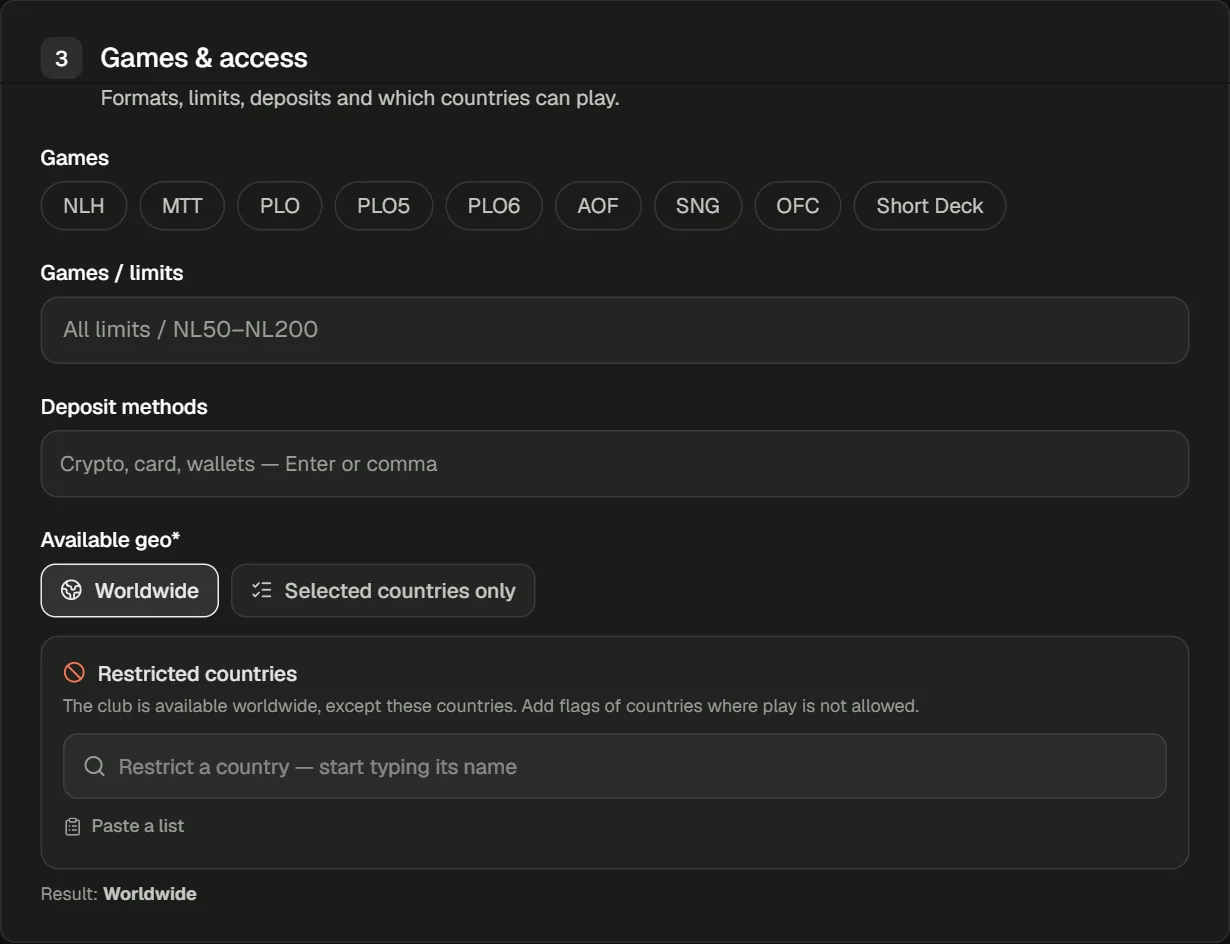
- Games — tick the formats: NLH, MTT, PLO, PLO5, PLO6, AOF, SNG, OFC, Short Deck.
- Limits — e.g. “All limits” or “NL50–NL200”.
- Deposits — methods separated by commas: crypto, card, wallets.
- Geo — “Worldwide” with exceptions or “Selected countries only”. With the “My country” filter, players from excluded countries won’t see the club.
Rules and extra
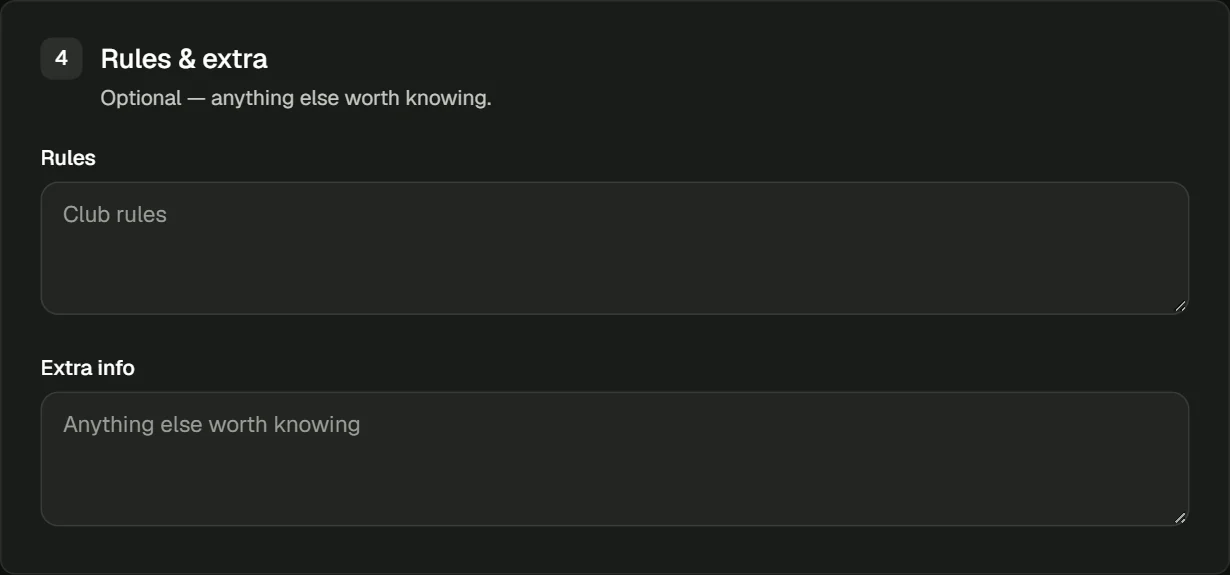
Optional but useful: rules (minimum deposit, withdrawals, multi-accounting) and anything that didn’t fit above. Submit the form and the club goes to moderation.
Moderation and going live
- 1After submitting, the club is pending — you’ll see it under My clubs.
- 2We check the club manually. Once approved, the page goes live in the catalog, on the app page and in the blog rankings.
- 3If you named a union we don’t have yet, it gets its own page straight away, with your club in its club list.
- 4Players start leaving reviews — they decide your club’s place in the ranking.
01Is it free?
Yes, completely: listing, the page, screenshots, reviews and ranking places.
02Why does the description have to be in English?
Players from many countries open the catalog. The site translates the description for the Russian version itself.
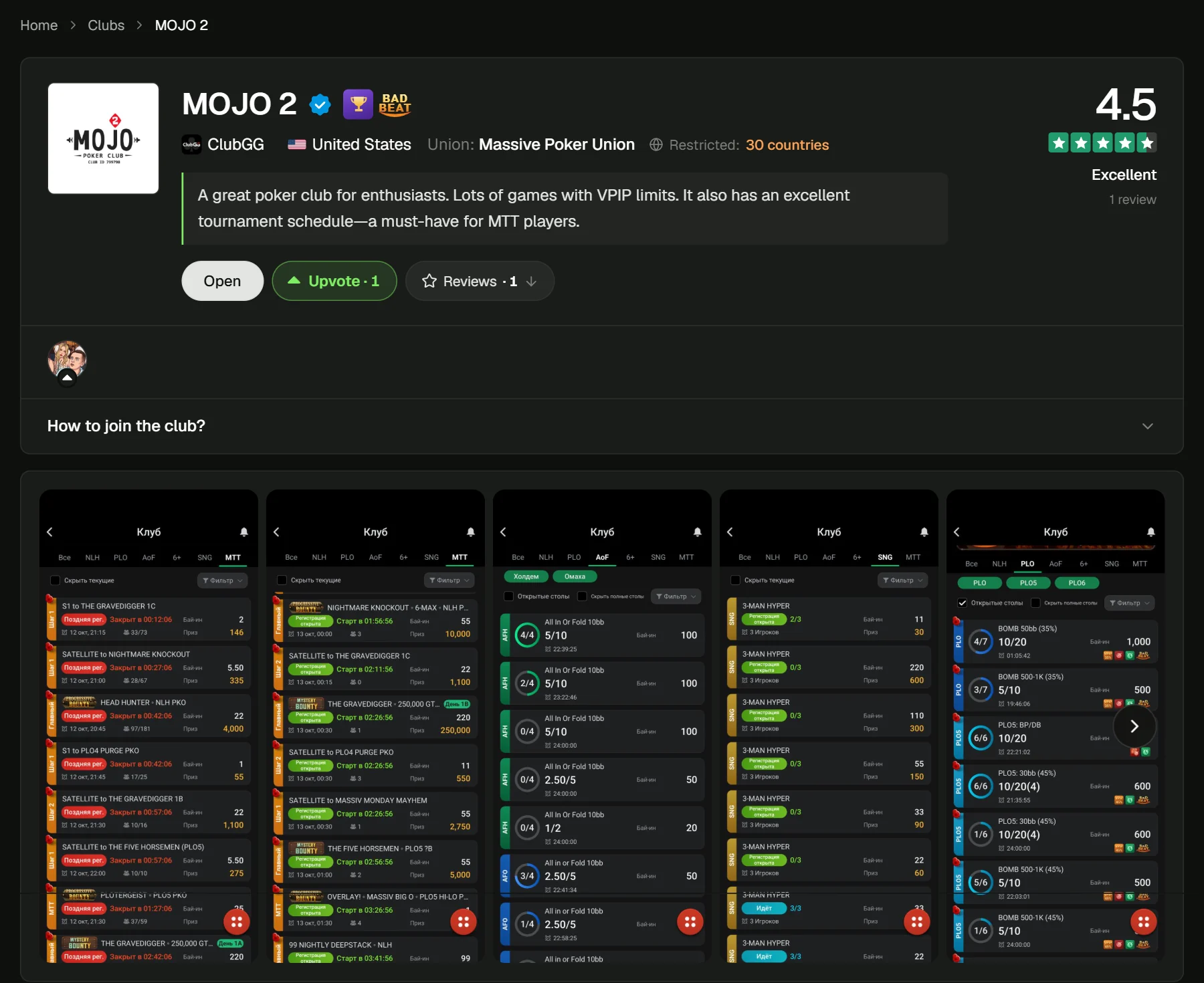
03Why is the club ID blurred on screenshots?
So nobody joins around your agent: players message your contact, and the agent explains the terms and deposits and gives them the ID.
04How do I add a union?
Use the union form: player pool, number of clubs and average online. The union’s clubs are linked to its page by name automatically.
05How do I get the Trusted badge?
List your club and contact us: we’ll check payouts and terms.