Step 1 of 1
Create the club: the house with a plus
House with a plus on the home screen → name, icon, cover (400 diamonds) → Create. Your first club gets 10,000 club chips.
Home screen → house with a plus (top left)
Open PokerBros and log in (see PokerBros sign-up). At the top left of the home screen is a house with a plus — creating your own club. On the right, the magnifier searches for a club by ID.
The club name and a ready-made icon are free. A custom club cover (a png or jpg image) costs 400 diamonds — the purple crystals bought in the shop. Without a cover the club gets a default image, which you can change later.
For your first club PokerBros gives 10,000 club chips. How many clubs you can own depends on VIP: Bronze adds +1, Silver +2, Gold +3 (VIP cards).
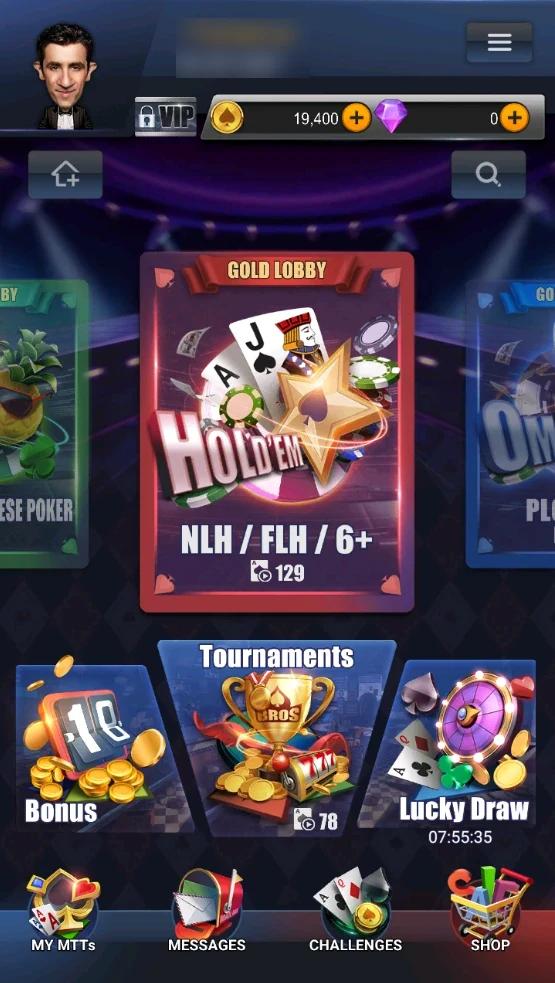
Where it is
- The house with a plus at the top left of the home screen, under your avatar — create your club.
- The magnifier on the right — find a club by ID.
- The centre carousel — the Gold Lobby and your clubs; the new club appears here too.
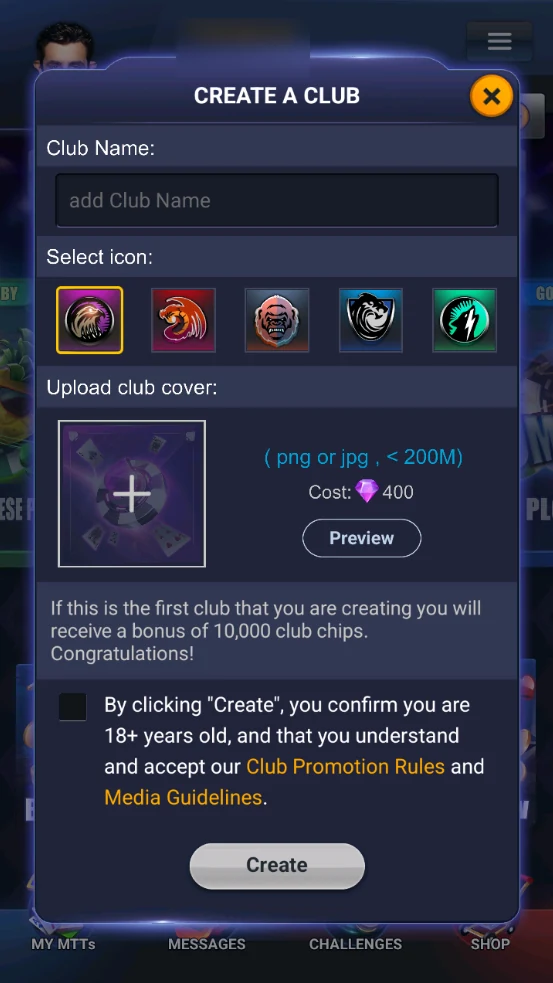
The Create a Club form
- Club Name — visible to all players.
- Select icon — one of five free icons.
- Upload club cover — your own cover (png or jpg) for 400 diamonds; Preview shows how it looks.
- The note below: your first club gets a 10,000 club chip bonus.
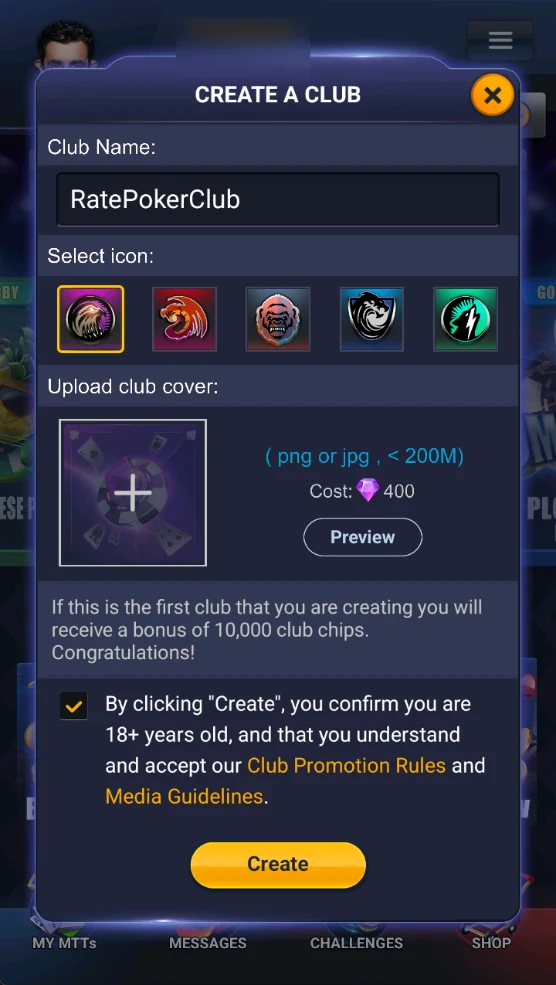
Confirm and Create
- Enter a name, e.g. RatePokerClub.
- Tick the box: you’re 18+ and accept the Club Promotion Rules and Media Guidelines.
- Create becomes active — tap it.
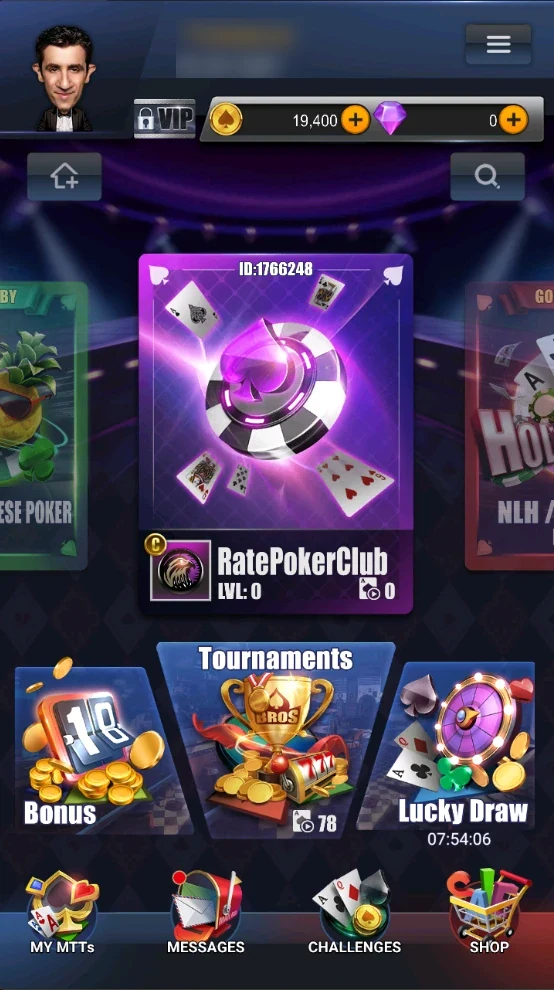
Club created
- The club appears in the home-screen carousel: cover, the club ID at the top (players join with it), icon, name and level LVL: 0.
- The “C” badge by the icon means you’re the creator. Tap the card to open the club lobby.
Don’t spend diamonds on a cover straight away — get players first; you can add a cover later.
Note the club ID: you send it to players and list it in the directory.