What PokerBros looks like
Official PokerBros screenshots from the app store. They show what the developer itself emphasizes: playing with friends and 3D avatars, fair dealing (testing lab logos), daily bonuses and the range of games.

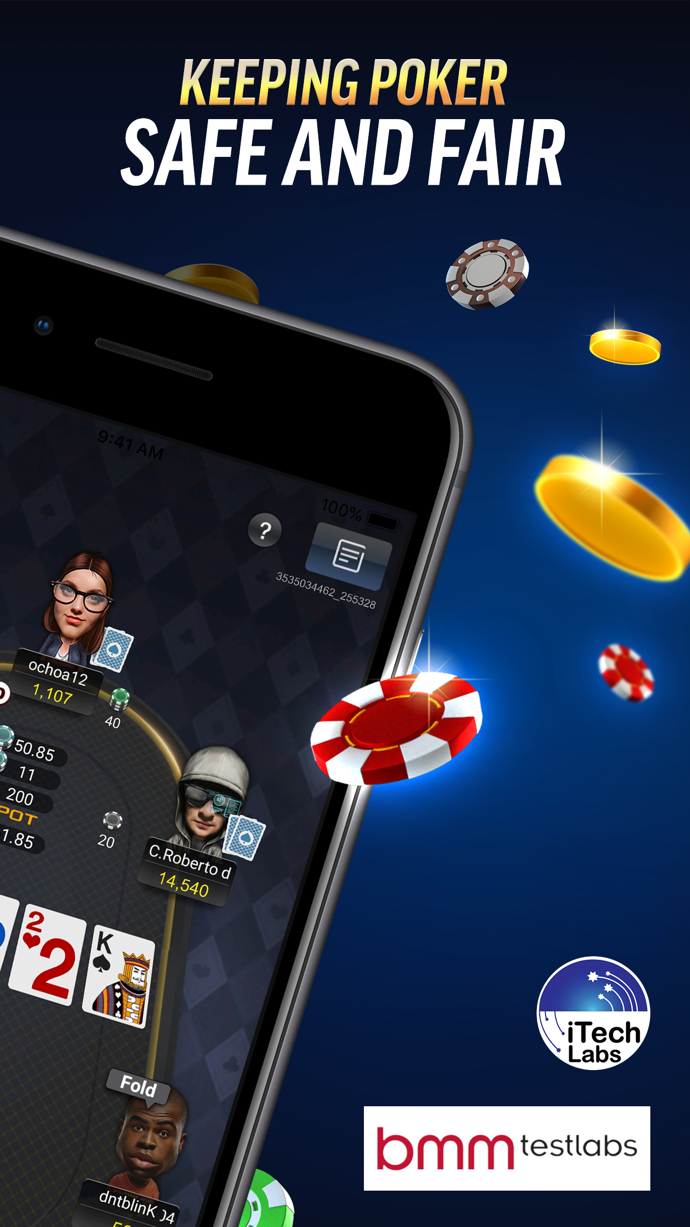


What the screenshots show
| Screenshot | What you see | What to know |
|---|---|---|
| “Play with your friends” | 3D player avatars, chat phrases, a table with an all-in | You can play with friends in your own club — how to create a club |
| “Keeping poker safe and fair” | A table during a hand, iTech Labs and BMM Testlabs logos | This is a claim of a certified RNG — what it means |
| “Daily Bonus & Lucky Draw” | Daily bonus calendar, Lucky Draw wheel, profile with nickname and ID, coin and diamond counters | App bonus coins are not club chips — breakdown |
| “A variety of poker variants” | NLH, 6+ Holdem, PLO, OFC, FLH, FLO | Which tables actually run is up to the club — games |
The interface: what to look for
AvatarsPlayers at the table appear as 3D characters with outfits. This is purely cosmetic — the avatar has no effect on the hand.
Table phrasesIn the promo screenshots, players exchange quick phrases right at the table. Use them politely: clubs may restrict access for abuse.
Profile and IDThe profile header shows your nickname and numeric player ID. This ID is what you give the agent when joining a club.
Tables and hand numberIn the table screenshot, the hand number is shown in the top corner — handy for reviewing disputed hands with the club.
What the Table Looks Like
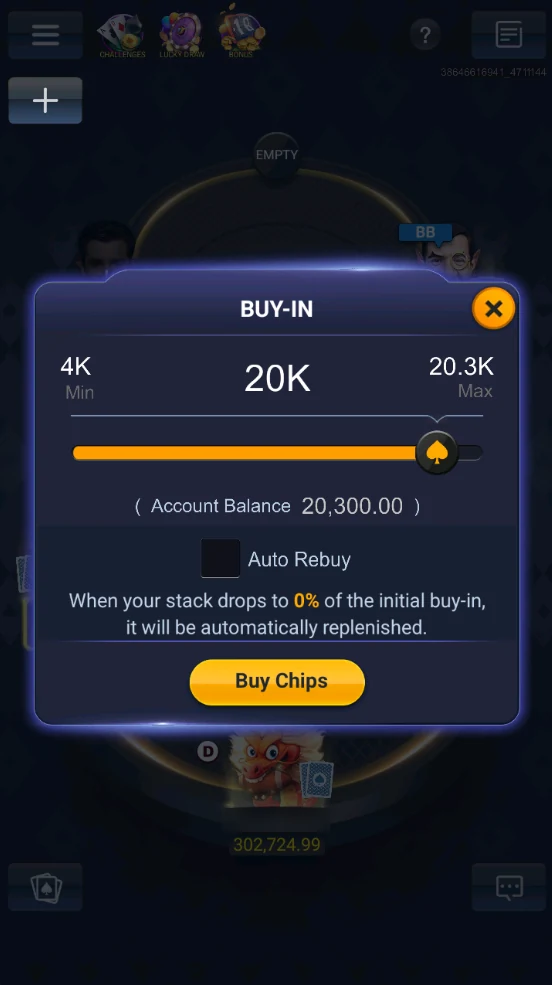
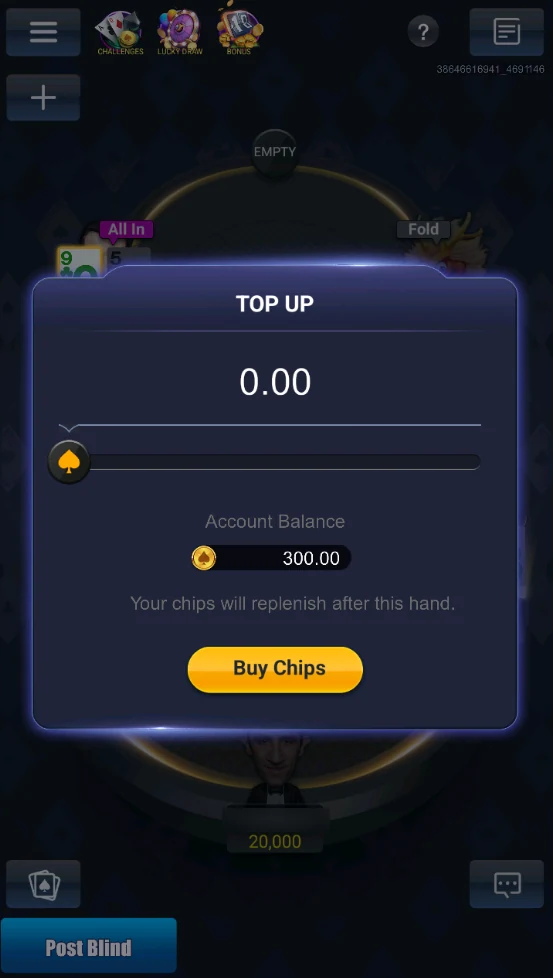
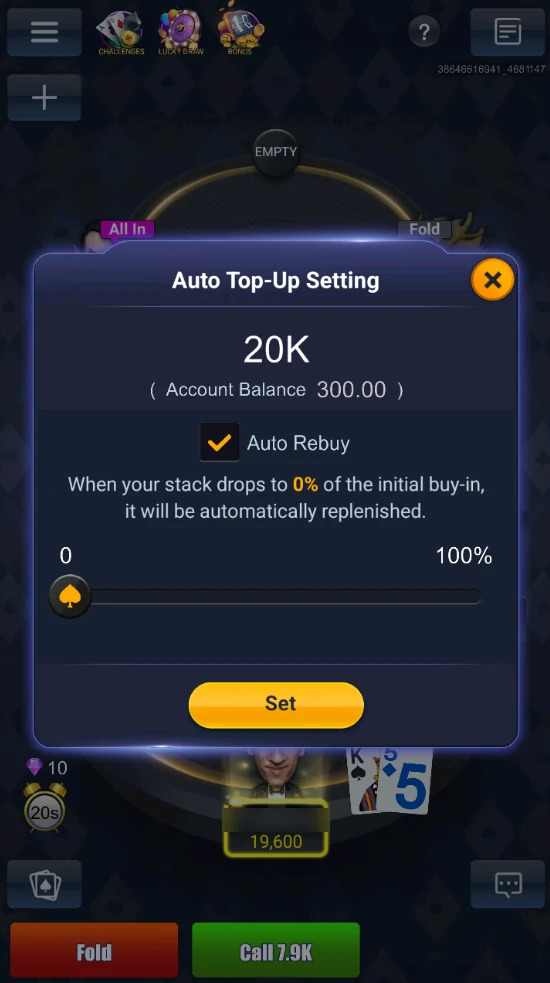
- Sitting down. Take a free seat and Buy-In opens: a slider from the table min to max (4K–20.3K in the screenshot) and your account balance. Auto Rebuy tops you up automatically when your stack drops to a set percentage. Tap Buy Chips.
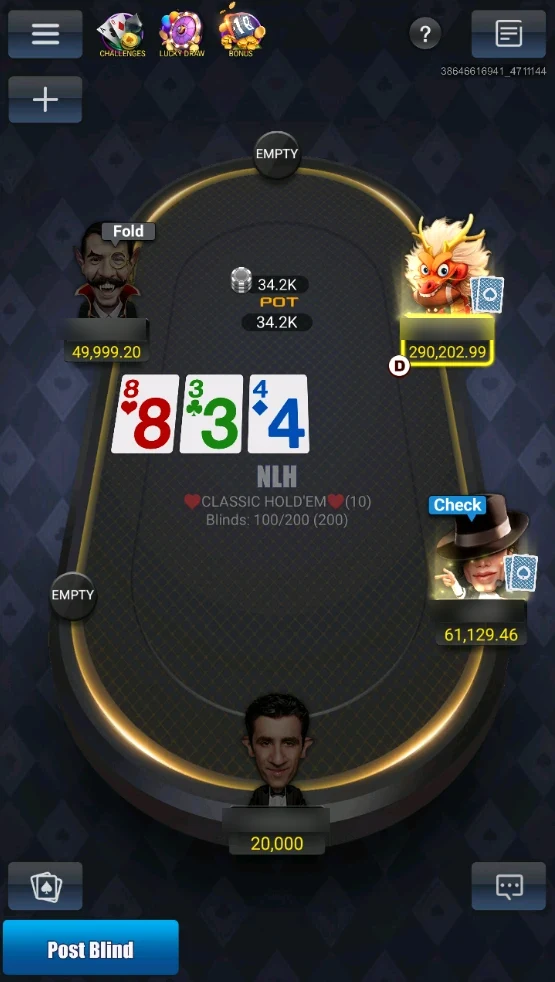
- At the table. The middle shows the pot, the game and blinds with ante. A new player can post a blind straight away with Post Blind instead of waiting for the big blind.
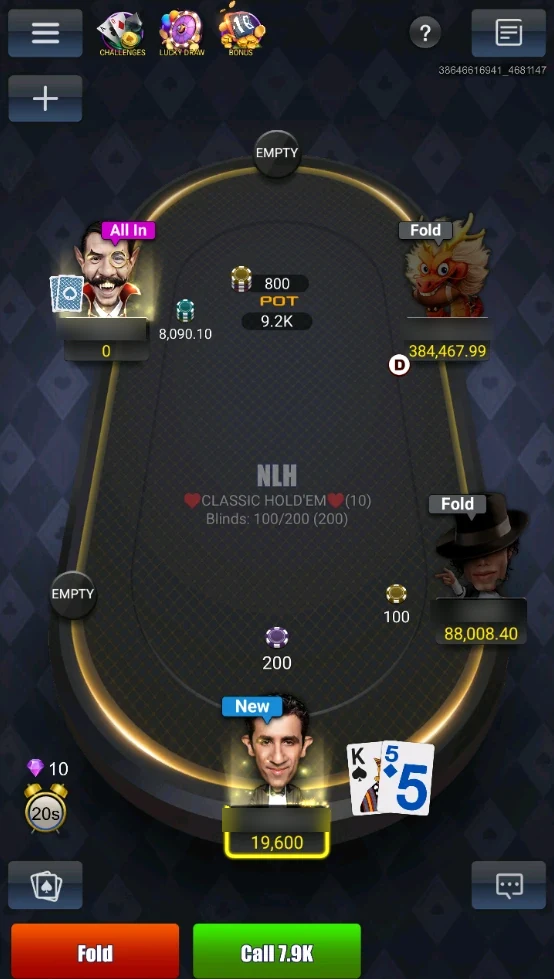
- Your turn. Fold / Call / Raise buttons; on the left are the action timer and time bank (the diamond icon shows what extra time costs). You can pre-select Check / Fold, Check or Call Any.
Top Right: Table Info
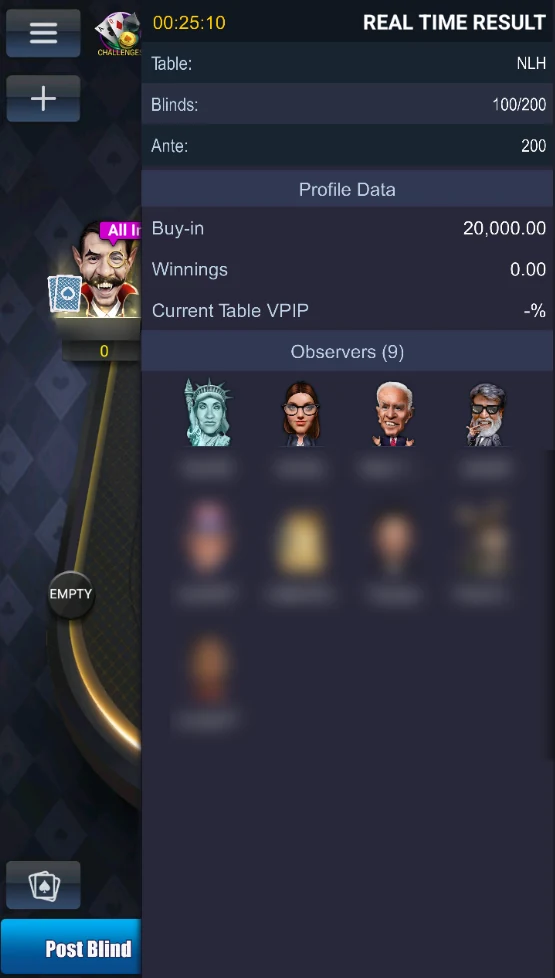
The top-right icon opens Real Time Result: game, blinds and ante, session time, your buy-in, winnings and VPIP at this table, and below the observers (people watching without playing).
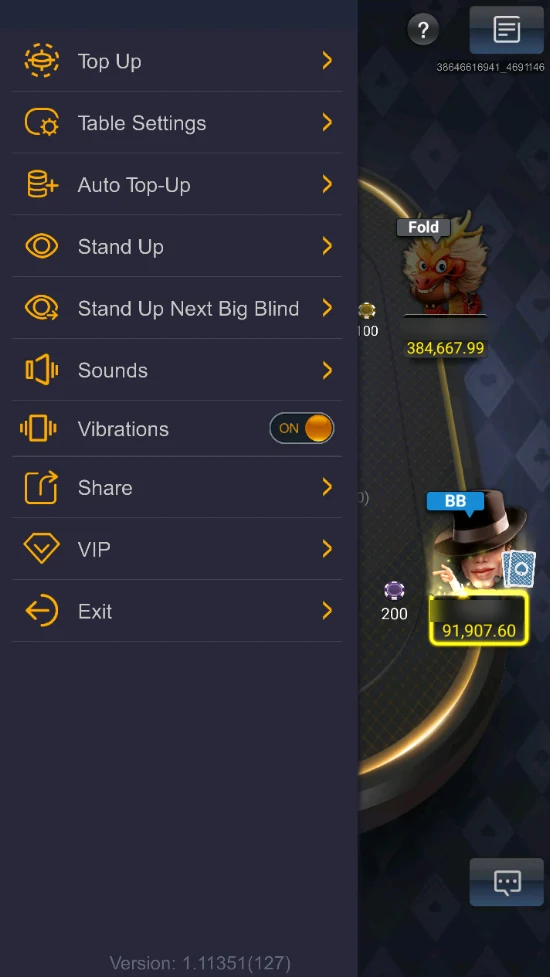
Top Left: the Table Menu
| Item | What it does |
|---|---|
| Top Up | Add chips at the table — they’re added after the current hand |
| Table Settings | Table settings (below) |
| Auto Top-Up | When your stack drops to a set percentage of the buy-in, chips are replenished automatically |
| Stand Up / Stand Up Next Big Blind | Leave the table now or before your next big blind |
| Sounds, Vibrations | Sound and vibration |
| Share | Share the table |
| VIP | VIP cards |
| Exit | Leave the table |
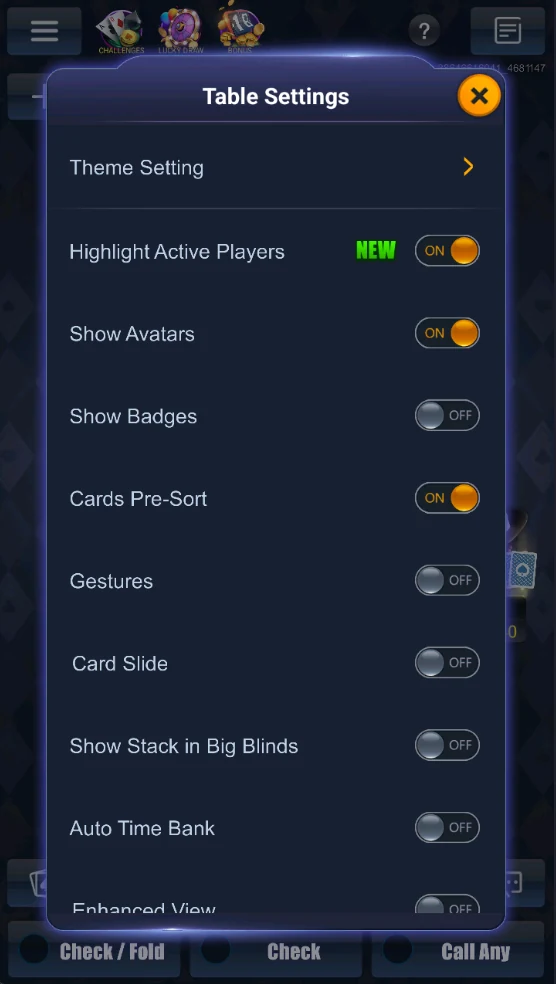
Table Settings: table theme, Highlight Active Players, show avatars and badges, Cards Pre-Sort, gestures, Card Slide, Show Stack in Big Blinds and Auto Time Bank — the last two come with VIP, Enhanced View.
Bottom: Hand History and Chat
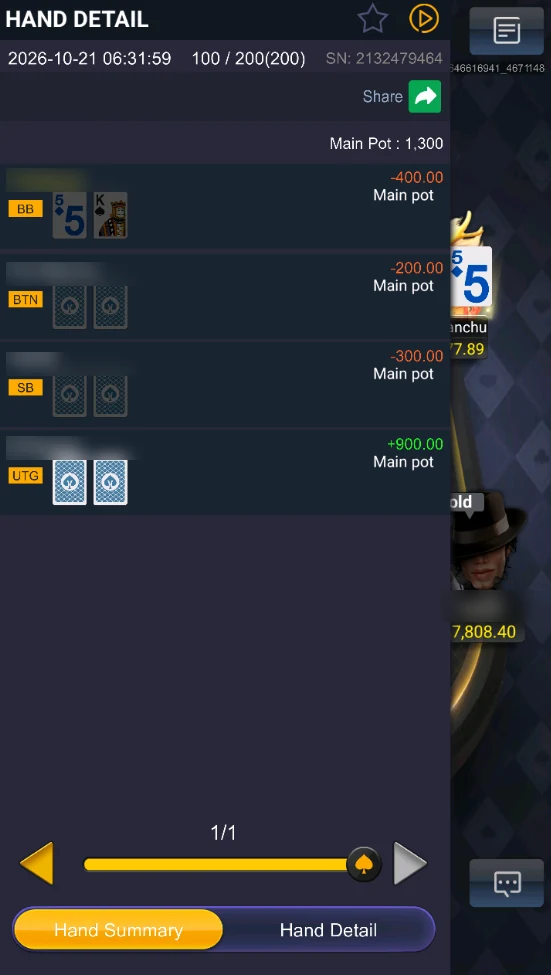
- Bottom left — the table’s hand history. Hand Summary: date, blinds, hand number (SN), the pot and who won or lost how much, with positions (BTN, SB, BB, UTG) and shown cards. Hand Detail — actions street by street. Star a hand (Favorite), watch the replay (▶) or Share it; the arrows step through hands.
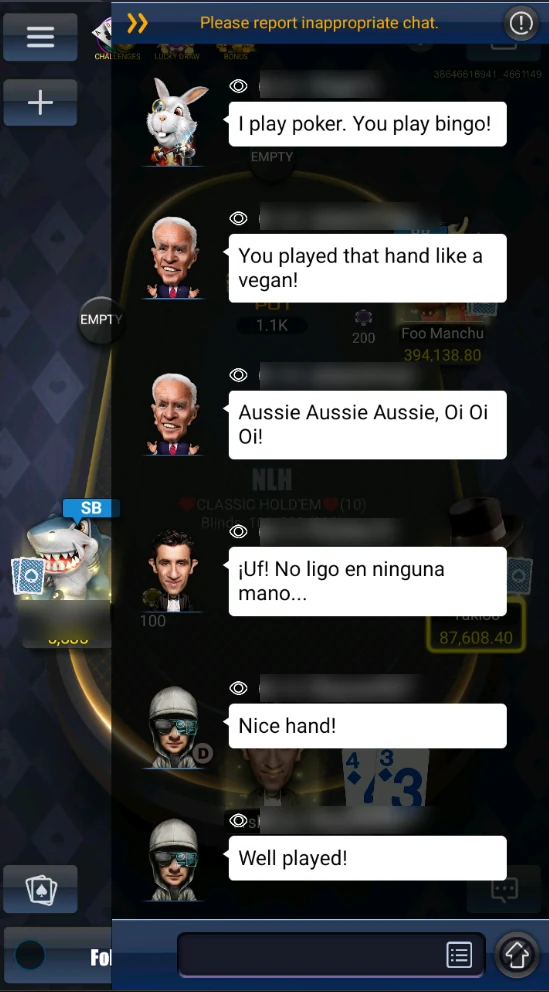
- Bottom right — table chat. Messages from players and observers, with an input box and quick phrases. The “!” at the top reports an inappropriate message.
These are promotional screenshots from the app store: in the current version of PokerBros, button placement and design may differ.
What are the avatars in PokerBros?
3D characters that represent players at the table. They only change the look and have no effect on the hand.
Can you chat at the table?
In the official screenshots, players exchange phrases right at the table. What exactly is available in your club depends on the app version and club rules.