How to Host a Game in Pokerrrr 2
Hosting is what Pokerrrr 2 was built for: any player can open a private table in a couple of minutes, pick a game and invite friends with a code. The host sets the rules, doesn’t have to play, can assign managers and run several games at once. Below is the whole process step by step, plus every table setting.
HostFriendly & Club tab
Game type9 options
Settingsblinds, buy-in, seats
Shuffle & Dealfirst hand
Game codesend to friends
9game types in the host menu
2–10seats at the table
2games at once without an upgrade
Gold/houris how cash games are billed
Step by step
- Open the app, go to the Friendly & Club tab at the bottom of the screen and tap Host.
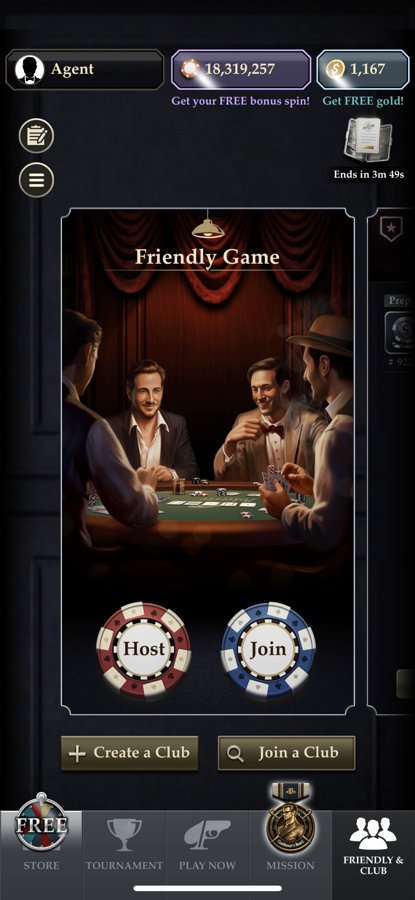
- Choose a game type: Holdem, PLO, R.O.E., Short Deck, 7 Card Stud, OFC, Rummy, SNG or MTT — and tap Confirm.
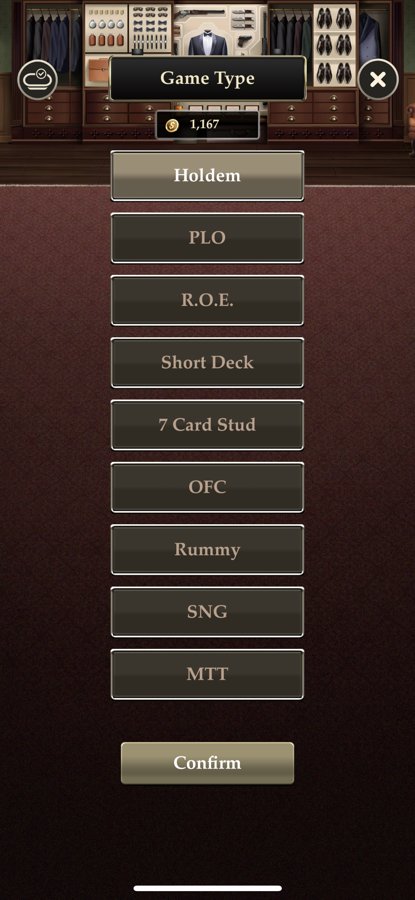
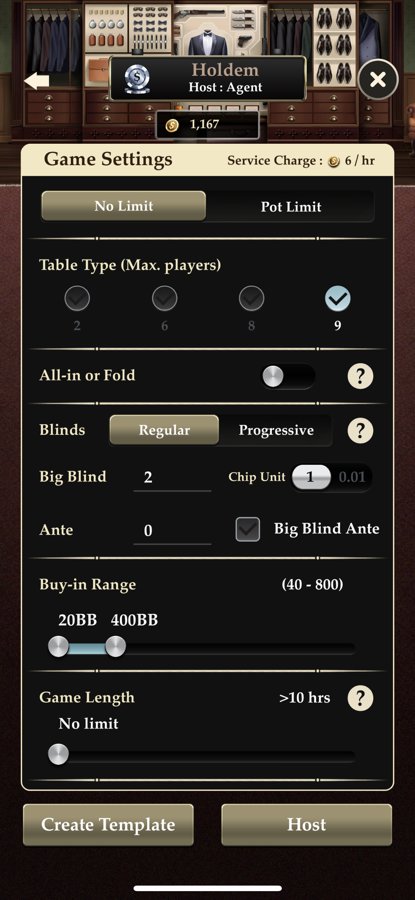
- Set up the table: limit, number of seats, blinds, ante, buy-in range and game length. The hosting cost is shown at the top of the screen — the Service Charge in Gold per hour. Tap Host.
- Pick a seat at the table and tap Shuffle & Deal to deal the first hand. The same screen shows the game code, game length and action time.
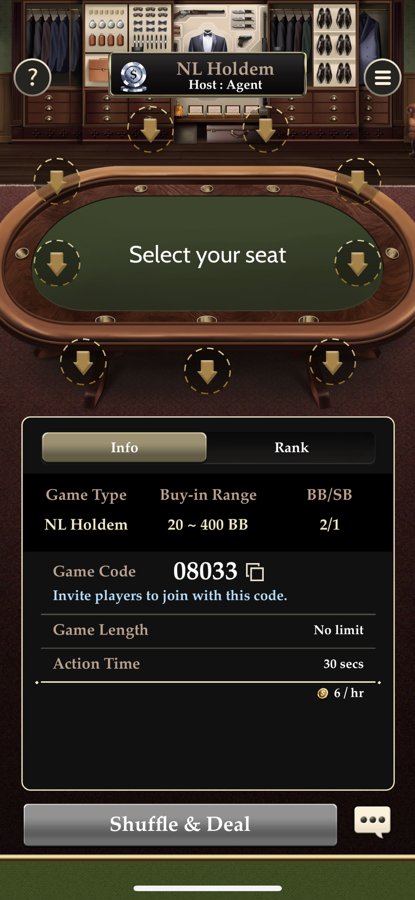
- Share the game code — friends tap Join on the Friendly & Club tab and enter it. The code is always available in the table’s side menu.
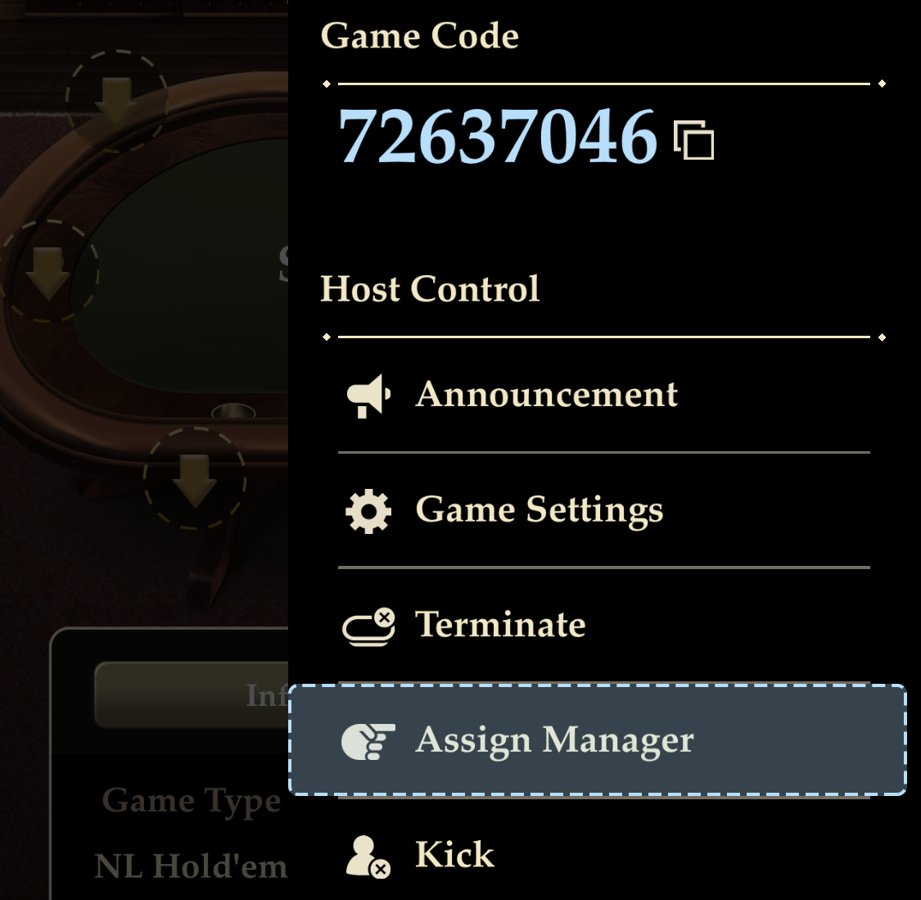
Table settings
| Setting | What it means |
|---|---|
| No Limit / Pot Limit | No-limit or pot-limit — the maximum bet size. |
| Table Type (Max. players) | How many seats at the table. For Hold’em in the screenshot — 2, 6, 8 or 9. |
| All-in or Fold | A mode where you can only go all-in or fold. |
| Blinds: Regular / Progressive | Fixed blinds or blinds that rise during the game. |
| Big Blind and Chip Unit | The big blind size and chip increment: 1 or 0.01. |
| Ante and Big Blind Ante | An ante from everyone, or a single ante paid by the big blind. |
| Buy-in Range | Minimum and maximum buy-in in big blinds — for example, 20–400 BB. |
| Game Length | How long the game lasts; can be unlimited. |
| Create Template | Save the settings as a template so you don’t have to enter them again. |
The host doesn’t have to play — you can sit out and just run the table. All hands are saved to history automatically — how to view it.
Running the table (Host Control)
During the game, open the table’s side menu — it holds the game code and the Host Control panel.
AnnouncementA message to everyone at the table: a break, a stakes change, last hand.
Game SettingsChange the settings of a game already in progress.
TerminateEnd the game. While a cash game is running, Gold is charged by the hour.
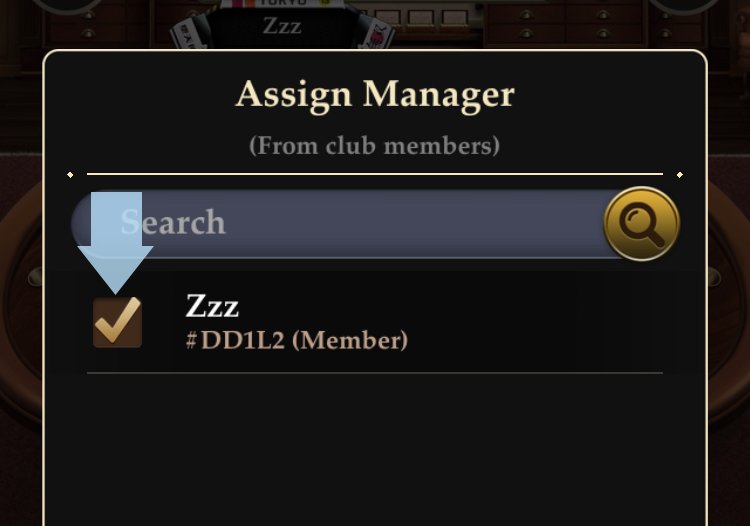
Assign ManagerMake a club member a manager — they will help run the table.
KickRemove a player from the game.
Game CodeThe game code with a copy button — for new players.
What a table manager can do
In a club game, the host assigns managers through the side menu → Assign Manager, choosing from club members.
- Shuffle and deal the cards.
- Pause and end the game.
- Approve or decline buy-in requests.
- Change table settings.
Several games at once
- Host your first game, then open the side menu and tap Leave.
- Confirm leaving in the pop-up — the game keeps going without you (“Your game will keep running”).
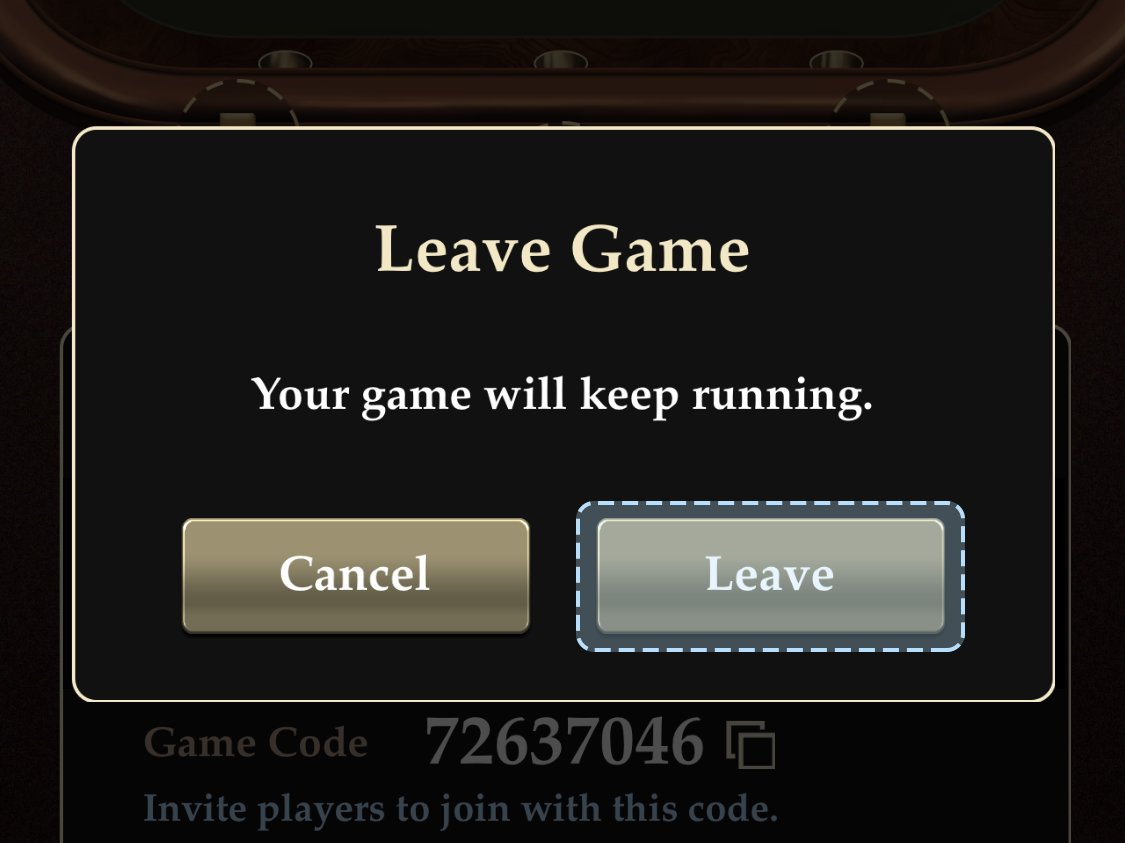
- Now you can host another game. Without an upgrade you can run up to 2 games at once; with Ruby status and above the limit goes up.
Friendly game or club game
| Friendly Game | Club game | |
|---|---|---|
| Who can join | Anyone with the code | Club members only |
| Managers | — | Assigned from club members |
| Best for | A one-off game with friends | A regular community and recurring tables |
Tips for a fair home game
- Agree on the rules in advance: stakes, buy-in, when you finish.
- Turn on buy-in approval so random people can’t sit down.
- Don’t post the game code in public chats — strangers will see it.
- For a live game around one table, try our blind timer.
Other ways to set up a private game are covered in the article how to play poker online with friends.
Does the host have to play?
No. The host can sit out and just run the table.
How many games can I host at once?
Up to two without an upgrade. With Ruby status and above the limit goes up.
How do friends join my game?
Send them the game code. They tap Join on the Friendly & Club tab and enter the code.
What happens to the game if the host leaves?
If you leave via Leave and confirm, the game keeps going without you.