What X-Poker Looks Like
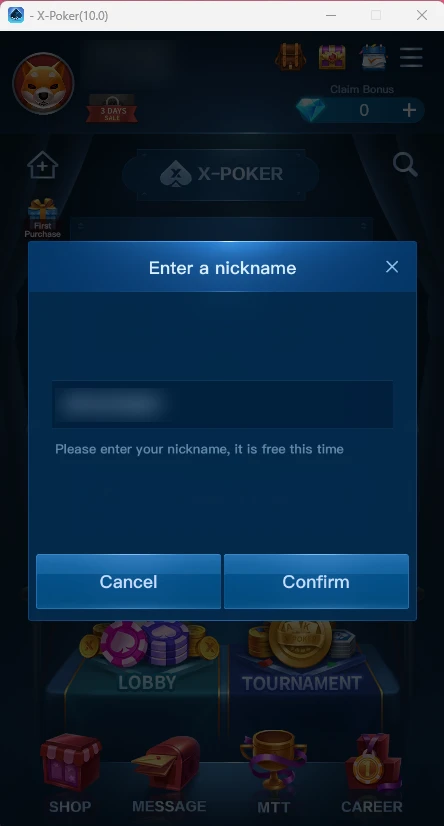
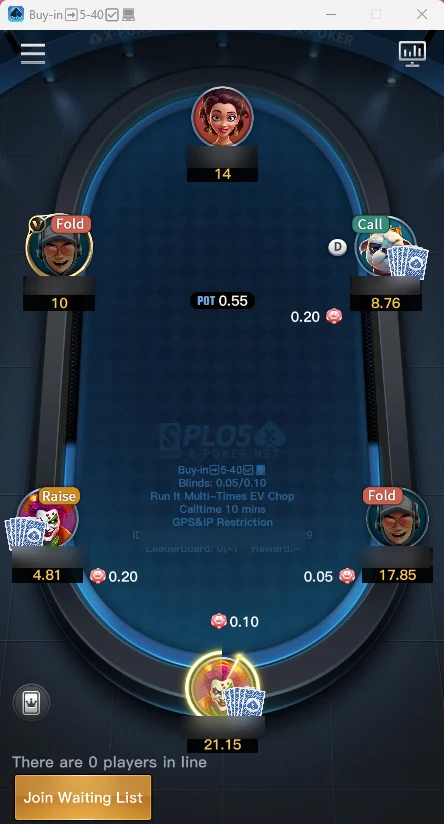
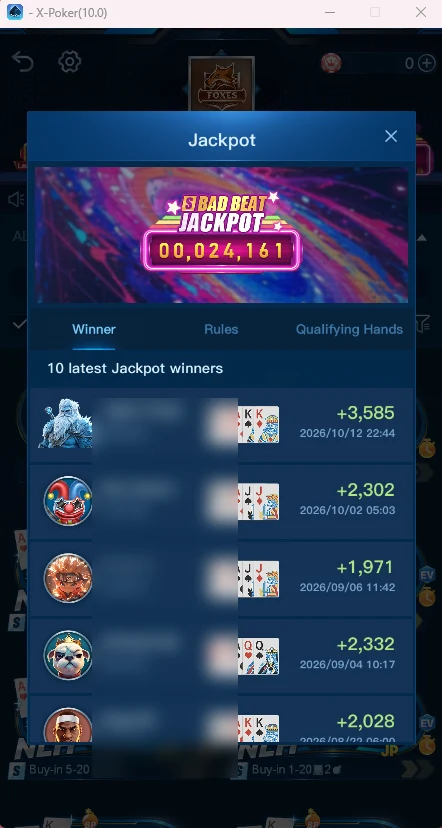
The X-Poker interface is dark blue, with large buttons and cartoon avatars; on a computer the client opens in a vertical window like a phone, so the screens are the same everywhere. Below are screenshots from the client: the home screen, a club lobby, tournaments, a PLO5 table, the jackpot and leaderboards. Nicknames, club and player IDs are blurred.
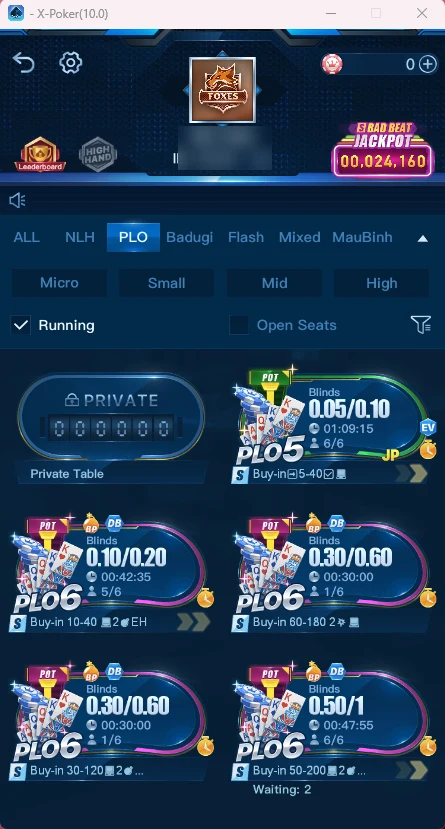
7game tabs in the club lobby: ALL, NLH, PLO, Badugi, Flash, Mixed, MauBinh
4stake filters: Micro, Small, Mid, High
1account on phone and PC — clubs and balance are shared
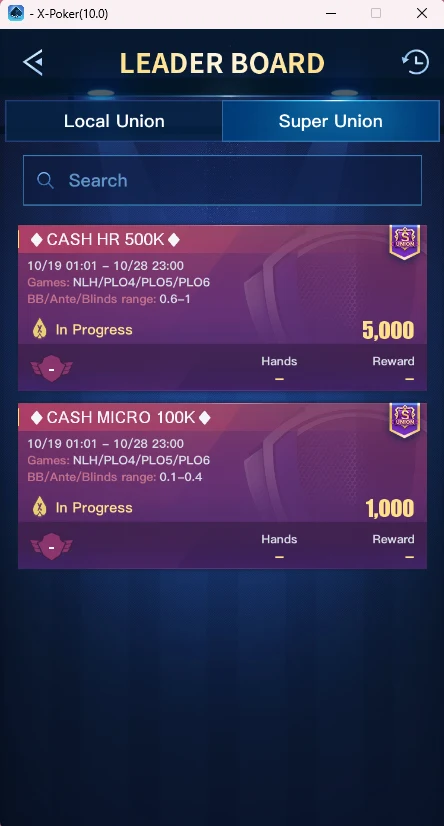
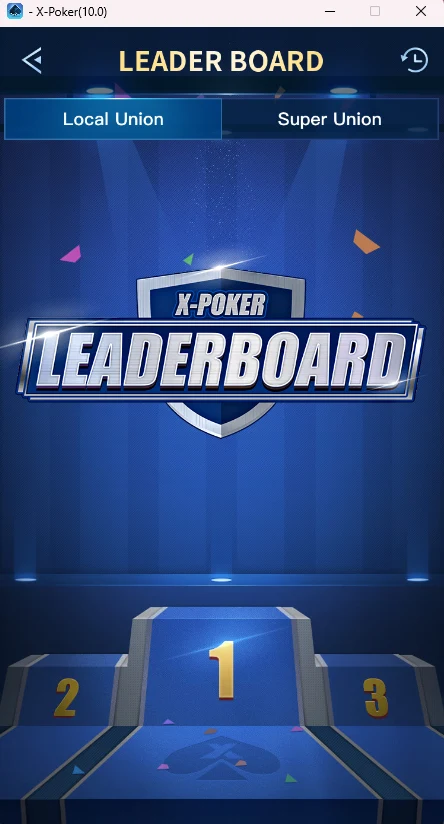
2kinds of leaderboards: Local Union and Super Union
The home screen, zone by zone
| Zone | What’s there |
|---|---|
| Top left | Avatar, nickname and player ID — this is what you give the agent |
| Top right | Gifts and events, calendar, menu; below them the diamond balance with a “+” button and Claim Bonus |
| Center | The X-Poker logo and club search (magnifier), the First Purchase banner |
| Below | LOBBY — your clubs and tables, TOURNAMENT — tournaments |
| Bottom bar | SHOP, MESSAGE, MTT, CAREER |
Club lobby and tournaments
The club header shows the avatar and name, the club ID, the Leaderboard and High Hand buttons and the Bad Beat Jackpot pool. Below are the game tabs and stake filters, plus the Running (tables in play) and Open Seats ticks. Each table is a card: game, blinds, table timer, seats taken, buy-in and option icons.
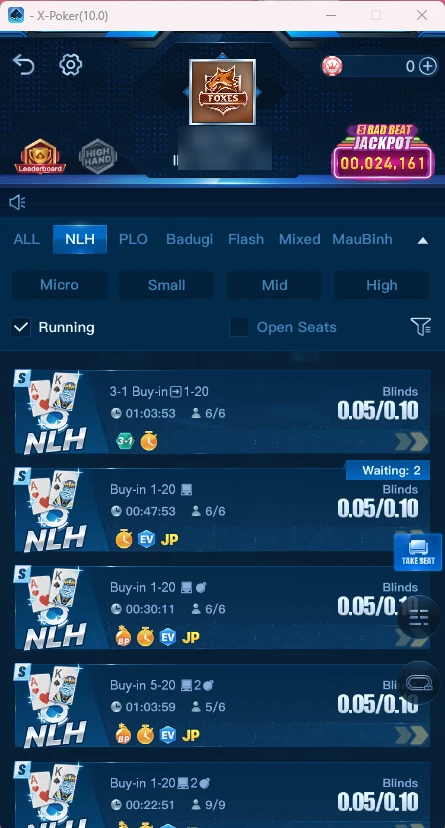
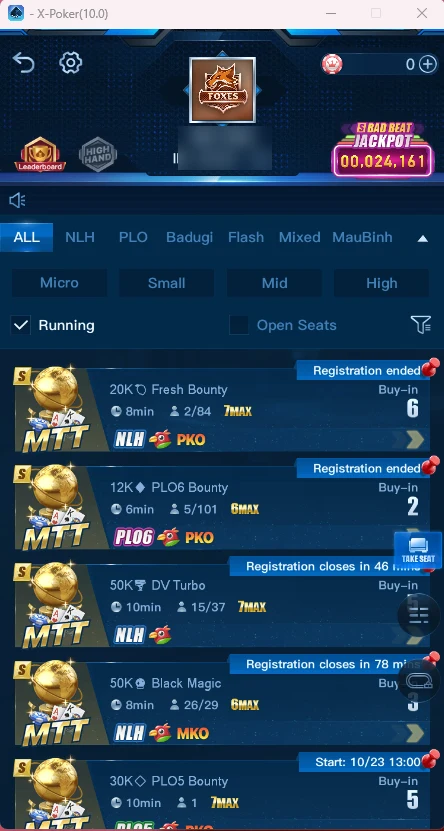
Club lobbyALL, NLH, PLO, Badugi, Flash, Mixed and MauBinh tabs with Micro / Small / Mid / High filters. Each table shows blinds, buy-in, a timer and the number of players.
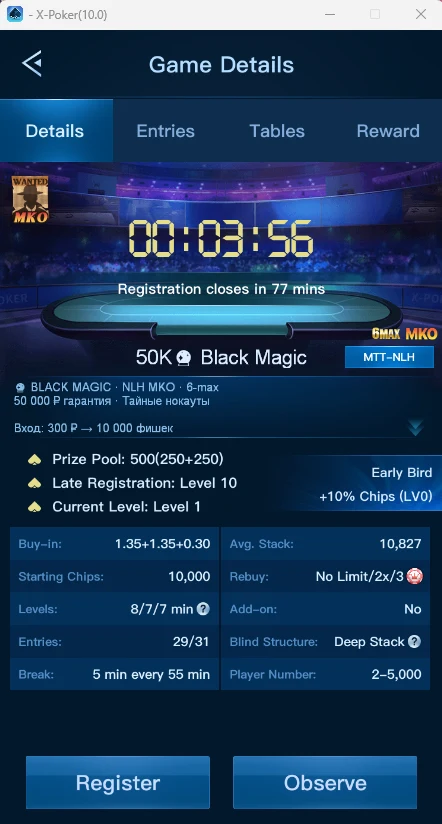
TournamentsAn MTT list with guarantee, buy-in and status: Registration ended, Registration closes in … or the start time. The card shows levels, stack, rebuys, add-ons and the Early Bird bonus.
LeaderboardsLocal Union — races in your own union, Super Union — shared races: CASH HR 500K and CASH MICRO 100K with 5,000 and 1,000 in prizes. Details: X-Poker clubs and unions.
Bad Beat JackpotThe pool is shown in the club header; the Jackpot window has the rules, qualifying hands and the 10 latest winners with their payouts.
The table screen
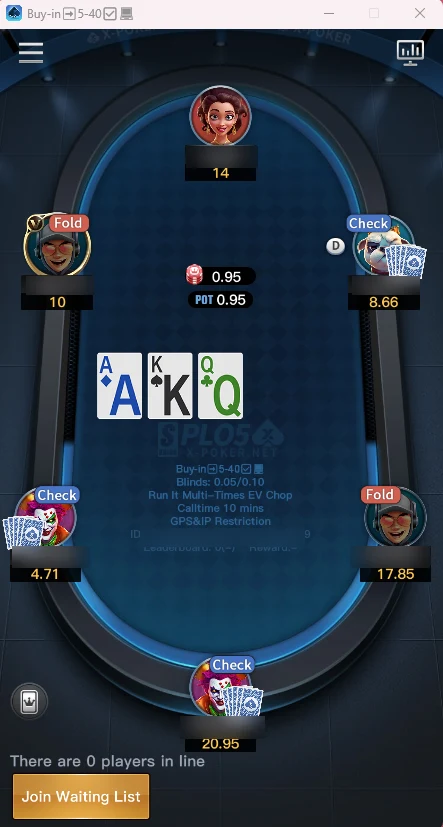
- Info panel in the center — game, buy-in, blinds and table options: Run It Multi-Times, EV Chop, Calltime, GPS & IP Restriction.
- Opponents around the table — nickname, stack and last action (Fold, Call, Raise, Check), the dealer button D.
- Action buttons — Fold, Check/Call, Bet/Raise at the bottom of the screen; with no free seat there’s a Join Waiting List button.
- Statistics — the chart icon at the top right opens table statistics.
- Chat and emoji — the button at the bottom left.
Individual screens may look different depending on the app version and club settings. Every table option is covered in detail in games and rules.