Poker App Not Working? Fixes for ClubGG, PPPoker, PokerBros and Others (2026)
Most “the app is broken” moments in club poker have a boring cause: a half-finished download, a VPN in the way of an update, a login code in the spam folder or a club rule you didn’t know about. Here’s how to work out which one you’re dealing with and fix it in a few minutes — with exact steps for ClubGG and what we know about the other apps.
Updated: 16 October 2026
Key takeaways
First decide whose problem it is: the app (maintenance), your device and network, your account, or the club.
Download apps only from official stores and sites — an interrupted or third-party download is a common cause of install errors.
Stuck on “Checking for updates”? Check your connection and turn VPN and proxy off while the app updates.
Can’t sit at a table with a GPS/IP mark? That’s the club’s anti-collusion protection, not a bug.
Chips, deposits and withdrawals are handled by your club agent, not by the app’s support.
~1 GBfree disk space ClubGG needs on a computer
~1 mina ClubGG email code stays valid
up to 2 htypical ClubGG maintenance window
20 sextra time Pokerrrr 2 gives you after a disconnect on your turn
First: whose problem is it?
Before reinstalling anything, spend a minute on diagnosis. Every problem falls into one of four boxes, and each box has a different fix — and a different person who can help.
Everyone affected?maintenance or outage — wait
Only you?network, VPN, device, version
Can’t log in?code, password, session
Inside the club?chips, tables, approvals — agent
Four boxes, four kinds of fix
Symptom
Most likely cause
Who fixes it
App won’t open for anyone in your club chat
Maintenance or outage
Nobody — wait it out
Stuck on update or loading
Network, VPN or proxy, broken install
You
No login code, wrong password
Email filters, typo, expired code
You, then app support
Can’t take a seat at one table
GPS/IP restriction, not enough chips, table restricted
You or your agent
Chips didn’t arrive, withdrawal stuck
Agent or club
Agent, then club manager
The 2-minute checklist
These steps fix a surprising share of problems in any poker app, before you get into app-specific details.
Switch between Wi-Fi and mobile data — if the app works on one, the problem is the network.
Fully close the app and open it again; restart the phone or computer if that doesn’t help.
Update to the latest version from the official store or site.
Turn off VPN and proxy while the app updates.
Check free storage — updates fail quietly on a full device.
Make sure date and time are set automatically on your device.
Still broken? Uninstall and reinstall from the official source. Your account, clubs and balance live on the server, not on the phone.
Before uninstalling, make sure you remember your login and have access to the email or phone number on the account — you’ll need it to sign back in.
The app won’t download or install
Install problems are almost always about the source of the file or the device’s permissions. Here’s what we know for ClubGG:
Problem
Fix
Installer won’t download (PC)
Download again from clubgg.com, check free space (about 1 GB), try another browser.
Not in the App Store or Google Play
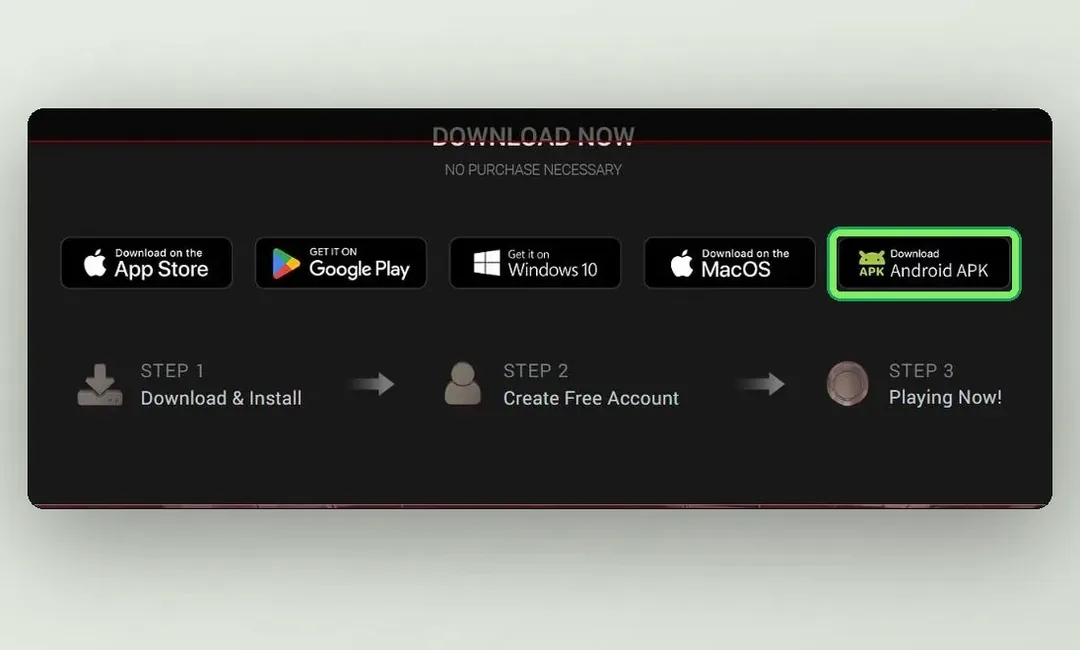
The app isn’t available in every country. On Android, install the APK from clubgg.com — Android guide.
APK won’t install
Allow installs from unknown sources for the browser or file manager you’re opening it with.
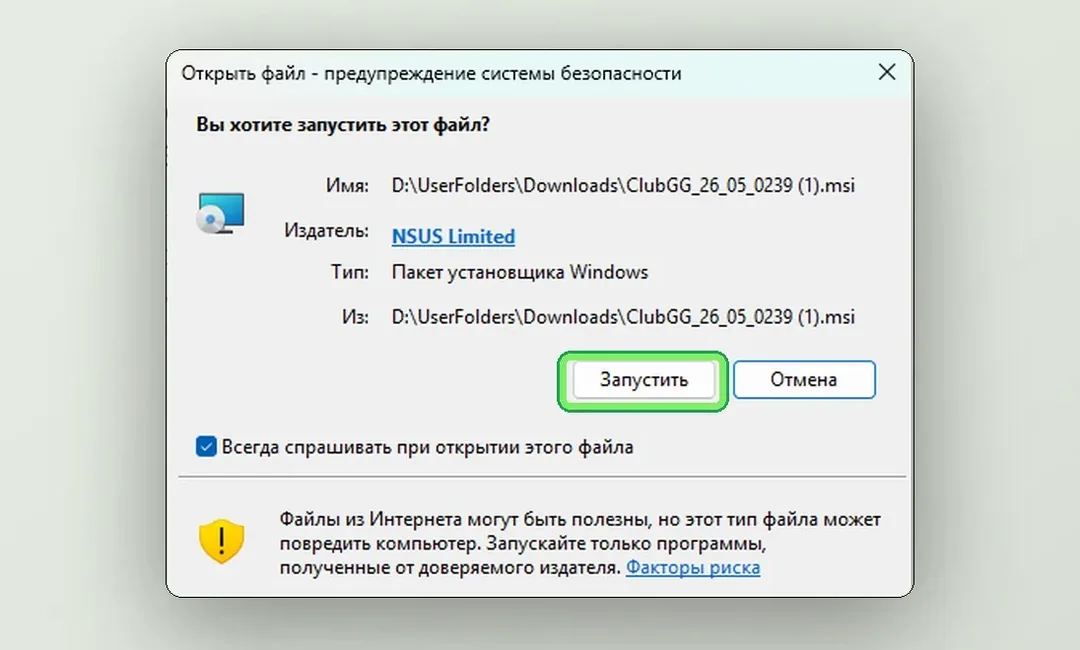
Windows asks whether to run the file
Check the publisher is NSUS Limited, the developer of ClubGG and GGPoker, and click Run — Windows guide.
Mac: warning on every launch
Launch ClubGG from Applications, not from the .dmg image — Mac guide.
Windows asks before running the ClubGG installer — the publisher should be NSUS Limited
Installing an APK on Android
1
Download the APK only from the app’s official site — for ClubGG that’s clubgg.com, for PPPoker it’s pppoker.net.
2
Open Settings → Apps → Special access → Install unknown apps and allow it for your browser or file manager. The path differs between manufacturers — look for “Unknown apps”.Нужен скриншотAndroid Settings → Install unknown apps: the browser toggle switched on
3
Open the downloaded file and tap Install. Afterwards you can switch the permission off again.
Never install APKs from forums, file hosts or “modded” versions that promise extra features. They can be modified — and a compromised app has access to your account.
On iPhone, if the app isn’t in the App Store for your country, it isn’t available in that Apple ID region. Don’t install profiles or builds from third-party sources. Full guides for each device: how to install ClubGG.
Stuck on “Checking for updates” or won’t launch
Club apps like ClubGG check for updates when they start. If the splash screen hangs on the update check, the connection to the update server is usually the issue.
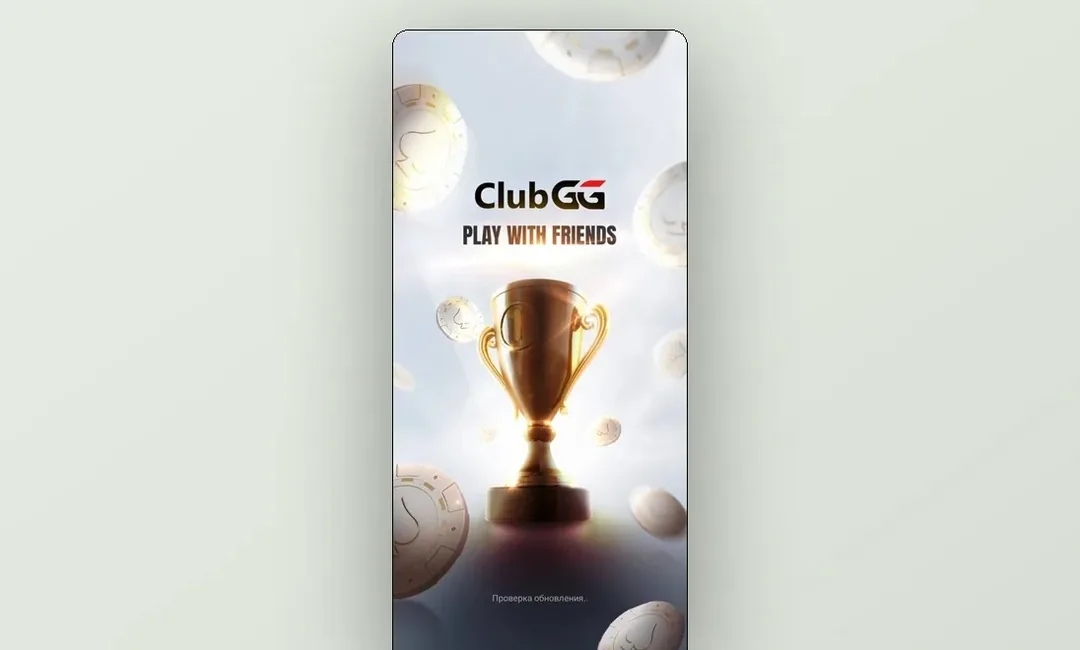
ClubGG checks for updates on the splash screen — normally it takes a few seconds
1
Check your internet connection — try switching between Wi-Fi and mobile data.
2
Turn off VPN and proxy for the duration of the update. A VPN often gets in the way of downloading the new version.
3
Close the client completely and start it again.
4
Still stuck — uninstall and reinstall from the official source. On Windows, keep the default install folder so the client updates smoothly; on a Mac, always launch from Applications, otherwise updates won’t install.
On the first launch after installing, ClubGG on a Mac downloads the current version — give it a minute or two before deciding it’s frozen.
Maintenance: when it’s down for everyone
If ClubGG shows “ClubGG is currently undergoing maintenance”, scheduled or emergency work is in progress. You can’t log in from any device until it’s over — usually up to a couple of hours. Unfinished hands and tournaments during maintenance are handled under ClubGG’s rules.
Нужен скриншотClubGG maintenance screen: “ClubGG is currently undergoing maintenance”
Club apps run around the clock, and outages are rare and usually short. To check whether it’s just you, ask in your club chat or open the app on another device or network. If others can play and you can’t, go back to the checklist above.
Wait it outReinstalling during maintenance won’t help — the server is closed for everyone.
Ask the clubAgents and club managers usually know about planned work first.
Don’t panic about the balanceYour chips are stored on the server; maintenance doesn’t reset them.
Can’t log in: codes, passwords, sessions
ClubGG uses a GGPass account, and signing in on a new device is confirmed with a code sent to your email. Most login problems come down to that code.
No ClubGG code in your inbox
Wait a minute and tap “Resend” — the old code stops working after that.
Check Spam and Promotions folders.
Check the address for typos — one extra letter and the email goes nowhere.
Corporate email can block these messages — a personal mailbox is more reliable.
Signed up with Google, Facebook or Apple? Log in with the same account you registered with.
Forgot the password? Use password recovery on the login screen — the link goes to your GGPass email.
Other apps
PPPoker allows one active session: logging in on PC closes the phone session. If you keep getting thrown out, check that the app isn’t open on another device.
PokerBros: check your connection and update to the latest version. The account is tied to your phone number or email — recover it from the login screen.
Never
Send your login code or password to anyone — not “support” in a messenger, not your agent. Real staff never ask for them.
Create a second account “just to get in”. In ClubGG multi-accounting means a ban in every club at once.
Buy someone else’s account — it can be banned together with its balance.
Lag and disconnects at the table
A lagging table costs real money: you time out, auto-fold or miss a bet. Club apps need a stable connection more than a fast one.
Stable networkA strong Wi-Fi signal or cable beats mobile data that keeps switching between towers.
Free up the deviceClose heavy apps, downloads and video in the background. Battery-saver modes can also slow apps down.
Try the PC clientWhere there’s an official desktop client — ClubGG, PPPoker, Suprema — it’s usually more stable than mobile.
Fewer tablesEach extra table adds load. If you lag on four, try two.
What happens if you drop mid-hand depends on the app. In Pokerrrr 2, for example, if you were at the table when your turn started and then disconnected, you get an extra 20 seconds; if you weren’t there when the turn started, you check or fold right away. In ClubGG a Bad Beat Jackpot prize is still paid even if the player disconnected.
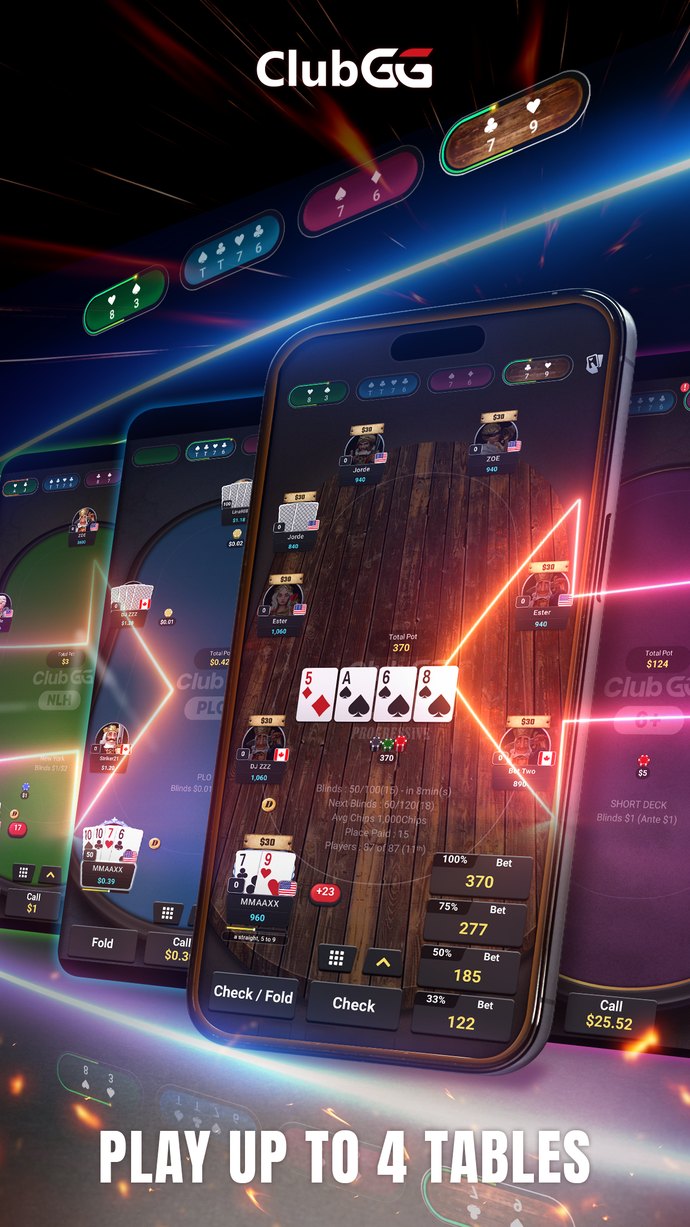
ClubGG lets you play up to 4 tables at once — on a weak connection, fewer is safer
GPS / IP restriction: why you can’t take a seat
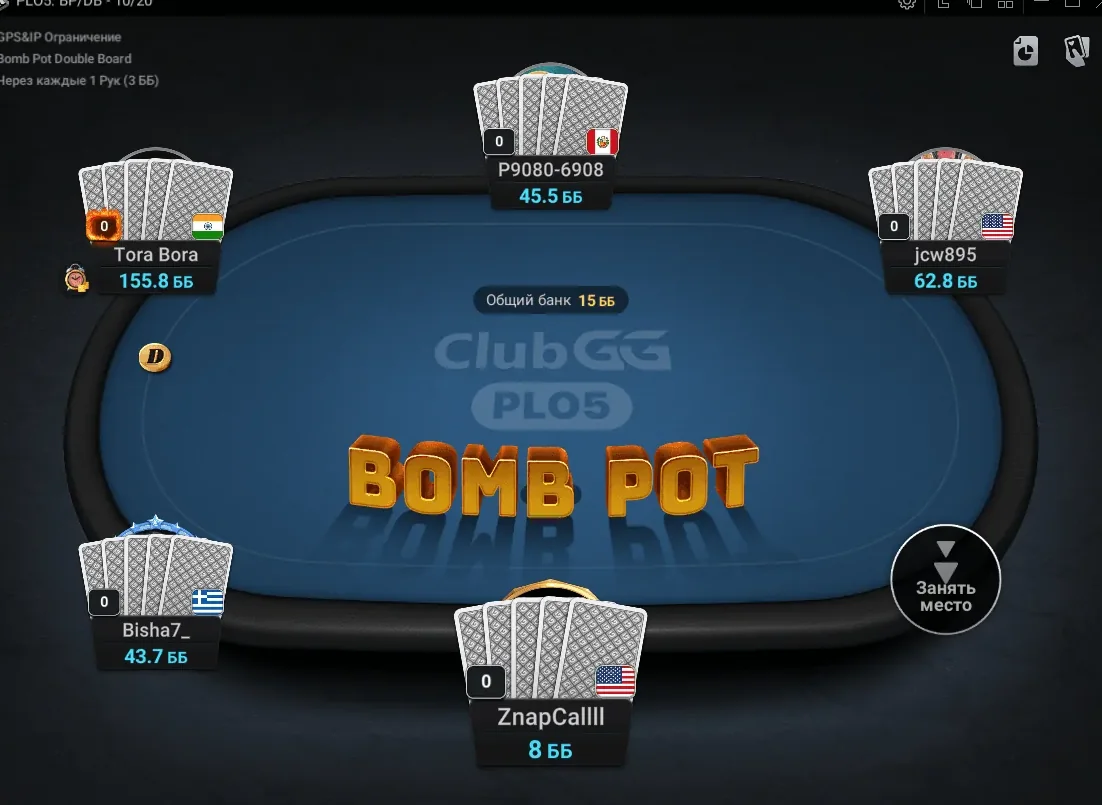
If a ClubGG table is marked GPS/IP restriction, the club has switched on anti-collusion protection: players on the same network or physically close to each other can’t sit at the same table. It’s a feature, not a bug.
The “GPS&IP restriction” label in the top-left corner of a ClubGG table
1
Allow location access for the app — on iPhone it’s only needed for clubs with a GPS restriction, so you may have declined it at install.
2
If someone else on your home Wi-Fi plays in the same club, you can’t share that table — pick another one.
3
Still blocked? Ask your agent which tables you can join.
Don’t try to get around GPS/IP checks. They exist to catch collusion, and trying to dodge them looks exactly like what they’re designed to catch. More on how clubs fight team play: bots and collusion.
Other “can’t sit” reasons
Message or situation
What it means
Not enough chips
The table’s buy-in is higher than your balance. Top up with your agent or pick lower stakes.
Table or game unavailable
Your agent or club has restricted your access to that game. Ask the agent.
Emulators and PC: what works
Not every club app has a desktop version. Where an official client exists, use it; where it doesn’t, players use an Android emulator.
For ClubGG, emulators like BlueStacks aren’t needed and can raise questions with the security team — use the official client. For apps without a PC client, ask your club whether emulators are OK before you play. Full overview: poker apps on PC.
If an app misbehaves in an emulator, update the emulator itself, then reinstall the app inside it from the official source. There’s no official ClubGG client for Linux; on a Chromebook with Google Play you can install the Android version.
Club-side problems: chips, approvals, withdrawals
If the app works but money or access doesn’t, the issue is in the club. App support can’t move chips — only your agent and the club can.
App supportinstall, login, bugs — from app settings
Your agentchips, deposits, withdrawals
Club managerif the agent doesn’t answer
Uniondisputes, deposit guarantee
Who handles what
In ClubGG, write to support from the app settings for technical issues. Questions about chips, deposits and withdrawals go to your club agent — ClubGG doesn’t handle them. More ClubGG-specific fixes: ClubGG problems and solutions.
If the app shows “undergoing maintenance”, yes — work is in progress and it’s down for everyone, usually up to a couple of hours. If not, check your internet and VPN.
02Do I need to turn off my VPN?
While the app updates — yes, a VPN often blocks the download of the new version. You don’t need a VPN to play ClubGG.
03Why can’t I sit at a table with a GPS/IP mark?
The club has enabled anti-collusion protection: players on the same network or close to each other can’t share that table. Allow location access or pick another table.
04Will I lose my balance if I reinstall the app?
No. Your account, clubs and balance are stored on the server. Just make sure you can log back in — you’ll need access to your account email or phone.
05Can I play PokerBros or X-Poker on PC?
There’s no official PC client — players use an Android emulator. Ask your club whether that’s allowed before you play.
06My chips didn’t arrive. Should I contact app support?
No — deposits go through your club agent, outside the app. Send the agent your receipt or transaction hash; if they don’t respond, contact the club manager.




 Suprema PokerReviews & guide