PPPoker Unions: How to Create and Set One Up
A Union brings several PPPoker clubs together: tables created in a union are shared, and members of all its clubs play at them, so games start more often and tables fill faster. Below — how to create or join a union and what the head club controls.
How to Create or Join a Union
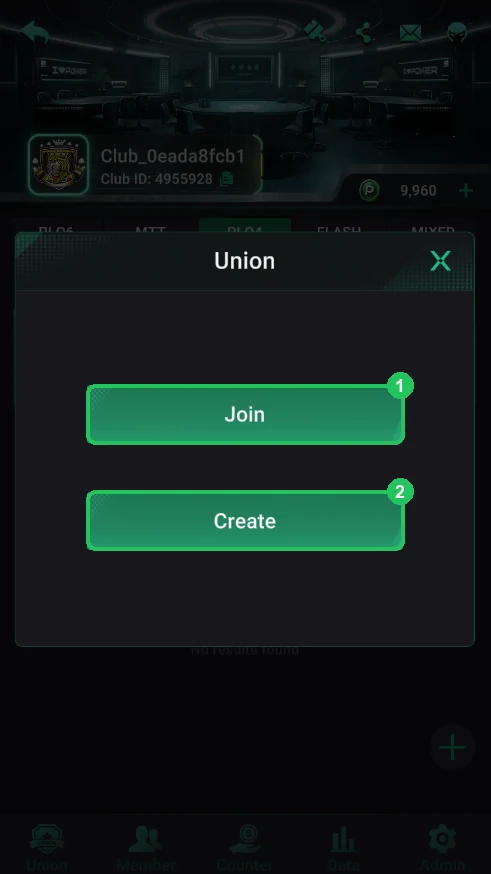
- In your club lobby open the bottom Union tab. You’ll see two buttons: Join and Create.
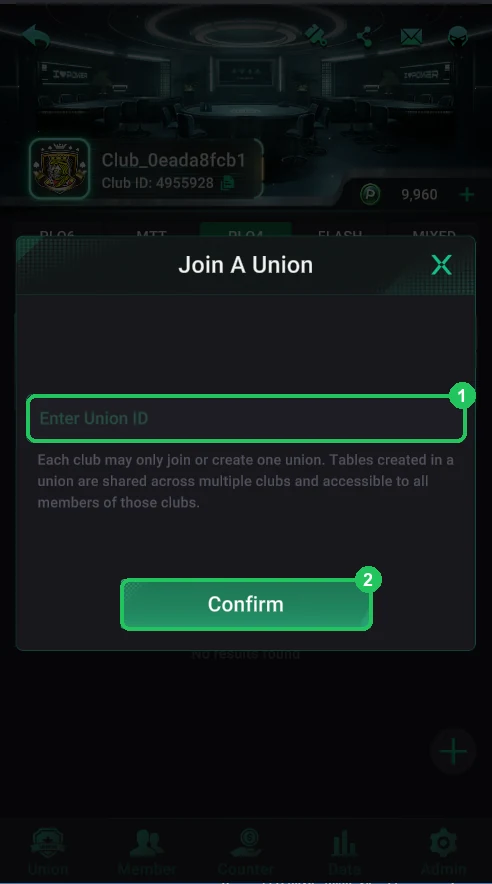
- Join: enter the union ID the union owner gave you and tap Confirm.
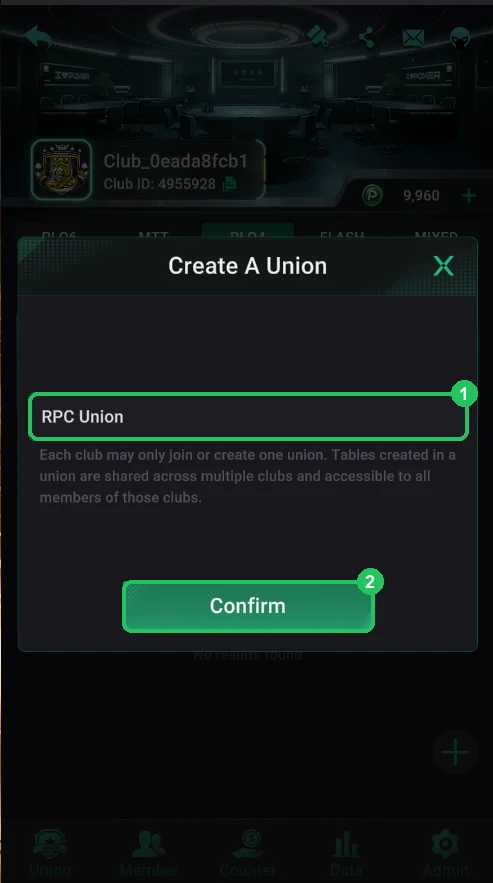
- Create: enter a union name and tap Confirm. It’s free and instant, with no restrictions. Your club becomes the union’s head club.
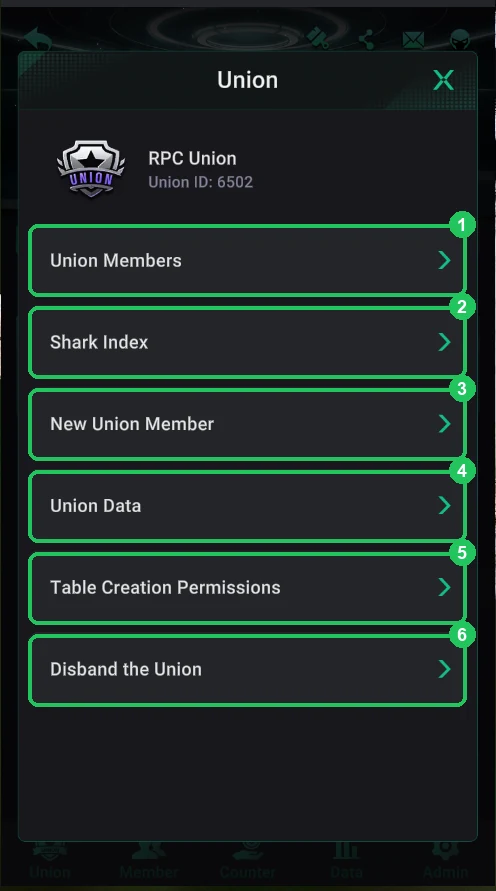
The Union Menu
At the top are the name and Union ID — send it to club owners you invite. Below:
- 1 — Union Members: the union’s clubs, Auto Suspension and hiding tables — details below.
- 2 — Shark Index: how much each club’s players win relative to the rake they pay (details below).
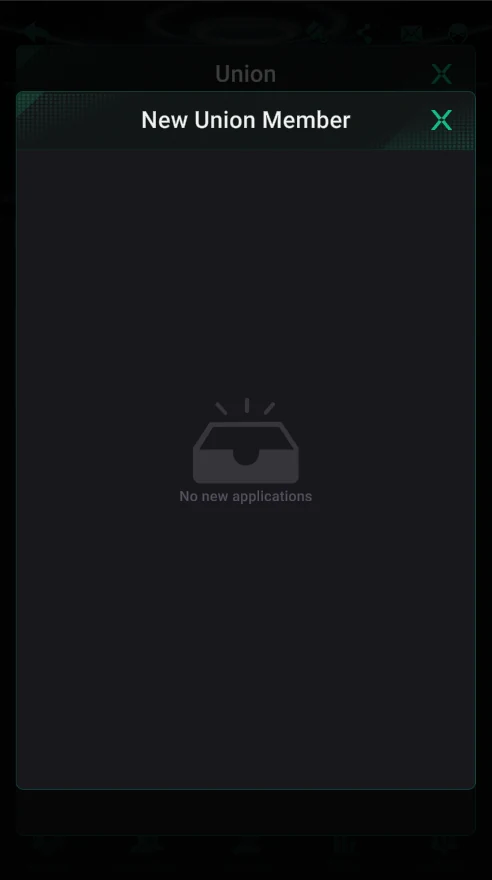
- 3 — New Union Member: requests from clubs that want to join your union by its ID; with none it says “No new applications”.
- 4 — Union Data: union clubs’ weekly results and report exports for diamonds.
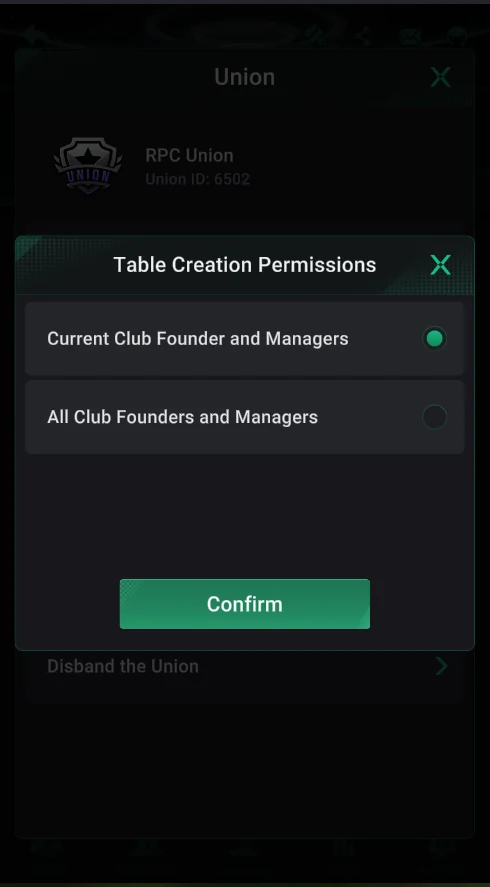
- 5 — Table Creation Permissions: who creates shared tables — the head club only or all union clubs.
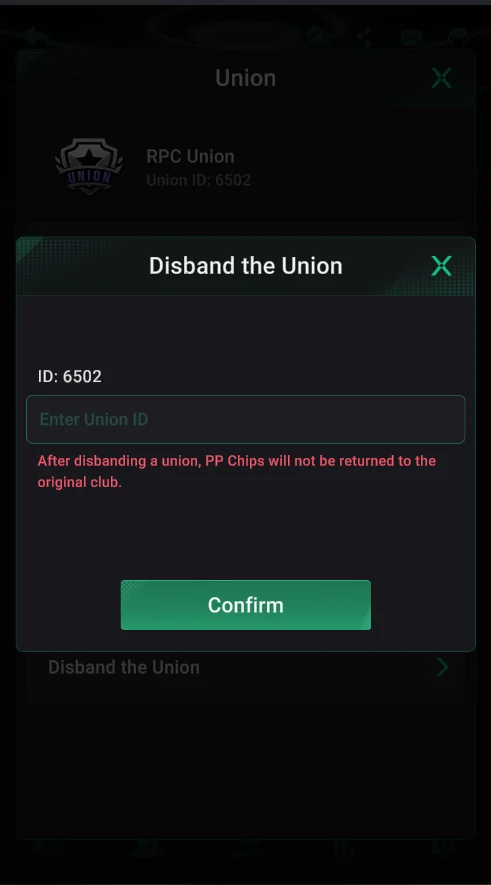
- 6 — Disband the Union (PP Chips aren’t returned to clubs).
Union Members and Auto Suspension
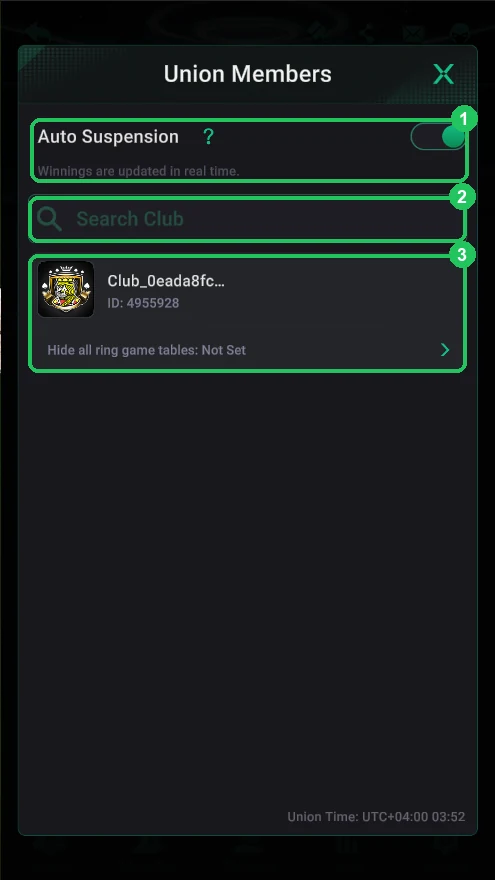
Union Members lists the union’s clubs with search. At the bottom is the Union Time (UTC+4 here) used for daily and weekly periods.
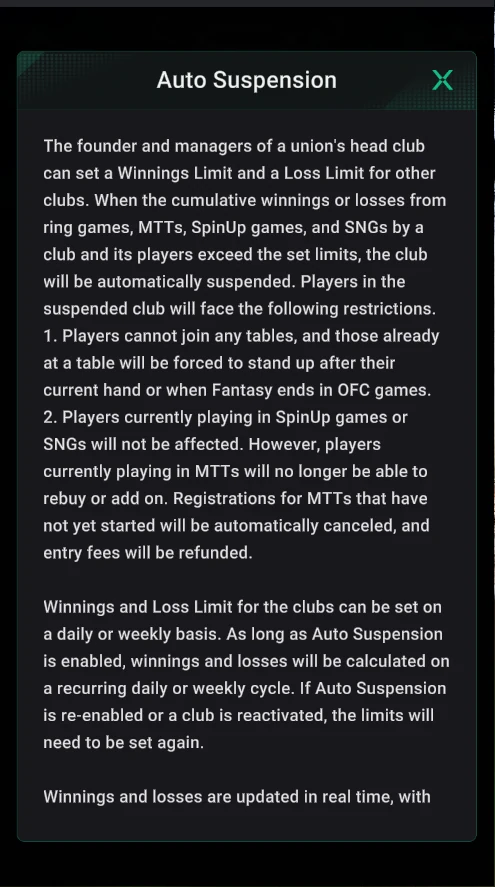
Auto Suspension: the head club’s founder and managers set a Winnings Limit and a Loss Limit for other clubs. When a club and its players’ combined result in ring games, MTTs, SpinUp and SNGs exceeds a limit, the club is suspended automatically. It protects the union from a club that has won more than the union is ready to pay, or lost more than it can settle.
- What happens to a suspended club
- Its players can’t join any table; those seated stand up after the current hand (in OFC, when Fantasy ends).
- Players currently in SpinUp or SNGs play on.
- In MTTs there are no rebuys or add-ons; registrations for tournaments that haven’t started are cancelled and fees refunded.
Limits are set daily or weekly and recalculated in a recurring cycle while Auto Suspension is on. If you re-enable Auto Suspension or reactivate the club, the limits must be set again. Results update in real time.
Hiding Ring Game Tables for a Club
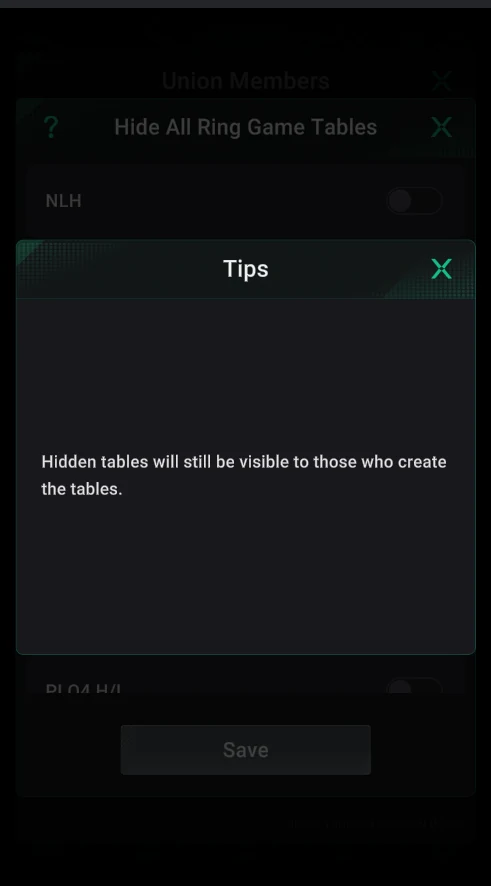
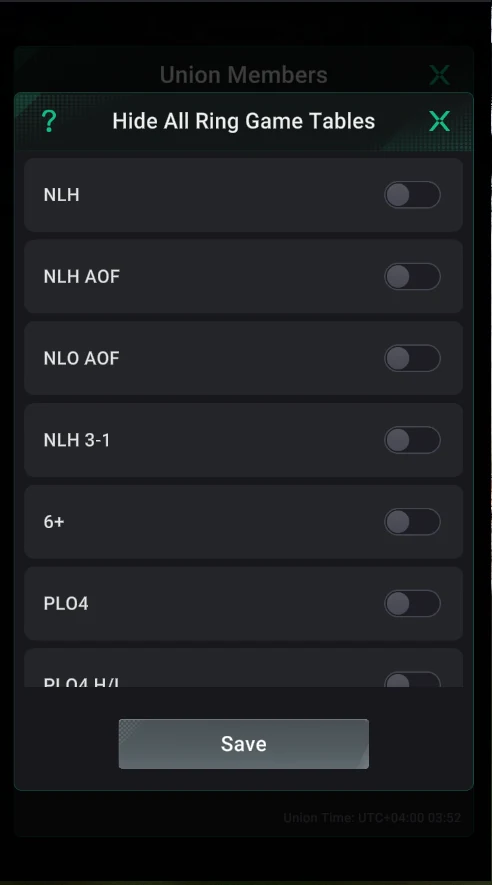
Each club in Union Members has a Hide all ring game tables row. There you can hide the union’s cash tables from that club’s players — per game: NLH, NLH AOF, NLO AOF, NLH 3-1, 6+, PLO4, PLO4 H/L and more — and tap Save. Hidden tables remain visible to whoever created them. This way the head club can, say, leave a club only tournaments or only Omaha.
Shark Index: Which Clubs Are “Sharks”
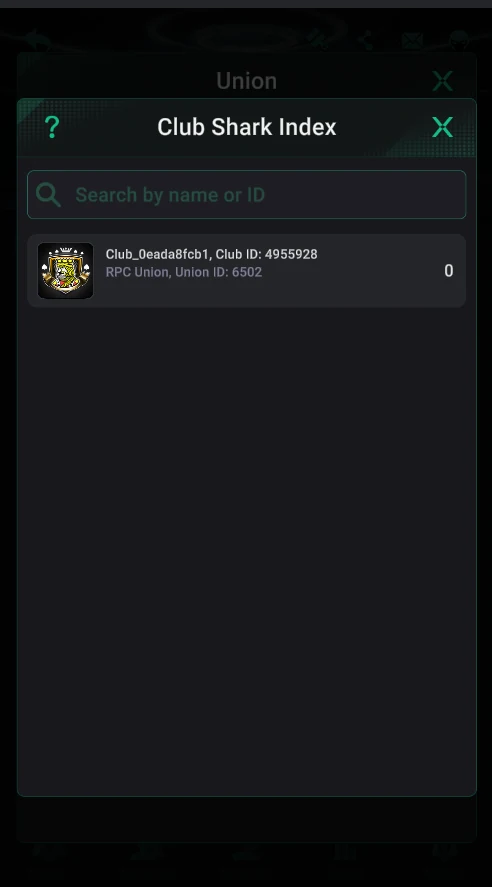
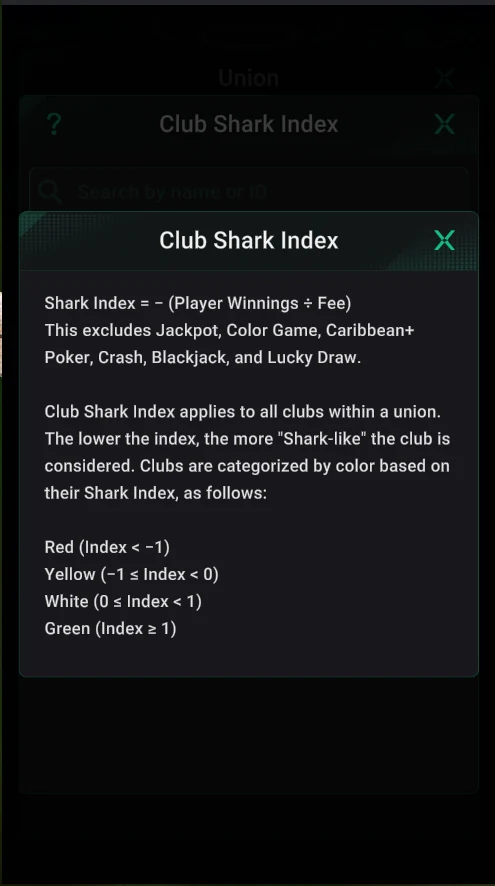
Club Shark Index shows how much each union club’s players win compared with the rake they pay. The app’s formula: Shark Index = −(Player Winnings ÷ Fee). It excludes Jackpot, Color Game, Caribbean+ Poker, Crash, Blackjack and Lucky Draw.
| Colour | Index | What it means |
|---|---|---|
| Red | below −1 | “Sharks”: the club’s players win more than they pay in rake — taking money from other clubs’ players |
| Yellow | −1 to 0 | Players are up, but win less than they pay in rake |
| White | 0 to 1 | Players are slightly down |
| Green | 1 and above | Players lose more than they pay in rake — the club brings the union recreational players |
The lower the index, the more shark-like the club. It helps the union owner decide who gets tight Auto Suspension limits or hidden tables, and which clubs to give better terms.
New Clubs in the Union
To join your union, a club owner taps Join in their club’s Union tab and enters your Union ID. The request shows up in New Union Member, where you approve or reject it. With no requests the screen says “No new applications”.
Union Data: Stats for the Union’s Clubs
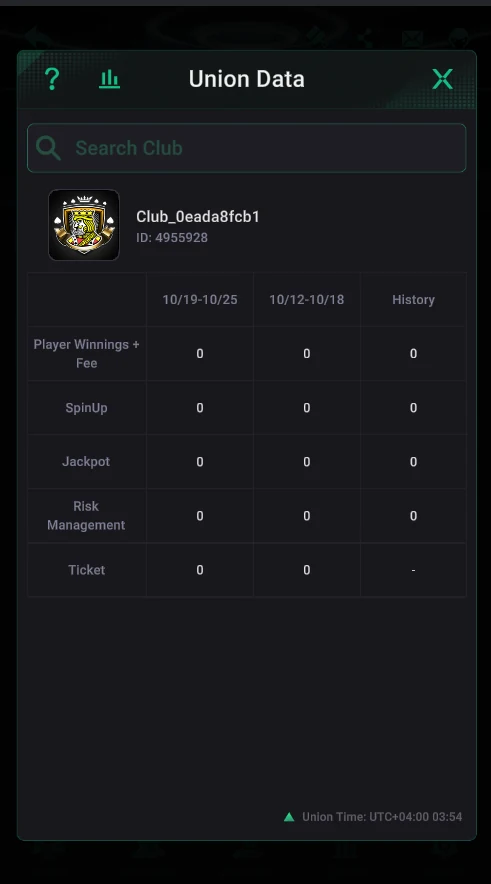
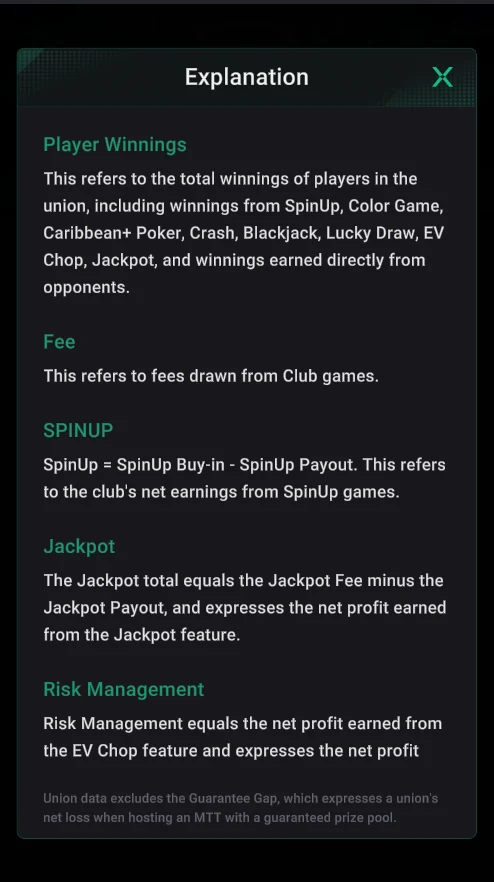
Union Data is a table for each union club for the current and previous week and all time (History). Rows, per the app’s hint:
| Row | What it counts |
|---|---|
| Player Winnings + Fee | The club’s players’ winnings (including SpinUp, Color Game, Caribbean+ Poker, Crash, Blackjack, Lucky Draw, EV Chop, Jackpot and winnings from opponents) plus the fee from club games |
| SpinUp | The club’s net SpinUp earnings: buy-ins minus payouts |
| Jackpot | Net jackpot profit: jackpot fees minus payouts |
| Risk Management | Net profit from the EV Chop feature |
| Ticket | Tickets |
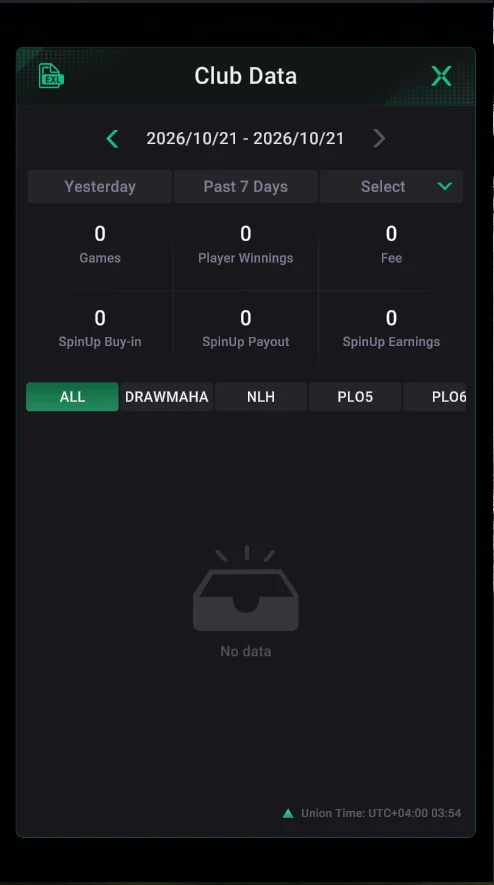
Union Data excludes the Guarantee Gap — the union’s loss when a guaranteed MTT collects less than the guarantee. Tap a club to open its Club Data: games, player winnings, fee and SpinUp for yesterday, 7 days or a custom period, with tabs by game.
Exporting Data for Diamonds
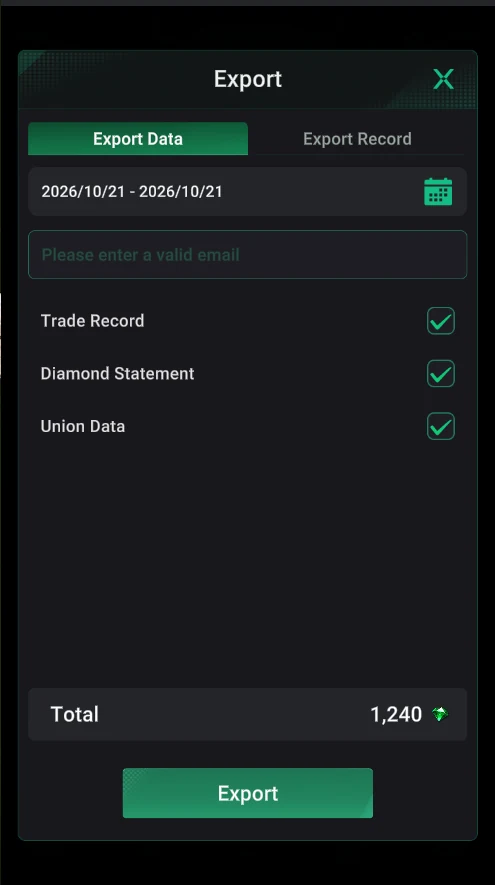
The EXL icon in Club Data opens the export: pick a period, enter an email and tick the reports — Trade Record (chip transactions), Diamond Statement (diamond spending) and Union Data. Exports are paid in diamonds: in the screenshot three reports for one day cost 1,240 diamonds. The file arrives by email; past exports are in the Export Record tab.
Who Can Create Union Tables
- Current Club Founder and Managers — only the head club’s founder and managers create shared union tables (default).
- All Club Founders and Managers — founders and managers of every union club can create union tables.
For a small union the first option is simpler: one club controls the tables. The second suits unions where member clubs recruit players for their own stakes.
Disbanding the Union
To disband a union, enter its ID in Disband the Union and tap Confirm. The app warns: after disbanding, PP Chips will not be returned to the original club. Settle with the union’s clubs and export the data first.