What PPPoker Looks Like
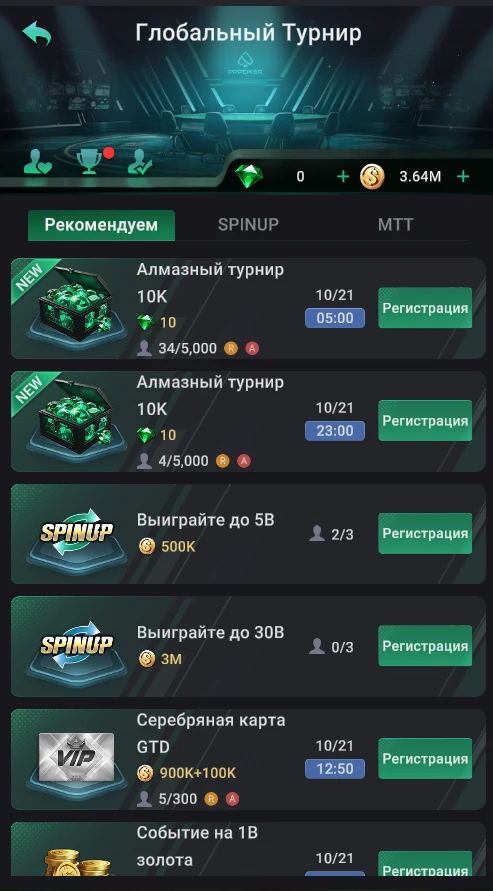
Below are real PPPoker screenshots (client v228, Russian interface): the home screen, shared lobby, global tournaments and tables in different games. Player nicknames, other clubs and their IDs are blurred. Here’s what’s where and how a club lobby differs from the shared one.
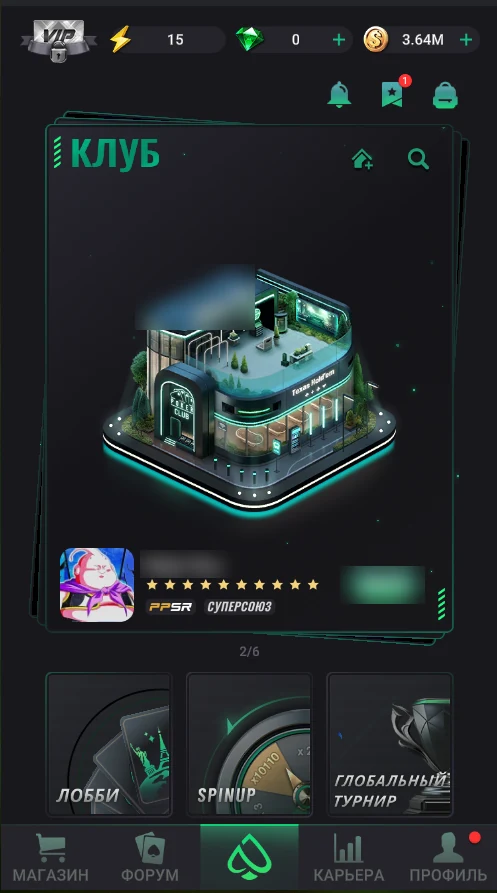
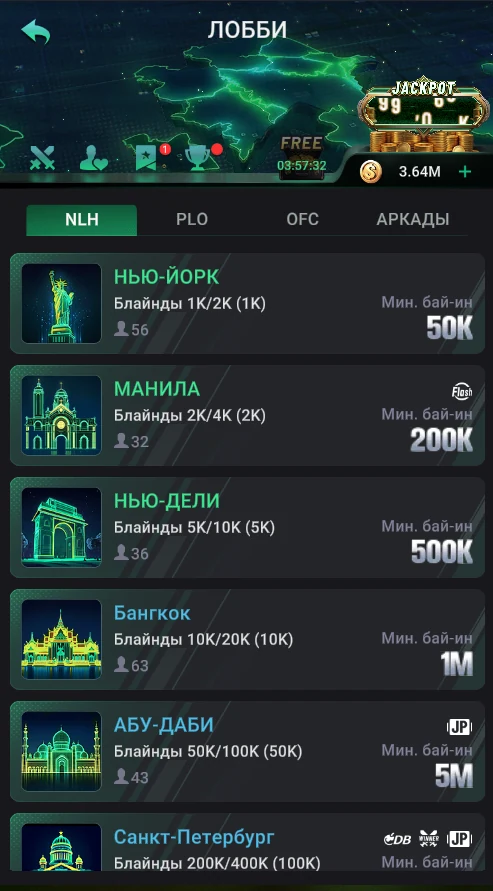
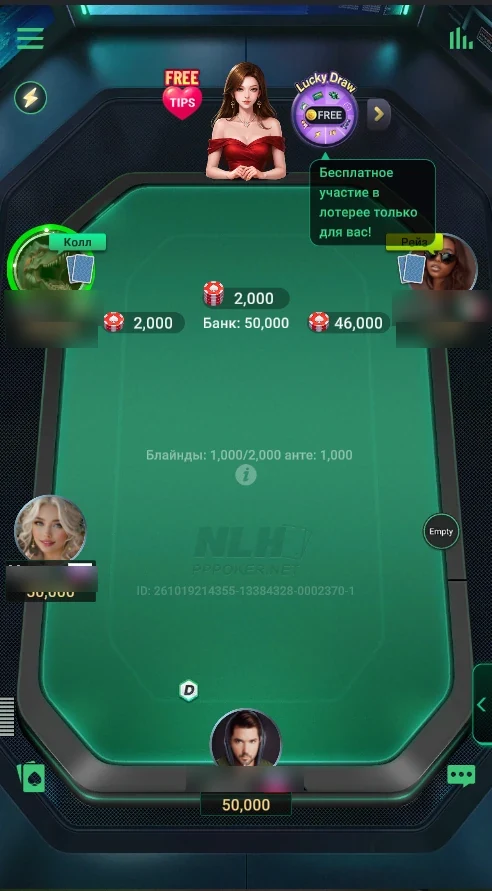
PPPoker on a phone: home screen, lobby and tournaments
Everything starts on the home screen. At the top — the VIP badge, ⚡ points, diamonds and coins. Below is the “Club” card: the house-with-plus icon creates your own club, the magnifier finds a club by ID. Under it are the “Lobby”, SpinUp and “Global Tournament” tiles: shared games for everyone, played for coins and diamonds, without clubs.
The app’s bottom menu
| Section | What’s there |
|---|---|
| Shop | Diamond packs, coins, VIP cards, table items, appearance, the ⚡ points tab. |
| Forum | Community feed: players share hands and discuss them. |
| Center button | Home screen with the clubs card and entry to shared games. |
| Career | Your playing stats; the detailed report comes with VIP Black and Platinum. |
| Profile | Nickname, avatar, player ID and settings. |
Club lobby
Inside a club there’s its own lobby: the tables the owner created, your chip balance in that particular club and the club’s bottom tabs. In the current version these are Union, Member, Counter, Data and Admin (some tabs are visible only to the owner and managers).
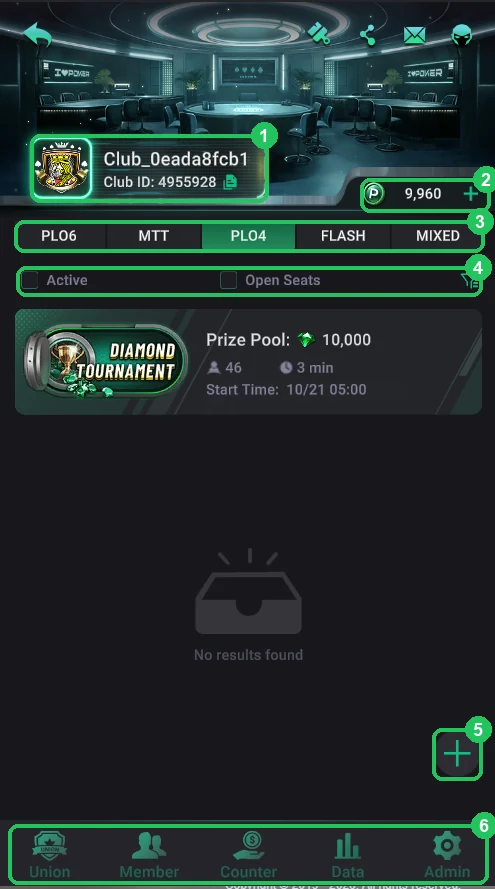
| Element | What it shows |
|---|---|
| Club name and ID | The club’s name and the number used to join it. |
| Balance | Your chips in this club. Another club has its own balance. |
| Table list | Game, blinds or buy-in, player count and option icons. |
| Union | The union the club belongs to and its shared tables. |
| Member | Club members and join requests. |
| Counter | Sending and claiming back chips; for the owner — the club’s chip balance. |
| Data, Admin | Club data and settings for the owner and managers. |
PPPoker tables
At the table you sit at the bottom of the screen, opponents around the oval. Pot, bets, blinds and ante are shown large, action buttons sit at the bottom under your thumb. The table design depends on the game: hold’em, Omaha and OFC each look different.
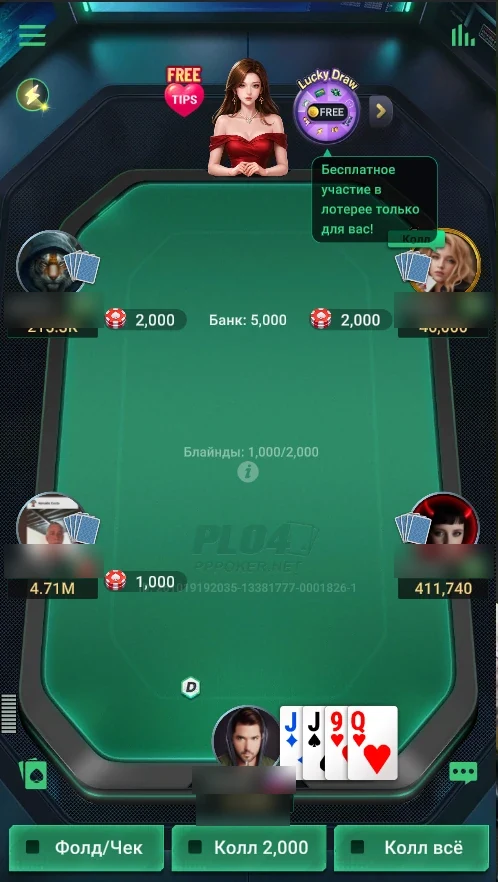
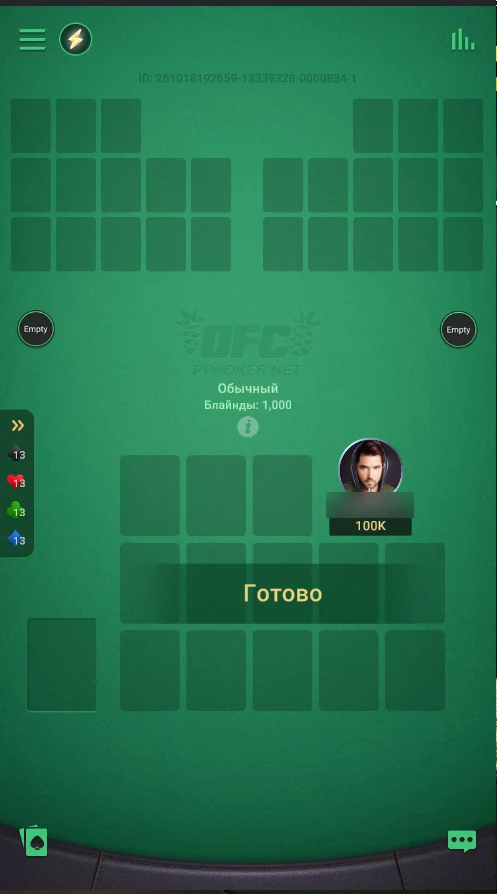
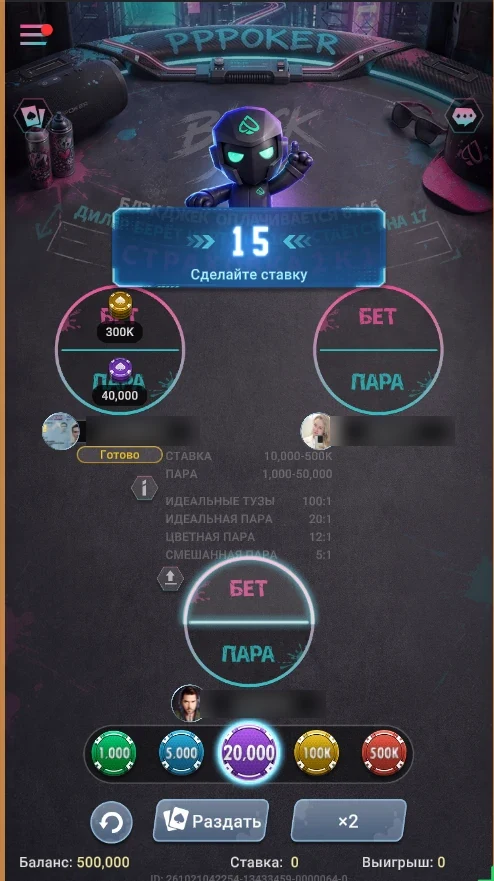
- Action buttons — fold, check/call and raise with a bet-size choice.
- Time bank — extra time for a decision; VIP cards include free time banks, and more can be bought for diamonds.
- Rabbit hunting and River Squeeze — see the card after a fold and peel the river slowly; shop items and VIP perks.
- All-in Equity — your all-in equity on screen; included in every VIP card.
PPPoker on a computer
On Windows and Mac PPPoker is an official client, not an emulator. The window is vertical, like a phone screen, with the same interface. You can keep up to 3 tables. One difference: diamonds can’t be bought in the PC client — you buy them on a phone. Installation: guides for Windows and for Mac.
| Phone | Computer | |
|---|---|---|
| Tables at once | up to 3, switching between them | up to 3, windows side by side |
| Window | full screen | vertical window, like a phone |
| Buying diamonds | yes — App Store or Google Play | no |
| Account and balance | shared | shared |
How to start
The whole path from installing to your first hand is in how to start playing PPPoker; to get the app, see download PPPoker. The interface is updated regularly, so tab names in your version may differ slightly.