Step 24 of 29
Disbanding the club (Disband Club)
Admin → Disband Club: disband the club, confirmed by entering its ID. It can’t be undone — the club, its members and club chips are deleted.
Club lobby → Admin → Disband Club
The last Admin item is Disband Club. To confirm, enter the club ID and tap Confirm.
It can’t be undone: the club, its members and club chips are deleted. Before disbanding, settle with players and agents, export reports in the Data tab and leave the union if the club is in one.
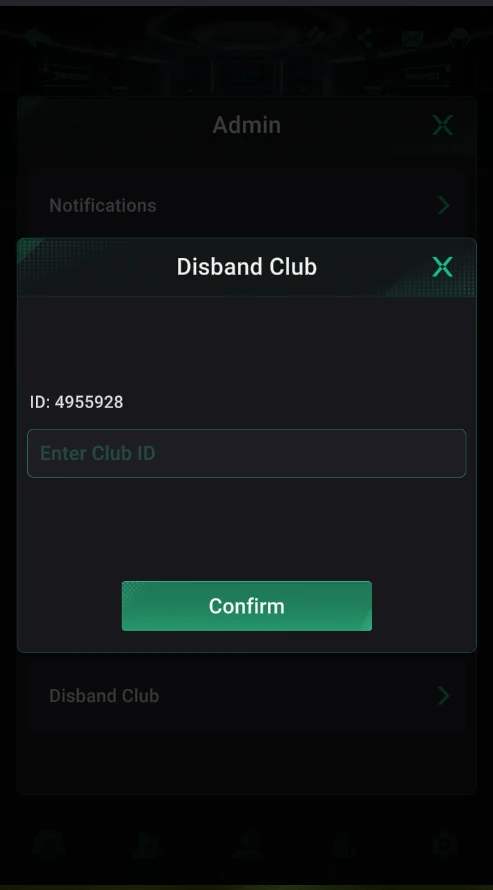
Disband Club
- A field for the club ID — protection against an accidental tap.
- Confirm — disband the club.
Before disbanding
- Settle chips with players and agents.
- Export Trade Record and other reports in Data.
- Leave or disband the union (disbanding a union).
Don’t disband the club to “start over”: club chips are deleted, and players have to find you again under a new ID.