Step 18 of 29
The Admin tab and push notifications to players
Admin: notifications, messages, rating, backpack, jackpot, disbanding tables and the club. Notifications are push messages to players’ phones — up to 10 a day, to your club or the whole union.
Club lobby → Admin → Notifications
The bottom Admin tab holds club settings for the owner and managers. It has seven items: Notifications, Messages, Club Rating, Club Backpack, Jackpot, Disband Table and Disband Club — each has its own page in this guide.
Notifications sends a push notification to players’ phones: a title up to 20 characters and content up to 150. It’s the fastest way to call players to a new table or tournament.
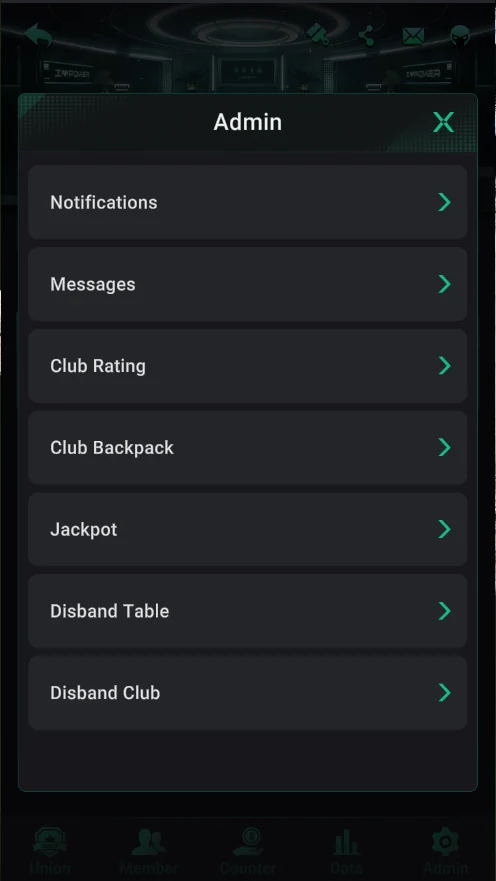
Where it is: the Admin menu
- Club lobby → bottom Admin tab.
- Notifications — push notifications (this page).
- Messages — in-club messages; Club Rating — club level.
- Club Backpack — the club backpack; Jackpot — the jackpot.
- Disband Table and Disband Club — close tables and disband the club.
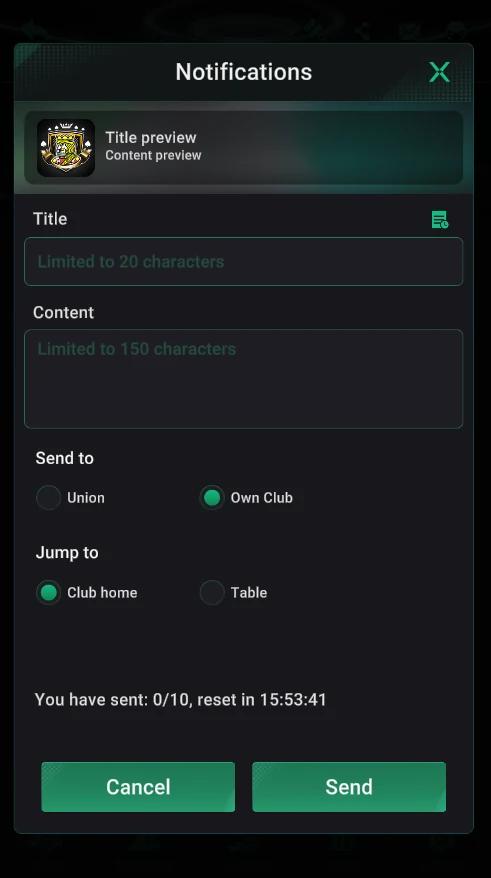
Notifications
- At the top — a preview of the notification.
- Title — up to 20 characters, Content — up to 150.
- Recipients: Union (all union clubs) or Own Club (just your club).
- Where a tap leads: Club home (the club lobby) or Table (a specific table).
- The limit is 10 notifications a day; the counter and reset timer are at the bottom.
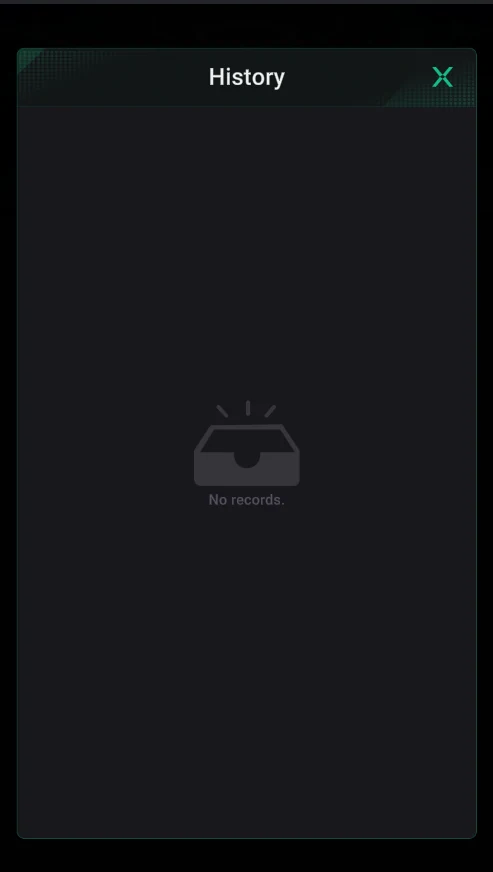
History
- The icon next to the title opens the history of sent notifications.
- You see what was sent and when — so you don’t repeat yourself.
Don’t use all 10 notifications at once: keep a couple for the evening when you start a tournament or open a new table.