Step 25 of 29
Create a union or join one
The Union tab in the club lobby: Join — join by union ID, Create — create your own union for free and instantly. One club, one union.
Club lobby → Union → Join or Create
A Union brings several PPPoker clubs together: tables created in a union are shared, and members of all its clubs play at them, so games start more often and tables fill faster.
Creating a union is free and instant, with no restrictions. Each club may only join or create one union; to move to another union, leave the current one first.
A full overview of unions — PPPoker unions.
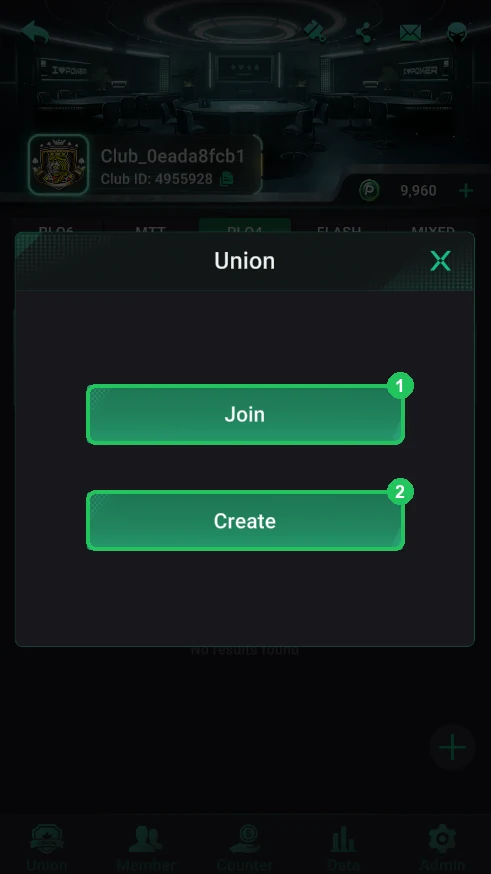
Where it is
- Club lobby → bottom Union tab.
- 1 — Join: join an existing union.
- 2 — Create: create your own union.
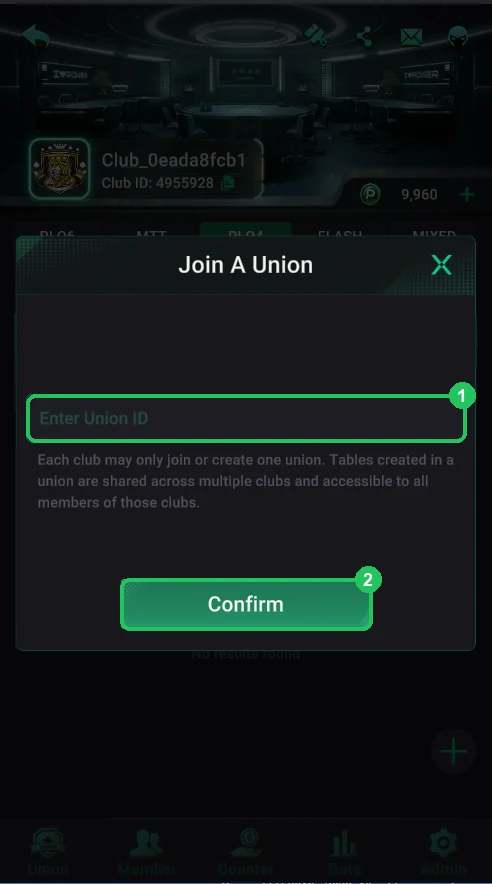
Join
- Enter the union ID the union owner gave you and tap Confirm.
- The request goes to the union’s head club, which approves it in New Union Member.
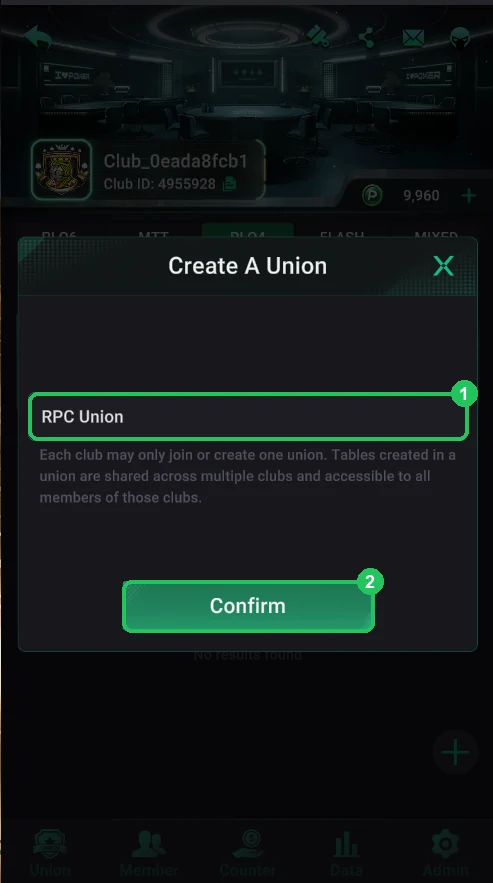
Create
- Enter a union name and tap Confirm — the union is created instantly.
- Your club becomes the union’s head club: it sets the rules, limits and table permissions.
When you create a union, only purchased PP chips move into it — the starting bonus chips (about 10,000) don’t, so the club balance shows zero. The window you confirm when creating a union warns about this. Per PPPoker support, disbanding the union makes the club’s chips available again. Create a union once your club has players.