Step 26 of 29
The union menu, new clubs and Union Members
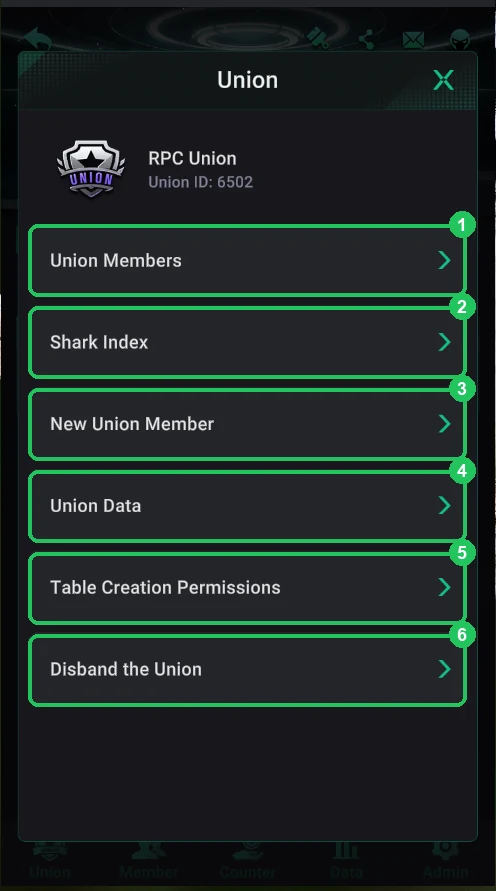
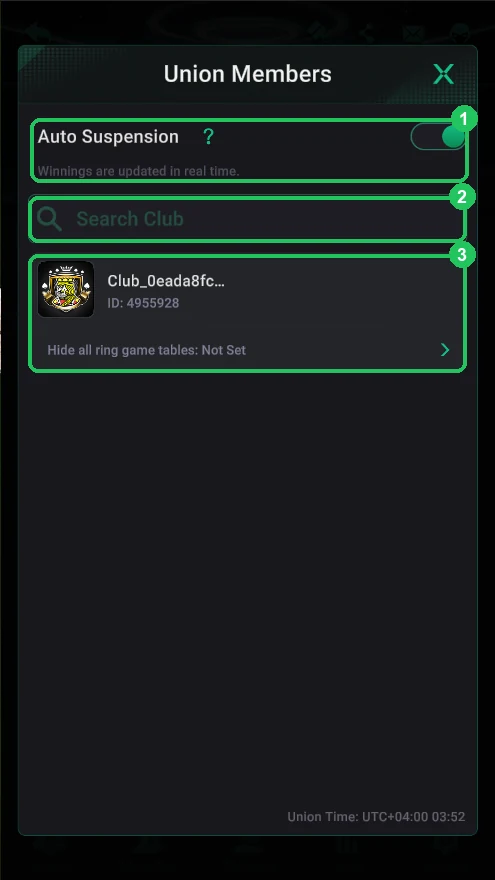
The union menu: Union ID, members, Shark Index, club requests, Union Data, table permissions and disbanding. Union Members lists the union’s clubs and Auto Suspension.
Club lobby → Union
Once the union exists, the Union tab opens the union menu. At the top are the name and Union ID — send it to club owners you invite.
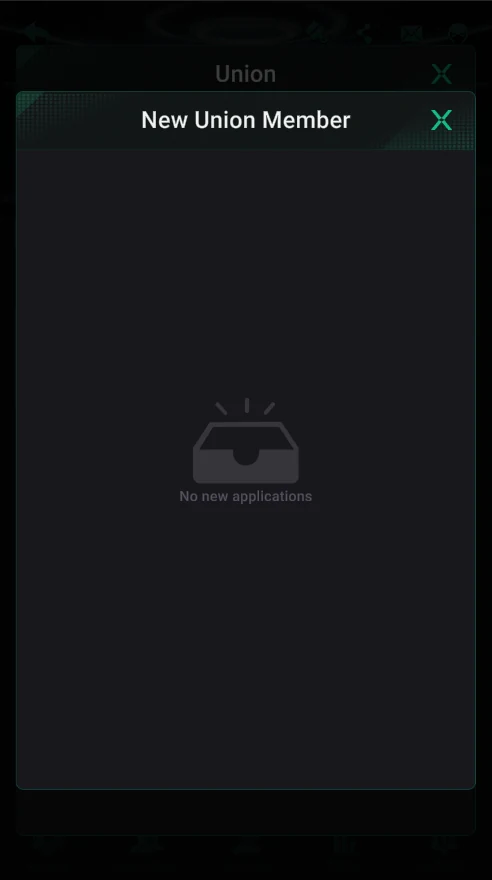
Clubs join on their own: a club owner taps Join in their club’s Union tab and enters your Union ID. The request shows up in New Union Member, where you approve or reject it.
The union menu
- 1 — Union Members: the union’s clubs, Auto Suspension and hiding tables.
- 2 — Shark Index: how much each club’s players win relative to rake (details).
- 3 — New Union Member: clubs’ join requests.
- 4 — Union Data: clubs’ weekly results and report exports (details).
- 5 — Table Creation Permissions: who creates shared tables.
- 6 — Disband the Union.
New Union Member
- Requests from clubs that want to join your union by its ID.
- Approve or reject; with none it says “No new applications”.
Union Members
- 1 — Auto Suspension: win and loss limits for clubs (details).
- 2 — club search within the union.
- 3 — a member club and its Hide all ring game tables row — hide cash tables for that club.
- At the bottom — Union Time (UTC+4 here), used for daily and weekly periods.