Step 17 of 29
Club Data: club stats and report exports
The Data tab: games, player winnings, rake and SpinUp income for yesterday, 7 days or a custom period. The EXL icon exports Trade Record, Diamond Statement and Union Data by email for diamonds.
Club lobby → Data → Club Data
The bottom Data tab opens Club Data — the club’s books. It shows how many games ran, what players won, how much rake (Fee) the club collected and what it earned on SpinUp for the chosen period, with tabs by game.
Times use the union time zone (Union Time at the bottom of the screen). Viewing is free, but report exports cost diamonds: in our screenshot three reports for one day cost 1,240 diamonds.
Union stats for each club — the Union Data step.
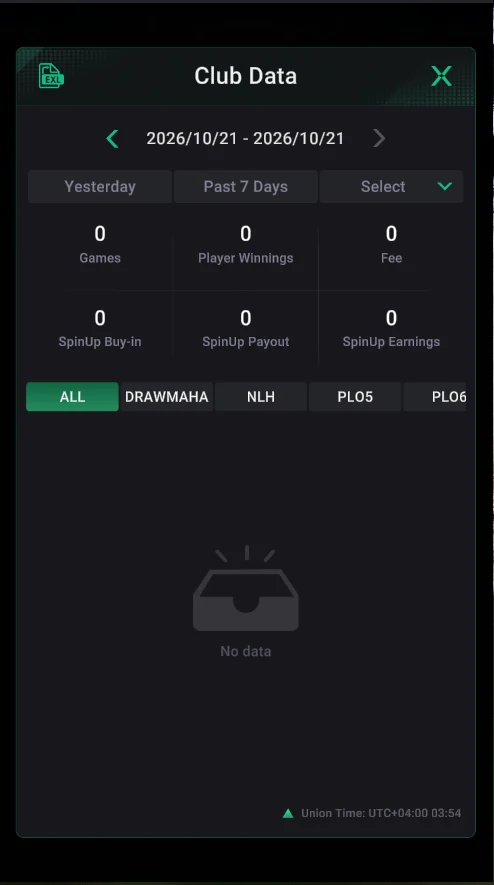
Where it is: Club Data
- Club lobby → bottom Data tab.
- Period: arrows step through dates; Yesterday, Past 7 Days and Select (custom dates).
- Games, Player Winnings, Fee — games, player winnings and rake.
- SpinUp Buy-in, SpinUp Payout, SpinUp Earnings — buy-ins, payouts and the club’s SpinUp income.
- Tabs by game: ALL, DRAWMAHA, NLH, PLO5 and more.
- The EXL icon at the top left — report export.
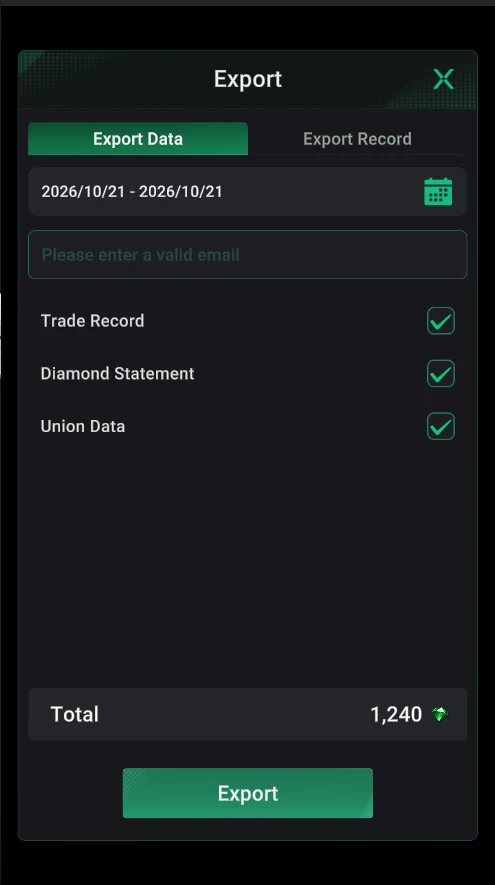
Export: reports by email
- The period and the email the file goes to.
- Reports: Trade Record (chip transactions), Diamond Statement (diamond spending), Union Data.
- The diamond cost depends on the reports and period and is shown before you export.
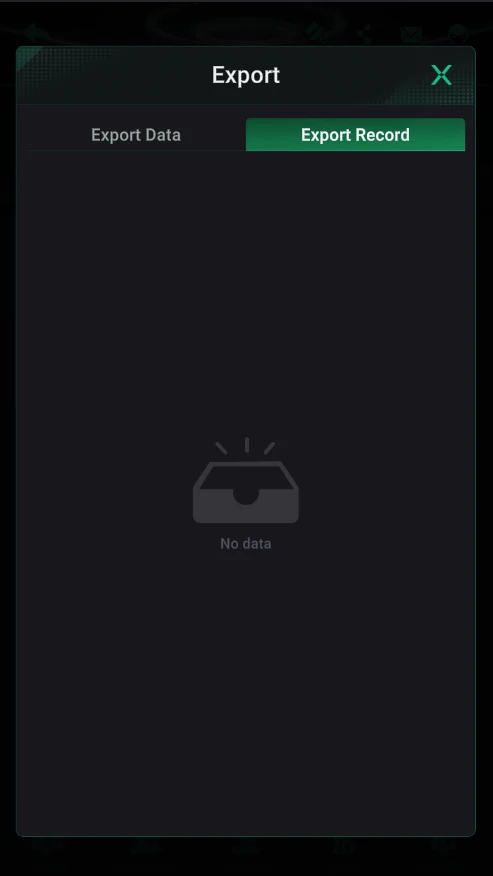
Export Record
- Export history: which reports, for which period and when they were sent.
- Handy for finding a report you’ve already exported instead of paying again.
Export Trade Record weekly for a closed period — it’s the basis for settling with agents and players.