The Counter: sending and reclaiming chips, the 5% fee
Counter → Trade: the club chip balance (P), sending (Send) and reclaiming (Reclaim) chips, transaction history. Every send-out costs 5%; top-ups only with 10+ members.
The bottom Counter tab is the club cashier. Players get chips from the club balance of PP chips (the green “P” coin). The balance is topped up with the “+” button for diamonds.
The key difference from ClubGG: the Counter isn’t free. On every chip send-out the app takes 5% — the send-out screen shows an “Operation fee: 5%” line, and the club pays it. We haven’t yet confirmed whether reclaims are charged. ClubGG has no such fee and gives the owner an unlimited balance.
PP chips can only be topped up with 10+ members. With fewer than 10 people, tapping “+” returns “Failed to exchange PP Chips as the club has fewer than 10 members”. Spend a new club’s starting chips (we had 9,960) carefully.
Why the fee exists: per PPPoker support, so that club chips run out and get topped up for diamonds. For the club it’s just a running cost, unrelated to how you settle with players (how much money for how many chips). It works best at 1 chip = 1 unit of currency — with a tiny chip value the chips run out very fast.
How to remove the 5% fee and most costs. PPPoker offers an “all-inclusive” contract: the club pays a deposit and gets unlimited chips, an unlimited club level (Club Rating) and automatic table opening; instead of buying chips and paying 5% per send-out, it pays PPPoker a share of the club’s rake every week. Want your club on these terms? Contact us and we’ll help set it up.
How the contract deposit works, per PPPoker support: you buy 100,000 diamonds (about $1,418) on your profile, PPPoker deducts them, and from then on the club runs on unlimited chips and pays a share of rake weekly. If the club runs on its own with diamonds, there are no weekly payments to PPPoker — only buying chips and the 5% fee.
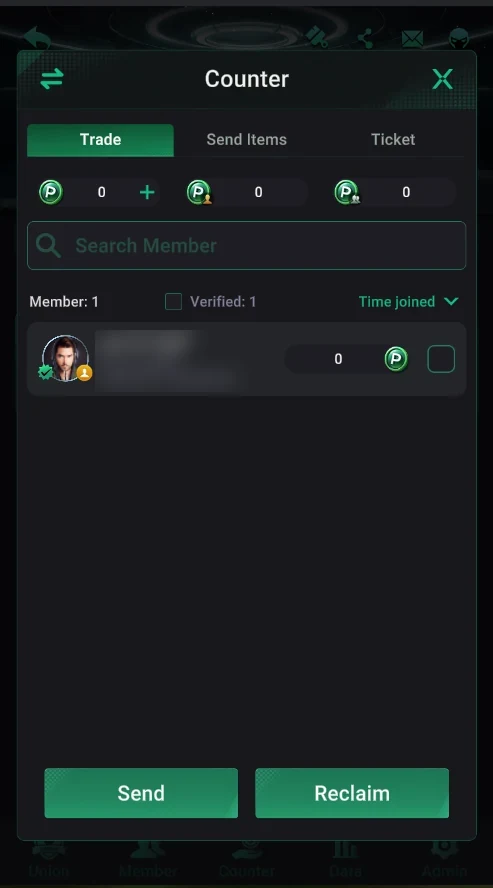
Where it is: Counter → Trade
- Club lobby → bottom Counter tab → Trade tab.
- Three balances at the top: club chips (P) with “+” to top up, and two balances with agent and super-agent icons — judging by the icons, credit granted to agents.
- Below — the member list with search and sorting (e.g. Time joined).
- Tick players and tap Send to give chips or Reclaim to take them back.
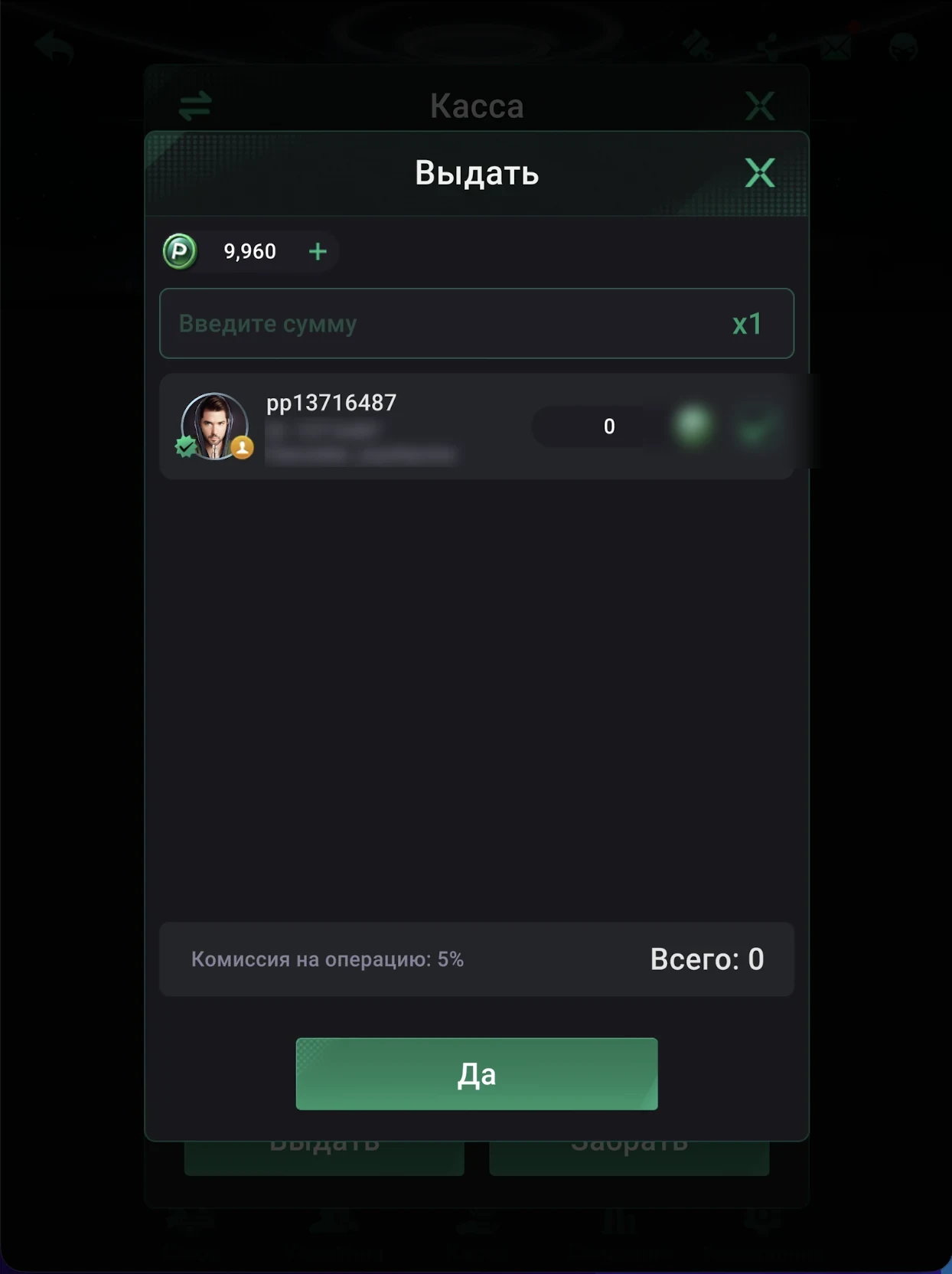
Sending chips
- At the top — the club chip balance (P) and “+” to top up.
- The amount field and the multiplier (x1).
- The ticked player and their current club balance.
- The “Operation fee: 5%” line and the total — what comes off the club balance.
- The confirm button — send the chips. (This screenshot is from the Russian interface.)
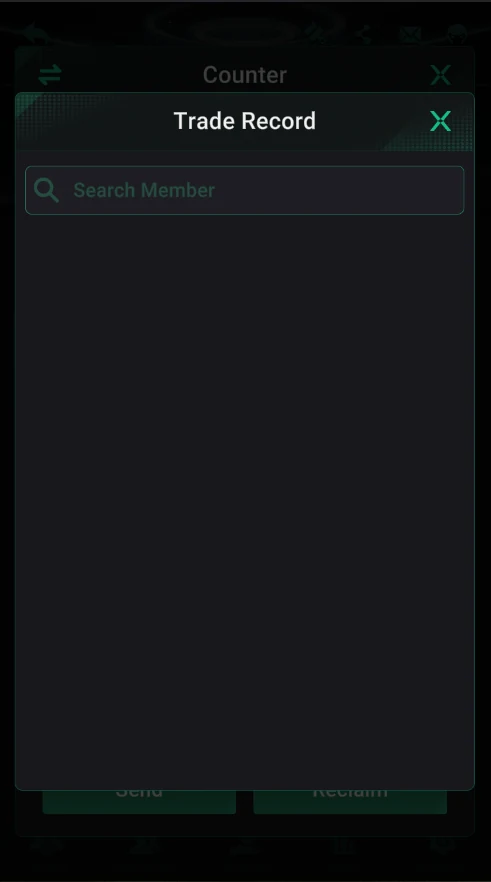
Trade Record — transaction history
- The arrows icon at the top left of the Counter opens Trade Record.
- Send-outs and reclaims, searchable by member — useful for settlements and disputes.