Step 2 of 29
Club name, logo and notice (Club Profile)
Tap the club name in the lobby → Edit: logo, name and Club Notice — a message for members. The first rename is free.
Club lobby → club name → Club Profile → Edit
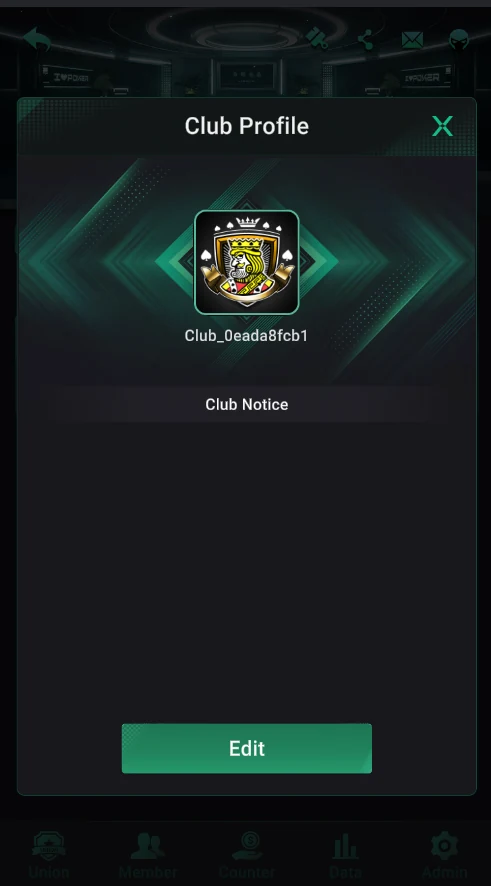
Open your club and tap its name at the top of the lobby to open Club Profile: the logo, name and club notice. The Edit button switches to editing.
The first rename is free — it says so under the field: “Free to rename for the first time”. A new club gets an automatic name like Club_0eada8fcb1, so set a proper name straight away and think it through first.
Club Notice is a message club members see: rules, agent or manager contacts, the tournament schedule. It’s a free way to tell everyone the essentials.
Where it is
- Club lobby → tap the club name at the top — Club Profile opens.
- At the top — the logo and the current club name.
- Club Notice — the club’s message (empty for a new club).
- Edit — start editing.
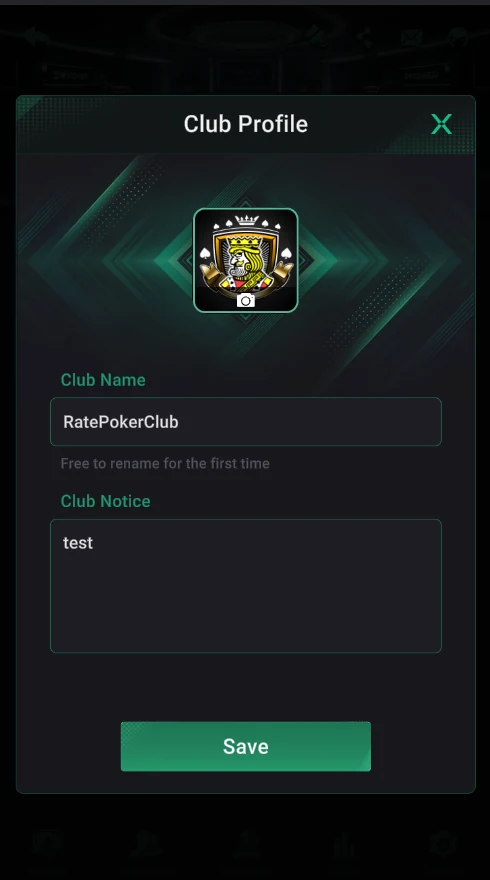
Editing the profile
- The camera icon on the logo — upload your own image.
- Club Name — the club name. The hint “Free to rename for the first time” means the first rename is free.
- Club Notice — the message text for members.
- Save — save the changes.
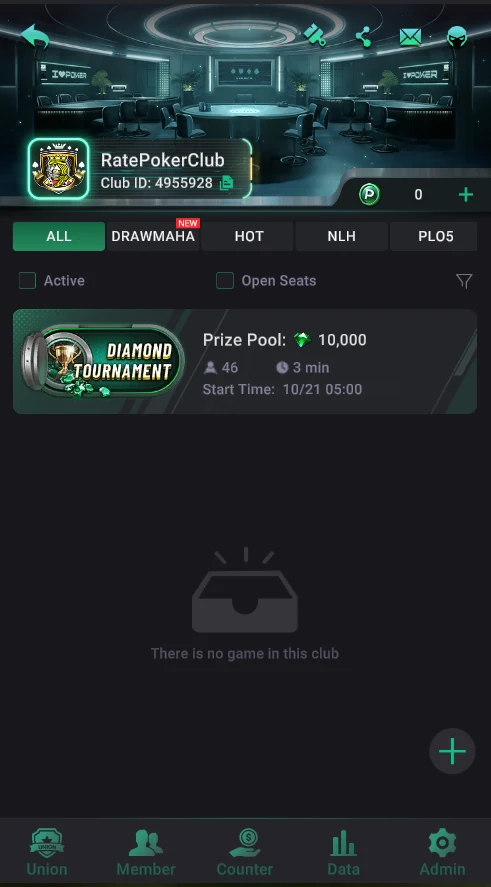
The result
- The new name shows at the top of the club lobby right away, with the Club ID under it.
- The icon next to the ID copies it — handy for sending to players.
A good name
- Short — up to 15–20 characters so it isn’t cut off on the Club card.
- In Latin letters: easy to find and to dictate to players from any country.
- No other brands and no words like “Official” or “PPPoker”.
Only the first rename is free — and players remember a club by its name, so leave it alone once you launch.