Step 22 of 29
The club jackpot (Jackpot)
Admin → Jackpot: fund the jackpot with 1,000+ club chips, pick the Mixed, Cooler or Cooler Plus type and how the fee is charged, and turn on win announcements.
Club lobby → Admin → Jackpot
In Admin → Jackpot the owner turns on the club jackpot — like ClubGG’s Bad Beat Jackpot. Its amount shows to players in the lobby, and tables with the Jackpot mode on (Game Modes) pay a fee into it.
The order: top up the jackpot first, then switch it on and pick the type. Chips sent to the jackpot can’t be withdrawn.
For unions: when a club leaves the union or it’s disbanded, the union jackpot is no longer available — use the club jackpot; in a super union, the super union jackpot.
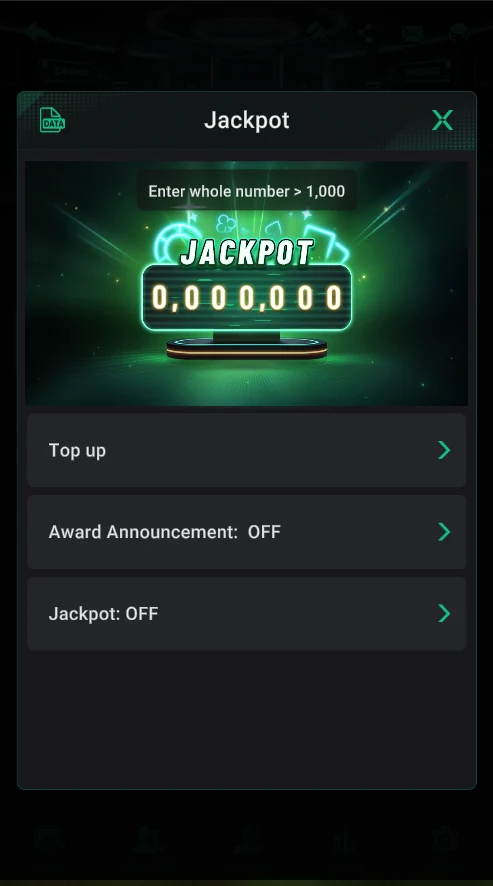
The jackpot screen
- At the top — the club jackpot amount (0 in a new club) and a hint: top up with a whole number above 1,000.
- Top up — fund the jackpot.
- Award Announcement: OFF — win announcements, off for now.
- Jackpot: OFF — switching on and setting up the jackpot.
- The DATA icon at the top left — jackpot stats.
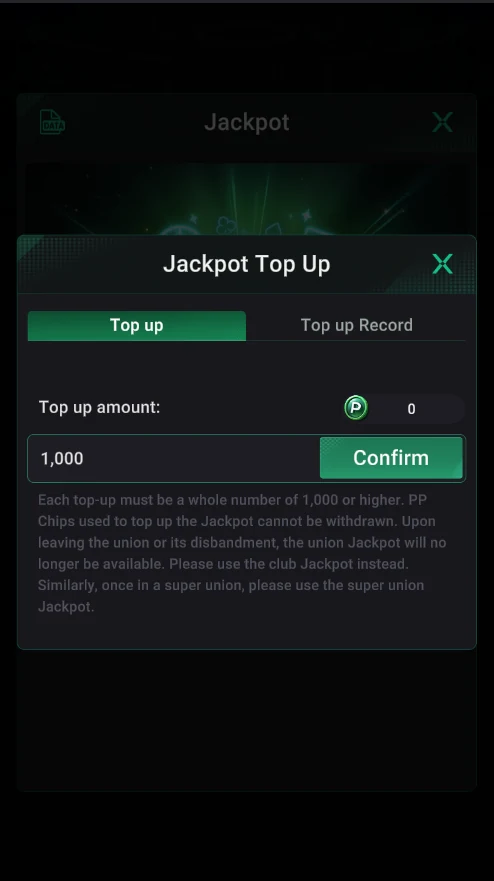
Jackpot Top Up
- Fund it with club chips (P) — a whole number of 1,000 or more.
- Chips sent to the jackpot can’t be withdrawn.
- Top-up history is in the Top up Record tab.
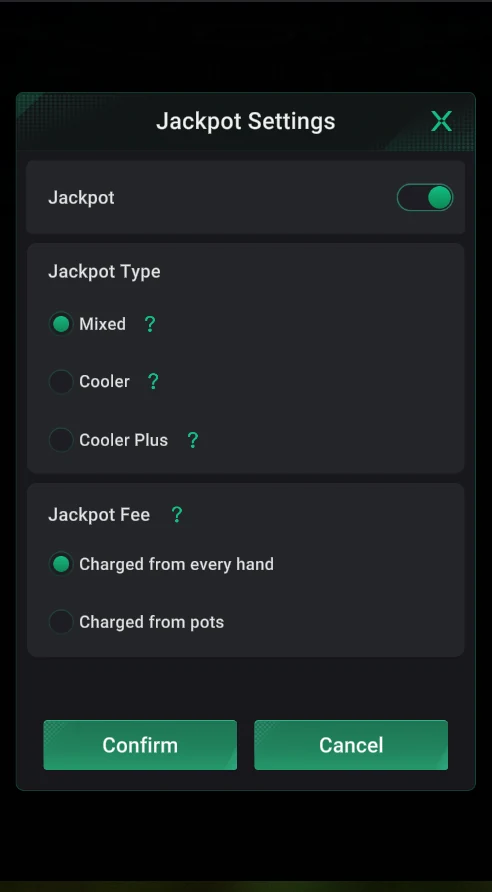
Jackpot Settings
- Jackpot type: Mixed, Cooler or Cooler Plus — the “?” hints explain the difference.
- Fee: from every hand (Charged from every hand) or from pots (Charged from pots).
- Confirm — save.
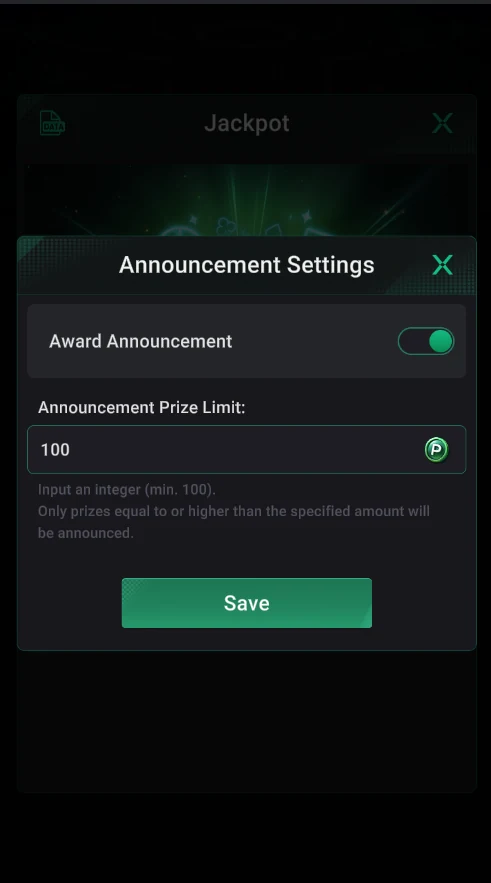
Award Announcement
- Turn on jackpot win announcements.
- Set a threshold: only prizes at or above it are announced (minimum 100).
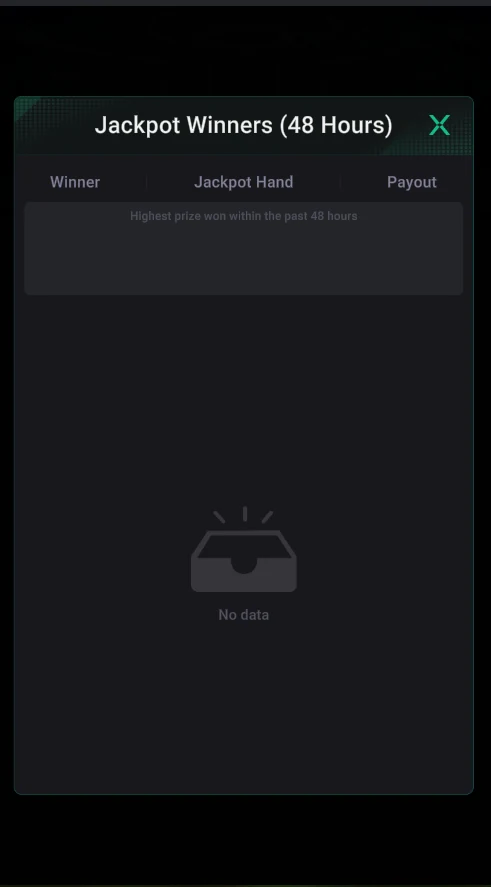
Jackpot Winners
- Winners of the last 48 hours: who, with which hand and how much.
- The biggest prize is highlighted at the top.
Chips put into the jackpot aren’t returned — fund it only with an amount you’re ready to give to players.