Step 17 of 42
Career: your stats and results
Games and hands played, win rate, VPIP, PFR, C-Bet, 3-Bet, WT, WSD and recent session results — for each game.
Club lobby → club menu → Admin → Career
Career shows what stats you play with and how much you win or lose. It’s a quick summary of your game right in the app — no membership or PokerCraft needed.
Stats are kept separately for each game (NLH, PLO, AoF, 6+, SNG, MTT). Compare your numbers with typical ranges: if VPIP is far above PFR, you enter too many pots by calling; if WT is high and WSD low, you go to showdown with weak hands too often.
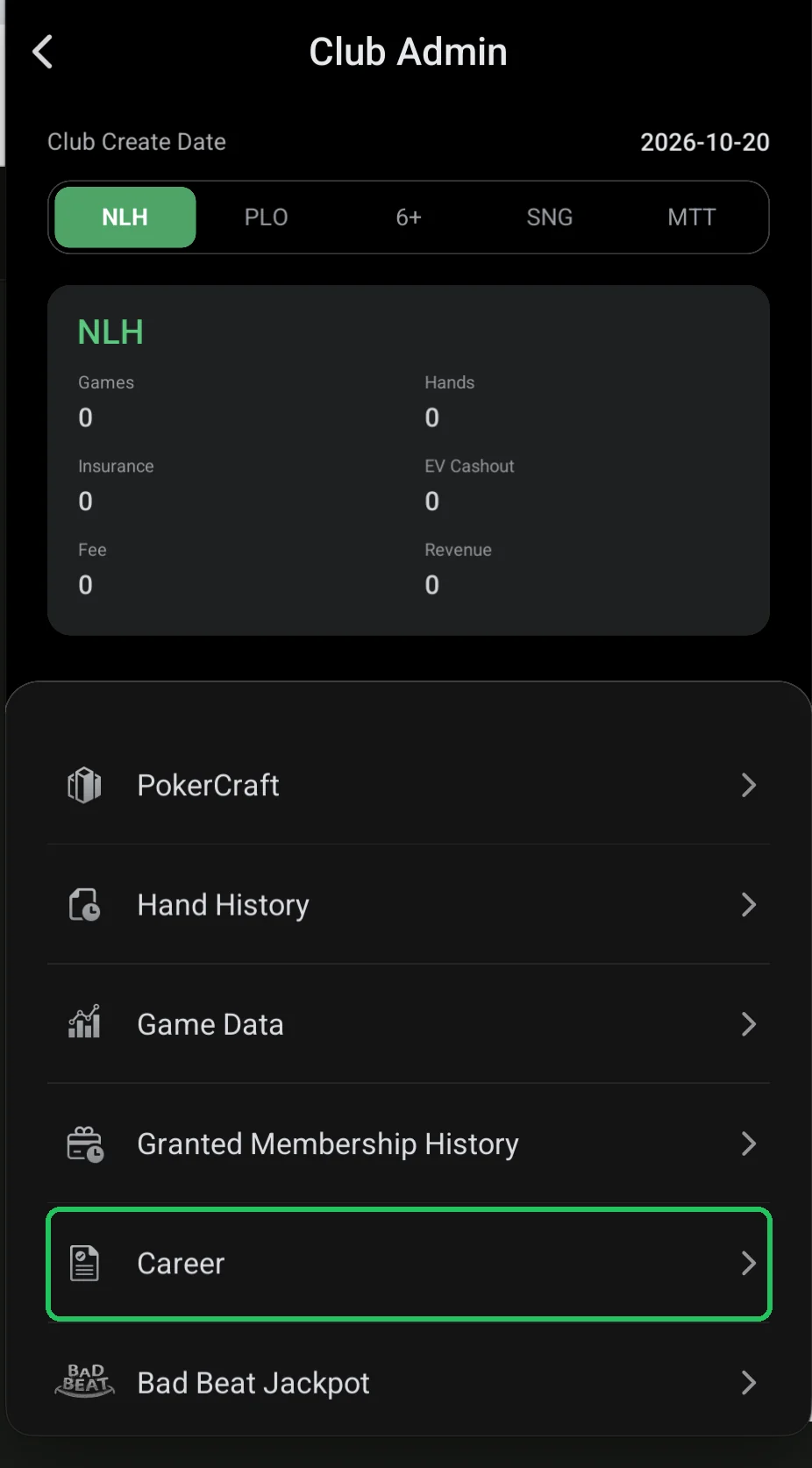
Where it is
- Club lobby → red menu button → Admin → Career.
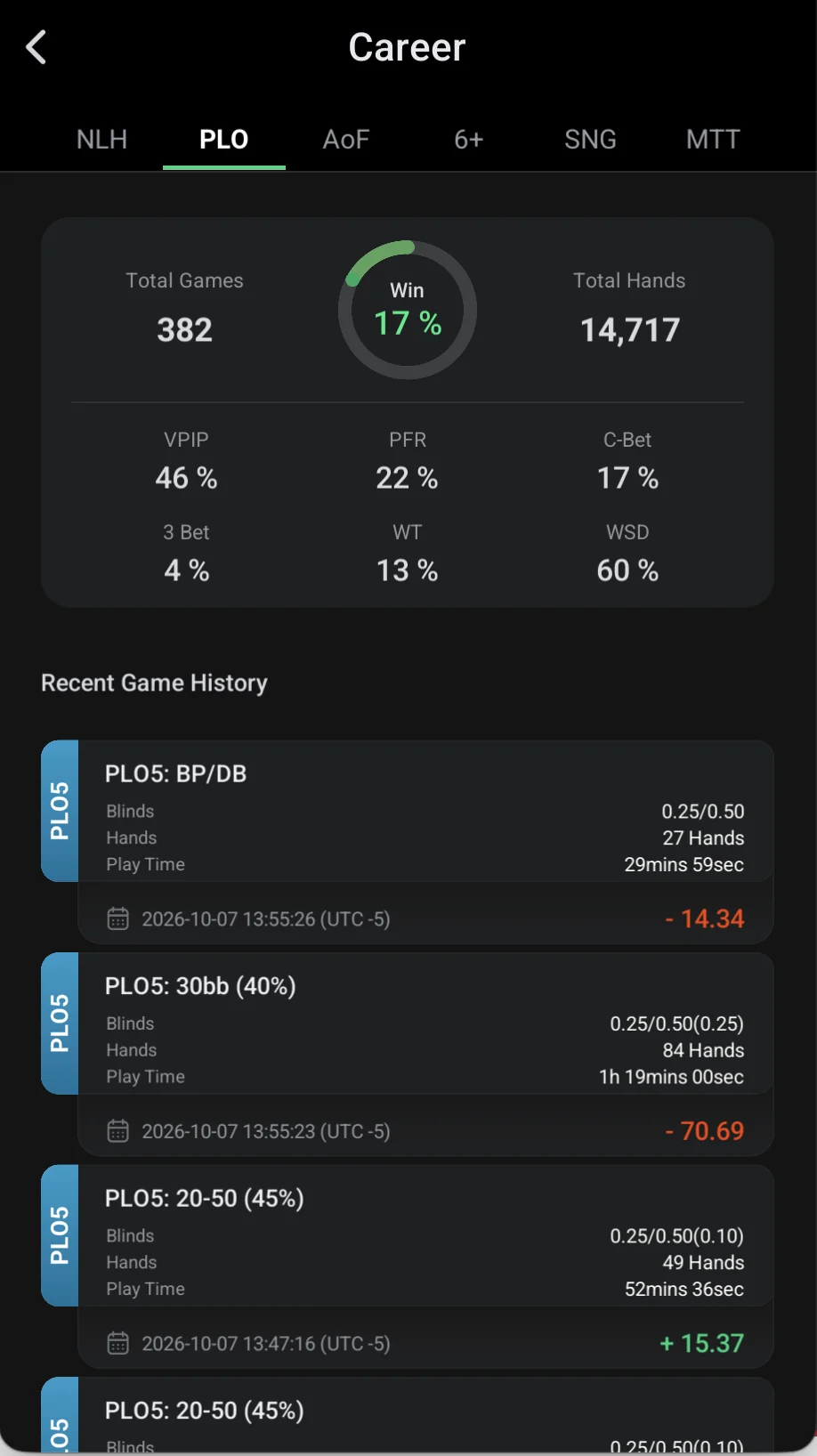
What’s on the screen
- Tabs by game: NLH, PLO, AoF, 6+, SNG, MTT.
- Total Games — sessions (tables) played; Total Hands — hands played.
- Win — the share of sessions you finished in profit.
- VPIP — how often you voluntarily put chips in preflop; PFR — how often you raise preflop.
- C-Bet — betting the flop after your raise; 3 Bet — re-raising preflop.
- WT — how often you go to showdown; WSD — how often you win at showdown.
- Recent Game History — latest sessions: table, blinds, hands, play time, date and result (profit in green, loss in red).
A VPIP–PFR gap of more than 10–15 points in hold’em is a sign of overly passive play.
For deeper review (positions, EV graph, hand export) use PokerCraft.