Pop-up Notification: a message players see on entry
The pop-up players see when they enter the club: a title of up to 20 characters, a display period, text up to 2,500 characters or a 1080×1350 image. Examples of how players see it.
Pop-up Notification is a pop-up window players see when they enter the club. It’s the simplest way to reach everyone at once: no need to message each player or hope they read the chat.
You create it on the Create Notice screen: a title, a display period and the content — text (up to 2,500 characters) or an image (recommended size 1080×1350, so it shows in full without scrolling). Check it with Preview before posting.
What to announce in a pop-up: tournament series and schedules, promotions and leaderboards, club rules (e.g. no multi-accounting), contacts for deposits and cash-outs, important changes — new rake, a moved tournament, maintenance. What not to: anything players will see ten times and stop reading.
The main rule — short and to the point. Players close the window in a couple of seconds and can tick “Don’t show today”. That’s why a poster-style image usually works better than long text: event name, dates and prize — big. Remove outdated notices: an ad for a finished promotion makes the club look abandoned — that’s what the display period is for.
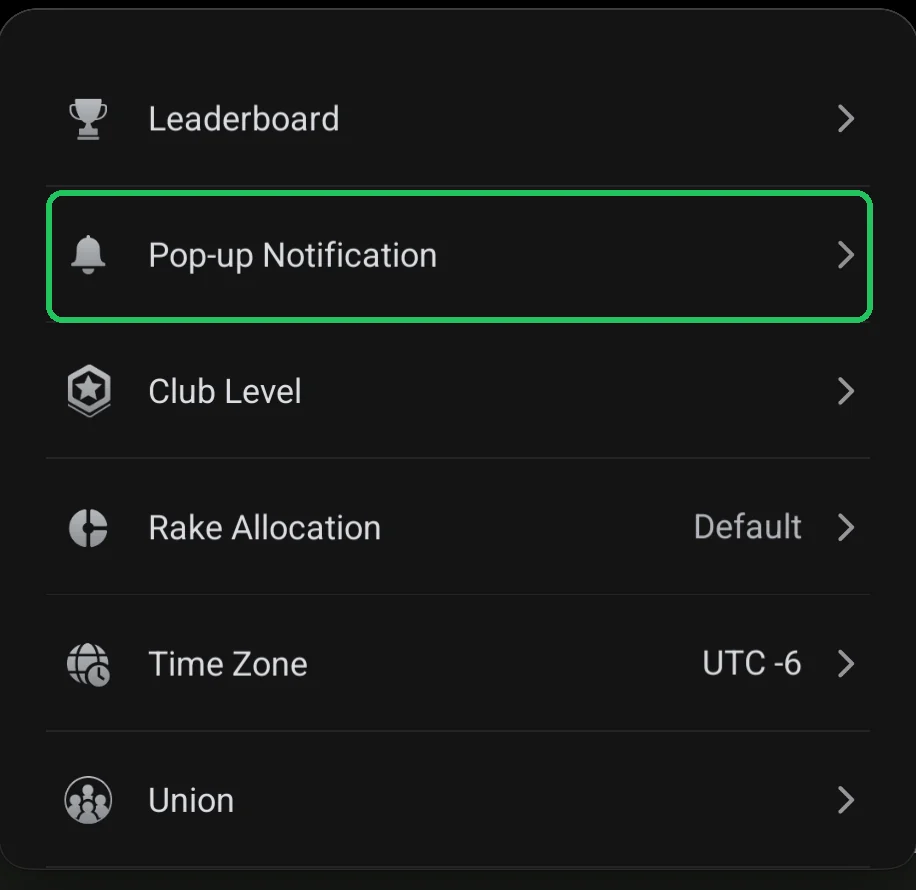
Where it is
- Club lobby → red menu button → Admin → Pop-up Notification.
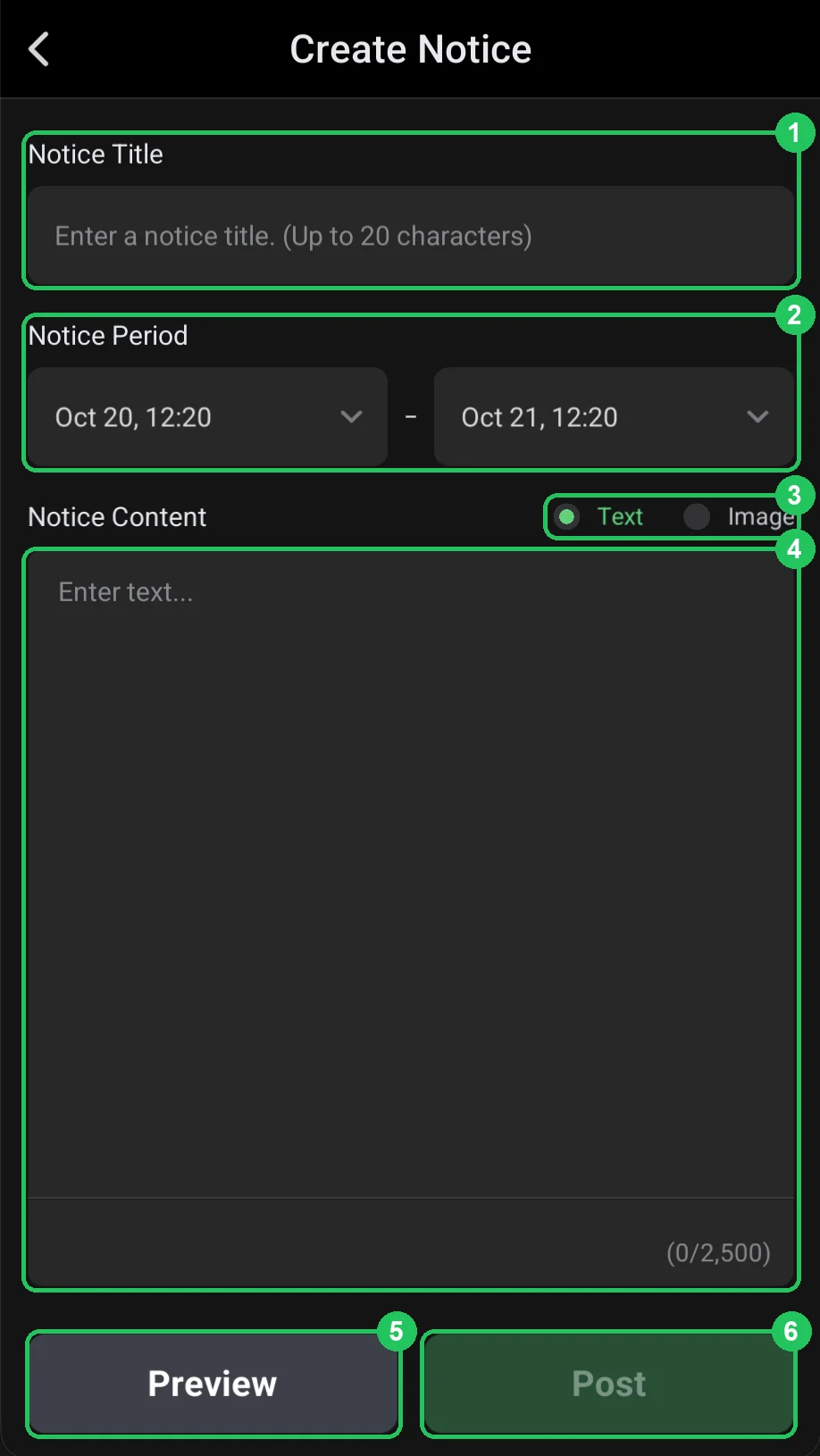
A text notice
- 1 — Notice Title: up to 20 characters, shown above the notice.
- 2 — Notice Period: from when until when to show it. Defaults to 24 hours.
- 3 — Notice Content: what to show — Text or Image.
- 4 — text: up to 2,500 characters, with a counter below.
- 5 — Preview: see it as a player will.
- 6 — Post: publish. The button becomes active once the title and content are filled in.
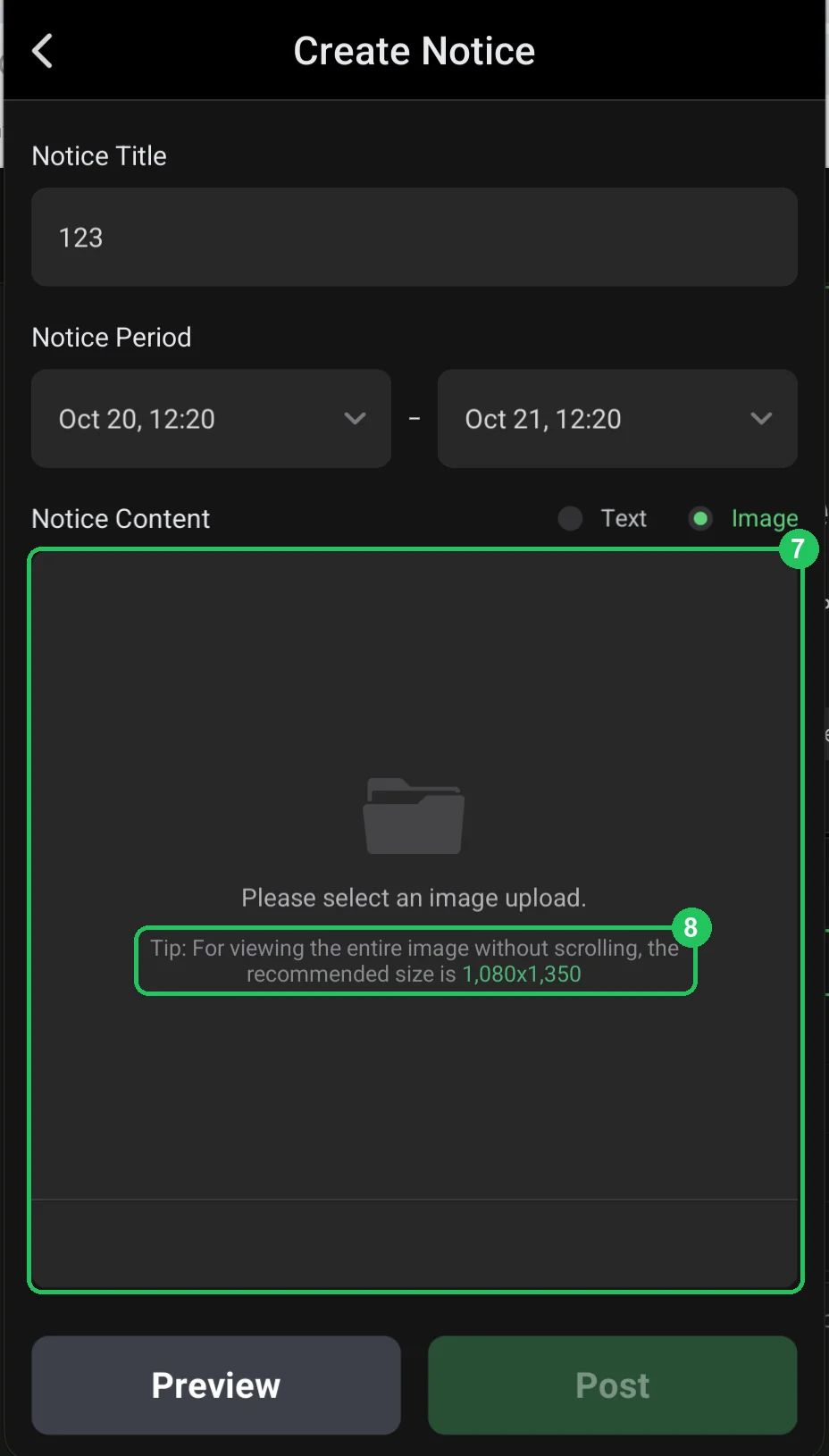
An image notice
- 7 — Image: tap the area and choose an image.
- 8 — size: 1080×1350 is recommended (portrait 4:5) so the whole image shows without scrolling.
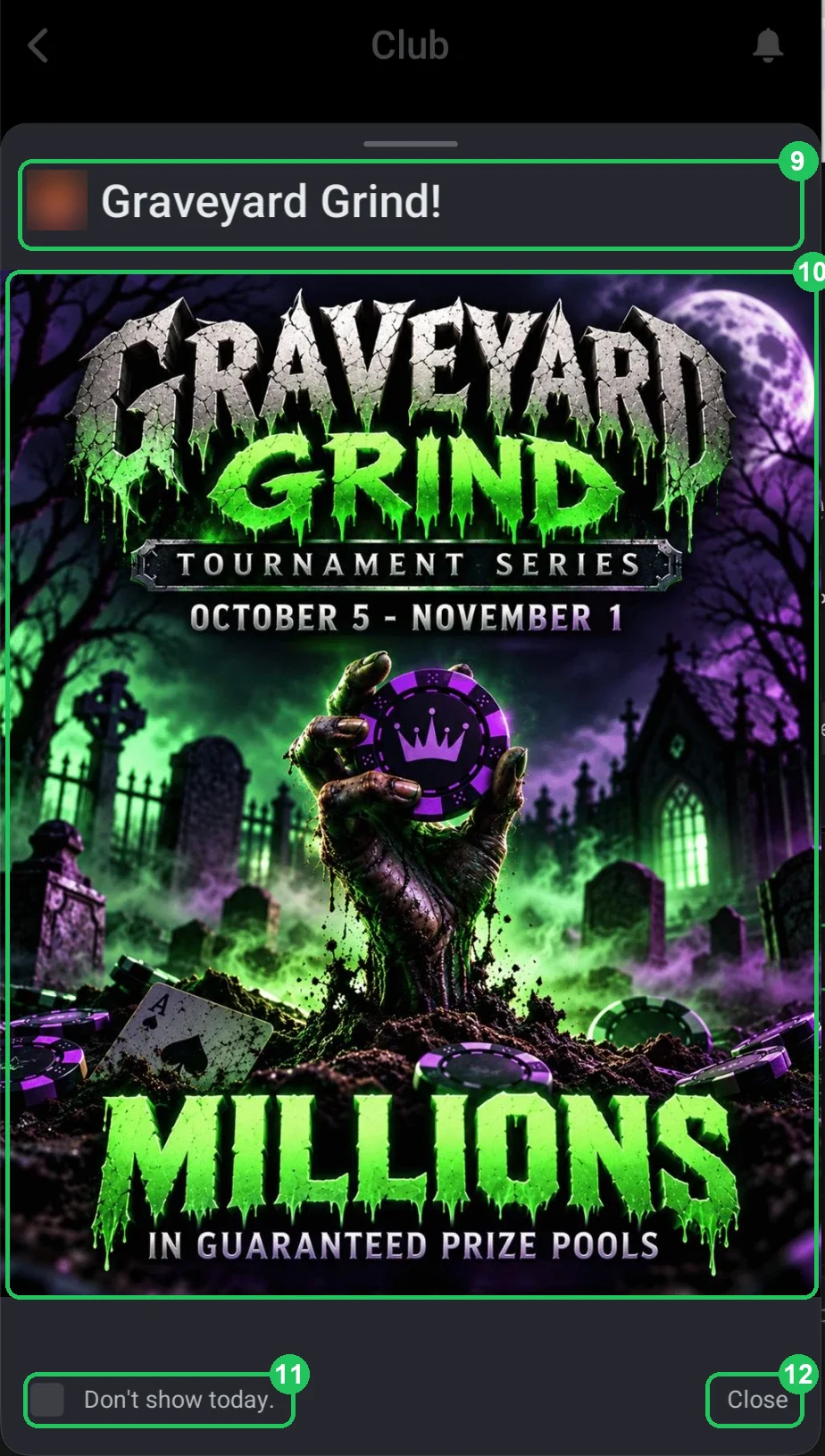
What players see
- An example image notice — a tournament series poster.
- 9 — title with the club logo.
- 10 — image: series name, dates and guarantee — readable in a second.
- 11 — Don’t show today: players can hide it until tomorrow.
- 12 — Close.
Several notices
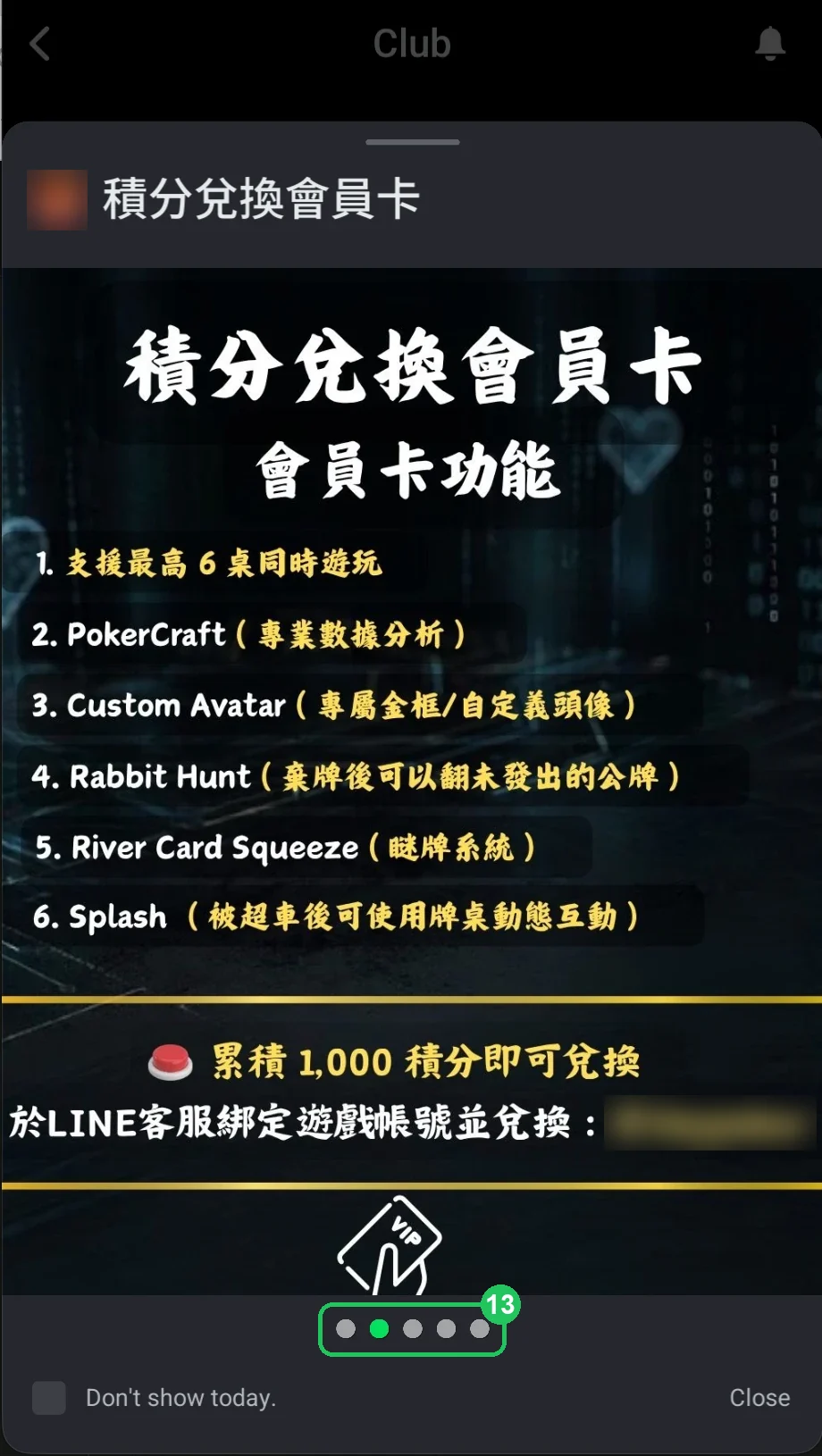
- 13 — when there are several notices, players swipe through them; the dots show how many there are and which is open.
- Example — a notice about exchanging points for a membership, listing what it gives (PokerCraft, custom avatar, Rabbit Hunt, river squeeze). The contact in the screenshot is hidden.
A good notice
- Starts with the main point: what, when and for whom.
- Fits in a few short lines or one clear image.
- Says what to do next: whom to message, which table to join.
- Is current — the display period matches the promotion.