Invite players to your club
Send players the club ID or a link — they find the club and send a join request.
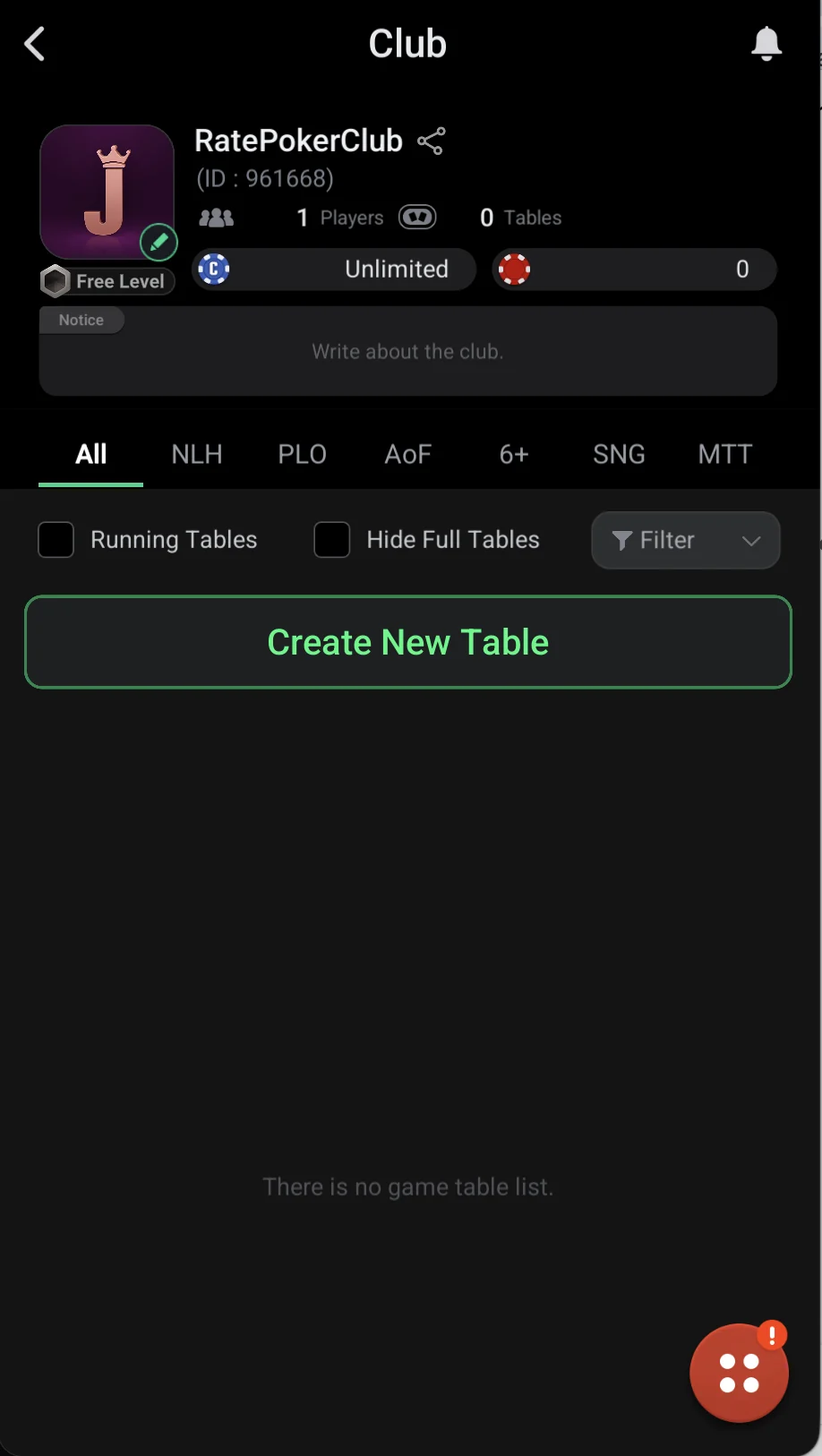
Every club has a 6-digit ID — it’s shown under the name in the club header and on the creation screen. Players find your club by this ID: private clubs can’t be searched by name.
The easiest way to invite is the Share button (the share icon next to the club name). It sends a club link to a messenger: the player opens it on a phone with ClubGG and lands right on the club page.
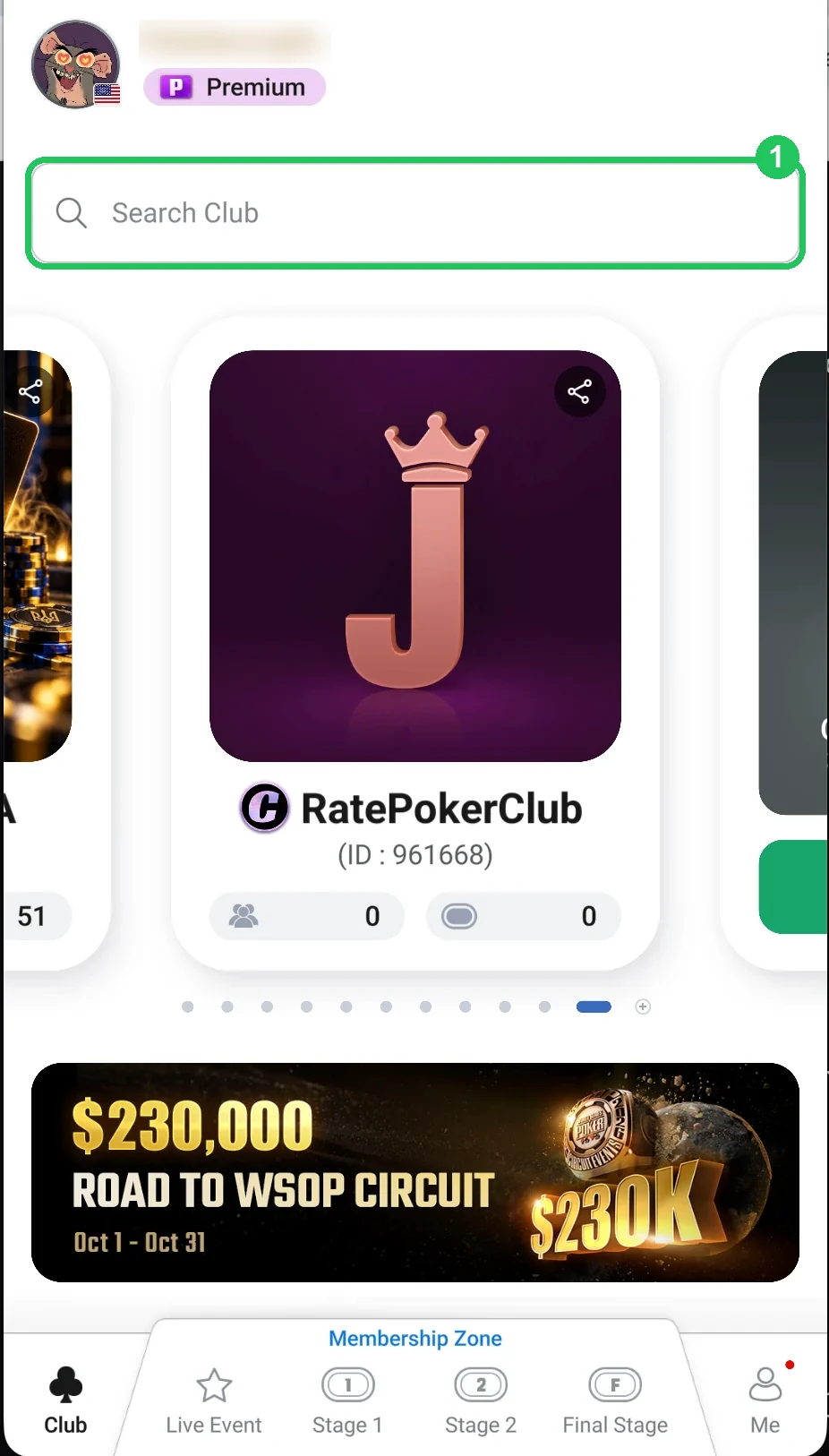
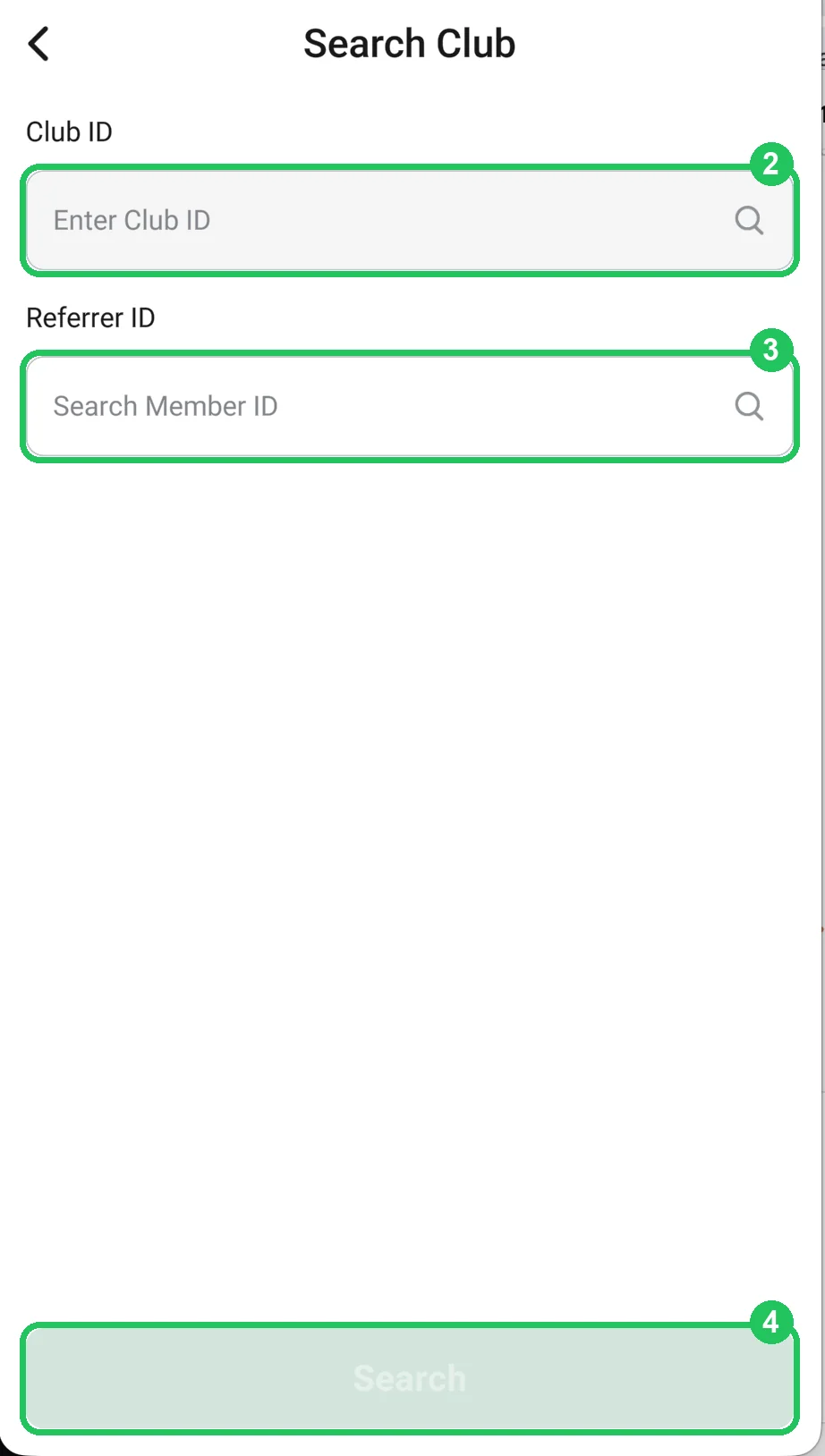
You can also just send the ID: the player opens Search Club on the home screen, enters the club ID (and a referrer ID if you work with agents) and taps Join. The request comes to you to approve (see the next step).
Where to find your first players: friends and your poker chat, Telegram channels, and for an open club — club directories. A listing in the RatePokerClub catalog is free.
How a player joins your club (numbers match the screenshots)
- 1 — taps the Search Club field on the home screen.
- 2 — enters the 6-digit club ID in Club ID.
- 3 — enters the agent’s ID in Referrer ID if you gave one (can be left empty).
- 4 — taps Search, then Join on the club page, and waits for approval.