Time Zone: the club’s time zone
The club time zone sets where each day starts in all stats and is the same for every member. In a union the master club sets it. Pick it once, before your first settlements.
Time Zone is the club’s time zone. It decides where one day ends and the next begins across all club stats: club data is shown in this zone, and it’s the same for every member — in the Club Admin summary, Club Data, reports, leaderboard periods and Happy Hour.
You pick a zone from a UTC list (UTC −10, UTC −6, UTC +5 and so on) and save it with Confirm. In a union it works differently: if you create a union, your (master) club’s zone applies to the whole union. If you join someone else’s union, your club’s zone automatically switches to the union master club’s zone — and you can no longer set it separately.
Why it matters. Say you settle with agents weekly, Monday to Sunday. If the club zone is several hours off yours, late Sunday-night games land in the wrong week and report totals won’t match what you expect.
Which zone to pick. Usually where most of your players and agents live, or the one you settle in. The key is to choose once, at the start, and not change it. If you must change it, do it right after a settlement period closes: export the reports, switch the zone and warn your agents.
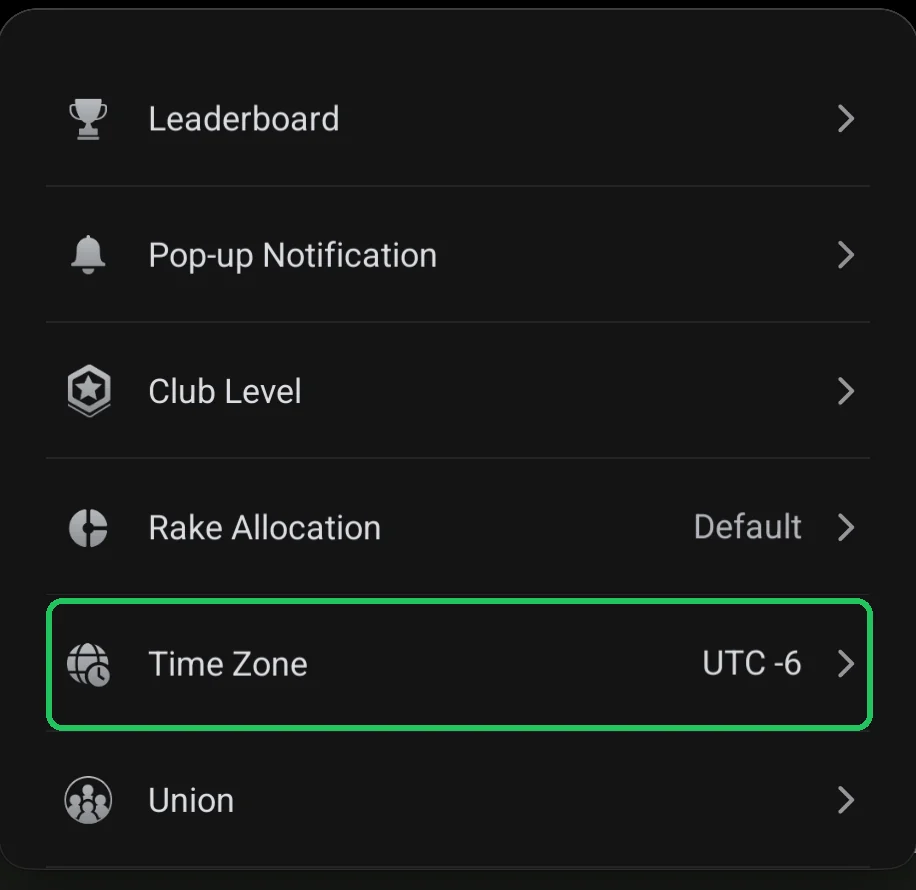
Where it is
- Club lobby → red menu button → Admin → Time Zone.
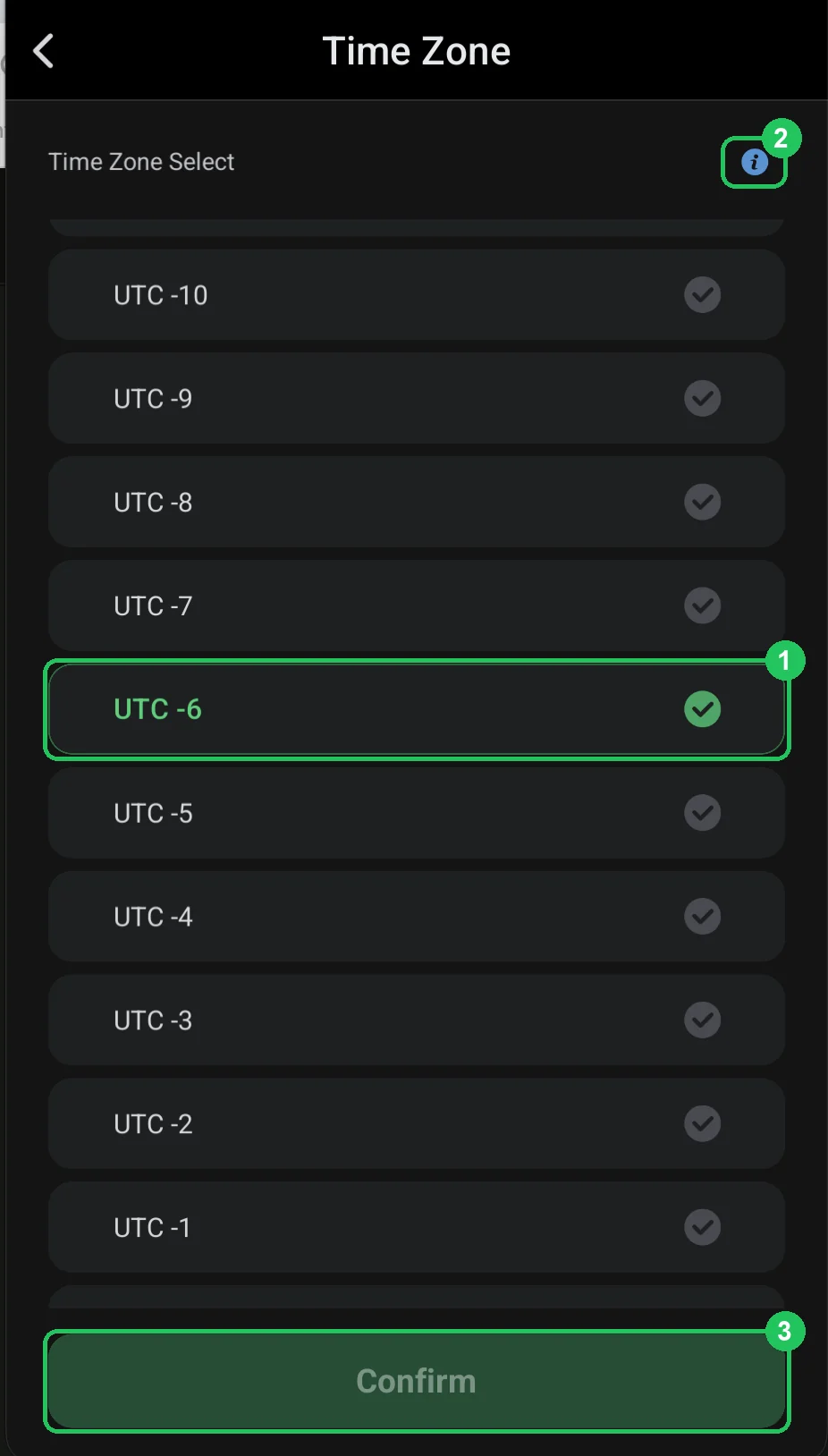
Choosing the time zone
- 1 — selected zone: highlighted in green, UTC −6 here. The list scrolls.
- 2 — ⓘ: open the Time Zone Guide.
- 3 — Confirm: save. Active once you pick a different zone.
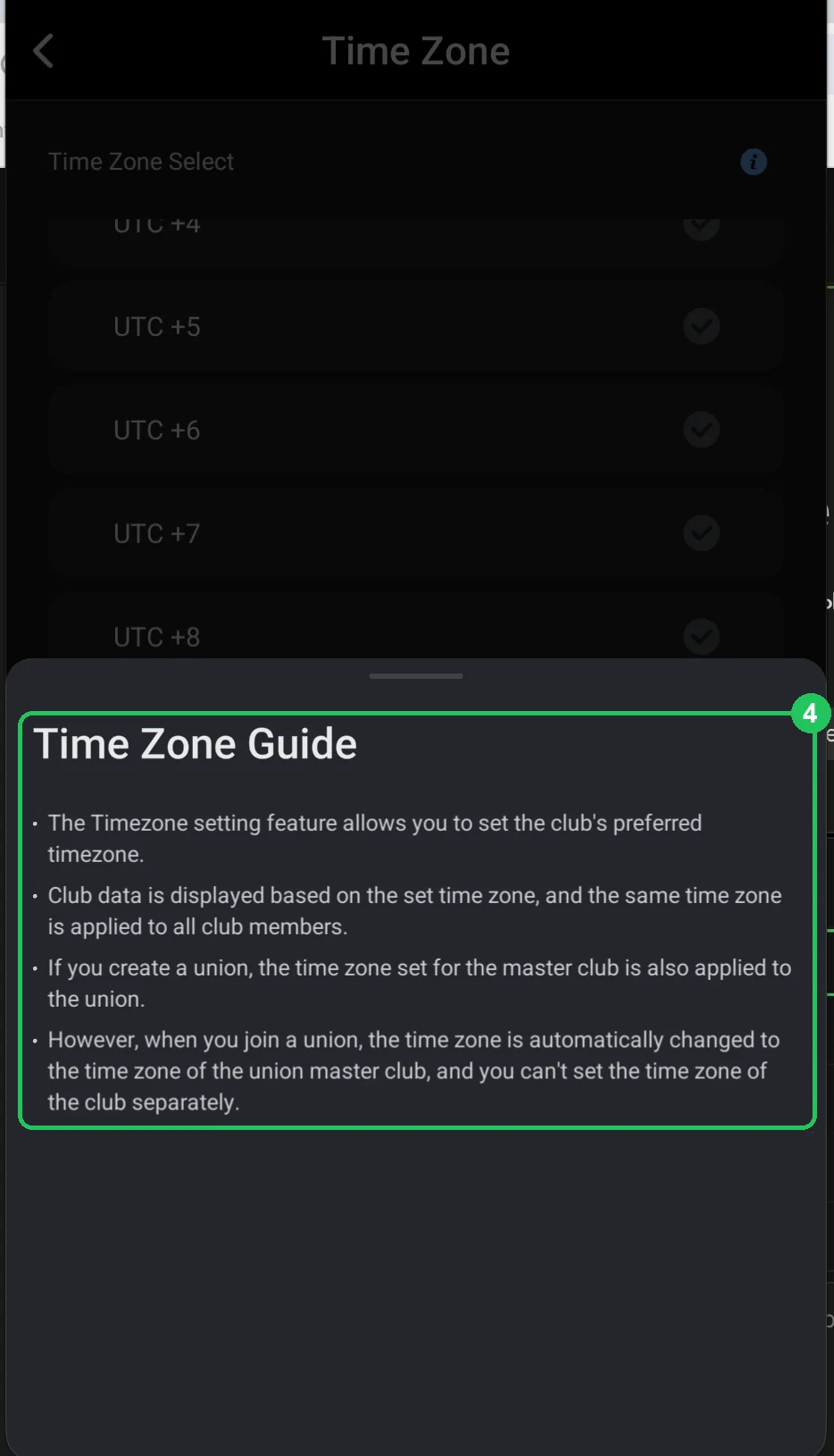
Time Zone Guide — what to know
- 4 — the setting sets the club’s preferred time zone.
- Club data is shown in this zone, and it applies to all club members.
- If you create a union, the master club’s zone applies to the union too.
- If you join a union, the zone switches to the union master club’s zone automatically and can’t be set separately.
Setting it up without trouble
- Pick the zone when you create the club, before the first settlements.
- State it in the club rules or a Pop-up Notification.
- Check that Club Data exports use the same zone.
- If you change it — only after the week closes and reports are exported.