Club manager: permissions and how to limit them
A Manager on ClubGG runs the club: unlimited credit and almost all owner rights — chips, join requests, roles, limits, leaderboards, jackpot, notifications, rake. Each right can be turned off.
A Manager (M badge) runs the club with you — your deputy. They don’t have their own line of players like an agent; they help the owner run the whole club: send chips, accept join requests, assign roles, create leaderboards, set up the jackpot and notifications.
The key difference from an agent — a manager’s credit is Unlimited, like the owner’s. A manager can give players any number of chips, so give the Manager role only to people you trust like yourself. What a manager can’t do even with every permission: create a union or disband the club — that’s owner-only.
Each manager right can be switched off in Manager Permission. For example, let the manager handle join requests, chat and notifications but not sending chips or changing roles.
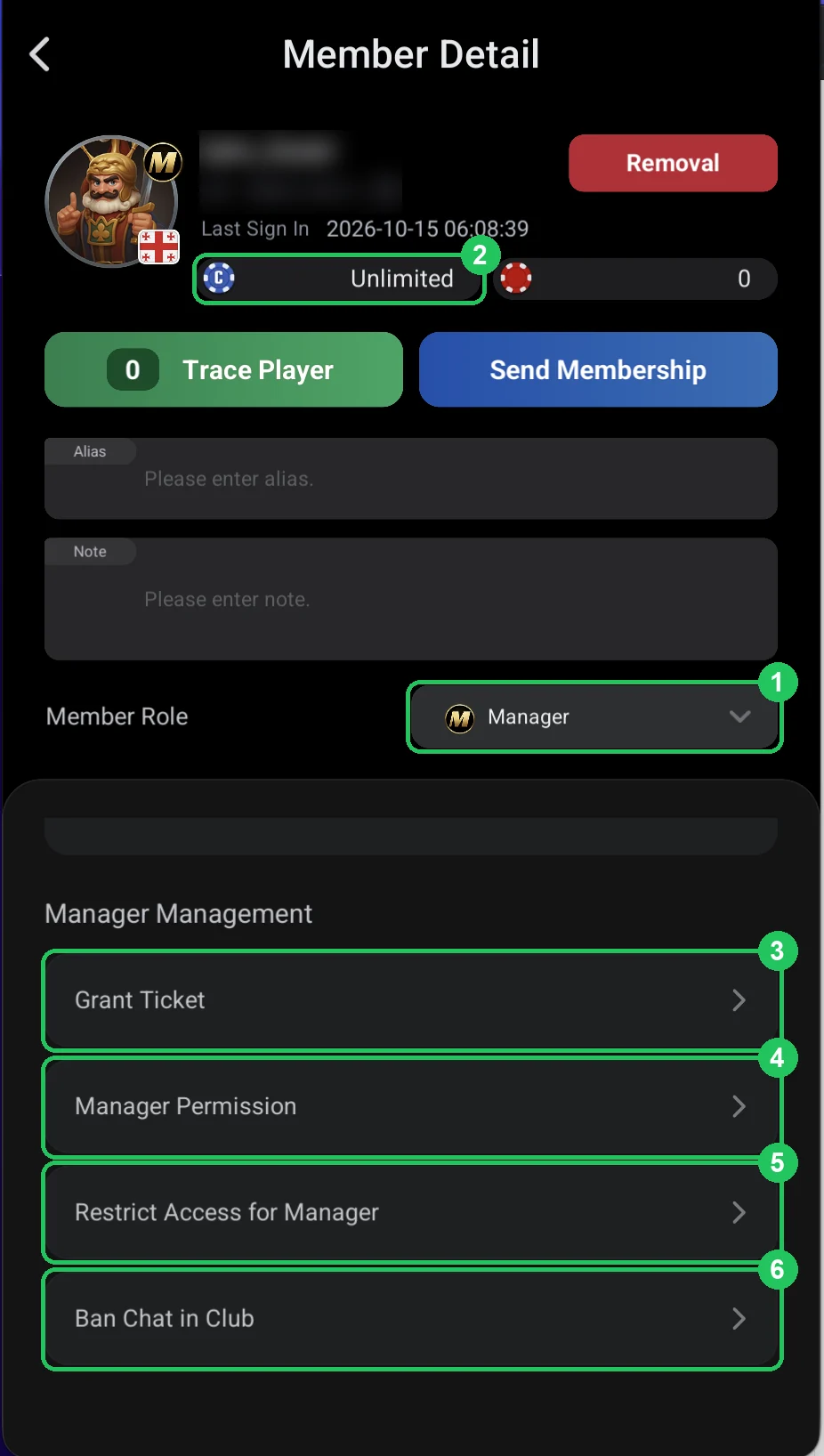
The manager card
- 1 — Member Role: Manager — the “M” badge on the avatar.
- 2 — credit: Unlimited — like the club owner.
- 3 — Grant Ticket: give the manager a ticket or voucher — as for a player.
- 4 — Manager Permission: the manager’s rights — next screenshots.
- 5 — Restrict Access for Manager: limit the stakes the manager can play themselves.
- 6 — Ban Chat in Club: mute the manager — as for a player.
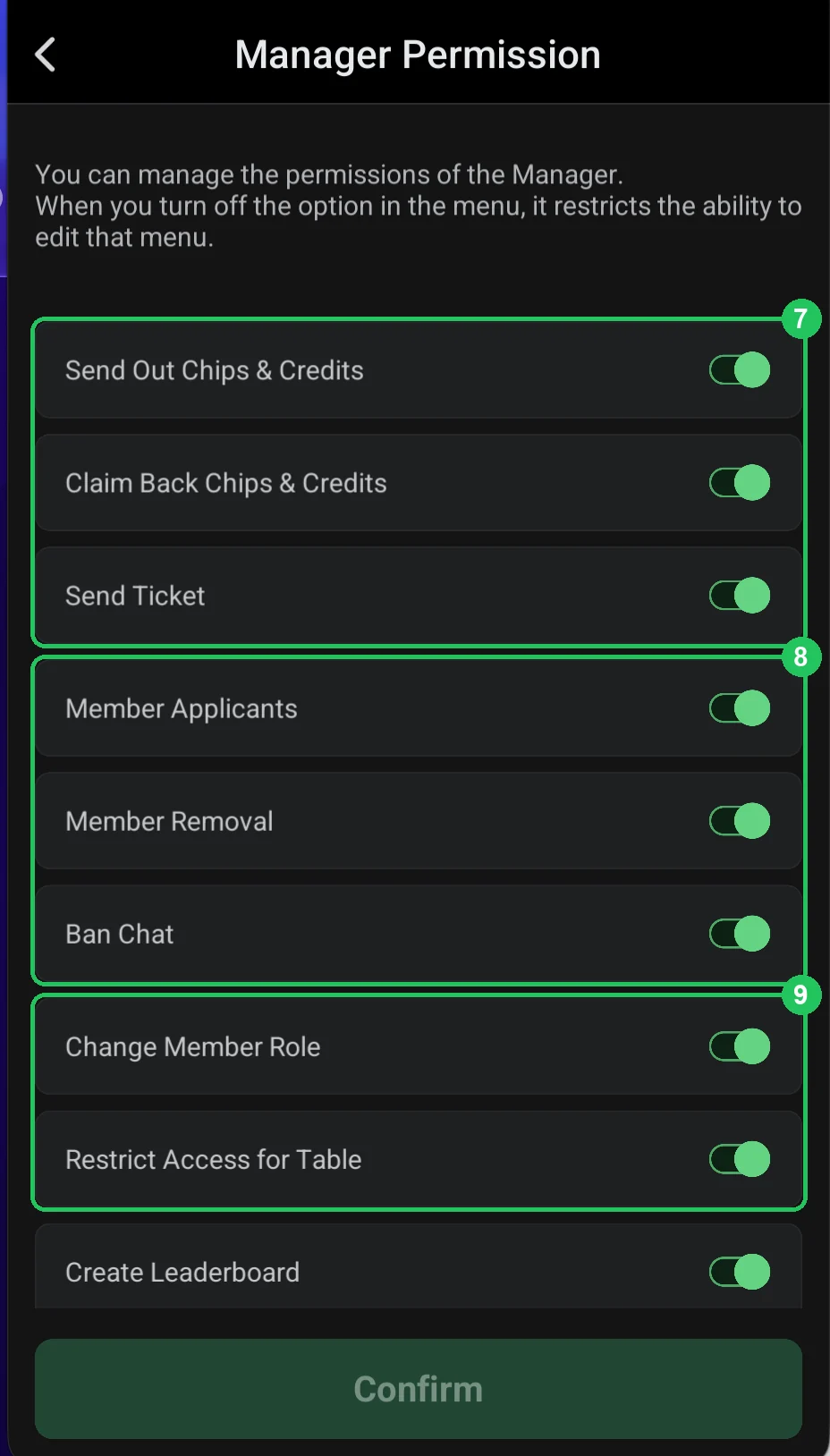
Manager Permission: chips, members, roles
- 7 — Send Out / Claim Back Chips & Credits, Send Ticket: send and take back chips and credit, send tickets.
- 8 — Member Applicants: accept join requests (accepting players); Member Removal: remove members; Ban Chat: mute chat.
- 9 — Change Member Role: assign roles — agents, super agents; Restrict Access for Table: restrict game access (Restrict Access).
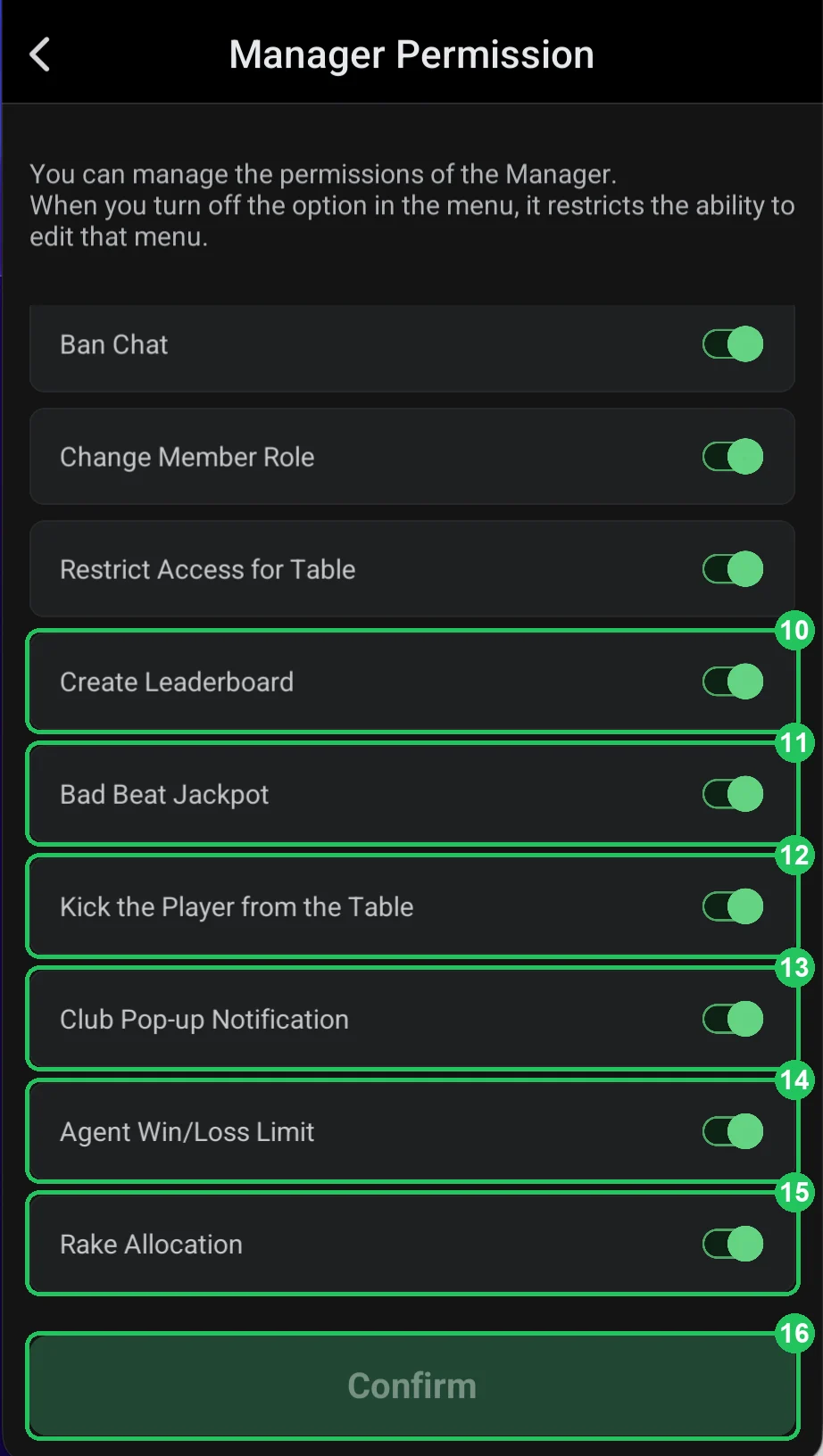
Manager Permission: club and settings
- 10 — Create Leaderboard: create leaderboards.
- 11 — Bad Beat Jackpot: manage the club jackpot.
- 12 — Kick the Player from the Table: remove a player from a table.
- 13 — Club Pop-up Notification: publish notifications shown on entering the club.
- 14 — Agent Win/Loss Limit: set agent stop-limits.
- 15 — Rake Allocation: change rake allocation.
- 16 — Confirm: save.
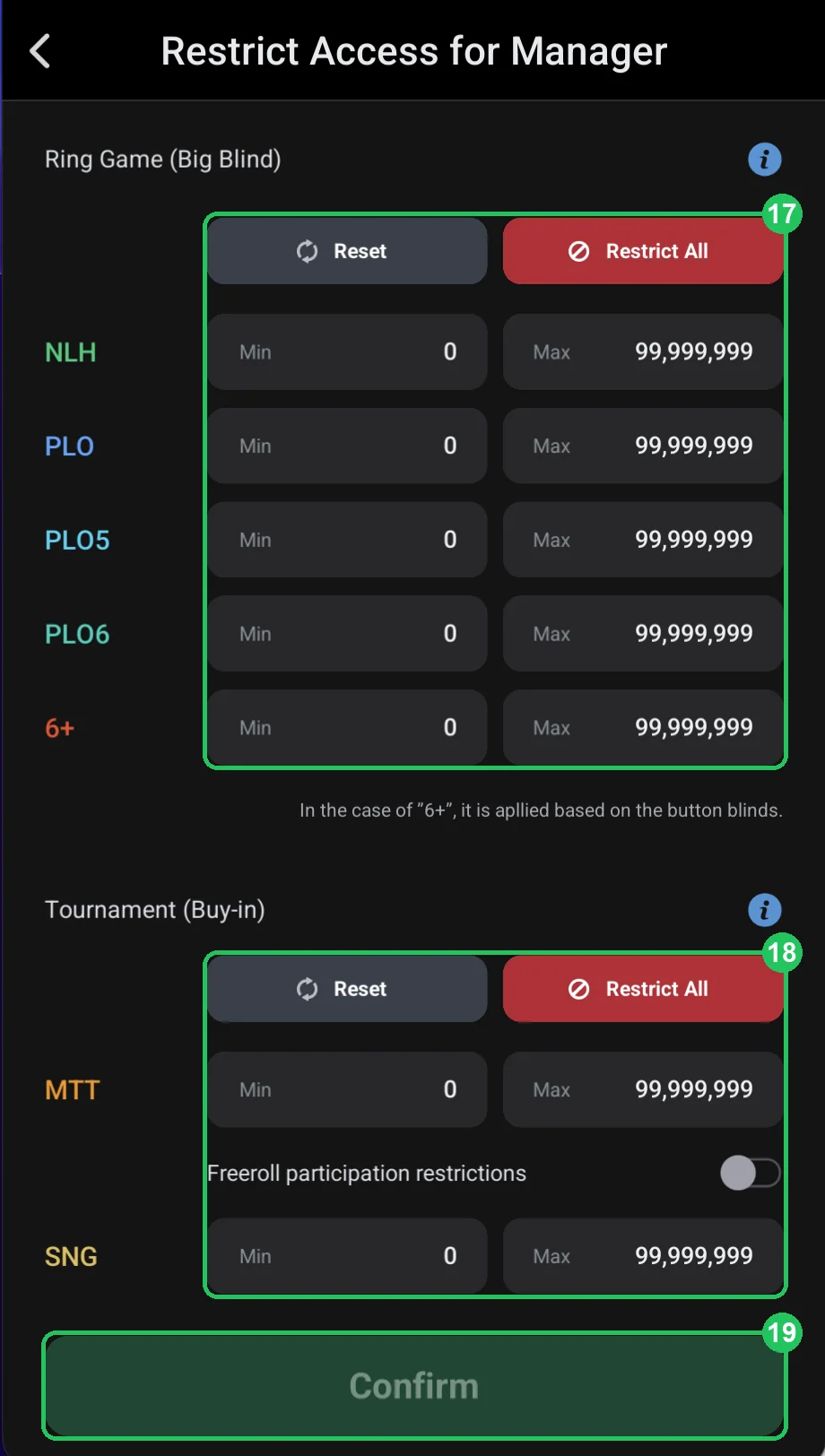
Restrict Access for Manager
- 17 — Ring Game: cash stakes by big blind for NLH, PLO, PLO5, PLO6 and 6+ — for the manager themselves.
- 18 — Tournament: MTT and SNG buy-ins and a freeroll ban.
- 19 — Confirm: save. Works like Restrict Access for a player.
Setting up a manager
- Decide what the manager is responsible for: just requests and chat — or chips and settlements too.
- Turn off rights they don’t need, especially sending chips and changing roles.
- Keep Rake Allocation and Bad Beat Jackpot for yourself — they affect the club’s money.