Step 14 of 42
Hand History: your game history
A list of your sessions with results and a replay of every hand. Clumsy to use — for reviews PokerCraft with Premium is better.
Club lobby → club menu → Admin → Hand History
Hand History is your in-app game history: a list of sessions by table and a replay of each hand. It’s free but very clumsy: hands are browsed one by one, with no search, position filters or export.
If you want to review your game seriously, get WSOP+ Premium and use PokerCraft — it has proper filters, an EV graph and hand export.
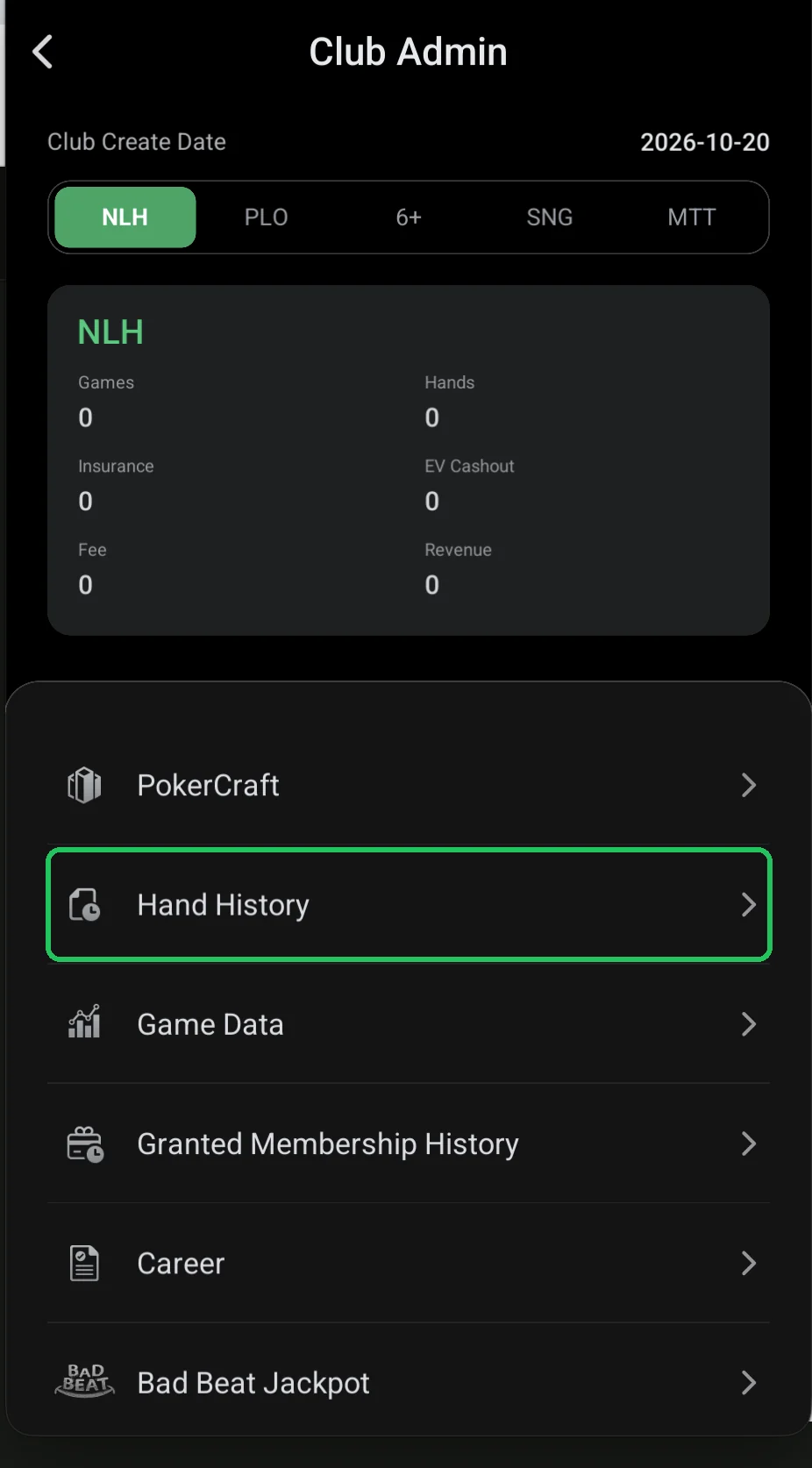
Where it is
- Club lobby → red menu button → Admin → Hand History.
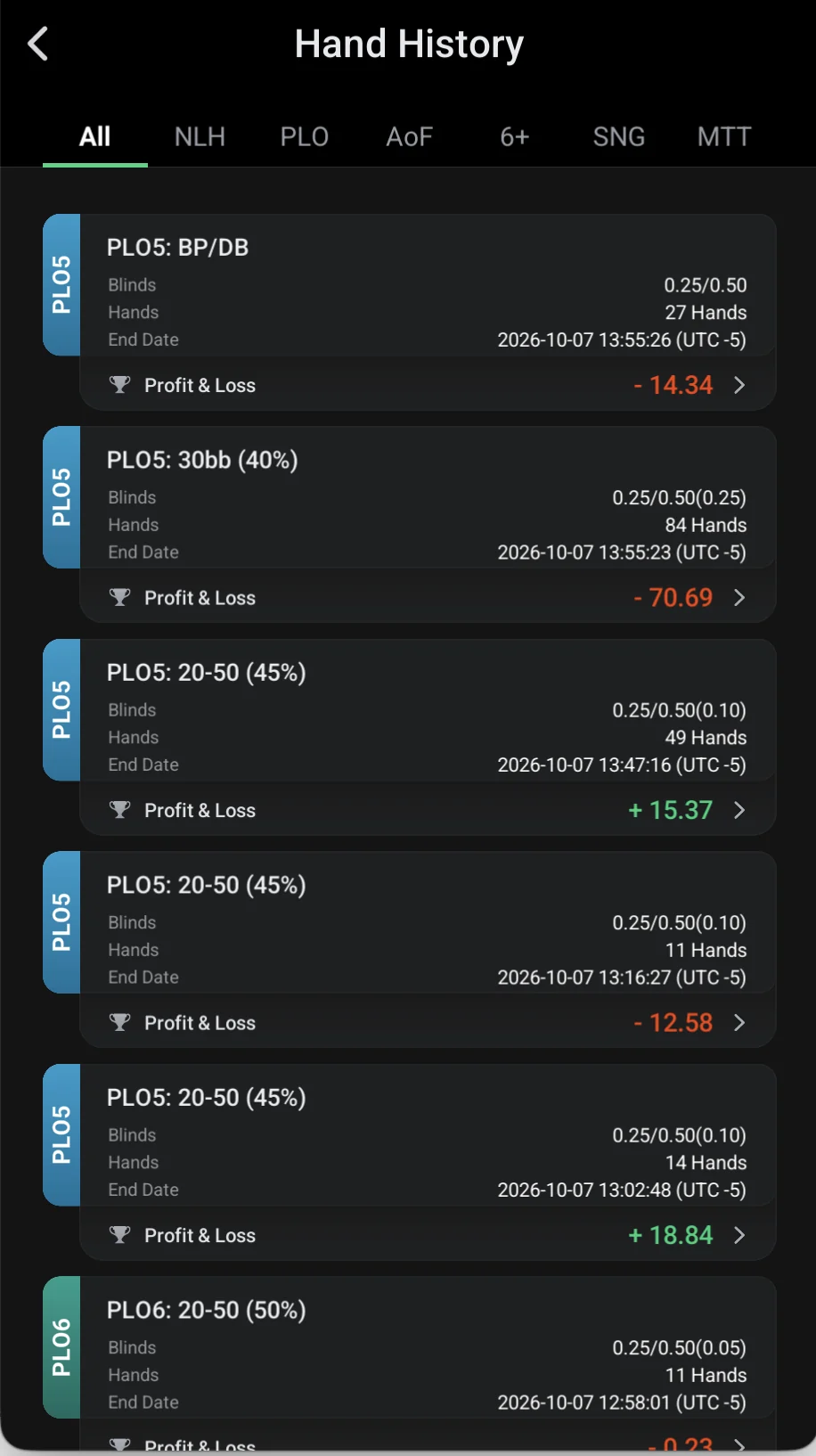
Session list
- Tabs by game: All, NLH, PLO, AoF, 6+, SNG, MTT.
- Session card: game (PLO5, PLO6…), table name, blinds, hands and end date.
- Profit & Loss — the session result; the arrow opens that session’s hands.
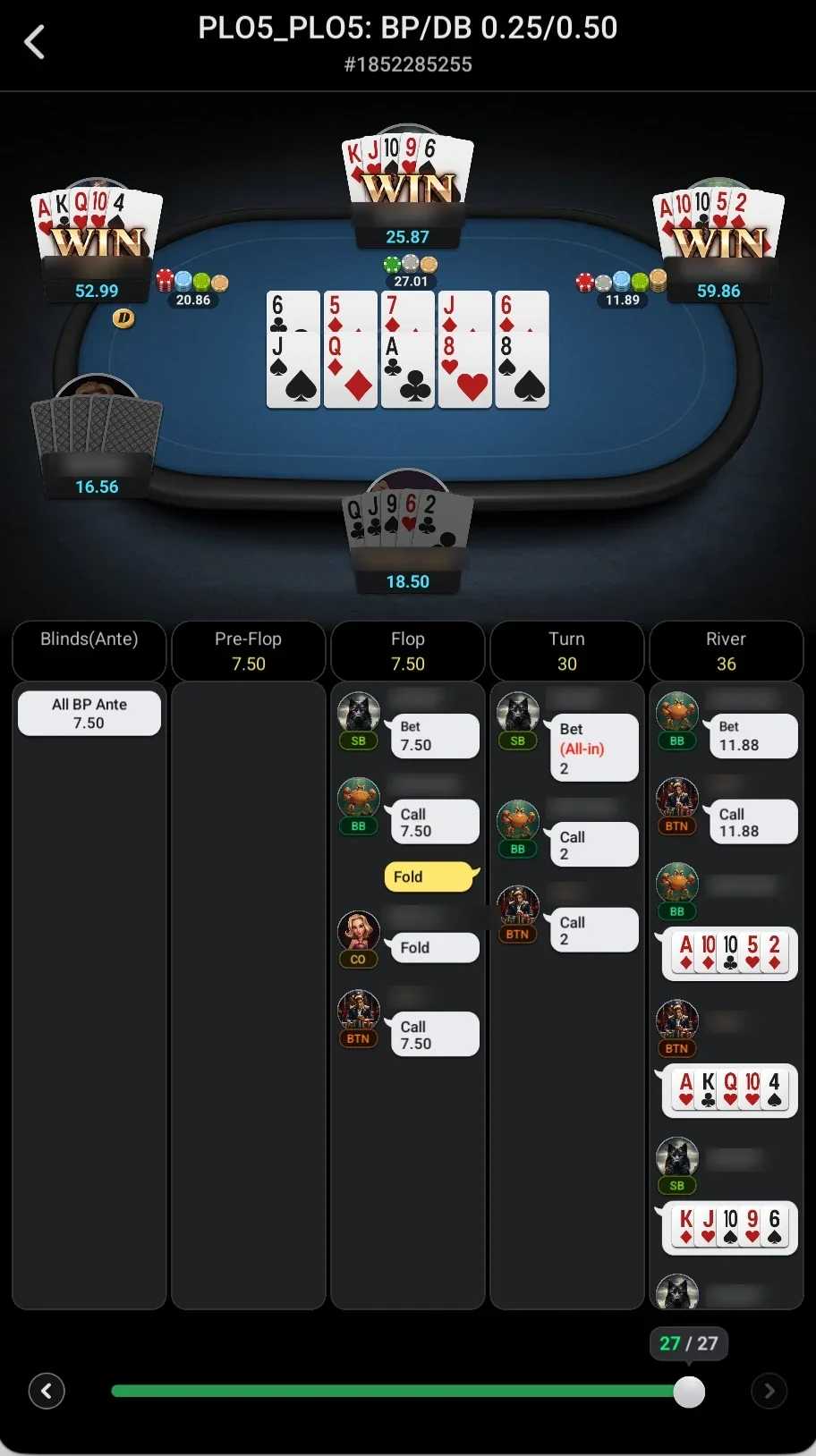
Hand replay
- At the top — table, stakes and hand number (#…): you can find the same hand in PokerCraft by this number.
- The table shows players’ cards at showdown, the board and the pot.
- Below — actions by street: Blinds (Ante), Pre-Flop, Flop, Turn, River — who bet, called or folded.
- The slider at the bottom steps through the session’s hands (27 of 27 in the screenshot).
The hand number (#…) is useful if you need to review a disputed hand with the club manager.
For regular game review, save time — use PokerCraft.