Downline Players: an agent’s players and adding them
What an agent’s downline is on ClubGG: the players assigned to the agent and their rake — and how to add players to an agent’s line with Edit Downline.
A downline is an agent’s “line”: the players assigned to them. For each of those players the agent is their upline (Upline Agent): the player gets chips, cashes out and gets rakeback through them, and the agent’s own rakeback is usually based on their line’s rake.
You can link a player to an agent from either side — the result is the same. From the player: player card → Upline Agent → pick an agent. From the agent: agent card → Downline Management → Edit Downline tab → tick players. The second way is easier when you’re giving an agent several players at once.
Players usually join an agent’s line automatically when they enter that agent’s ID as referrer on joining. Add players manually if they joined without a referrer or need to move from another agent.
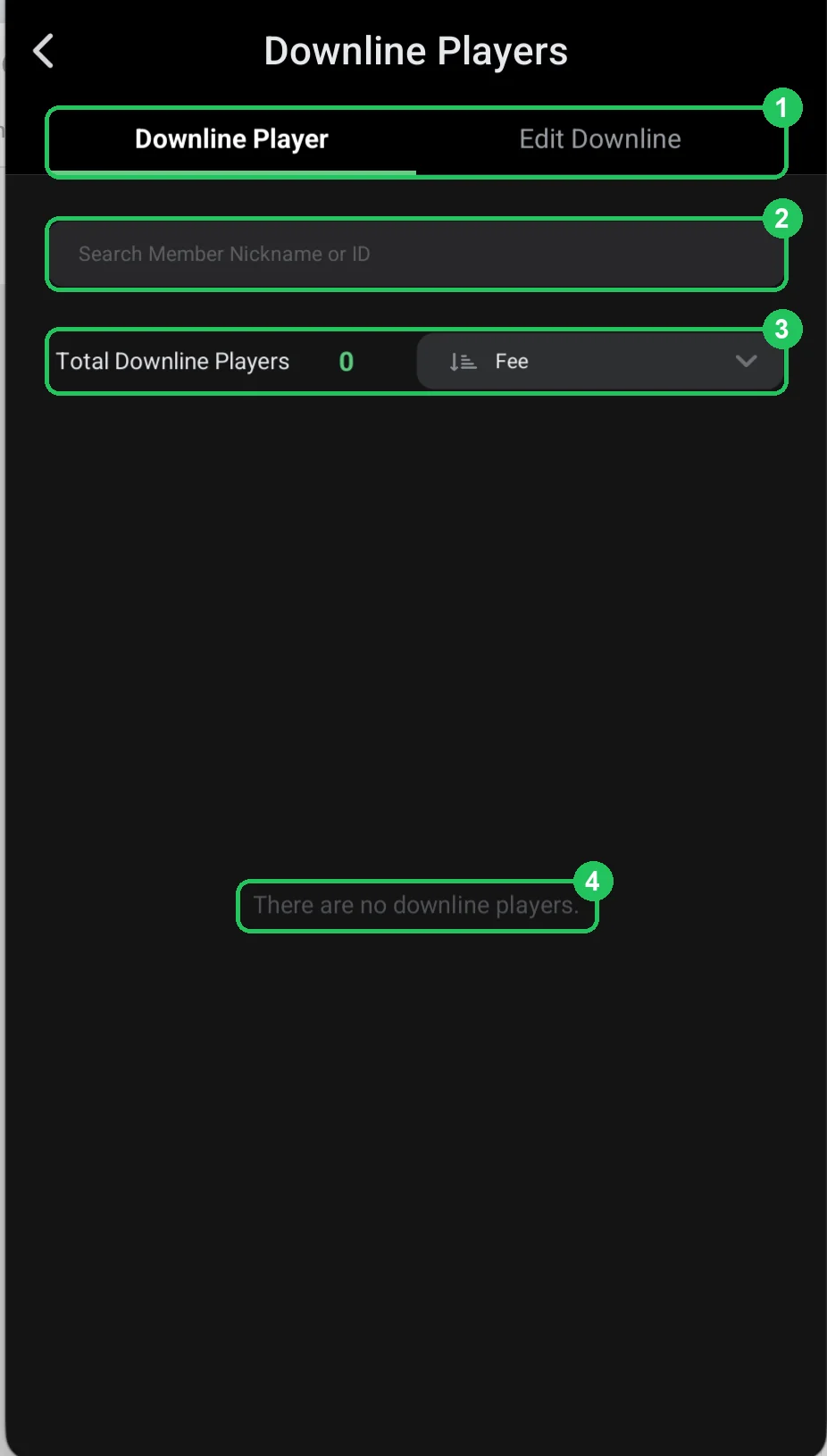
Downline Player — the agent’s players
- 1 — Downline Player / Edit Downline: the agent’s players and editing the line.
- 2 — search by nickname or ID.
- 3 — Total Downline Players: how many players the agent has; sort e.g. by Fee (rake) to see who brings the most.
- 4 — no players yet: “There are no downline players”.
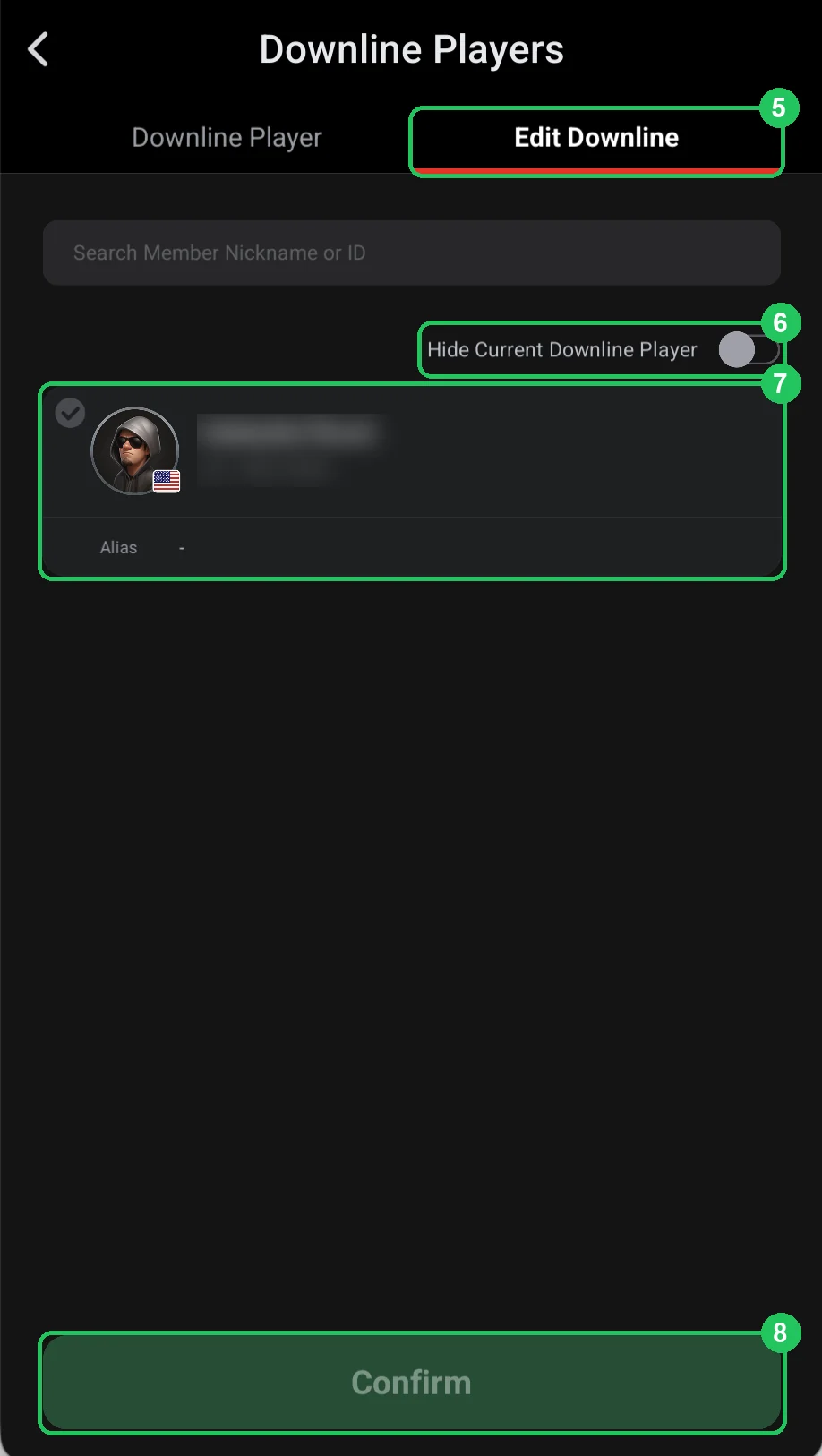
Edit Downline — adding players
- 5 — Edit Downline: the tab for changing the agent’s line.
- 6 — Hide Current Downline Player: hide players already in this agent’s line, so you only see who can be added.
- 7 — club players: tick the ones to assign to the agent. The Alias shows under the nickname if you set one.
- 8 — Confirm: save. The ticked players appear in the Downline Player tab.
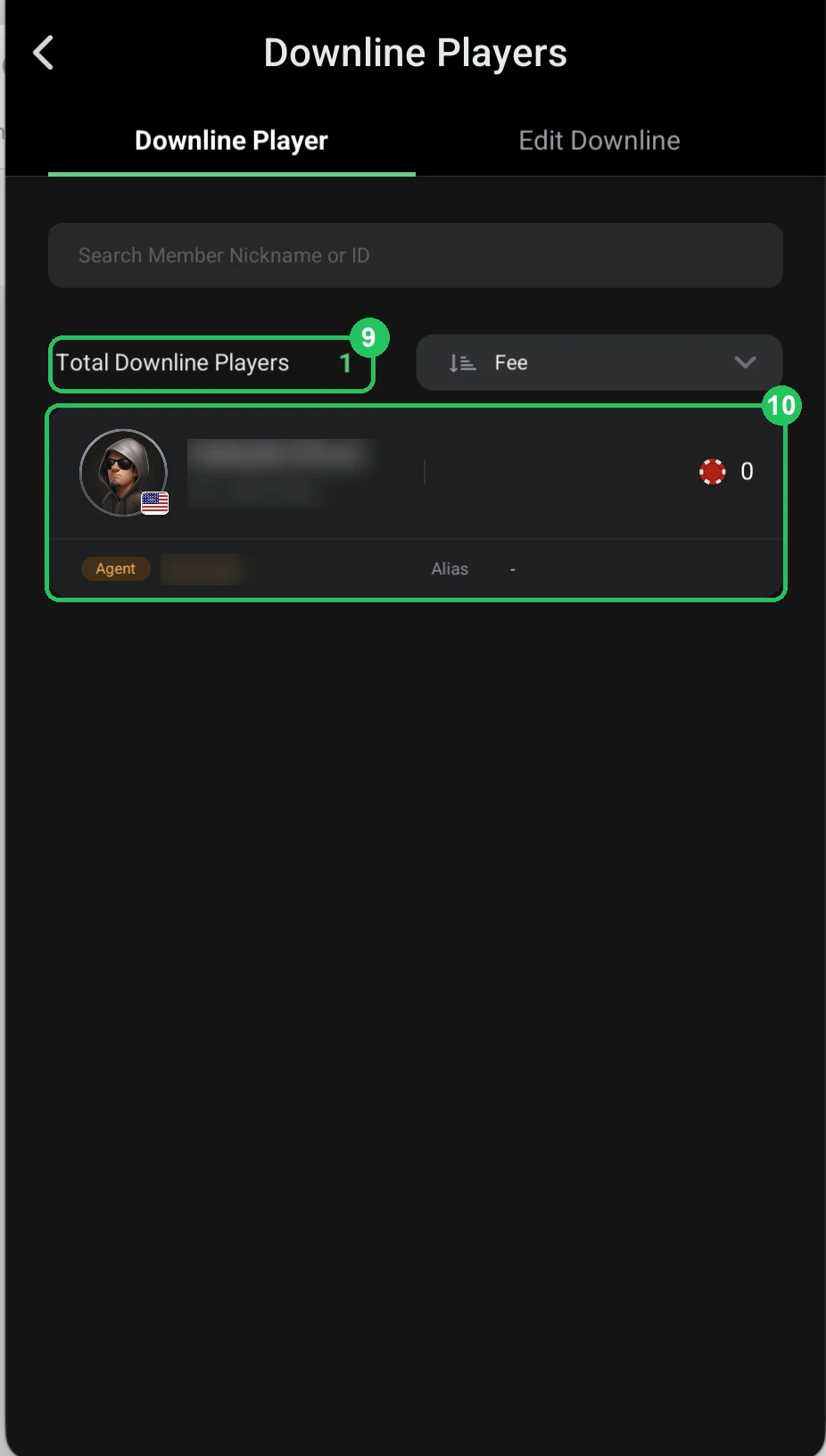
The player in the agent’s line
- 9 — Total Downline Players: now 1 — the agent has one player.
- 10 — the player: nickname, ID and chip balance, with an Agent tag and the agent’s nickname below — who the player belongs to. The same link shows in the player’s card under Upline Agent.