PokerCraft: stats, graphs and hand export
PokerCraft is ClubGG’s web stats hub: sessions, EV graph, positions, player notes. Available with a WSOP+ membership; hand export needs Premium.
PokerCraft is ClubGG’s built-in stats hub — the same one GGPoker uses. It opens from Club Admin (and from a player’s profile) and shows everything about your play: sessions per club, results, graphs, strongest and weakest positions, notes on opponents.
PokerCraft is available only with a WSOP+ membership. To export hands as a file (the Download button) you need WSOP+ Premium — about $50 a month. Plans and what they include — see WSOP+ Premium.
For serious play it’s the best way to review hands: the in-app hand history is clumsy (see the next page), while PokerCraft groups everything by session and filters by dates, games and stakes.
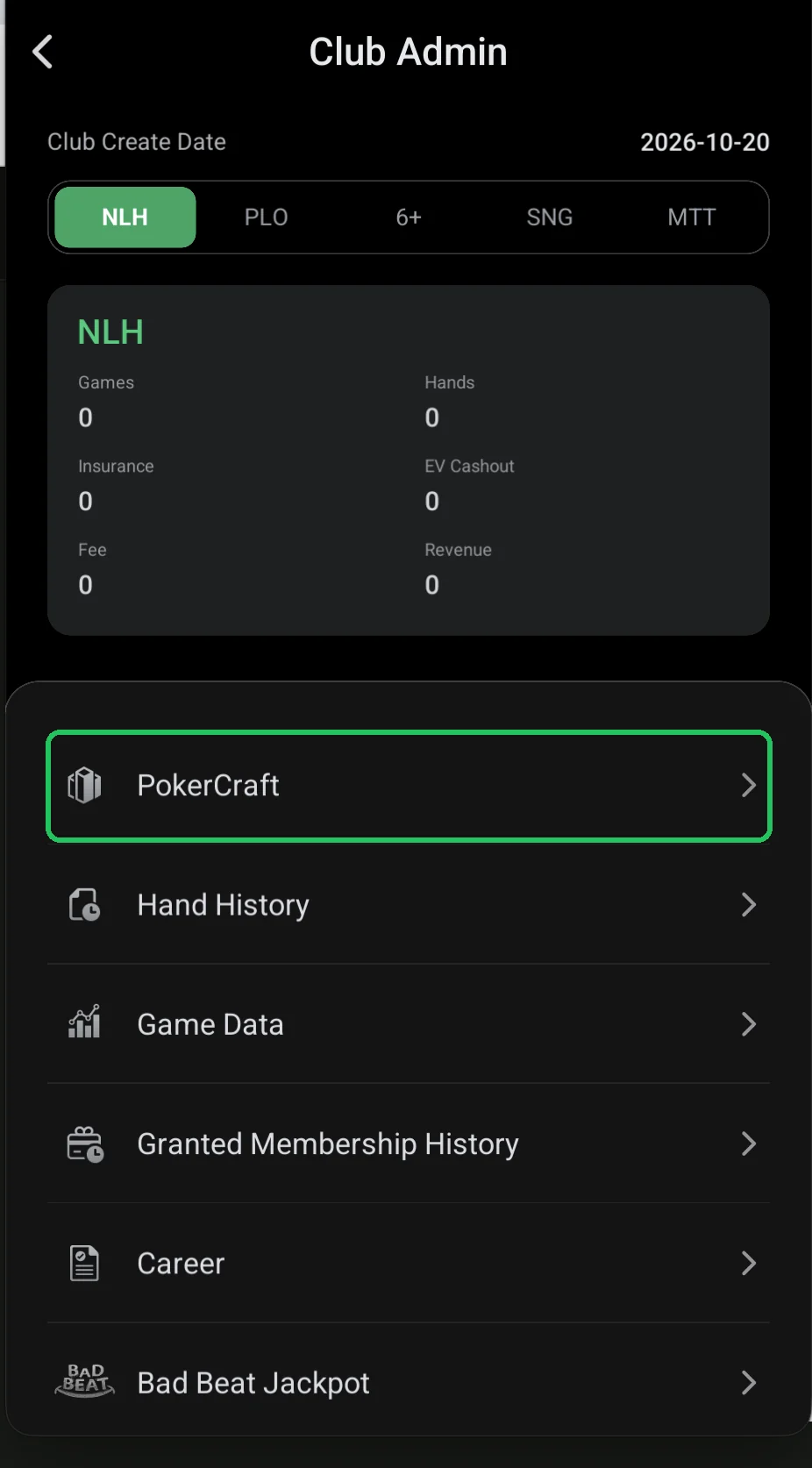
Where it is
- Club Admin → PokerCraft. The same hub opens from the player’s Me tab.
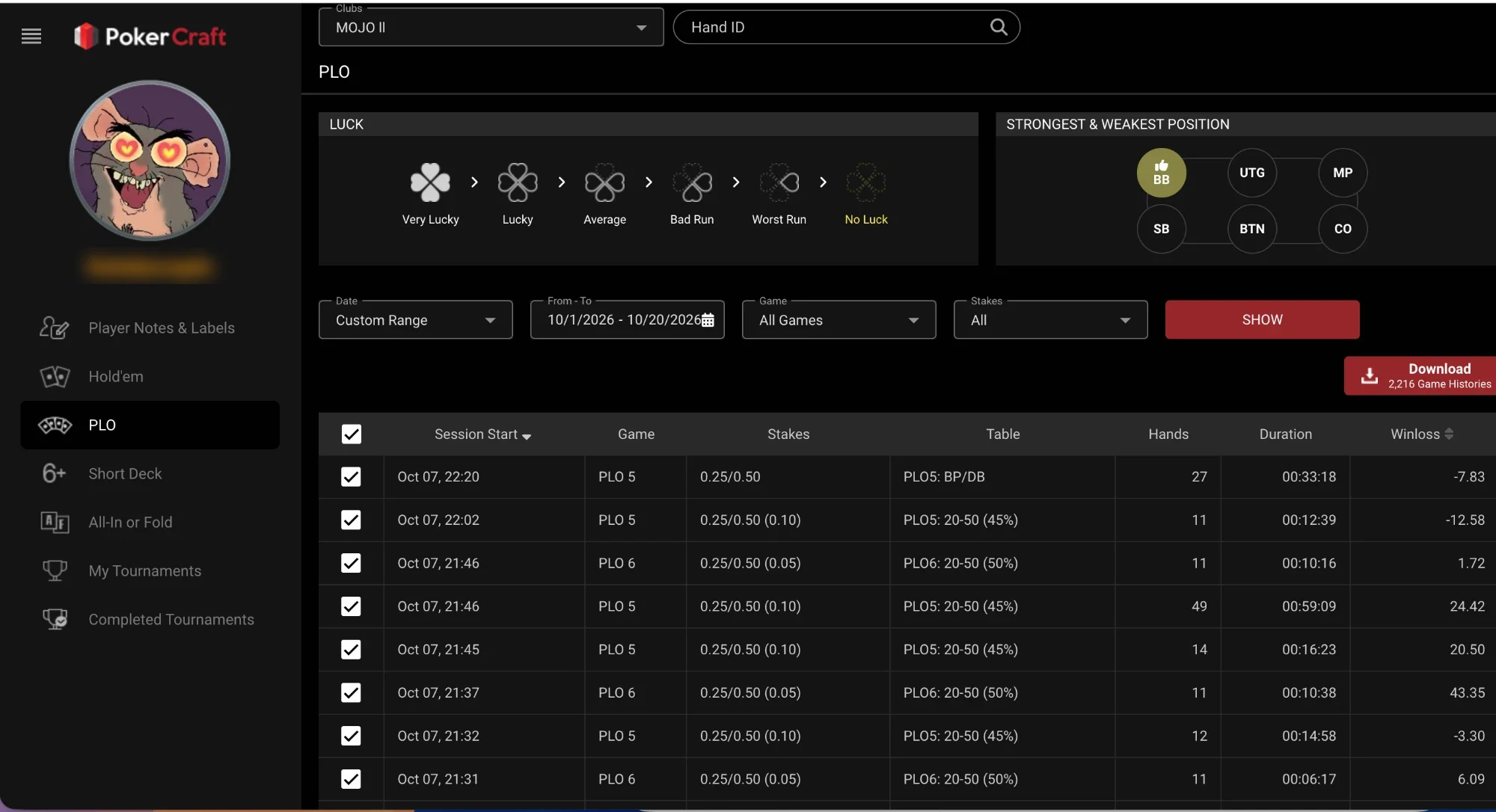
Sessions and hand export
- On the left — sections by game: Hold’em, PLO, Short Deck, All-In or Fold, My Tournaments, Completed Tournaments and Player Notes & Labels.
- At the top — club selector (Clubs) and search by Hand ID.
- LUCK — how lucky you’ve been (Very Lucky to No Luck); Strongest & Weakest Position — your most and least profitable seats.
- Filters: Date (period or a custom From – To range), Game, Stakes → SHOW.
- Session table: start, game, stakes, table, hands, duration and result (Winloss).
- Download — export hand histories for the period (2,216 hands in the screenshot). WSOP+ Premium only.
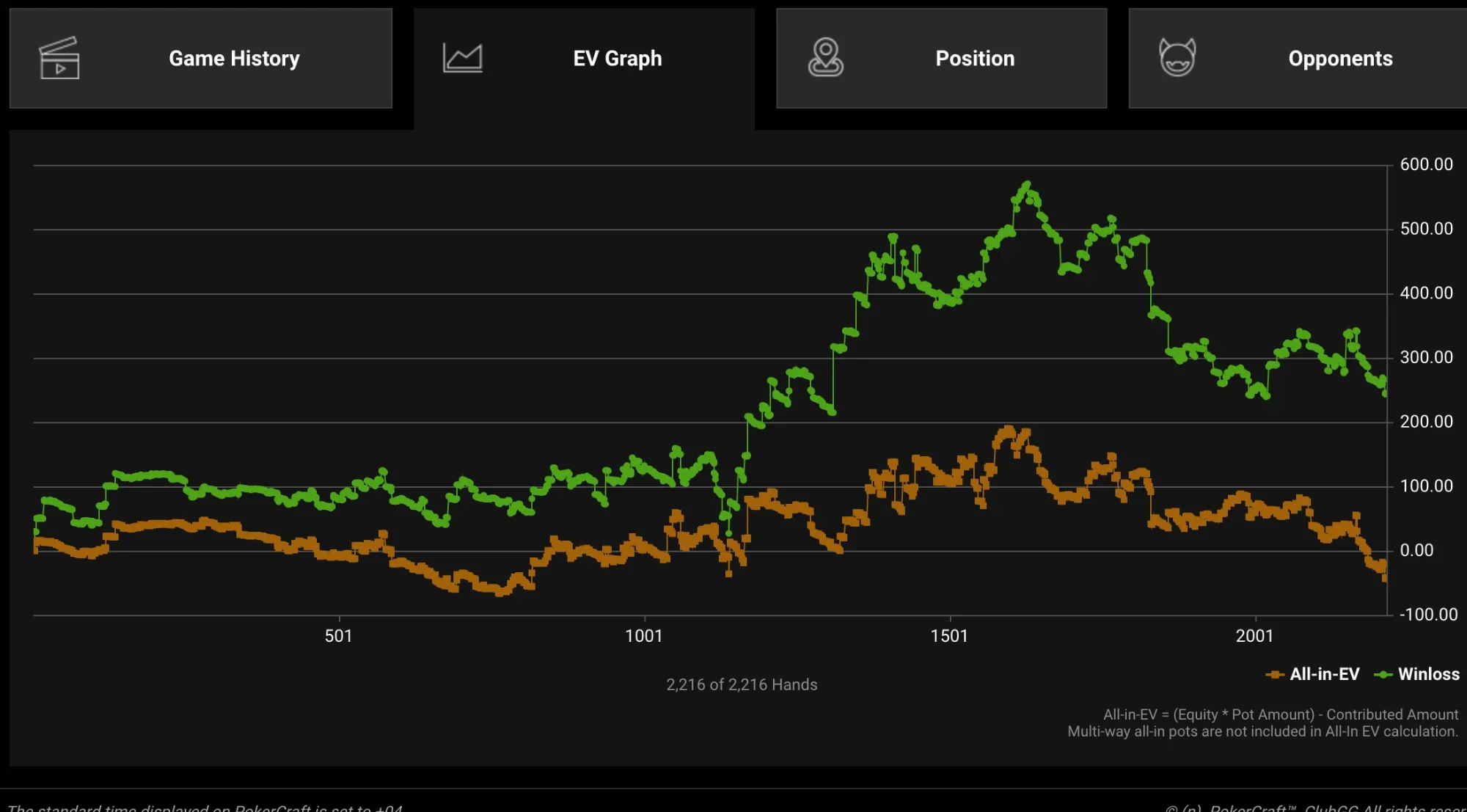
EV graph
- Tabs above the graph: Game History, EV Graph, Position, Opponents.
- Green Winloss is your actual result; orange All-in-EV is what you “should” have won by equity in all-ins.
- Winloss well above All-in-EV means you ran good; below means you ran bad. It’s the best way to tell mistakes from variance — see poker variance.
- Multi-way all-in pots aren’t included in All-in-EV.
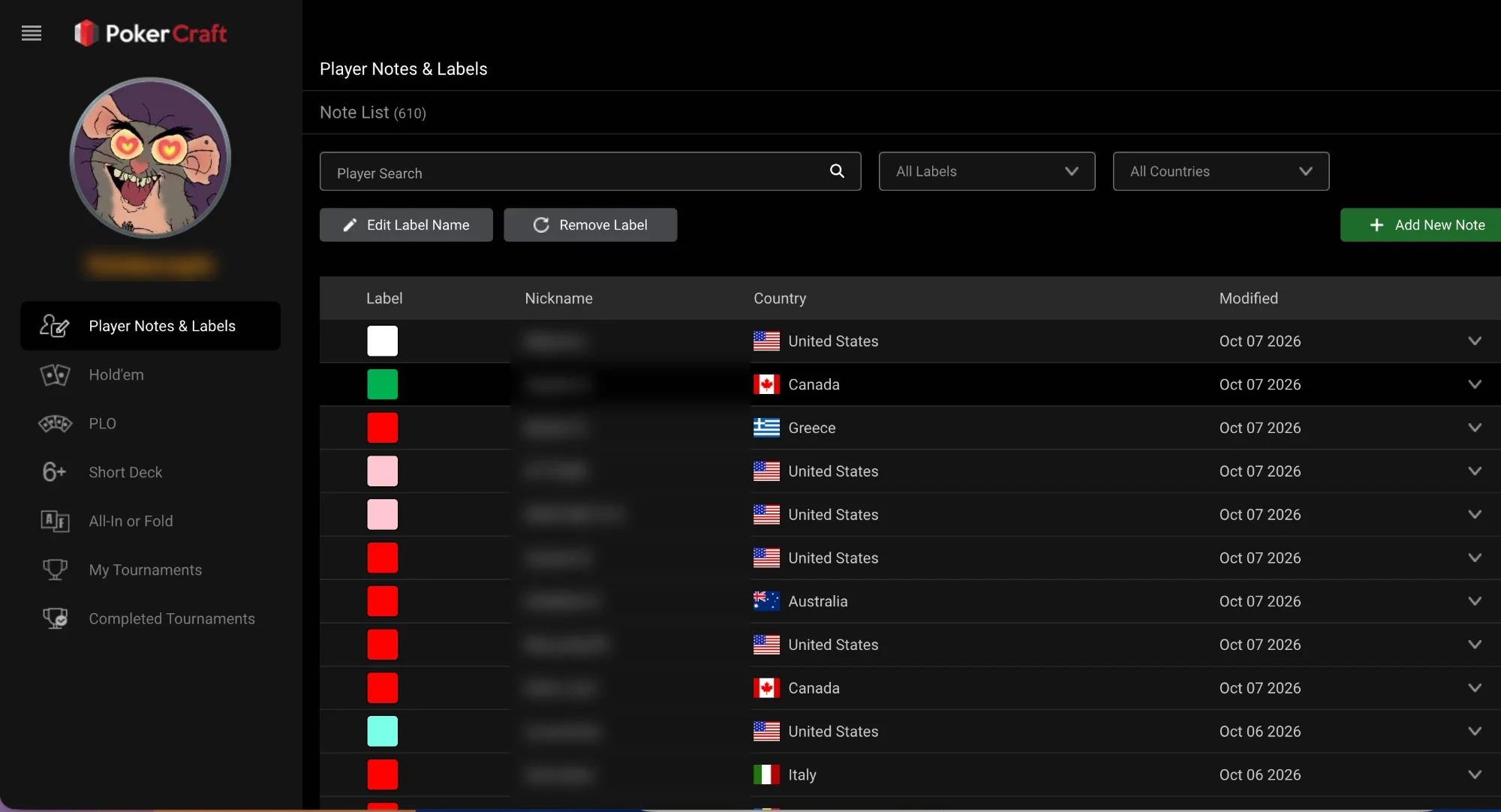
Player notes
- Player Notes & Labels — notes and colour labels on opponents (610 notes in the screenshot).
- Search by nickname, filter by labels and countries, Add New Note, Edit Label Name and Remove Label.
- Labels show at the table next to the nickname — handy for marking tough regulars and weak players.