Step 15 of 42
Game Data: who played how at each table
Every club table — running and finished — and for each: who played, their buy-in and result.
Club lobby → club menu → Admin → Game Data
Game Data shows who played how at a given table. It lists every club table: running (In Progress) and finished (Ended), with blinds and start or end time.
Tap Result on a table to open Game Stats: title, playing time, blinds and the list of players with buy-in and Profit & Loss. It’s the owner’s main tool for settlements and disputes: you see exactly who won and lost how much at a specific table, and which club each player is from (if the table is in a union).
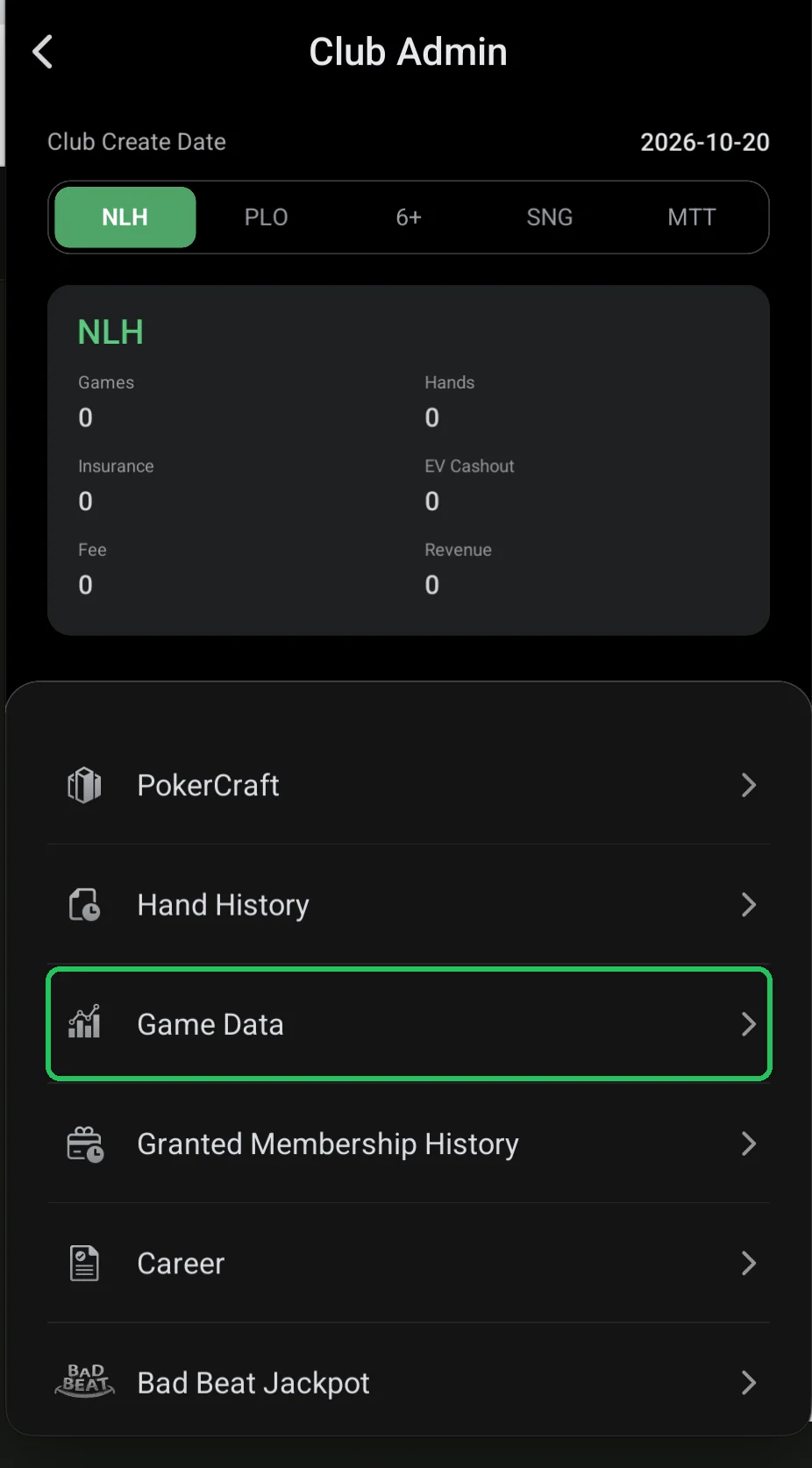
Where it is
- Club lobby → red menu button → Admin → Game Data.
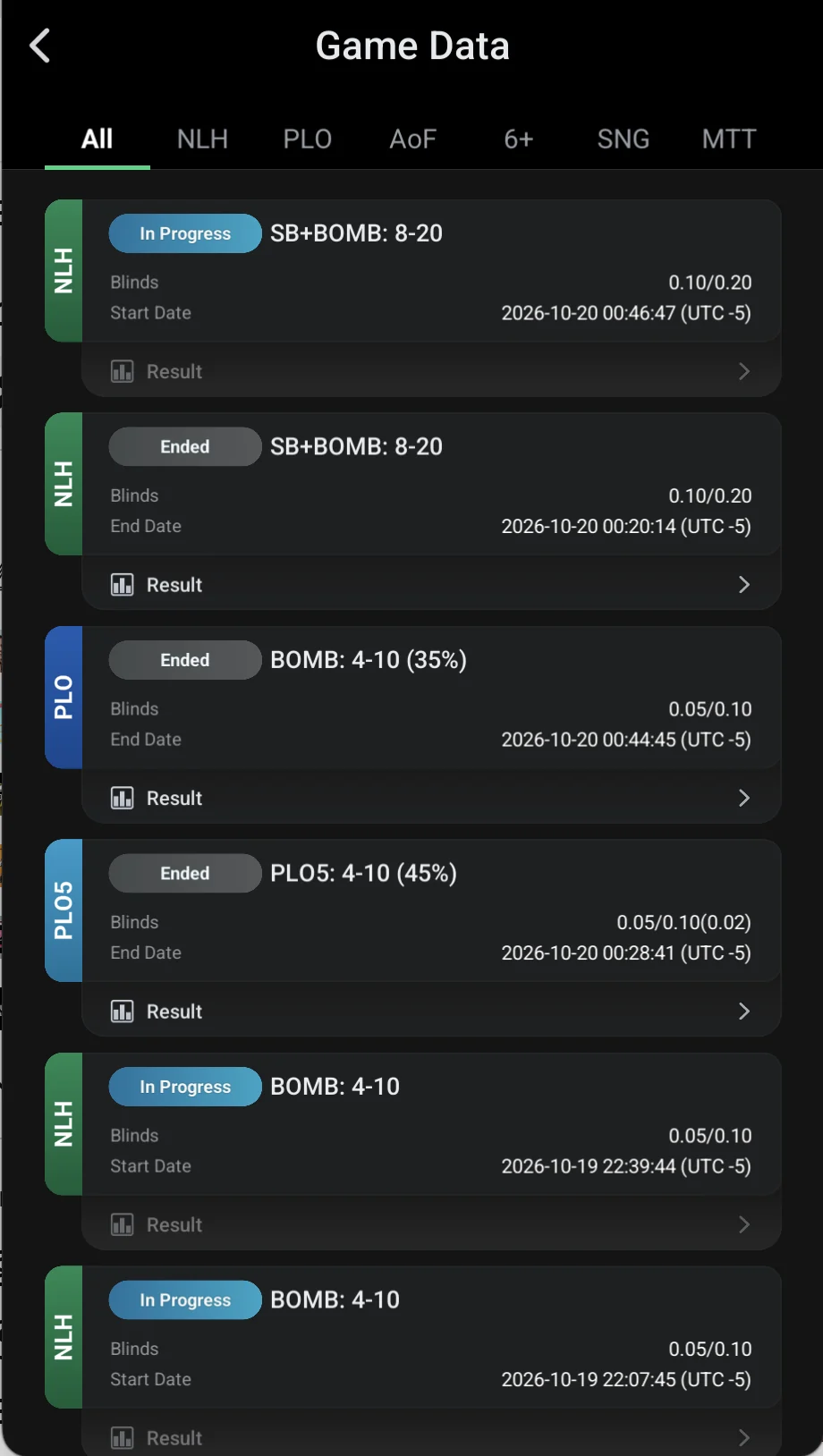
Table list
- Tabs by game: All, NLH, PLO, AoF, 6+, SNG, MTT.
- Status: In Progress — running, Ended — finished.
- Table name, blinds and Start Date or End Date in the club time zone.
- Result — open the table stats.
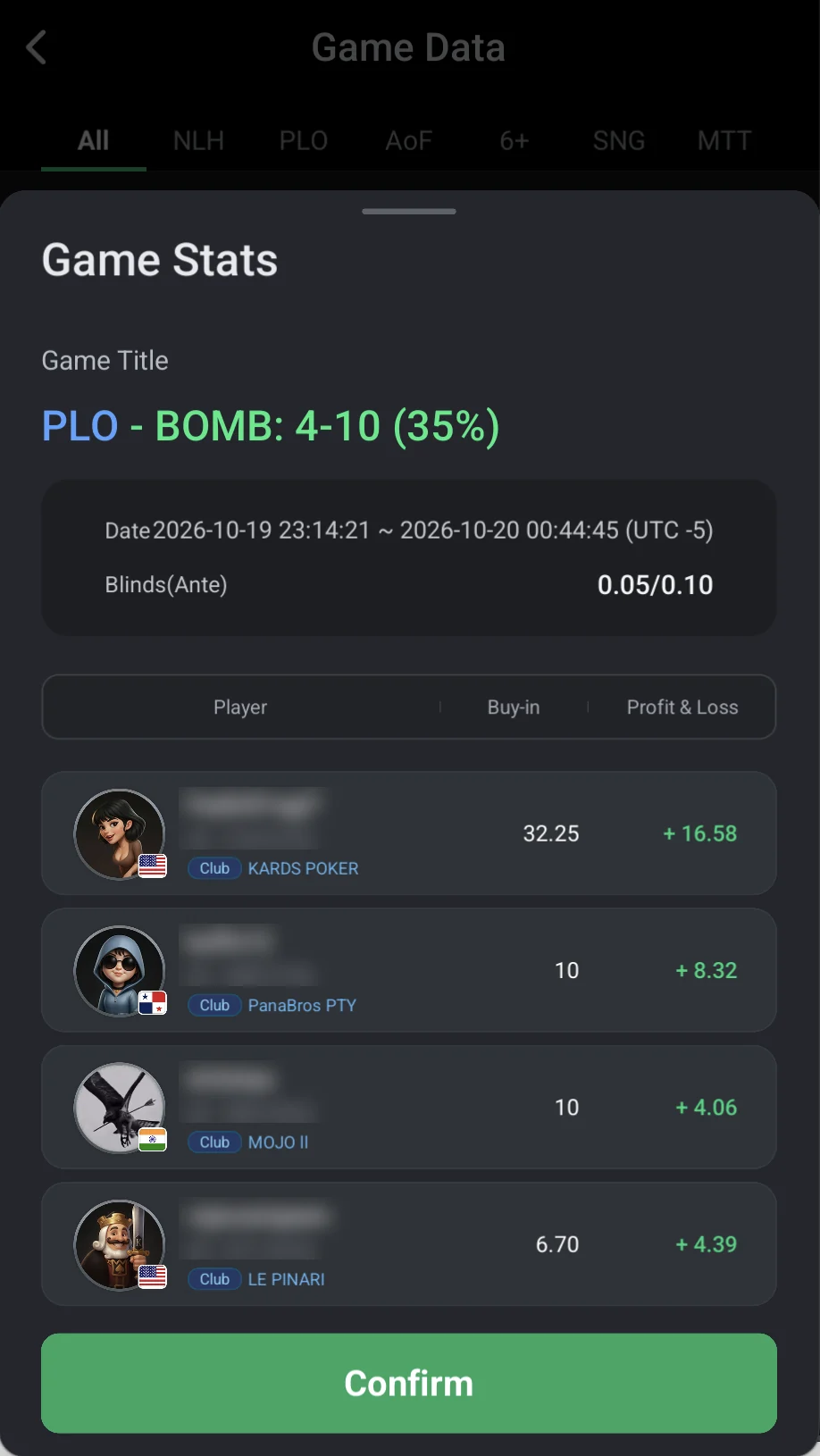
Game Stats: table results
- Game Title — game and table name (e.g. “PLO — BOMB: 4-10 (35%)”).
- Date — from and to; Blinds (Ante) — stakes.
- Player table: nickname, ID, the player’s club (in a union players from different clubs share tables), Buy-in and Profit & Loss.
- Use it for agent settlements and disputes; for a full export for a period use Club Data.
If a player disputes a result, open Game Stats for that table: their buy-in and result are there.
For weekly settlements the Trade Record and balance exports in Club Data are handier.