Diamonds and Live Dollar (the L coin) in ClubGG
ClubGG has two in-app currencies that people often confuse with chips: Diamonds (the blue crystal) and Live Dollar — the yellow coin with an L in the top-right corner of the home screen. Neither is club chips: you can’t play at a table with Diamonds, and chips for play come only from your club agent. Below — what each one is, what it’s for, how to buy or earn it and how to cash it out.
| Diamonds | Live Dollar (L) | Club chips | |
|---|---|---|---|
| What it is | App service currency | ClubGG prize currency | Money for playing in a club |
| Where you see it | Shop, nickname change | L coin on the home screen | Balance in the club header |
| How to get it | Buy in the app | Win in ClubGG tournaments and promos | From your club agent |
| Can you cash out | No | Redeem for GGPoker T$ | Through your club agent |
| Play at the table | No | No | Yes |
Diamonds: what they are and what they’re for
Diamonds are ClubGG’s service currency. They don’t affect play or pots: you can’t buy club chips with them or win them at the table. Regular players barely need them — they’re mostly spent by club and union admins.
Exporting club data for Diamonds
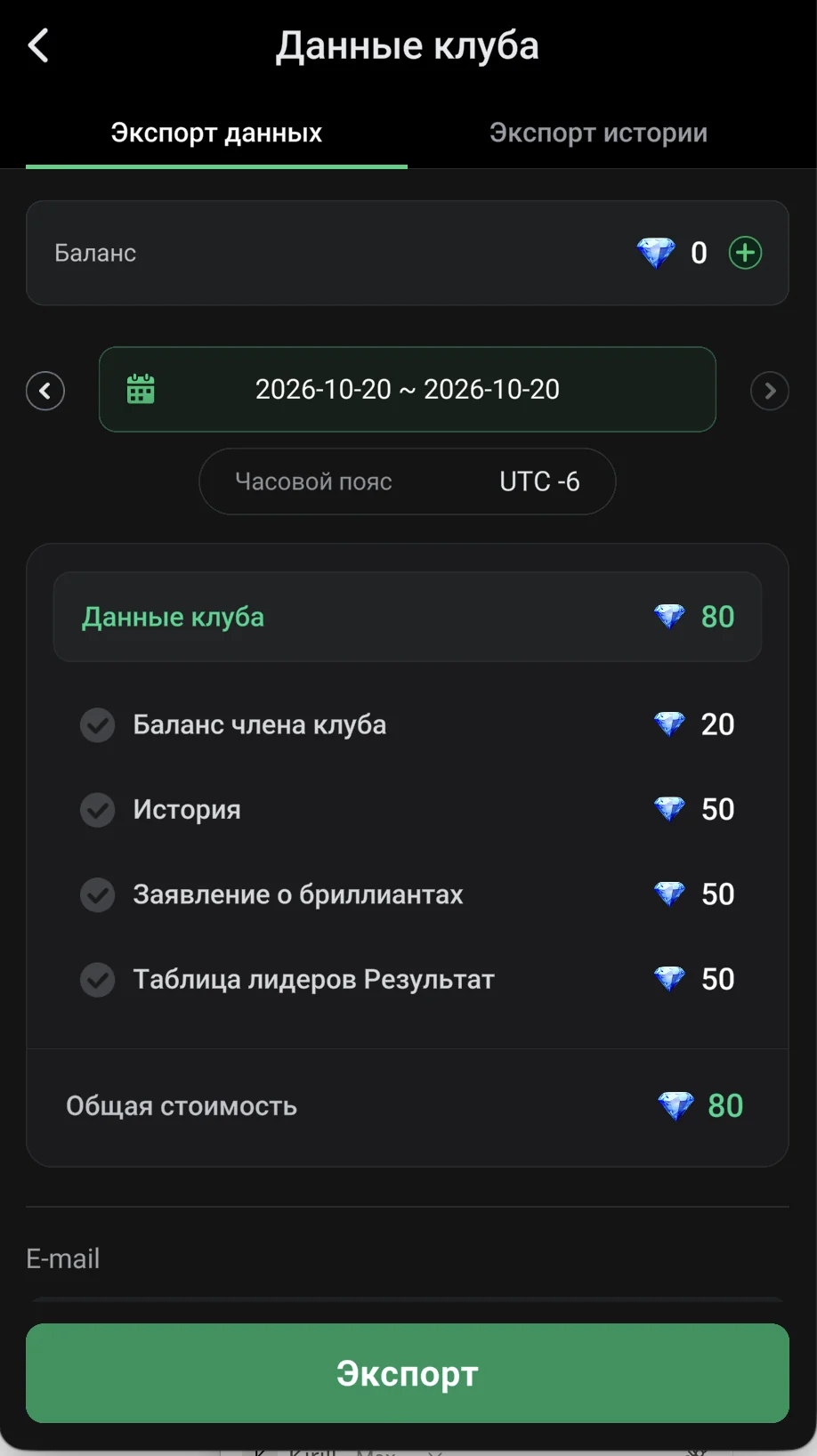
The main Diamond expense for owners and admins is exporting club data. In Club Data → Data Export you pick a period and time zone, tick the reports you need and enter an e-mail — the file is sent there.
| Report | Diamonds |
|---|---|
| Member balance | 20 |
| History | 50 |
| Diamond statement (Diamond spending) | 50 |
| Leaderboard results | 50 |
The total cost is shown at the bottom before the Export button and depends on the reports you select (in the screenshot the Club Data package is 80 Diamonds). Your Diamond balance is at the top; top it up with the “+” button. The neighbouring History Export tab exports hand history.
Diamond prices
| Pack | Price |
|---|---|
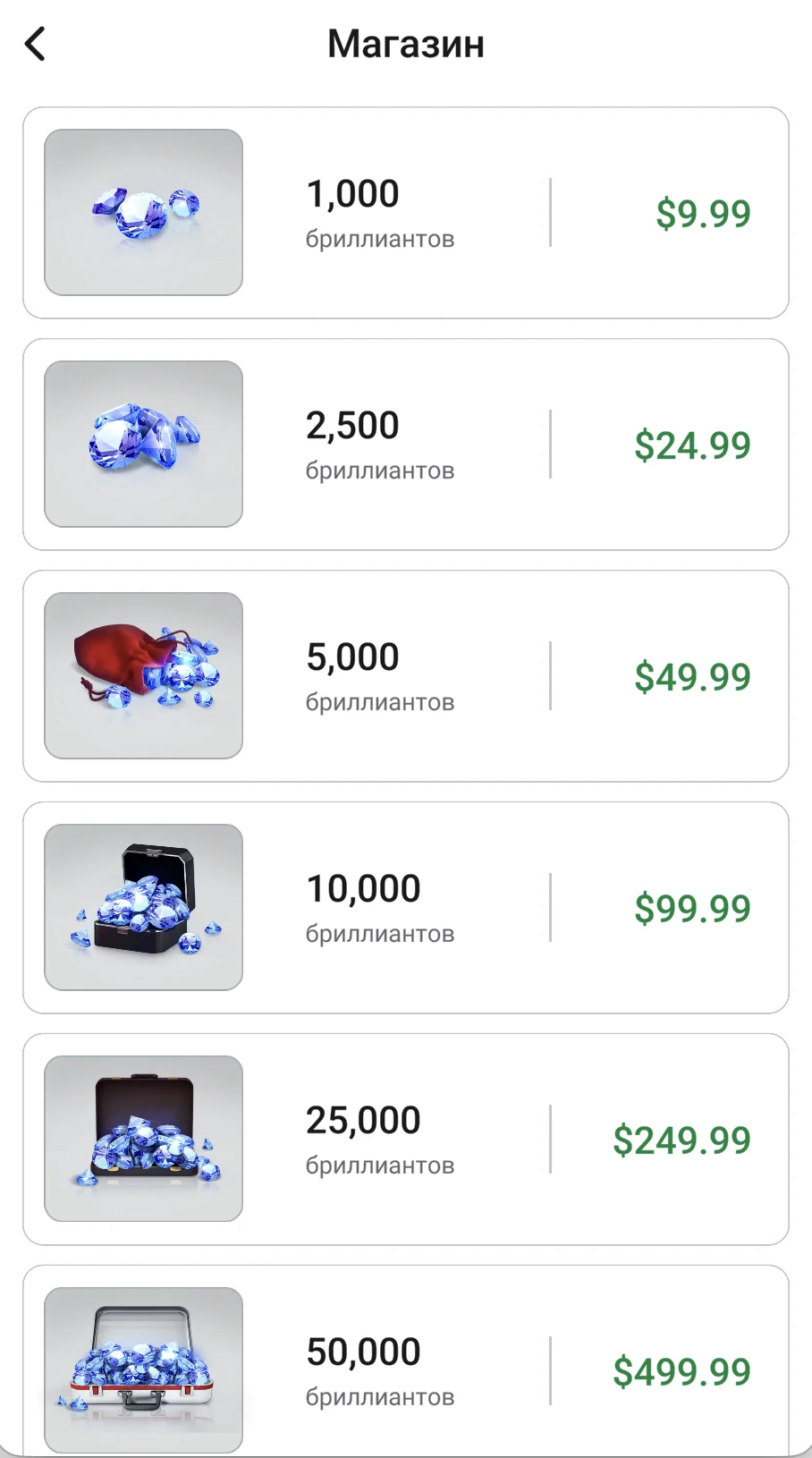
| 1 000 | $9.99 |
| 2 500 | $24.99 |
| 5 000 | $49.99 |
| 10 000 | $99.99 |
| 25 000 | $249.99 |
| 50 000 | $499.99 |
Every pack has the same rate — about $1 per 100 Diamonds, no bulk discount. A nickname change (5,000 Diamonds) costs about $49.99. Prices are taken from the in-app shop and may vary by country and store.
How to buy Diamonds
- Open the shop in the app (or a screen that needs Diamonds, such as nickname change) and pick a Diamond pack.
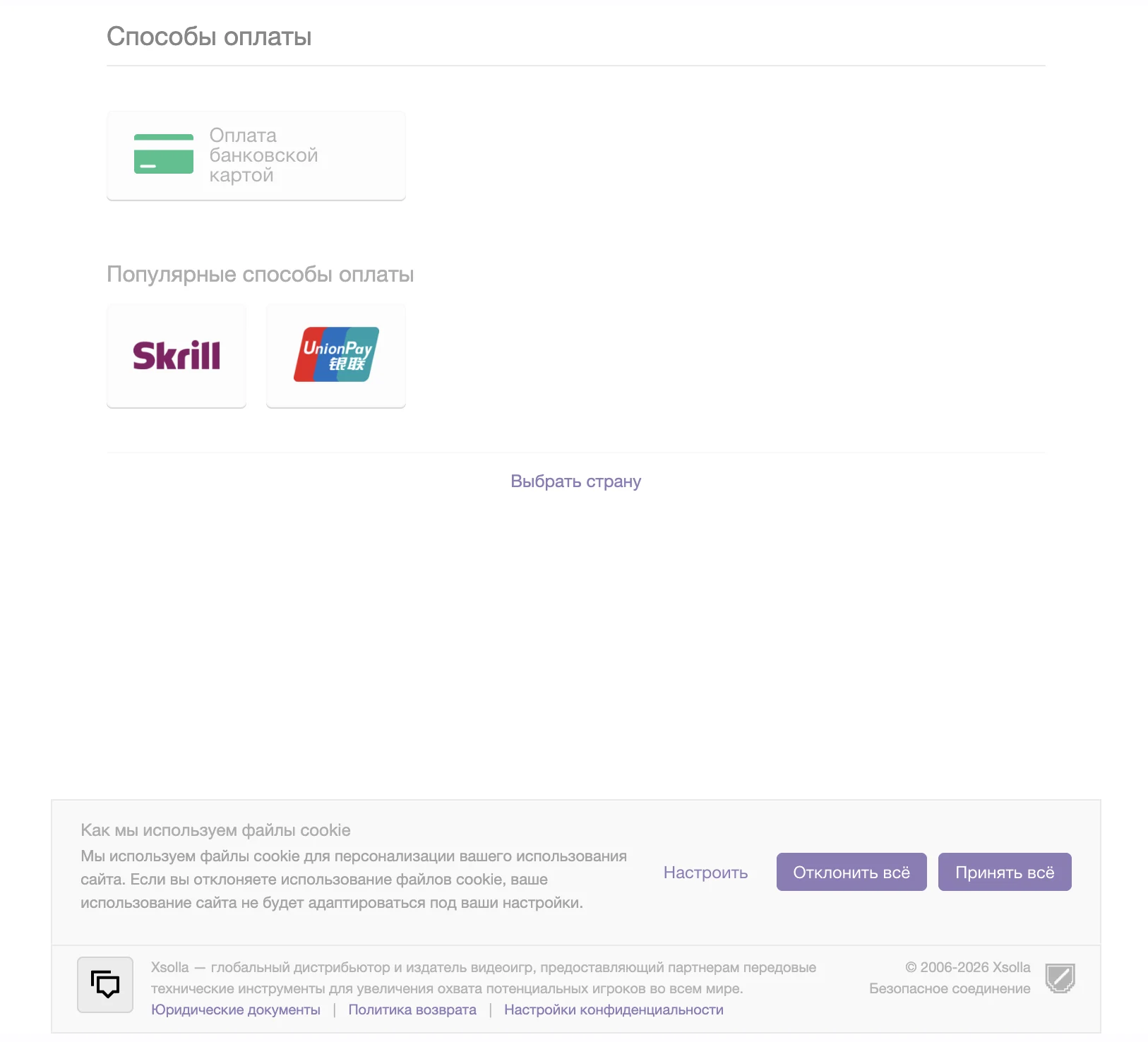
- Pay: on Android via Google Play, on iPhone via the App Store, on PC and Mac through the Xsolla checkout (bank card, Skrill, UnionPay — methods depend on your country).
- Diamonds are credited to your GGPass account right after payment and work in every club.
Live Dollar (the L coin): what it is
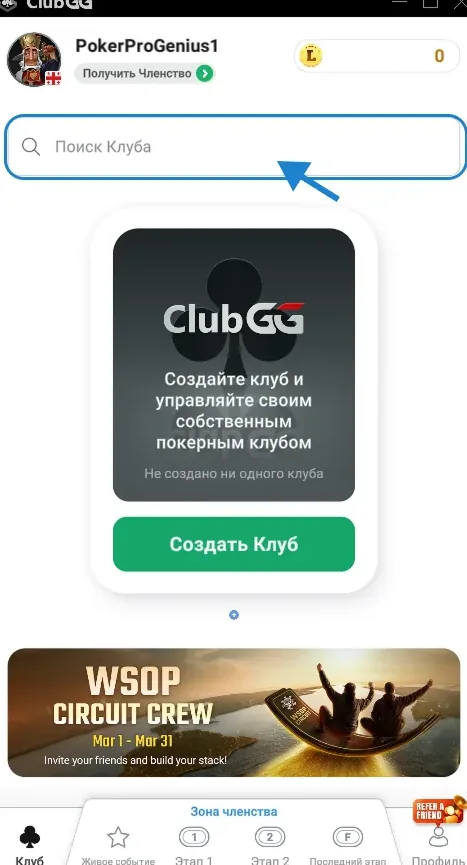
Live Dollar is ClubGG’s prize currency tied to live events and GGPoker. Your balance is the yellow L coin in the top right of the home screen. Live Dollar can’t be spent in clubs — you can redeem it for tournament dollars (T$) on GGPoker.
Live Dollar is awarded in ClubGG tournaments and promotions (Membership Zone) — which events pay it is shown in the tournament details and under How to Redeem Live Dollar in the Live Event tab. You can’t buy Live Dollar in the shop.
How to redeem Live Dollar for GGPoker T$
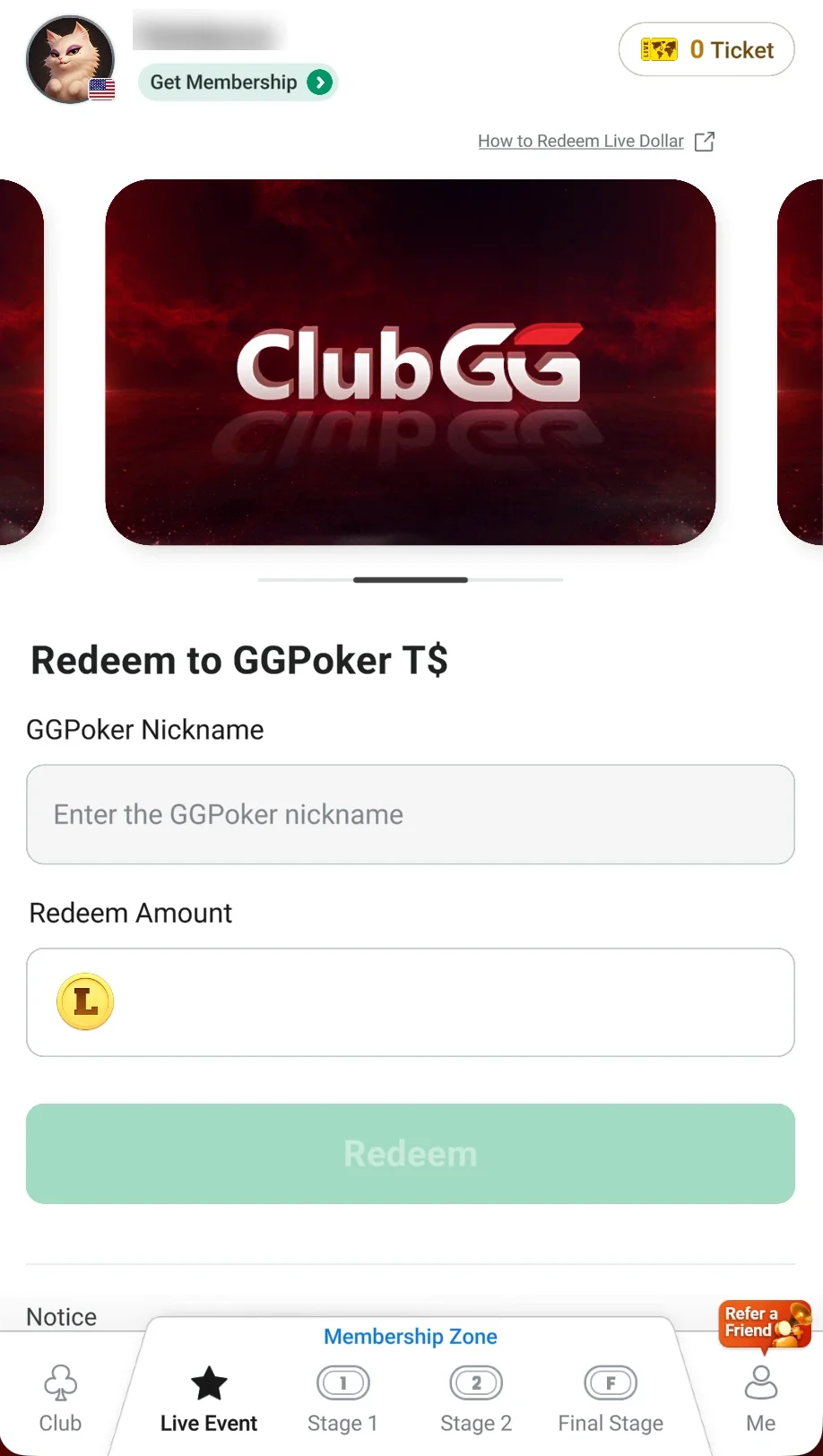
- Open the Live Event tab at the bottom and scroll to Redeem to GGPoker T$.
- Enter your GGPoker Nickname — double-check it, redemption is final.
- Enter the Redeem Amount in Live Dollar and tap Redeem.
- T$ reach your GGPoker account within 72 hours — use them for tournament buy-ins on GGPoker.
- Redemption terms
- Minimum 100 Live Dollar.
- Redemption is final.
- Processing takes up to 72 hours.
- Verified ID required (Proof of Identity in My GGPass).
- An active WSOP+ membership is required.