Rake Allocation: who the rake is attributed to
The Loser Only Share slider from 0 to 100%: by default rake is split among all players by pot contribution; at 100% it’s attributed to the losers only.
Rake Allocation decides which players in a hand the rake is attributed to. How much rake comes out of the pot is set per table; this setting doesn’t change the amount, it decides how it’s split among the players in the hand. What rake is and how ClubGG counts it — see rake on ClubGG.
There’s one slider, Loser Only Share, from 0 to 100%. 0% (Weighted by Contribution) is the default: rake is split among all players in proportion to what each put into the pot. 100% (Losers Take All): all the rake is attributed to the players who lost the hand. Values in between mix the two: that share goes to the losers, the rest by contribution.
Why it matters. The rake attributed to a player is the basis for rakeback to agents and players, for leaderboards by rake and for stats in Club Data. With contribution-based allocation every active player accrues rake, winners included. With losers-only, the winner of a hand effectively pays no rake — that makes the club more attractive to strong players, and rakeback offsets weaker players’ losses more.
Change it carefully: your settlements with agents depend on it. Switching mid-week can make report totals differ from what you agreed. It’s best to change it at the start of a settlement period and warn agents in advance. If in doubt, leave it at 0%.
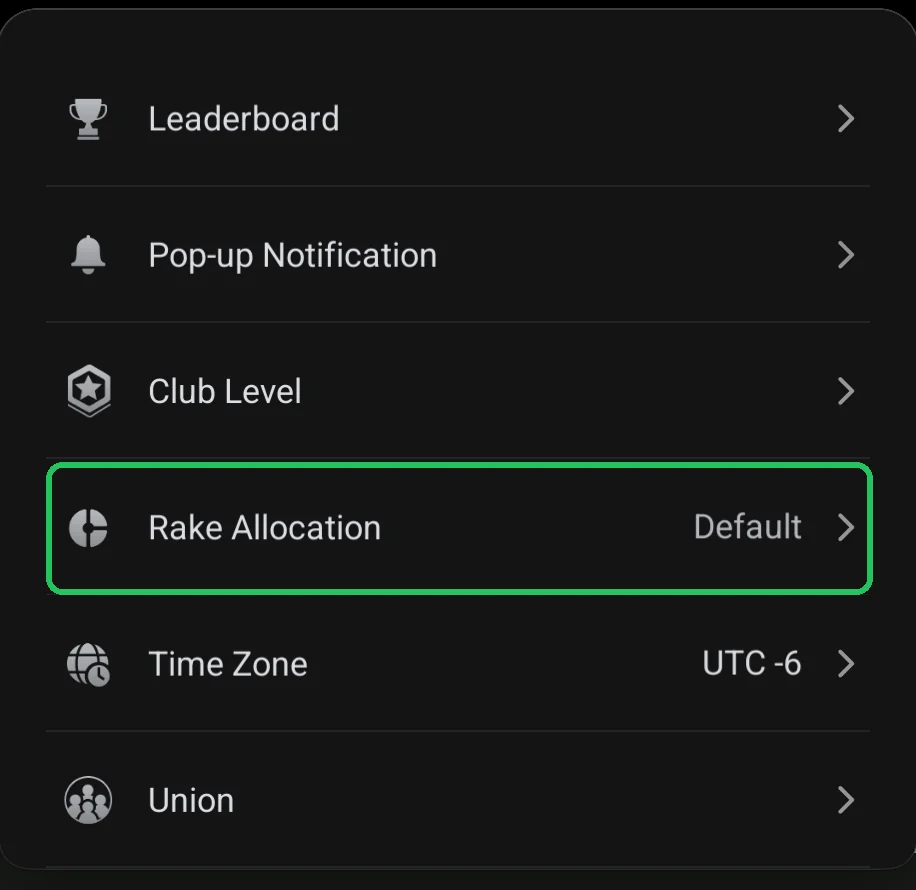
Where it is
- Club lobby → red menu button → Admin → Rake Allocation.
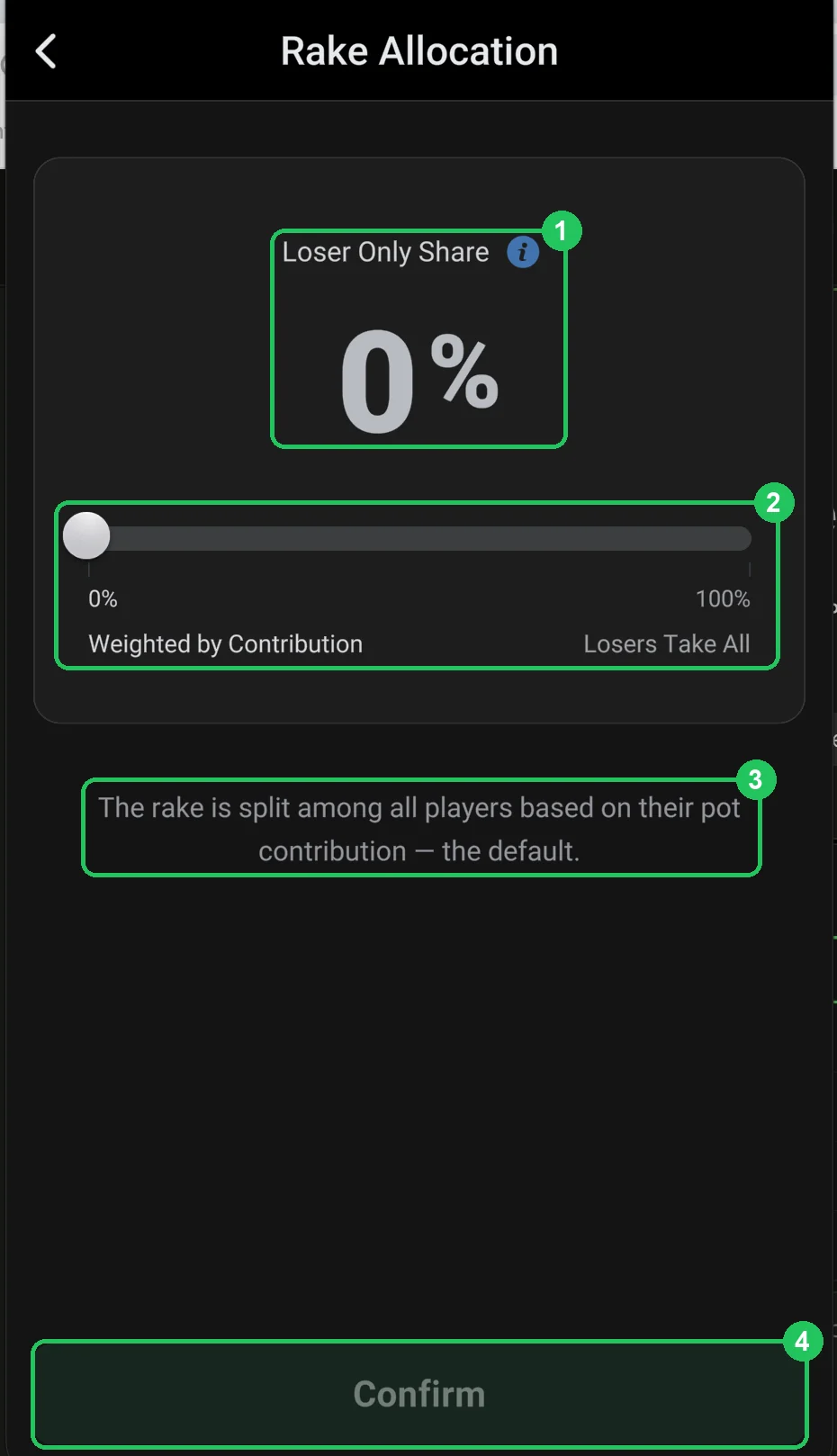
The Rake Allocation screen
- 1 — Loser Only Share: the share of rake attributed to the losers only. 0% right now. Details in the ⓘ hint.
- 2 — slider: left is 0% — Weighted by Contribution, right is 100% — Losers Take All.
- 3 — explanation of the selected value: at 0% rake is split among all players by pot contribution — the default.
- 4 — Confirm: save. Active once the value has changed.
Before you change it
- Export Club Data reports for the current period so you have something to compare.
- Warn your agents and agree on new rakeback terms.
- Change it at the start of a settlement week, not in the middle.