Linking a player to an agent: Upline Agent
Player Management in a player’s card: how to link a player to an agent or super agent via Upline Agent → Agent Link, plus where to grant tickets, restrict access and ban chat.
Open the card of a member with the Player role and you’ll see the Player Management block at the bottom. It has four items: the player’s agent (Upline Agent), Grant Ticket, Restrict Access for Player and Ban Chat in Club.
Upline Agent is the agent the player belongs to — their “upline”. That’s the agent the player gets chips from, cashes out through and gets rakeback from, and the player sits in that agent’s downline. A new player has no agent — the field says None.
To assign a player to an agent, tap Upline Agent: the Agent Link list opens with all the club’s agents and super agents and the number of players each has. Pick an agent and tap Link. Reassigning to another agent works the same way.
Usually players are linked automatically when they enter a referrer (agent) ID on joining. Manual linking is for players who joined without a referrer, picked the wrong agent, or whose agent left the club and whose players need a new one.
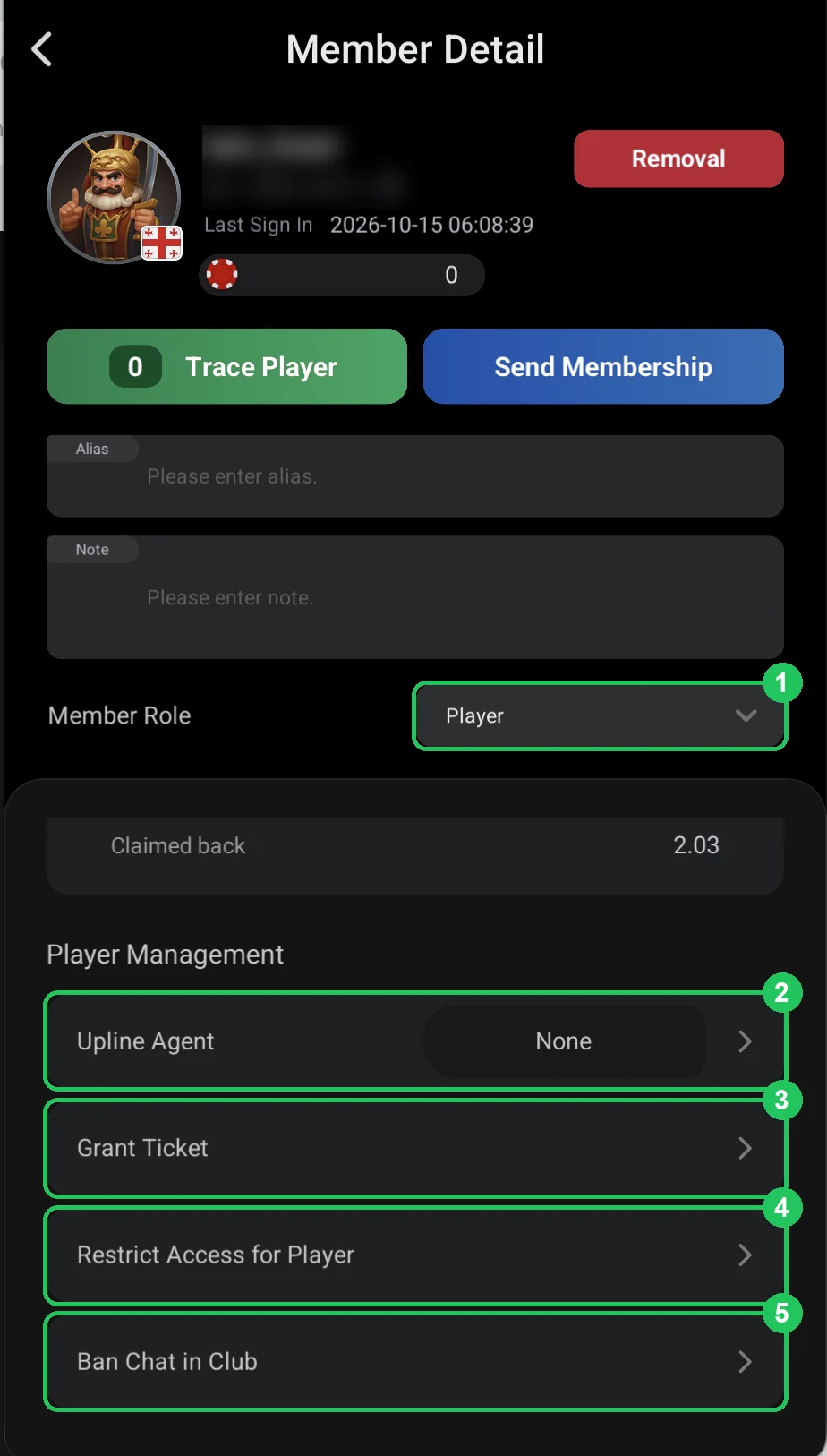
Player Management in a player’s card
- 1 — Member Role: Player — a regular player. A player’s card shows only a chip balance; players have no credit.
- 2 — Upline Agent: the player’s agent. None — no agent.
- 3 — Grant Ticket: give the player a tournament ticket or voucher — see the next page.
- 4 — Restrict Access for Player: limit which stakes and tournaments the player can play — see Restrict Access.
- 5 — Ban Chat in Club: stop the player from writing in the club chat — see Ban Chat.
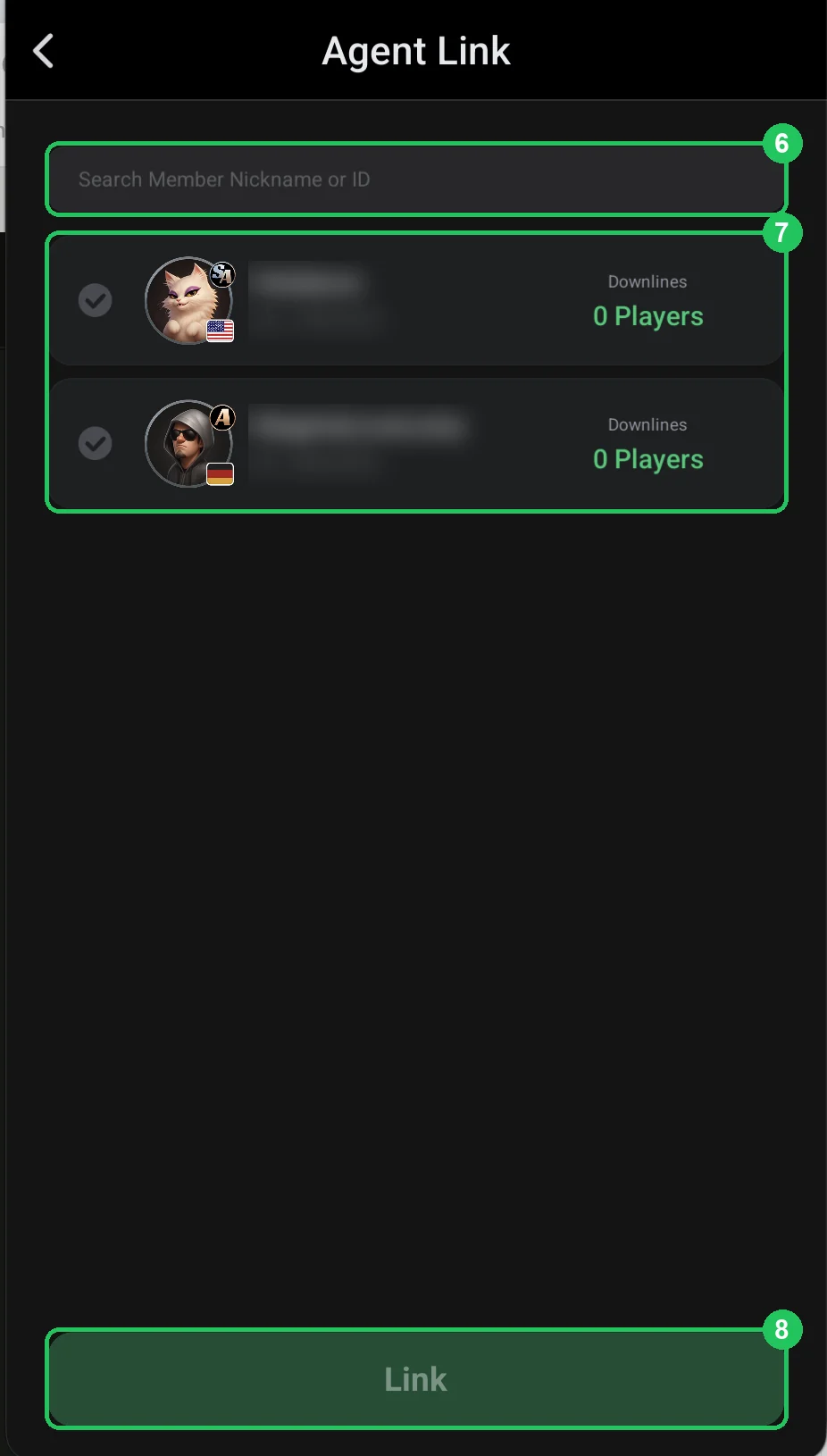
Agent Link — choosing the agent
- 6 — search for an agent by nickname or ID.
- 7 — agent list: super agents (SA badge) and agents (A). On the right, Downlines shows how many players each already has. Tick the one you want.
- 8 — Link: link the player to the selected agent.
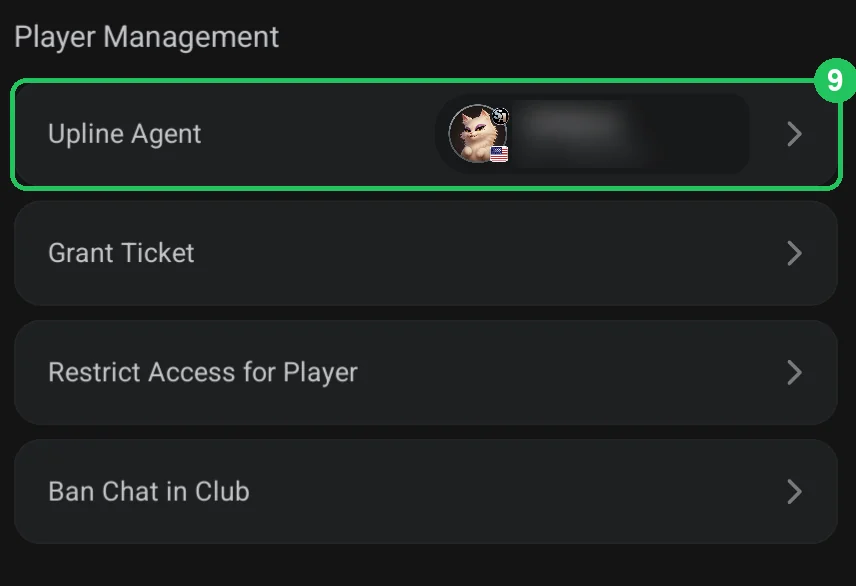
Player linked
- 9 — Upline Agent now shows the player’s agent with their badge and ID. The agent’s Downlines count goes up by one.
- To change the agent, tap Upline Agent again and pick another.
When to link manually
- The player joined without a referrer ID and has no agent to get chips from.
- The player typed the wrong ID and ended up with the wrong agent.
- An agent left the club and their players need to move to another agent.