The member card: role, stats, Trace Player and removal
Member Detail: assign a role, see a player’s hands, rake and result, chips sent and claimed back, find their tables with Trace Player or remove them from the club (Removal).
Tap a member in Club Members to open their Member Detail card. It has everything an owner or manager needs about a player: when they last signed in, their chips, how much they played and raked, and how many chips they were sent and had claimed back.
This is also where you change the member role (Member Role): Player, Agent, Super Agent or Manager. For super agents and agents, a block for managing their downline appears below — the players and agents assigned to them.
Removal removes the member from the club. Before that, claim back their chips and settle up: removal permanently erases their data in the club.
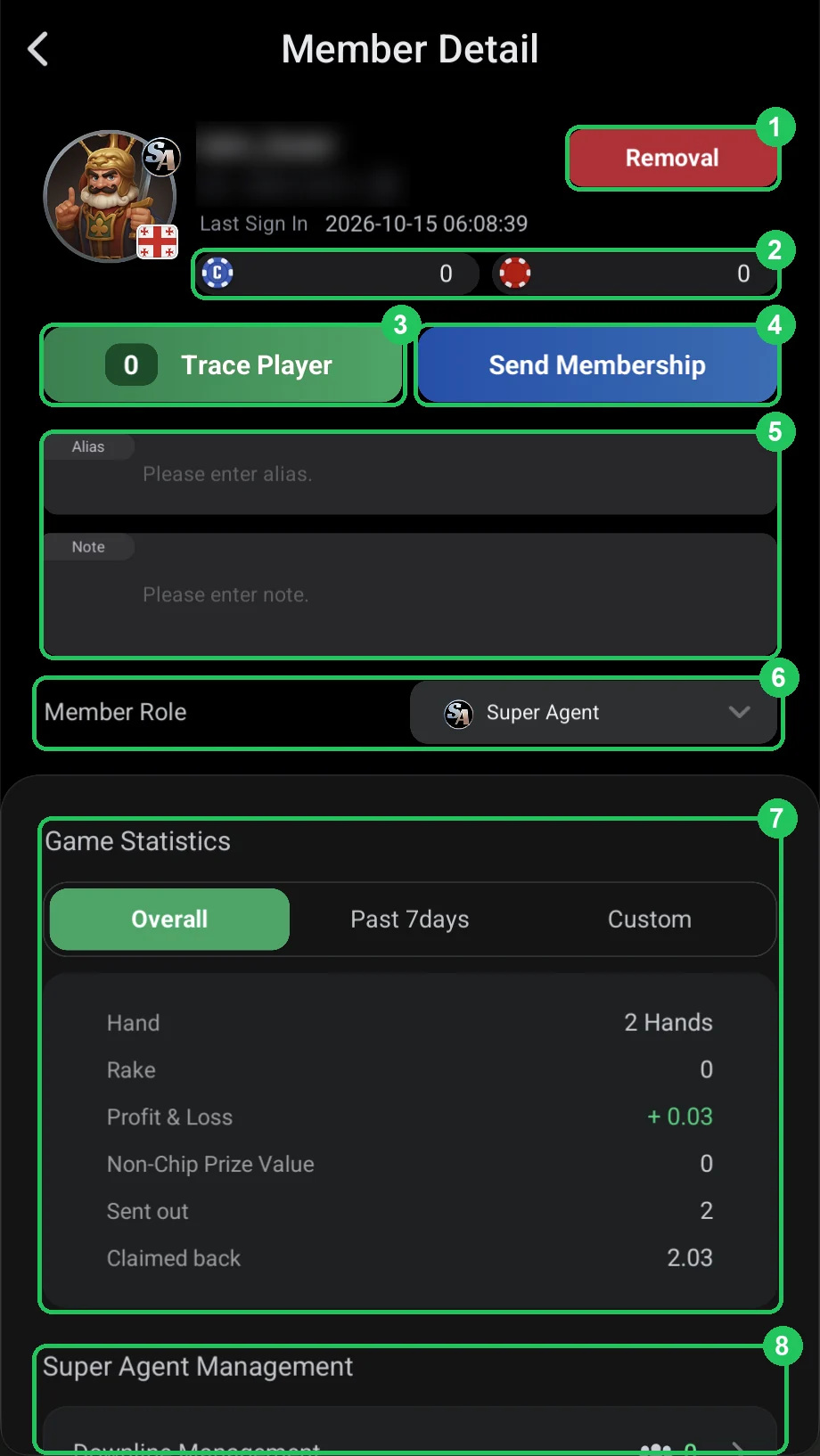
Member Detail
- 1 — Removal: remove the member from the club.
- 2 — balances: the blue “C” coin is credit (agents give their players chips from it), the red chip is club chips. Above — nickname, ID and Last Sign In.
- 3 — Trace Player: which club games the member is in right now — tables and tournaments; the number is how many.
- 4 — Send Membership: gift the member a WSOP+ subscription for Diamonds — see the next page.
- 5 — Alias and Note: an Alias is a name you give the member yourself so you recognise them — e.g. their real name or “John, Telegram agent”. Only club admins see it: it shows under the nickname in the member list, so you don’t have to remember nicknames. Players can change their nickname, but your alias stays. A Note is for yourself: agreements, rakeback terms, contacts.
- 6 — Member Role: the member’s current role. Tap to change it.
- 7 — Game Statistics: the player’s stats — details below.
- 8 — Super Agent Management: for a super agent — Downline Management, their agents and players. For a regular player it’s Player Management: their agent, tickets, restrictions and chat (see Linking a player to an agent).
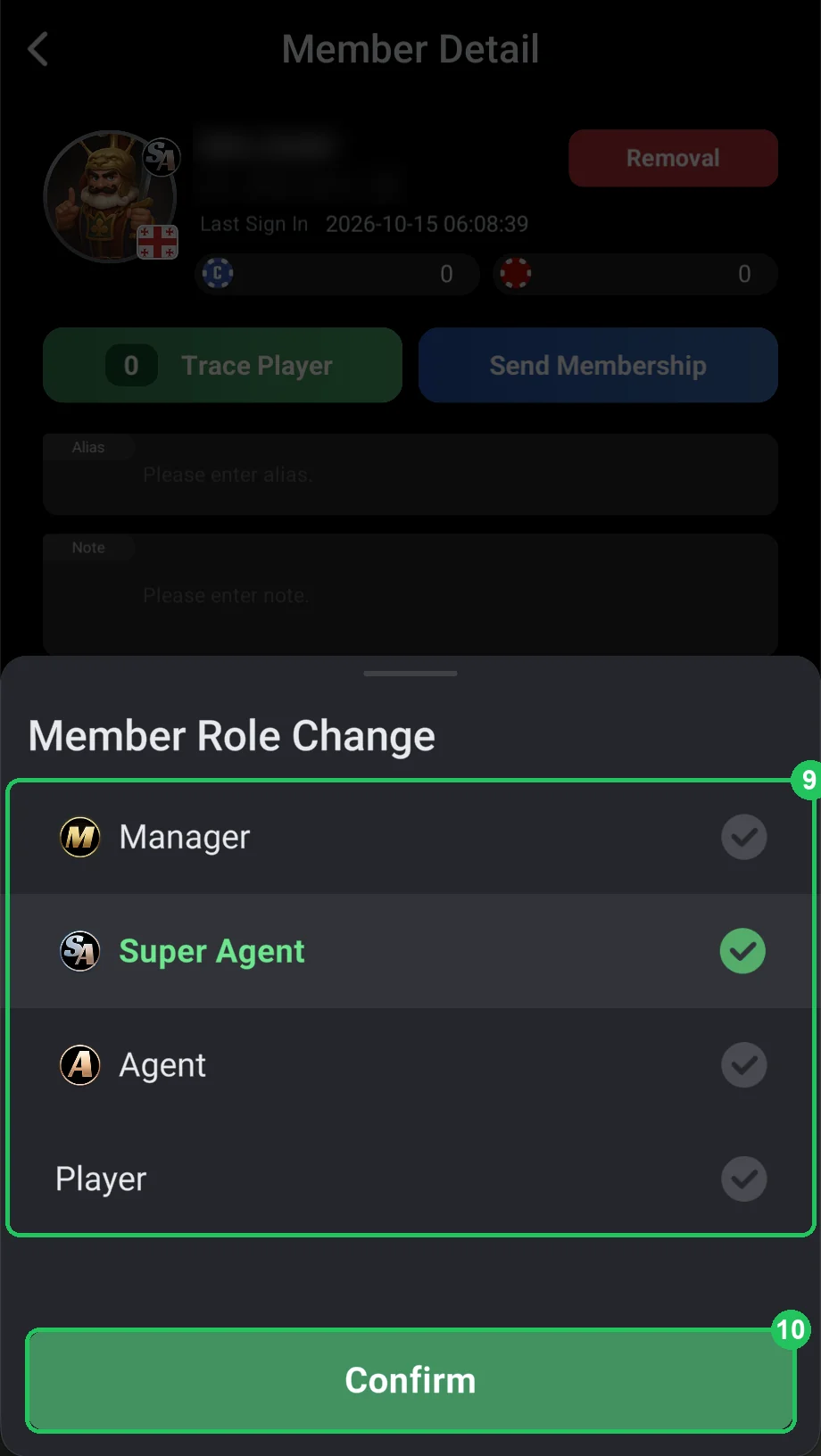
Changing the role (Member Role Change)
- 9 — pick a role: Manager (M badge), Super Agent (SA), Agent (A) or Player — a regular player with no badge. The current role has a green tick.
- 10 — Confirm: save. The avatar badge changes right away.
- A Super Agent’s or Agent’s downline must be cleared first — reassign their players to another agent.
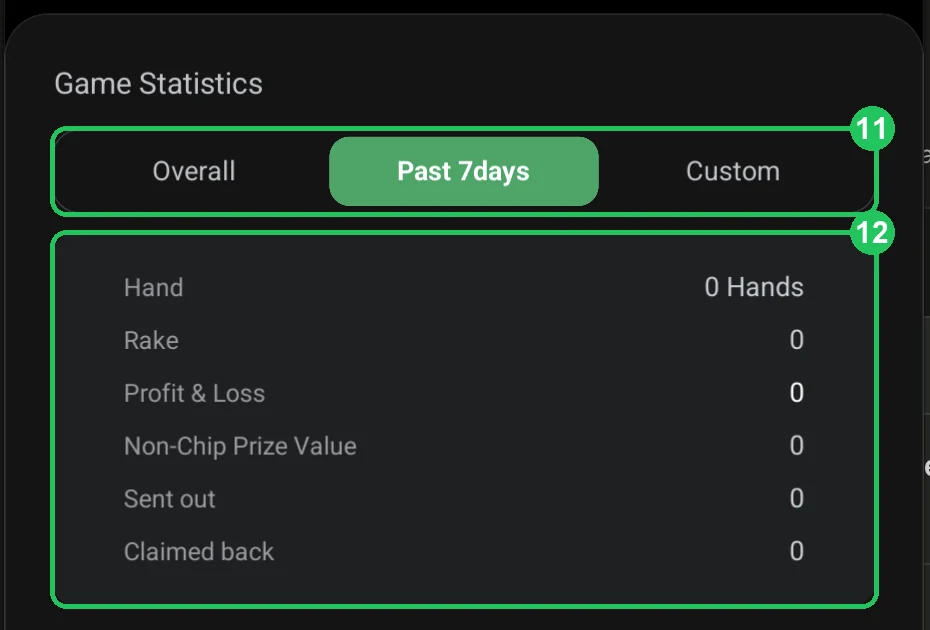
Player stats (Game Statistics)
- 11 — period: Overall — all time, Past 7days — the last 7 days, Custom — your own dates.
- 12 — figures: Hand — hands played; Rake — rake paid to the club; Profit & Loss — won or lost; Non-Chip Prize Value — the value of non-chip prizes (e.g. memberships or merchandise from leaderboards); Sent out — chips sent to them; Claimed back — chips taken back.
- It shows whether a player is active and what they bring the club — useful for agent rakeback and prizes.
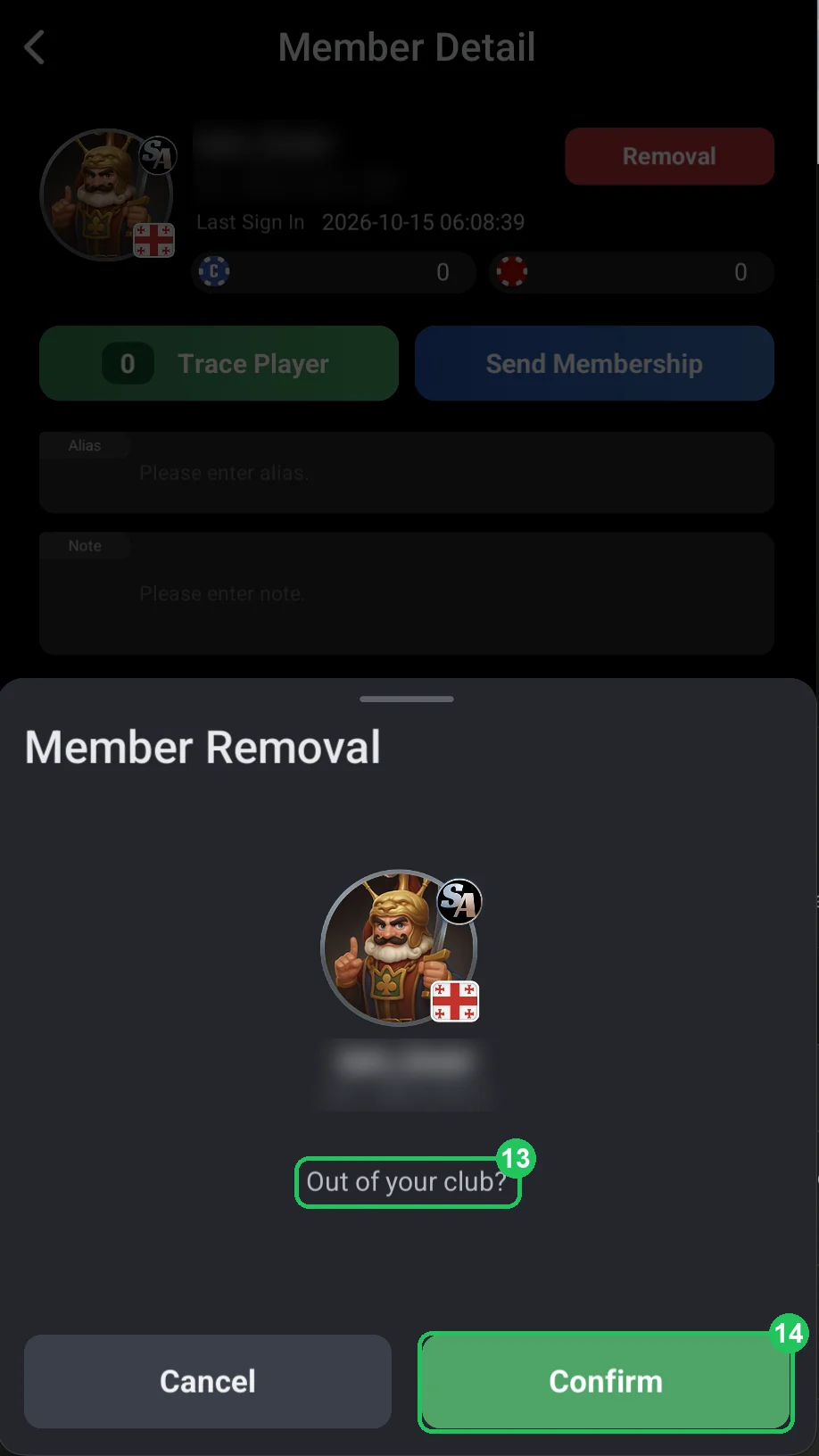
Removing a member (Removal)
- After you tap Removal, ClubGG asks: 13 — “Out of your club?”
- 14 — Confirm: remove. Cancel — keep them.
- Before removing, claim back their chips (Claim Back in sending chips) and save their stats if you need them.
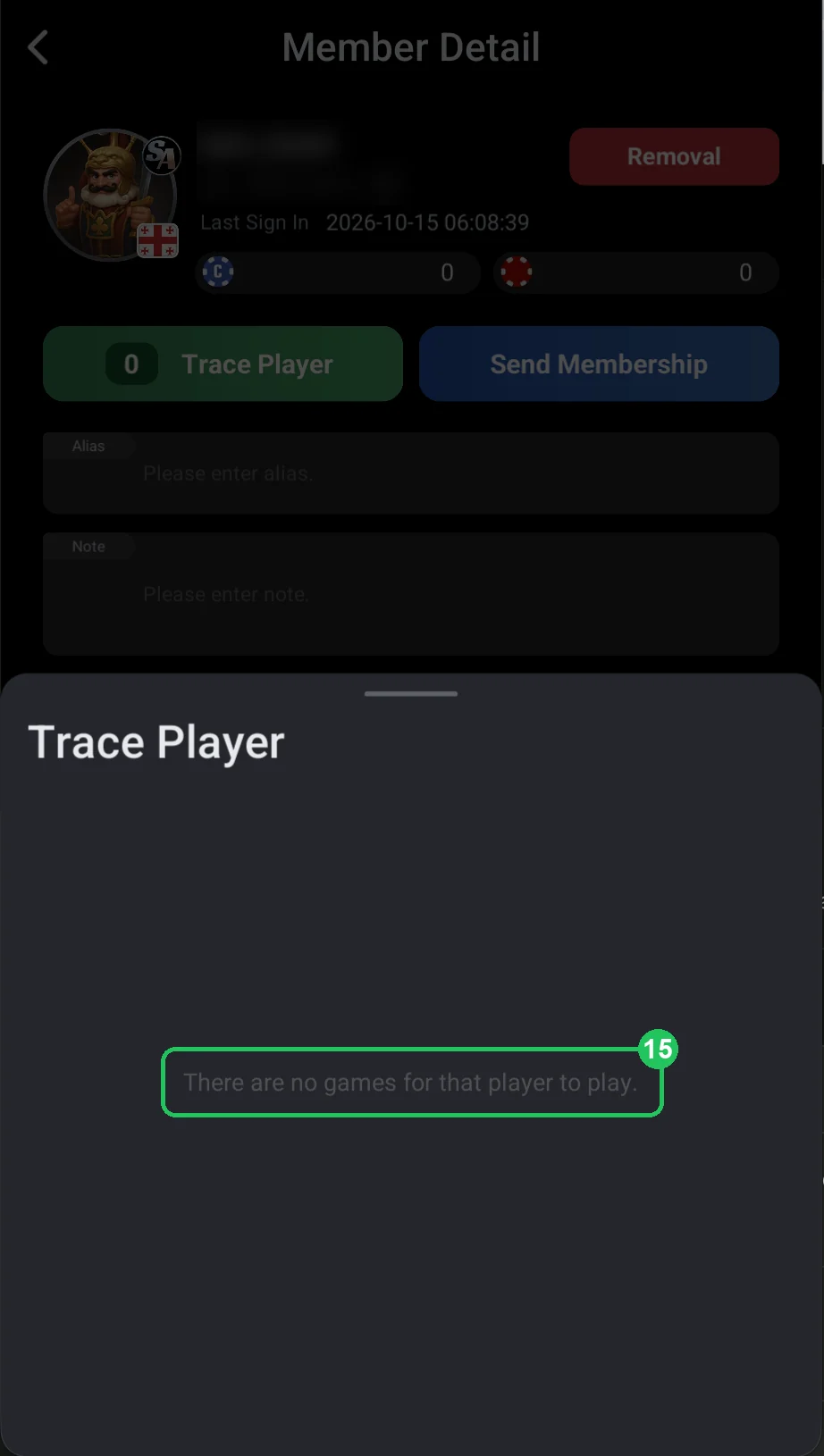
Trace Player: not playing
- 15 — if the member isn’t sitting at any table, you see “There are no games for that player to play”, and the Trace Player button shows 0.
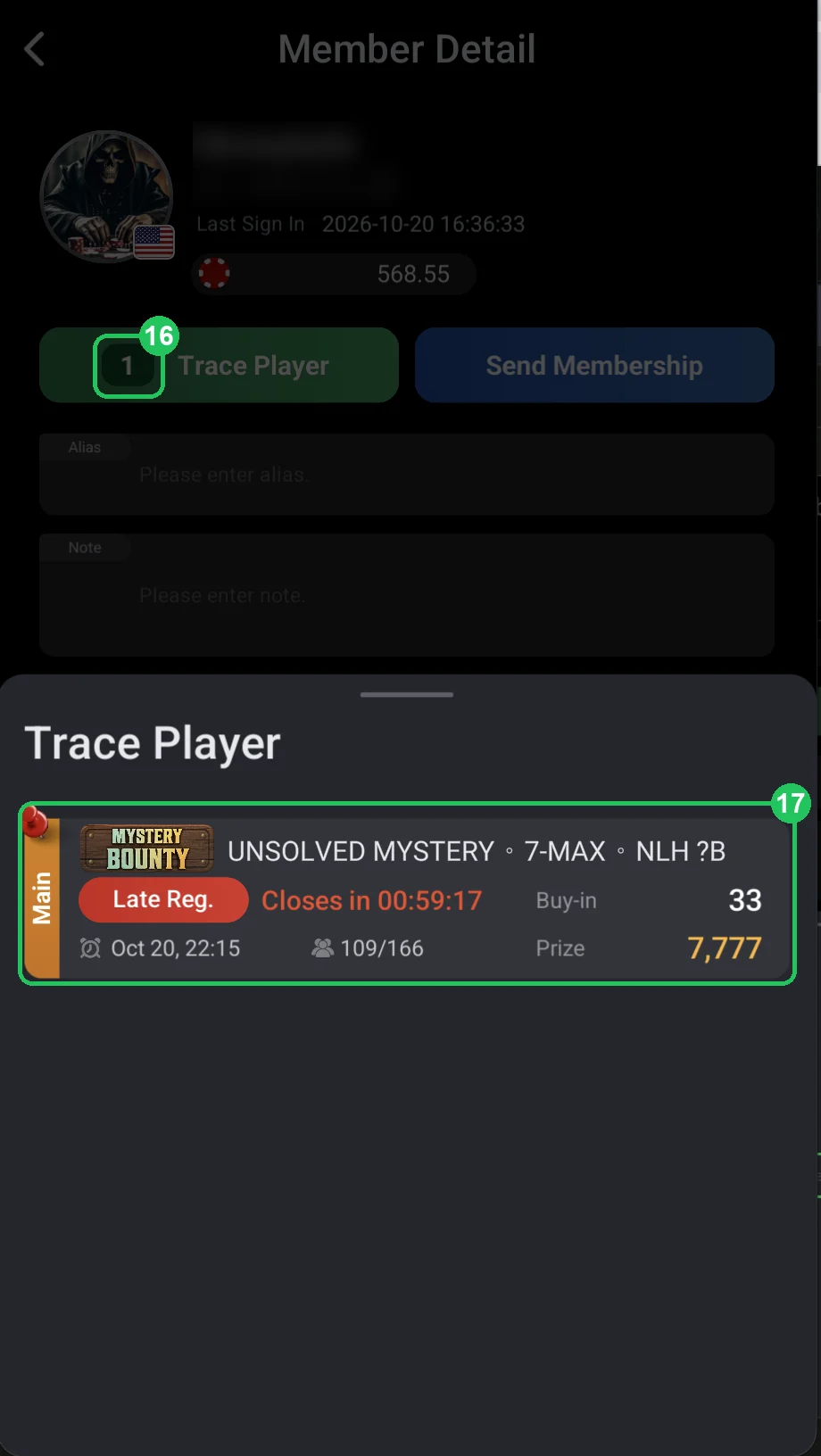
Trace Player: in a game
- 16 — the number on the Trace Player button: how many games the member is in right now (one here).
- 17 — the game card: name, format and stakes (here a Mystery Bounty tournament, 7-max, NLH), status (Late Reg. — late registration is open, closing in 59 minutes), start time, players (109 of 166), buy-in and prize pool.
- Handy when a player says they’re “stuck” at a table, or to check where they’re playing before sending or claiming back chips.