Restrict Access for Player: limiting a player’s stakes
How to limit a player’s cash game stakes by big blind (NLH, PLO, PLO5, PLO6, 6+) and tournament buy-ins (MTT, SNG, freerolls) — or close all games to them.
Restrict Access for Player limits which games a player can join. You set a range, and the player can’t sit at tables outside it. Cash games are limited by big blind for each game type, tournaments by buy-in.
The default is Min 0 and Max 99,999,999 — any stakes. Set, say, Max 4 for NLH and the player can only join tables up to 2/4. Min 0 and Max 0 closes the game completely. If Min is greater than Max, games are closed too.
Why use it: keep a newcomer off high stakes until you know them; limit a player who asks you to close big games to them; stop an agent’s player playing above their credit; temporarily block access while a dispute is sorted out.
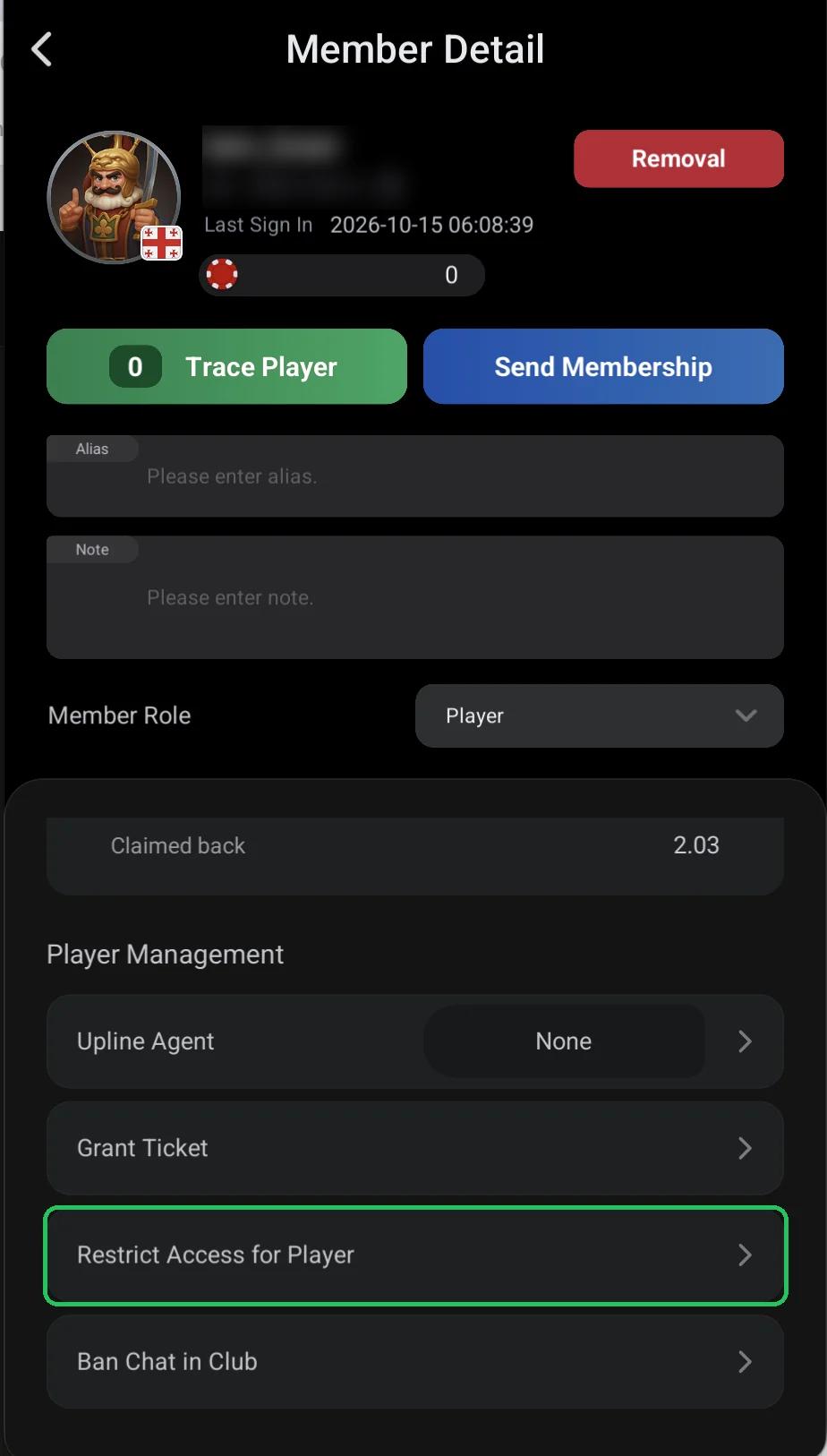
Where it is
- Members → player → Member Detail → Player Management → Restrict Access for Player.
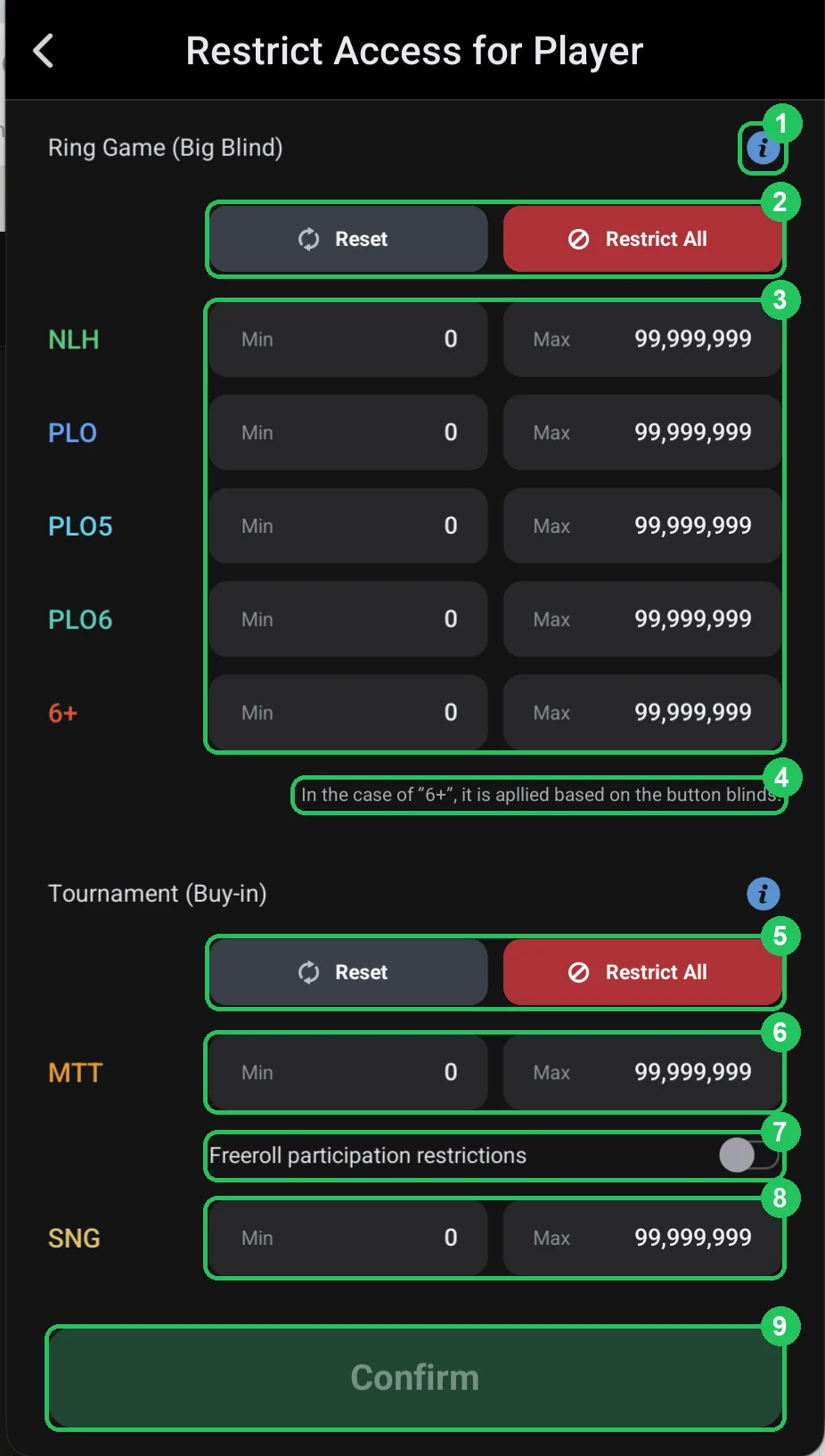
Cash games and tournaments
- 1 — ⓘ: a hint with examples.
- 2 — Reset: back to no restrictions; Restrict All — close all cash games.
- 3 — Ring Game (Big Blind): for each game — NLH, PLO, PLO5, PLO6, 6+ — the minimum and maximum big blind the player can play.
- 4 — for 6+ (Short Deck) the limit is based on the button blind.
- 5 — Tournament (Buy-in): Reset and Restrict All for tournaments.
- 6 — MTT: the buy-in range for multi-table tournaments.
- 7 — Freeroll participation restrictions: stop the player entering freerolls.
- 8 — SNG: the buy-in range for sit & gos.
- 9 — Confirm: save. Active once something has changed.
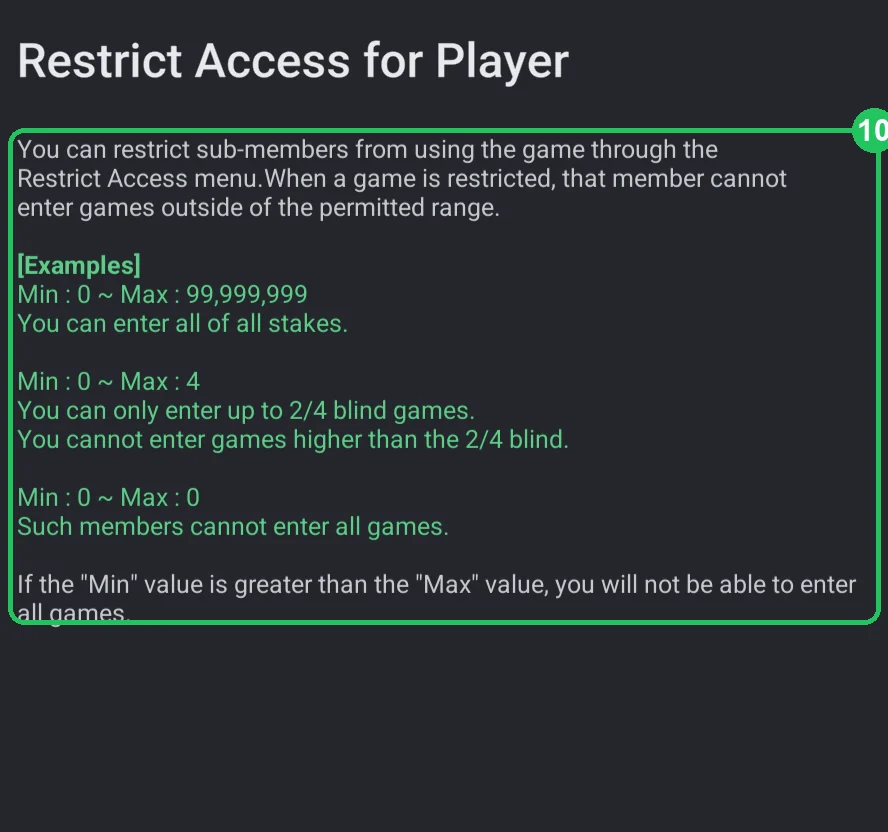
How Min and Max work — the ClubGG hint
- 10 — Min 0 ~ Max 99,999,999 — all stakes are open.
- Min 0 ~ Max 4 — only tables up to 2/4; nothing above 2/4.
- Min 0 ~ Max 0 — all games closed.
- If Min is greater than Max — all games are closed too.