ClubGG Club Roles and Agents
Every member of a ClubGG club has a role: it decides who runs the club, who issues chips and who just plays. That structure is why deposits and cash-outs go through an agent. Below — who’s who, how agent credit works and what controls the owner has. Every screen is covered in detail in the “Roles and agents” guide.
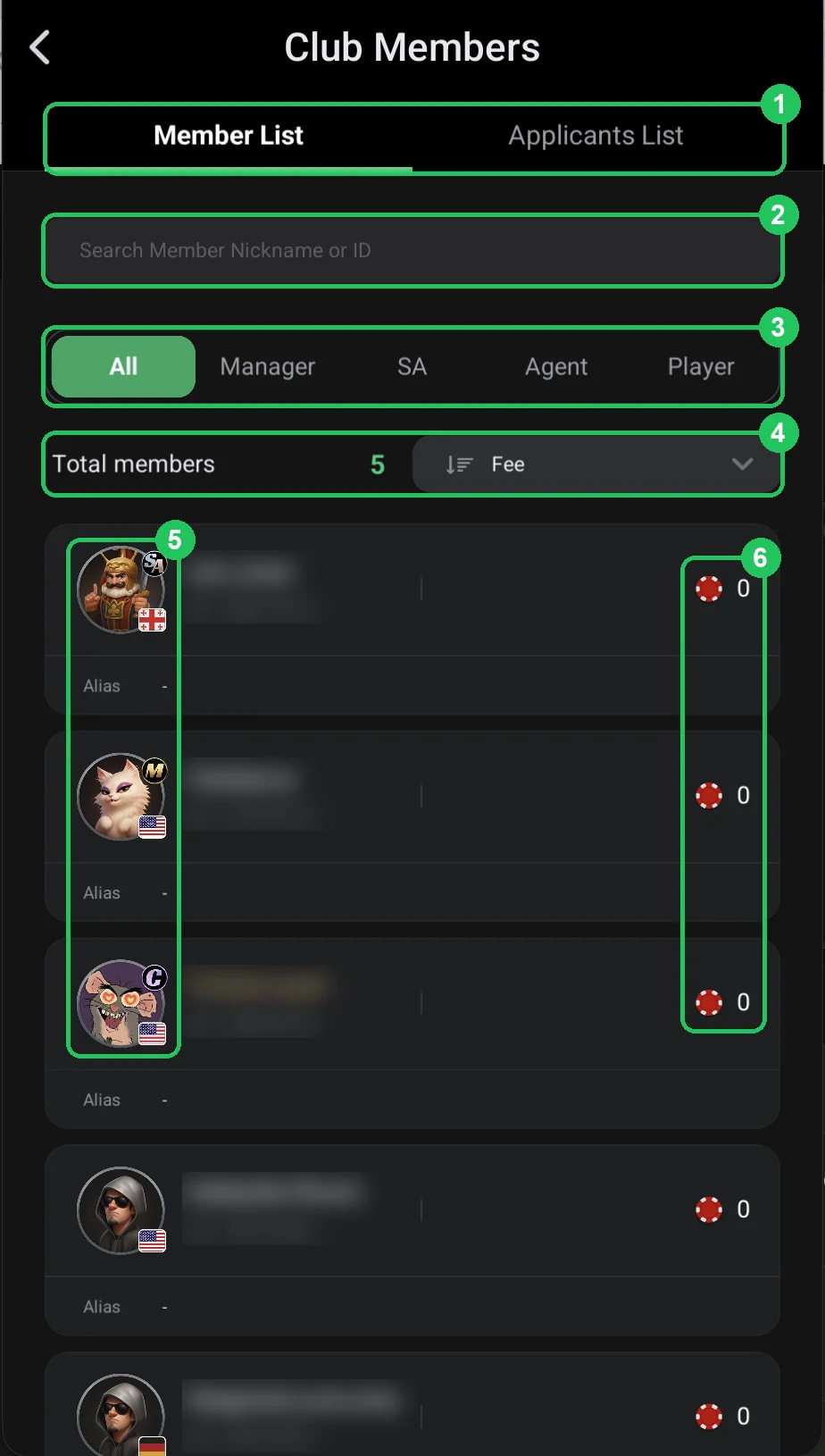
| Role | Badge | What they can do |
|---|---|---|
| Creator (Master) | C | All rights. Only they create a union and disband the club; the role can’t be transferred. |
| Manager | M | Runs the club: chips, join requests, roles, leaderboards, jackpot, notifications, rake. Unlimited credit. The owner can turn off each right. |
| Super Agent | SA | Runs their own agents and players. Hands credit to agents, can change roles and restrict access in their network. |
| Agent | A | Runs their own players: gives them chips from their credit and takes them back. |
| Player | — | The default role. Plays and gets chips from their agent. |
Credit and chips: how money moves down the chain
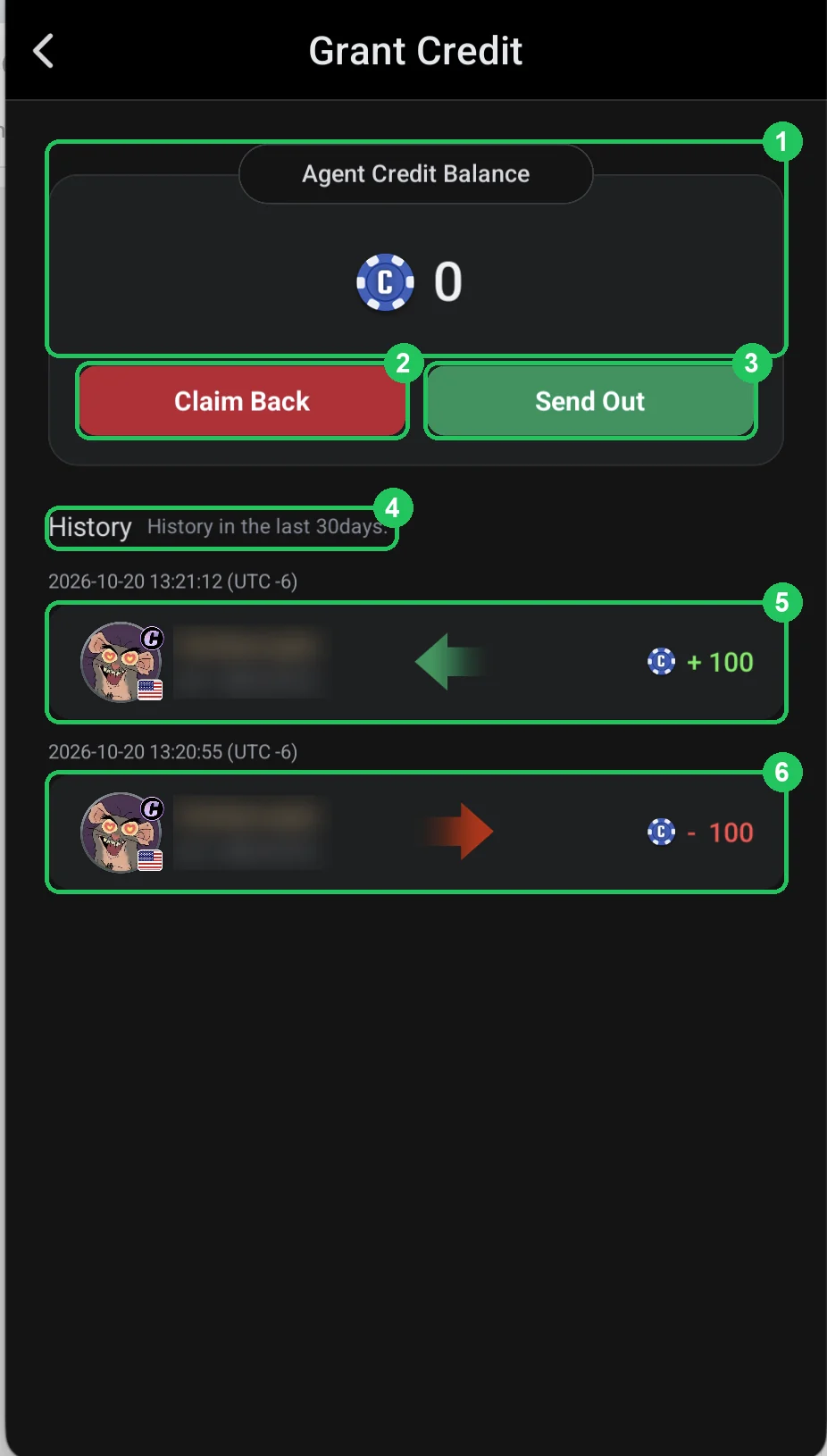
Chips (the red chip) are what you play with. Credit (the blue “C” coin) isn’t playable money — it’s the limit an agent hands chips out from. The club grants the agent credit; when the agent sends a player chips their credit goes down, and when they claim chips back it comes back.
The owner and managers have Unlimited credit. An agent gets exactly as much as you’re willing to trust them with — that’s your risk on their line. More — Grant Credits.
Downline: whose player you are
An agent’s players are their downline (line), and for the player the agent is their upline (Upline Agent). A player joins a line by entering the agent’s ID as referrer when joining. The owner can reassign a player manually — from the player’s card (Upline Agent) or the agent’s card (Edit Downline).
A super agent’s line can include agents (Sub-Agents) with their own players — their stats show credit and chips across every level of the network (Super agent).
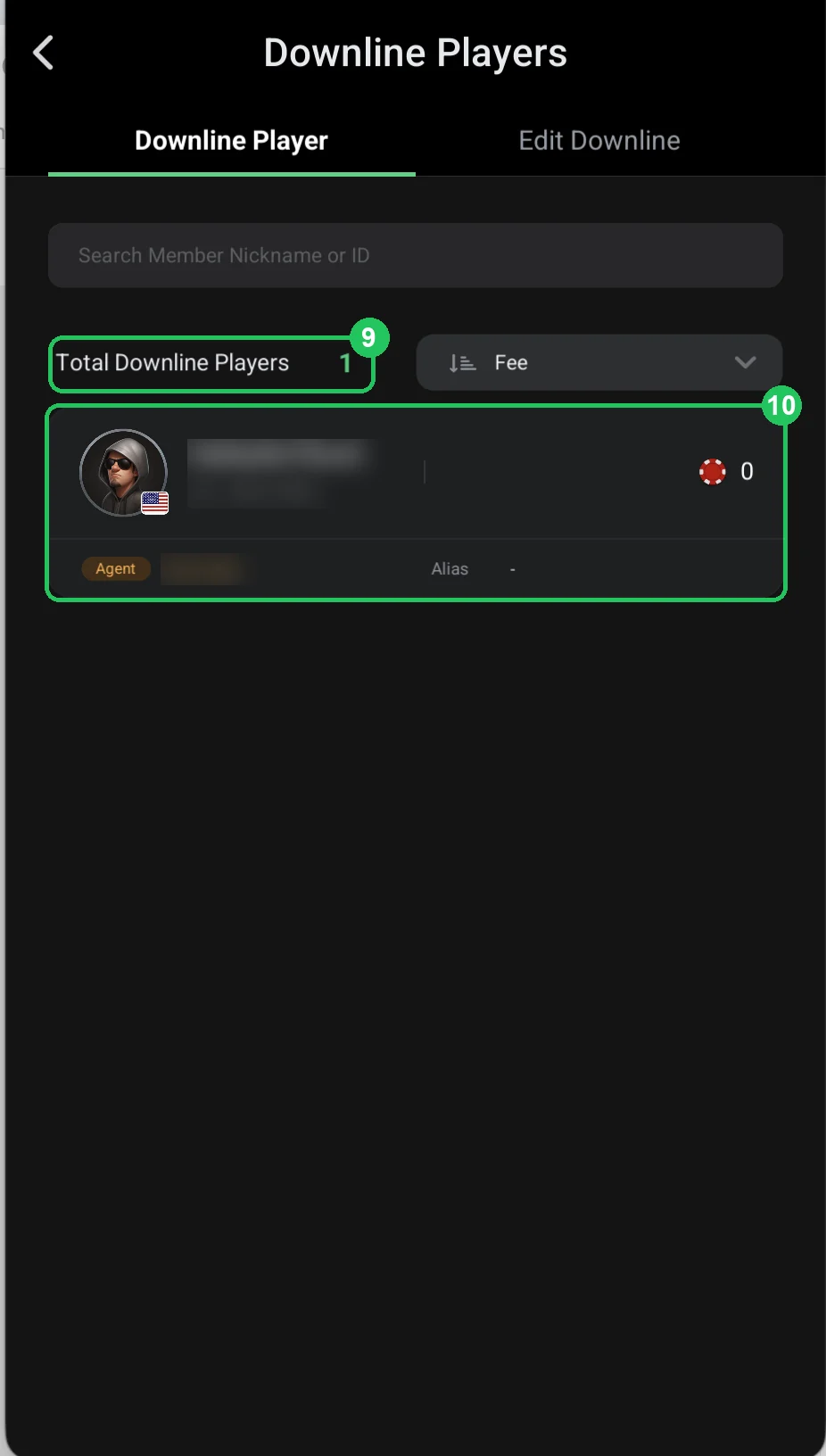
How the owner controls agents
How to assign a role
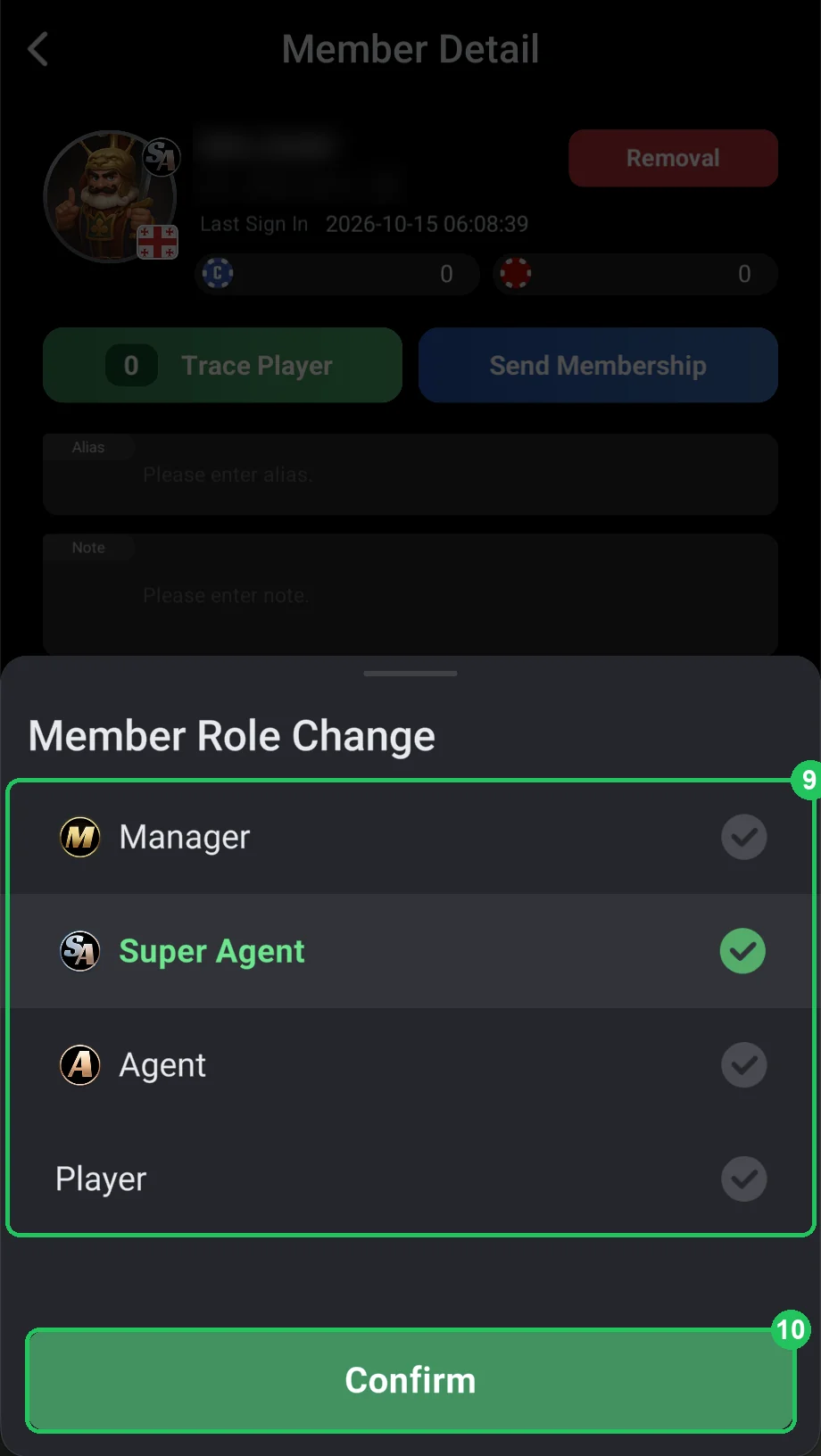
- Open the club menu → Members and tap a member — their Member Detail card opens.
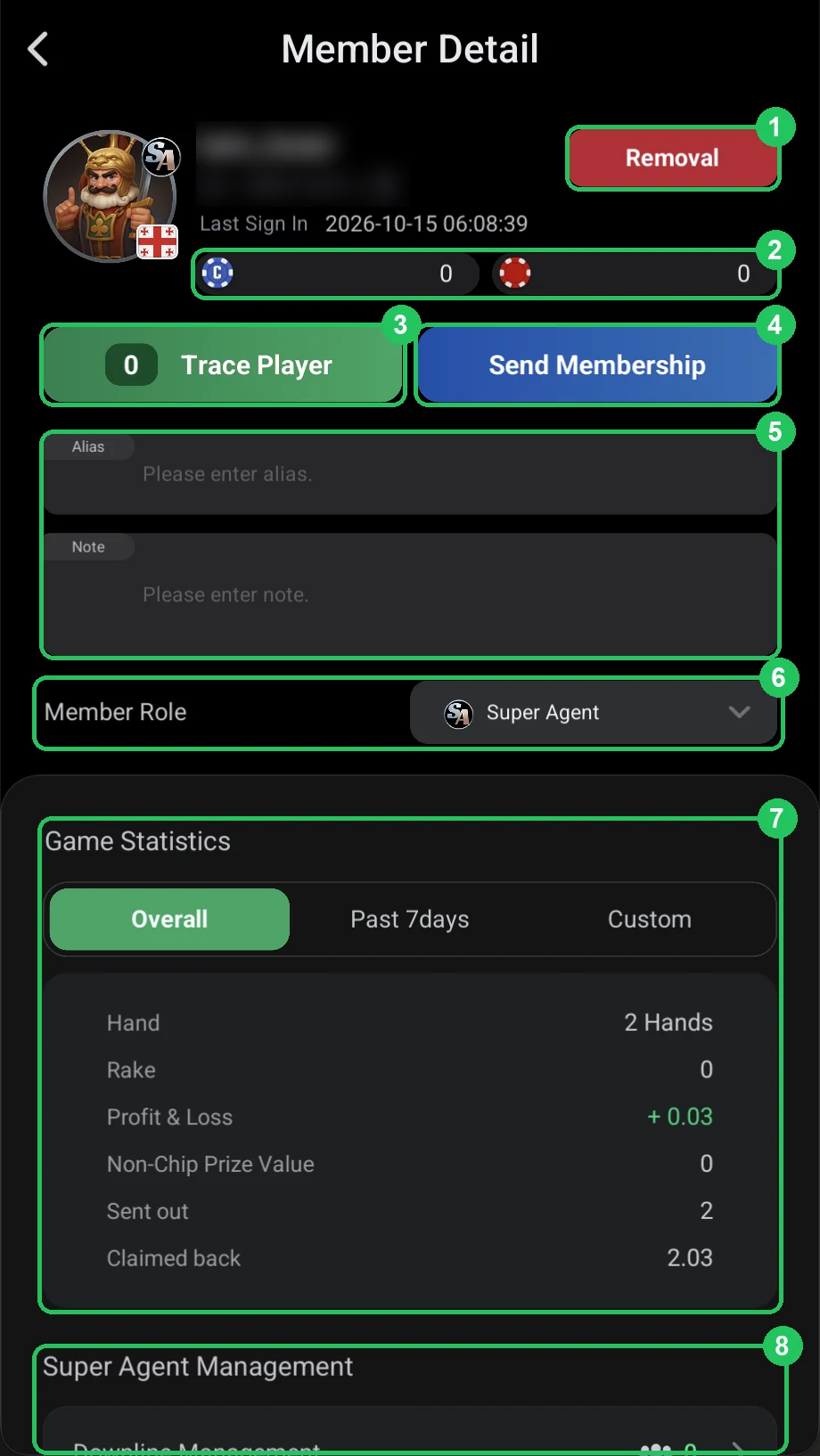
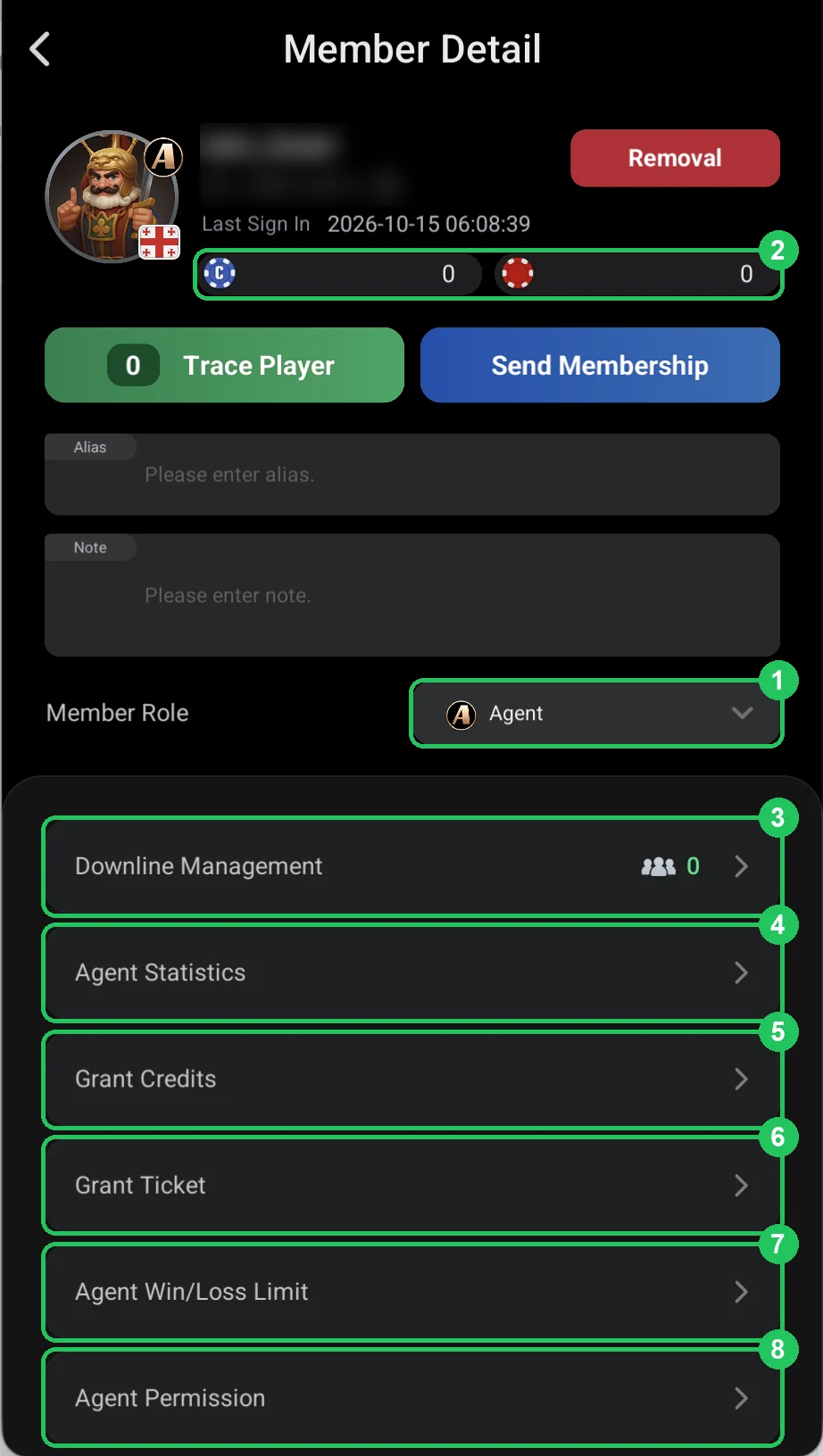
- Tap Member Role and pick Manager, Super Agent, Agent or Player. Confirm — the avatar badge changes.
- For an agent, set up the downline, credit, Win/Loss Limit and permissions — these items appear in their card.
What it means for a player
- Your agent is the one whose referrer ID you entered when joining.
- Deposits, cash-outs and rakeback go through that agent.
- If the agent doesn’t answer or pay out, message the club manager.
- You can only change agents through the club owner or a manager.