Step 37 of 42
Agent Permission: what an agent is allowed to do
Which permissions you can turn on or off for an agent on ClubGG: sending out chips and credit, claiming chips and credit back and sending tickets.
Members → agent → Member Detail → Agent Permission
Agent Permission controls what an agent may do with their line. Turn an item off and the agent loses access to that action.
There are three permissions: send out chips and credit, claim back chips and credit, and send tickets to tournaments. All three are on by default — the agent handles their players fully on their own.
Why turn them off: say you want the agent only to bring players while you hand out chips yourself; or temporarily, while you sort out a dispute on their line. It doesn’t touch chips and credit already issued — it only changes what the agent can do from now on.
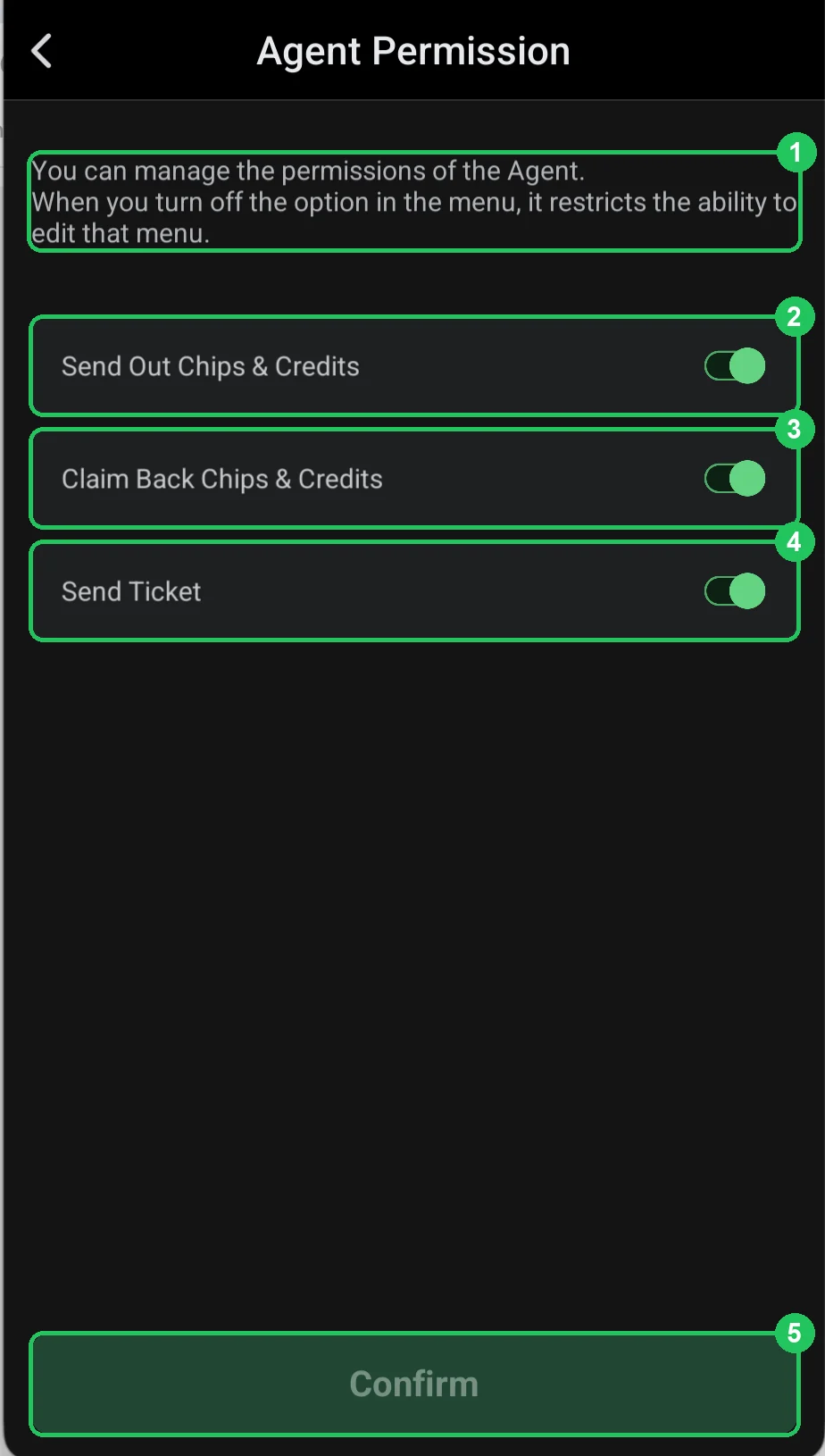
Agent Permission
- 1 — the hint: this is where agent permissions are managed; turn an option off and the agent can’t use that menu.
- 2 — Send Out Chips & Credits: the agent can send chips to players and credit (if they have agents of their own).
- 3 — Claim Back Chips & Credits: the agent can take chips and credit back.
- 4 — Send Ticket: the agent can send players tournament tickets.
- 5 — Confirm: save. Active once something has changed.
Setting permissions
- For a new agent you can keep Send Out but turn off Claim Back for a while, so they can’t take chips from players without you.
- If an agent disappears or breaks the agreement, turn off Send Out until you’ve settled.
- Turn off Send Ticket if only you hand out tournament tickets in the club.
Agent permissions are extra protection on top of the credit limit and Win/Loss Limit.