Step 34 of 42
Agent Statistics: an agent line’s credit, chips and rake
Agent statistics on ClubGG: how many players, how much credit and chips the agent and their line hold, and the line’s hands, rake and result — all time, today or a custom period.
Members → agent → Member Detail → Agent Statistics
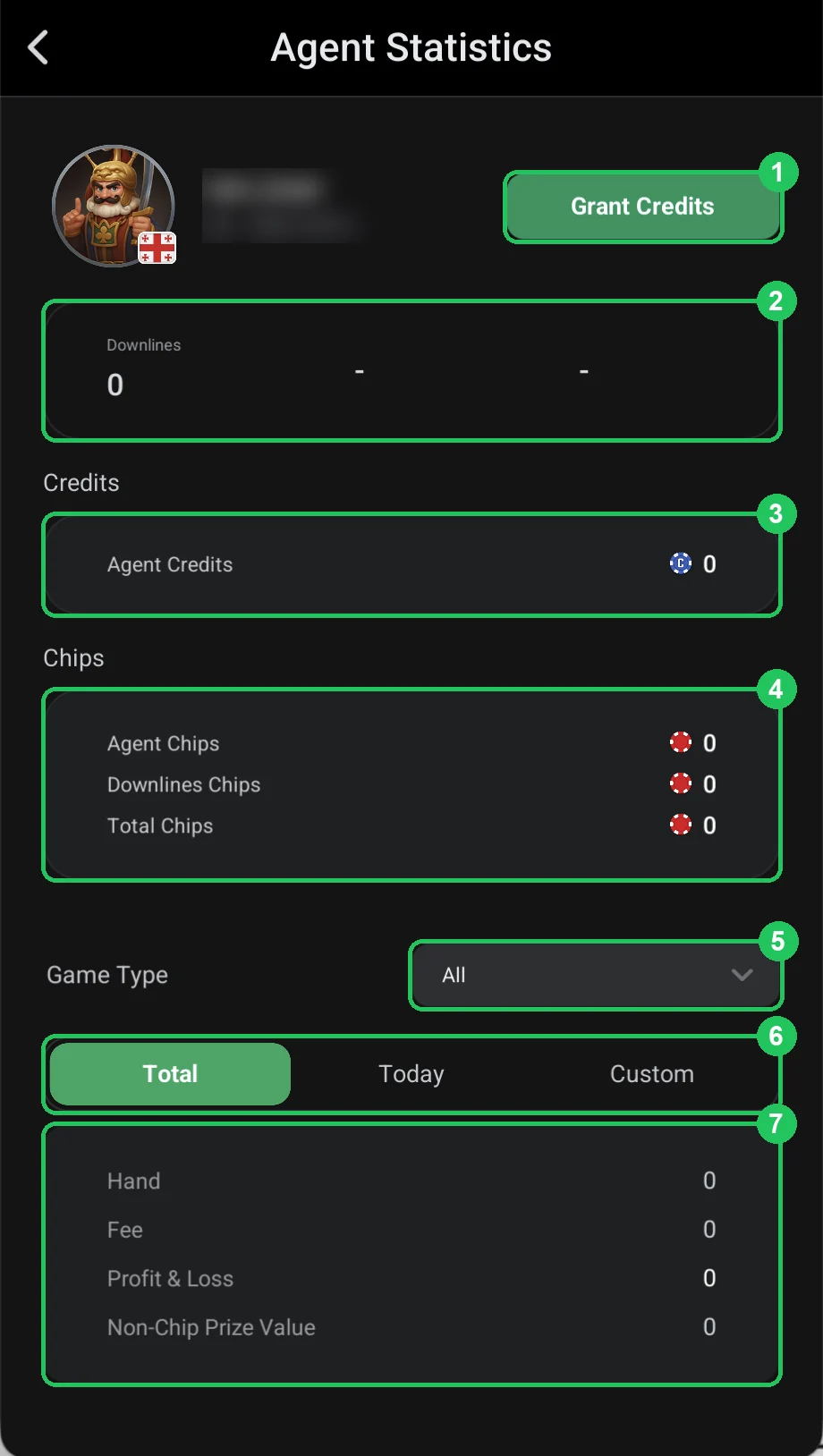
Agent Statistics sums up an agent and their whole line on one screen: how much credit you’ve granted the agent, how many chips the agent and their players hold right now, and how much the line has played and raked.
It’s the key screen for weekly settlements with an agent: the agent’s rakeback is based on their line’s rake (Fee), and chips and credit show whether the agent has handed out more than you agreed.
Agent Statistics
- 1 — Grant Credits: jump straight to granting credit — see Grant Credits.
- 2 — Downlines: how many players are in the agent’s line (more — Downline Players).
- 3 — Credits → Agent Credits: the agent’s current credit.
- 4 — Chips: Agent Chips — the agent’s own chips, Downlines Chips — chips held by their players, Total Chips — the total.
- 5 — Game Type: all games or one game type.
- 6 — period: Total — all time, Today, Custom — your own dates.
- 7 — line figures: Hand — hands, Fee — rake, Profit & Loss — won or lost, Non-Chip Prize Value — the value of non-chip prizes.
Using it for settlements
- Check Fee for the period once a week — the agent’s rakeback is based on it.
- Compare the credit granted with the chips held by the agent and their players.
- The line’s Profit & Loss shows how much the agent’s players won or lost — the amount you settle with the agent.
Settle with agents on the same weekday and use a Custom period starting from the last settlement.