Step 31 of 42
Ban Chat in Club: muting a player
How to stop a player writing in chat in every club game for 1, 7, 30, 60 or 90 days or permanently — and how to lift the ban.
Members → player → Member Detail → Player Management → Ban Chat in Club
Ban Chat in Club mutes a player. The ban applies in every game in the club for the chosen period: the player keeps playing but can’t write in the table chat.
Periods are 1, 7, 30, 60 or 90 days or Permanent. You can lift the ban at any time from the same item in the player’s card.
When to use it: insults and harassment of other players, spam and ads for other clubs, table arguments that disrupt the game. A short 1–7 day ban is usually enough — keep permanent bans for repeat offenders.
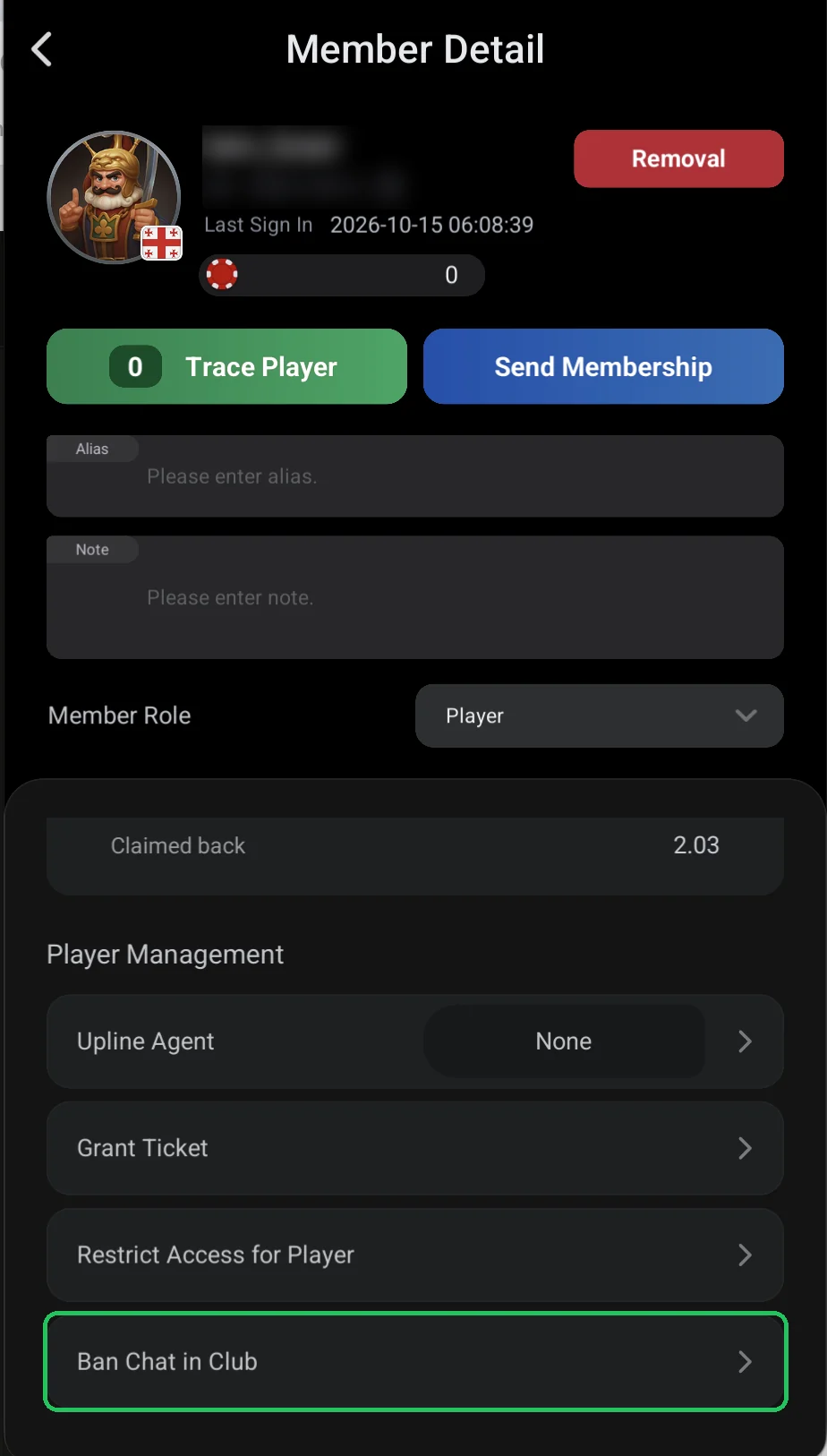
Where it is
- Members → player → Member Detail → Player Management → Ban Chat in Club.
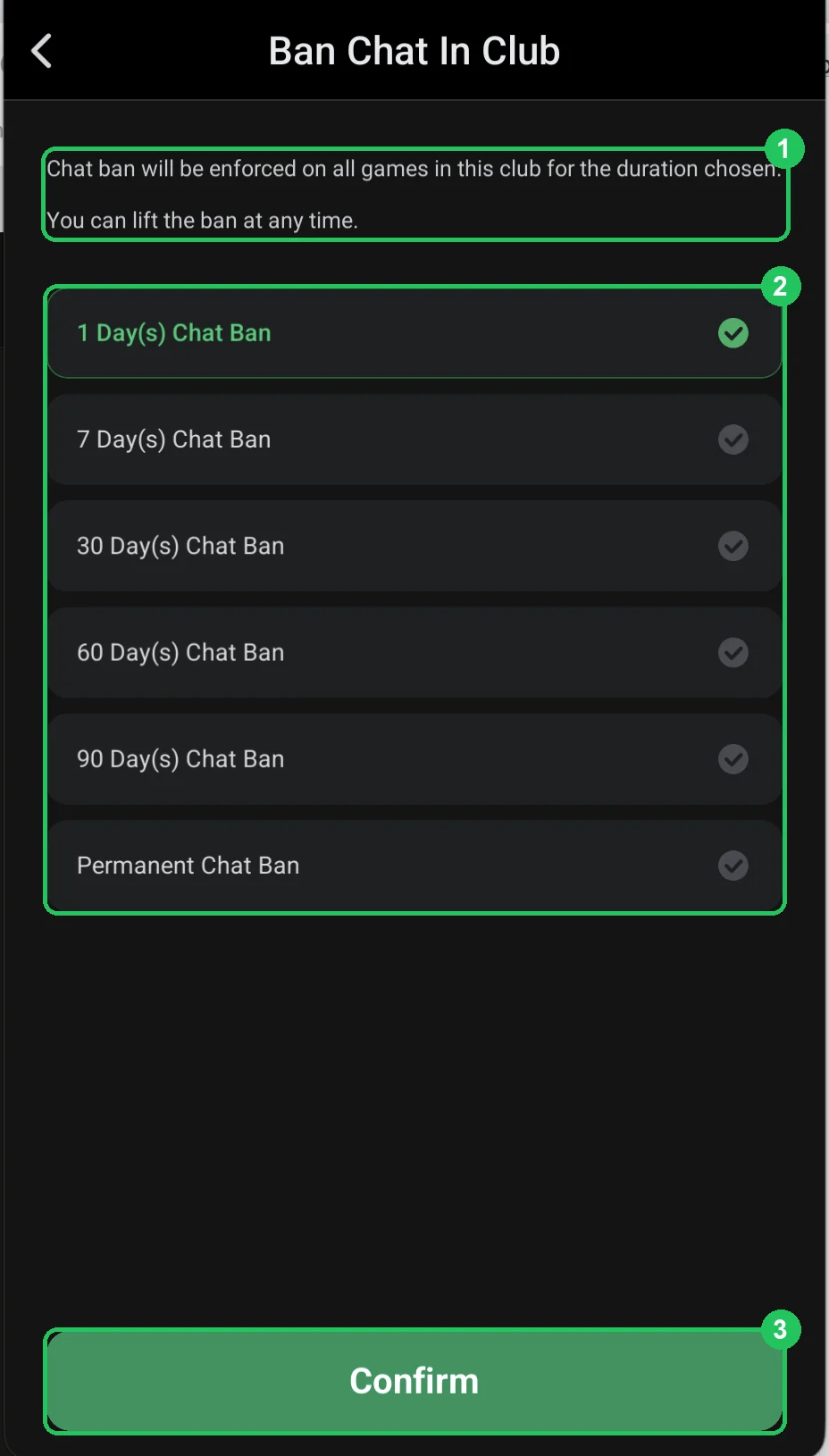
Choosing the ban period
- 1 — the chat ban applies in all club games for the chosen period; you can lift it any time.
- 2 — period: 1, 7, 30, 60 or 90 days (Day(s) Chat Ban) or Permanent Chat Ban. The selected period is highlighted in green.
- 3 — Confirm: apply the ban.
Banning fairly
- Put the chat rules in a Pop-up Notification so a ban never comes as a surprise.
- Start with a short period and tell the player why.
- Write the reason and date in the player’s Note — useful if it happens again.
A chat ban doesn’t stop the player playing — it’s a soft alternative to removing them from the club.