Disband Club: disbanding the club
Disbanding deletes all club data, including club chips and credits, with no recovery. You confirm by entering the club ID. What to do before you disband.
Disband Club is the last Club Admin item, and it sits apart for a reason: disbanding deletes all club data, including club chips and credits, and it can’t be recovered.
To prevent accidents, ClubGG asks for confirmation: you enter the club ID (6 digits) on the keypad — only then does the Disband button become active. Only the Master — the club creator — can disband the club; managers can’t.
A common mistake is disbanding to “start fresh”. Almost everything you’d want to fix can be changed without disbanding: tables, rake, roles, rules, notifications. Players’ chips, transaction history and trust are lost for good when you disband.
If the decision is final, prepare. Warn players and agents in advance, give them time to cash out, settle every balance and export reports from Club Data — Trade Record and Club Member Balance. After disbanding you can’t get them.
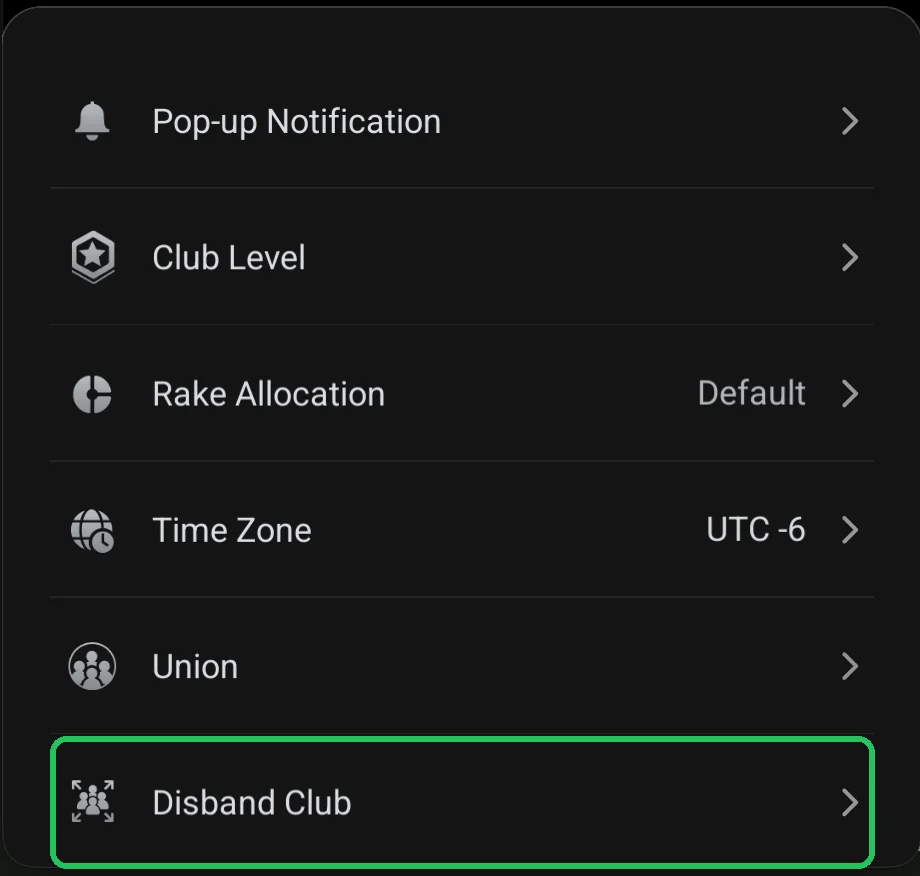
Where it is
- Club lobby → red menu button → Admin → Disband Club.
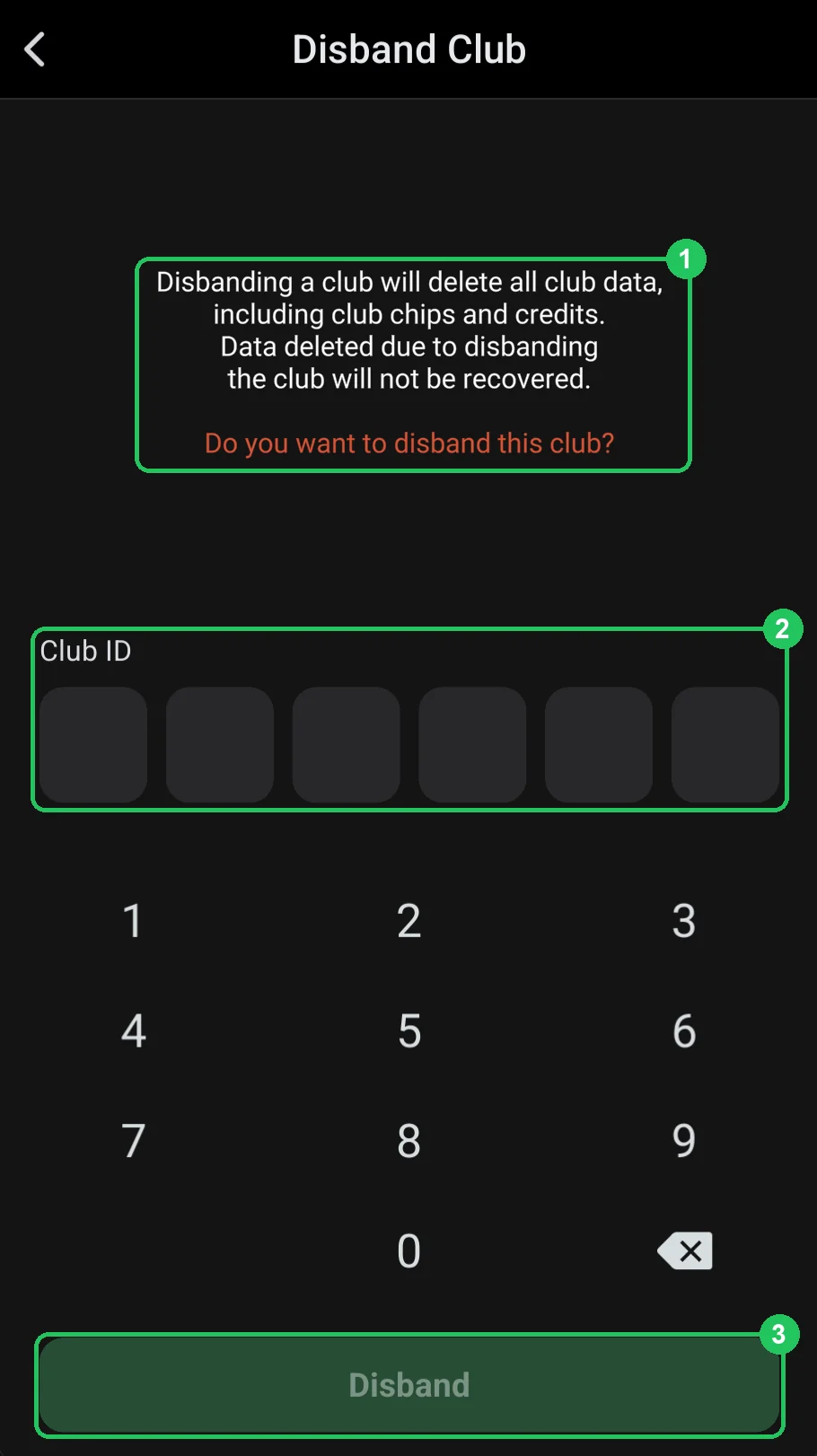
The Disband Club screen
- 1 — warning: disbanding deletes all club data, including club chips and credits; deleted data won’t be recovered. Below — “Do you want to disband this club?”.
- 2 — Club ID: enter the club ID on the keypad below — that’s the confirmation.
- 3 — Disband: disband the club. Active only after the ID is entered.
What to do before disbanding
- Announce the closure in advance — in a Pop-up Notification and the chat.
- Stop opening new tables and wait for running games to finish.
- Settle all balances with players and agents.
- Export the Trade Record and Club Member Balance reports for the whole period you need.
- If the club is in a union — settle with the union.