PokerCraft, Smart HUD and Stats
ClubGG has GGPoker’s own tools: the PokerCraft stats hub and Smart HUD at the table. They’re built in and allowed — you won’t be banned for them, unlike third-party software. But they’re paid: PokerCraft opens with a WSOP+ subscription, while hand export and Smart HUD need WSOP+ Premium. For free, the app has a Career section with core stats.
| Tool | What it gives | Access |
|---|---|---|
| Career | VPIP, PFR, C-Bet, 3-Bet, WT, WSD, win % and recent sessions | Free |
| Hand History | A list of sessions and a replay of every hand | Free |
| PokerCraft | Sessions, EV graph, positions, player notes | With WSOP+ |
| Hand export (Download) | A hand history file for review in other software | WSOP+ Premium |
| Smart HUD | Opponent stats at the table | WSOP+ Premium |
PokerCraft
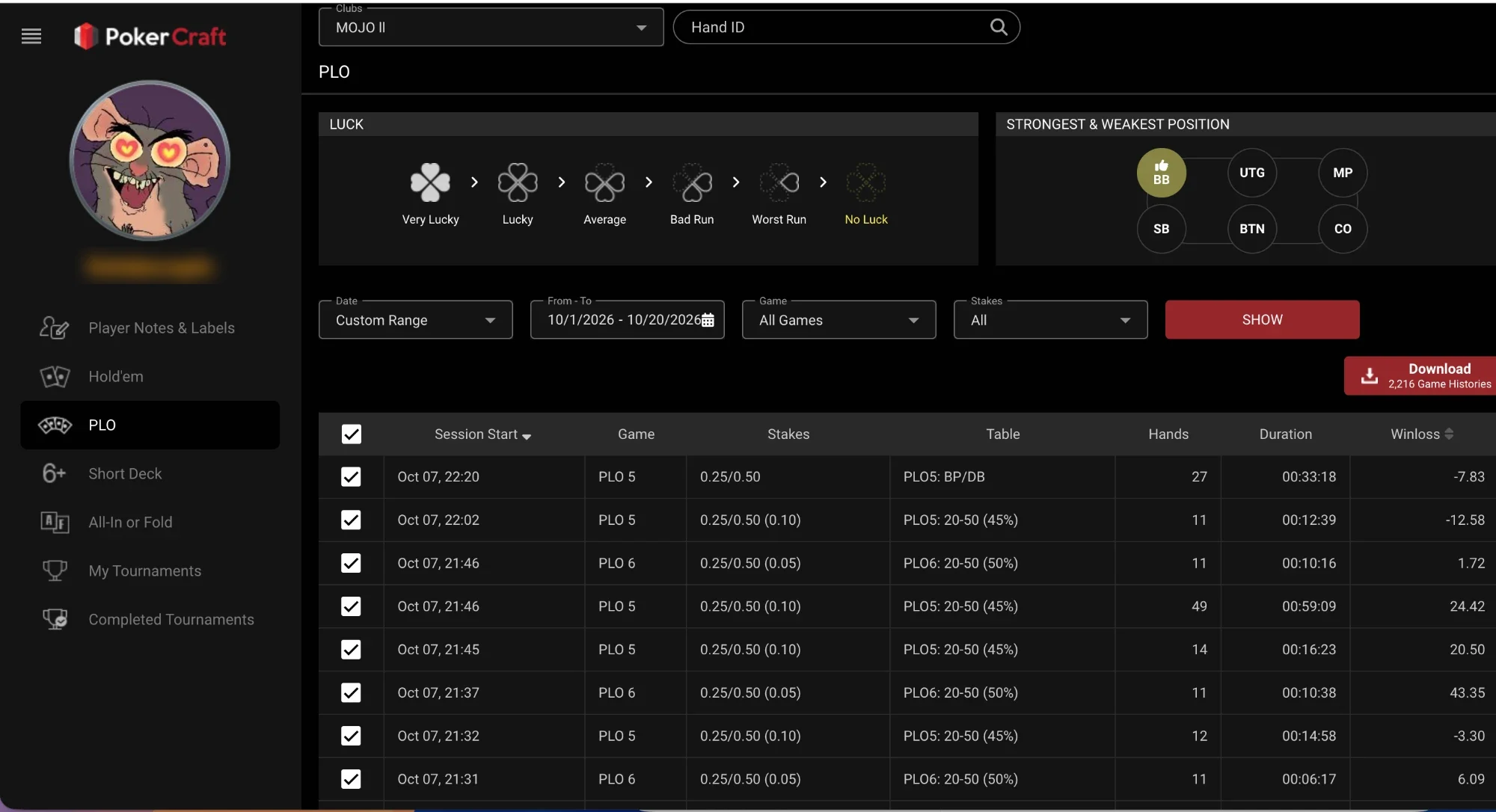
PokerCraft groups your play by session and club: result, hands, duration, strongest and weakest position and “luck” — how lucky you ran. Filter by date, game and stakes, or search a hand by Hand ID. It opens from Club Admin and from the player profile (details).
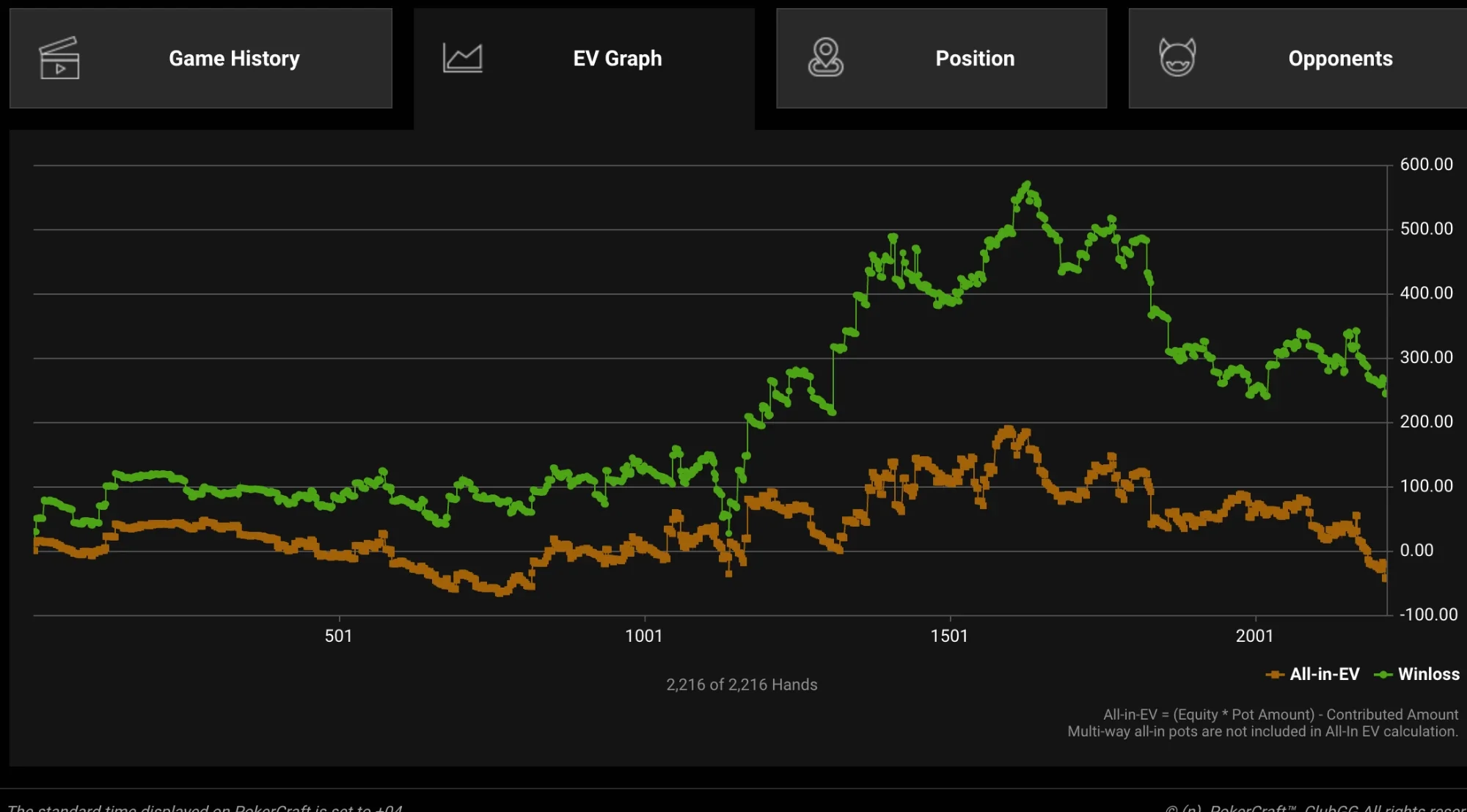
The key part is the EV graph. If your actual result (Winloss) is well above the All-in-EV line you ran lucky; below it — unlucky. It shows whether you lose because of mistakes or variance. Multiway all-ins aren’t counted.
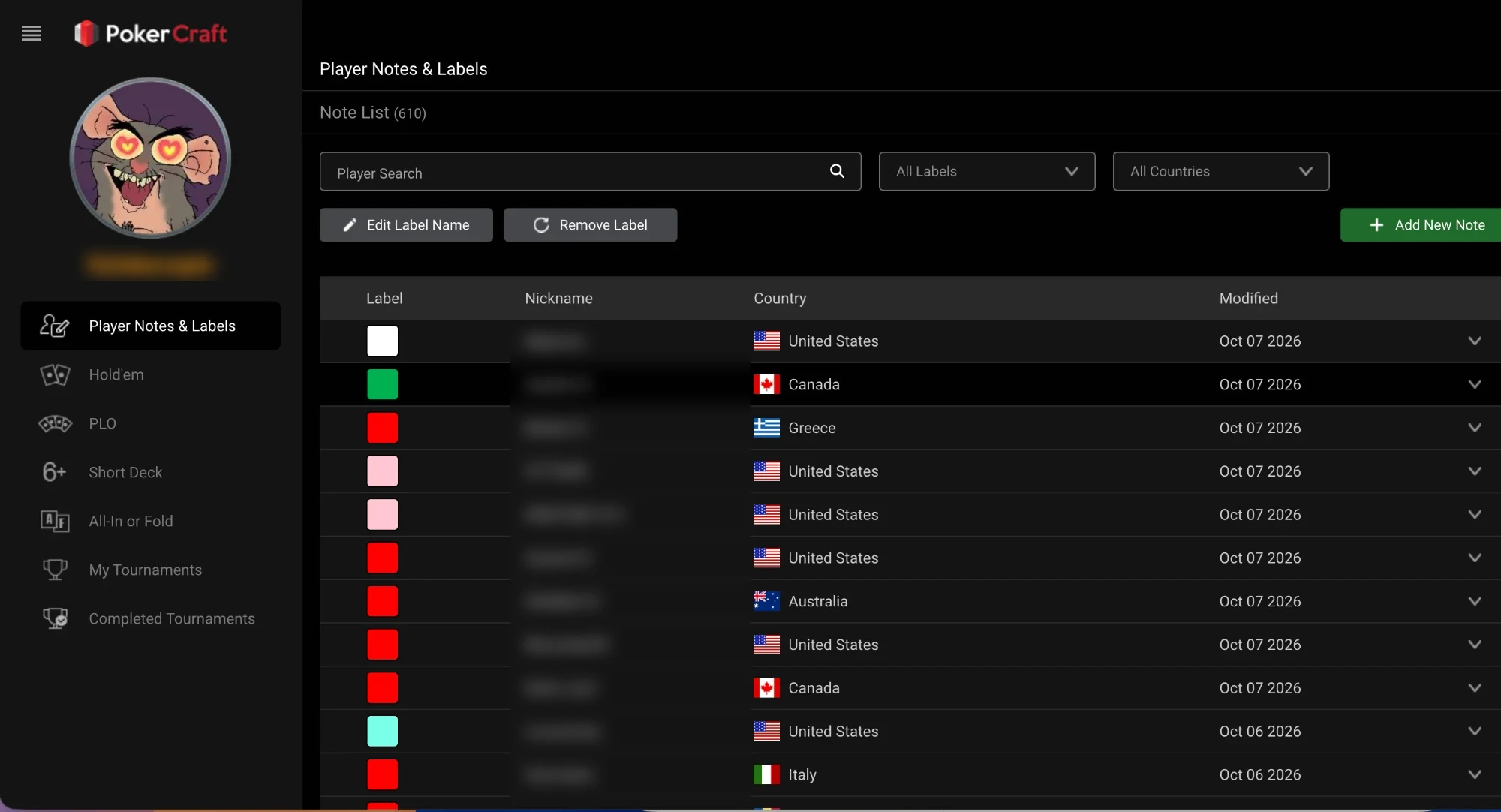
Player Notes & Labels — notes and colour labels on opponents. Labels show next to nicknames at the table: handy for marking strong regulars and weak players.
Career — Free Stats
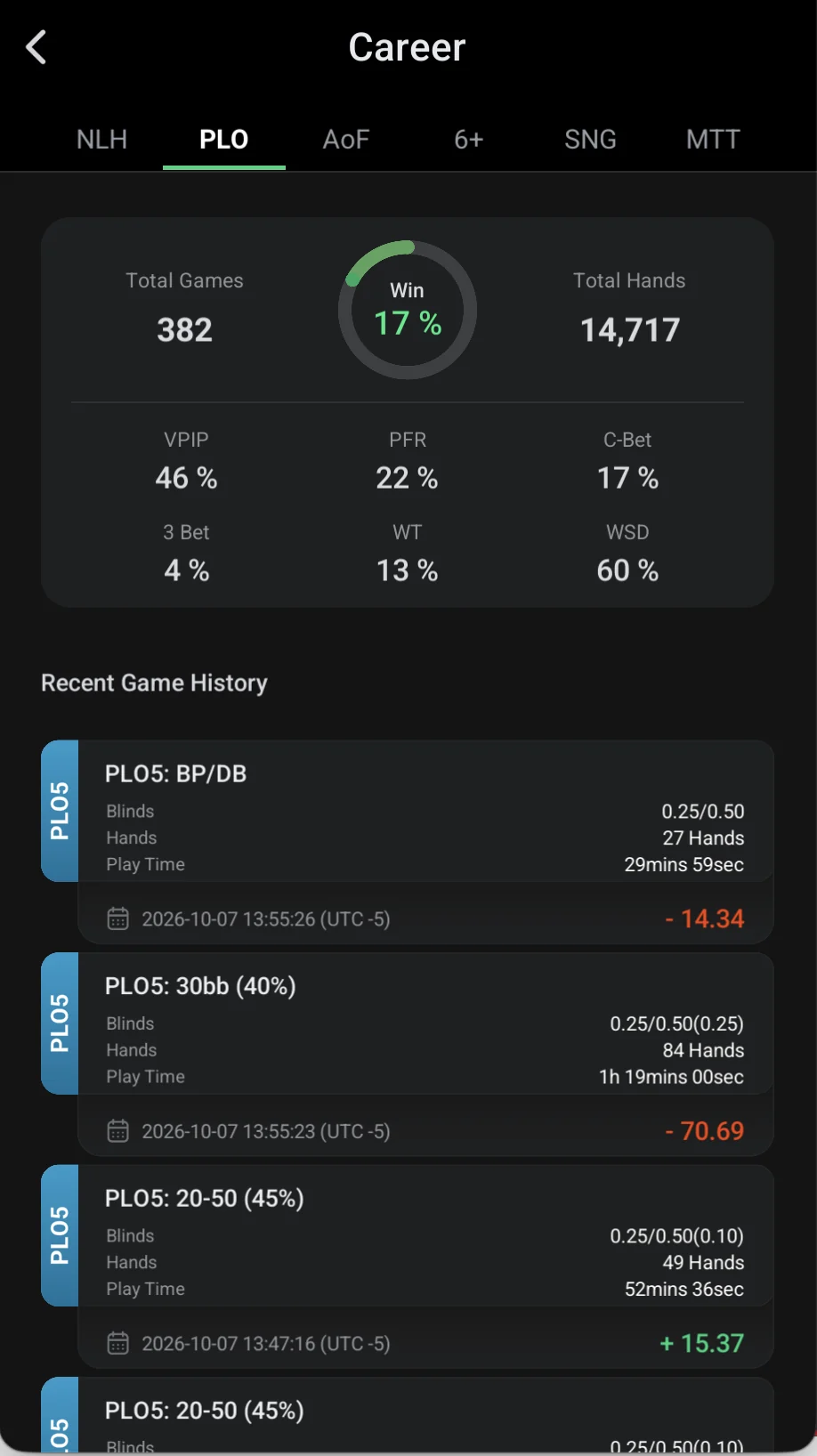
Without a subscription, core stats are in Career: games and hands played, win %, VPIP, PFR, C-Bet, 3-Bet, WT and WSD — separately for NLH, PLO, AoF, 6+, SNG and MTT, plus recent session results (what each stat means).
Smart HUD
Smart HUD shows opponent stats right at the table. It comes with WSOP+ Premium along with hand export, Rabbit Hunt and up to 12 tables on PC — what else Premium gives.
- What’s Banned
- Third-party HUDs and trackers that read the table in real time.
- Real-time assistance (RTA) and solvers during play.
- Bots and auto-play scripts.